
1. הקדמה
תודה על הרכישהasing the EARISE D61 Plus Bluetooth Speaker. This manual provides important information regarding the safe operation, setup, and maintenance of your device. Please read it thoroughly before use and retain it for future reference.

Image 1.1: The EARISE D61 Plus Bluetooth Speaker, showcasing its portable design and integrated RGB lighting.
2. מידע בטיחות חשוב
- אין לחשוף את הרמקול למים או ללחות מוגזמת, מכיוון שהוא אינו עמיד למים.
- הימנעו מטמפרטורות קיצוניות, אור שמש ישיר או מקורות חום.
- אין לפרק, לתקן או לשנות את המכשיר. יש לפנות לכל טיפול וטיפול באנשי מקצוע מוסמכים.
- השתמשו רק בכבל הטעינה ובמתאם החשמל שצוינו.
- הרחק את הרמקול מילדים וחיות מחמד.
- אין להפעיל את הרמקול בעוצמות גבוהות מדי למשך פרקי זמן ממושכים כדי למנוע נזק לשמיעה.
3. תכולת החבילה
אנא בדקו את החבילה עבור הפריטים הבאים:
- EARISE D61 Plus Bluetooth Speaker
- כבל טעינה USB
- מדריך למשתמש (מסמך זה)
אם פריטים חסרים או ניזוקים, אנא צרו קשר עם תמיכת הלקוחות.
4. המוצר נגמרview
הכירו את רכיבי הרמקול והבקרות שלו.
תמונה 4.1: חזית view of the EARISE D61 Plus speaker, highlighting the control panel and speaker grille.
4.1 לוח בקרה ויציאות

Image 4.2: Diagram illustrating the various input options and features of the speaker, including USB, TF card, AUX, Microphone, Bluetooth, and FM radio.
- MODE/LIGHT Button: Short press to switch between input modes (Bluetooth, AUX, USB, TF, FM). Long press to change light effects.
- M-/V- Button: Short press for previous track (in music modes) or previous station (in FM mode). Long press to decrease volume.
- MSCAN/TWS Button: Short press to Play/Pause (in music modes) or auto-scan FM stations (in FM mode). Long press to activate TWS pairing.
- M+/V+ Button: Short press for next track (in music modes) or next station (in FM mode). Long press to increase volume.
- יציאת USB: להשמעת כונן הבזק מסוג USB.
- חריץ כרטיס TF: להשמעת כרטיס TF (MicroSD).
- כניסת AUX: לחיבור התקני שמע חיצוניים באמצעות כבל שמע 3.5 מ"מ.
- כניסת מיקרופון: לחיבור מיקרופון.
- יציאת טעינה: לטעינת הסוללה הפנימית של הרמקול.
5. התקנה
5.1 טעינת הרמקול
Before first use, fully charge the speaker. Connect the provided USB charging cable to the speaker's charging port and the other end to a USB power adapter (not included) or a computer's USB port. The charging indicator will illuminate during charging and turn off when fully charged.

Image 5.1: Visual representation of the speaker being charged, indicating battery status.
5.2 הפעלה/כיבוי
Press and hold the Power button (often integrated with the MODE button or a separate switch, refer to physical device for exact location) to turn the speaker ON or OFF. A sound prompt will indicate the power status.
5.3 זיווג בלוטות '
- Ensure the speaker is powered on and in Bluetooth mode (indicated by a voice prompt or flashing LED). If not, short press the MODE/LIGHT button to switch to Bluetooth mode.
- הפעל את בלוטות' במכשיר הנייד שלך (סמארטפון, טאבלט וכו').
- חפש available Bluetooth devices. You should see "EARISE D61 Plus" in the list.
- Select "EARISE D61 Plus" to connect. Once paired, a confirmation sound will be heard.
- The speaker will automatically reconnect to the last paired device when in Bluetooth mode, if the device is within range and Bluetooth is enabled.
צימוד 5.4 TWS (סטריאו אלחוטי אמיתי)
To achieve stereo sound, you can pair two EARISE D61 Plus speakers together.

Image 5.2: Illustration of two EARISE D61 Plus speakers connected via TWS for a stereo audio experience, controlled by a single smartphone.
- Ensure both EARISE D61 Plus speakers are powered on and in Bluetooth mode, but not yet connected to any device.
- On one of the speakers (this will be the primary speaker), long press the MSCAN/TWS button. You will hear a prompt indicating TWS pairing mode.
- שני הרמקולים יחפשו ויתחברו זה לזה באופן אוטומטי. צליל אישור יצביע על צימוד TWS מוצלח.
- Once paired, the primary speaker will be ready for Bluetooth connection to your mobile device. Follow the steps in "5.3 Bluetooth Pairing" to connect your device to the primary speaker.
- כעת האודיו יתנגן בסטריאו דרך שני הרמקולים.
- To disconnect TWS, long press the MSCAN/TWS button on either speaker.
6. הוראות הפעלה
6.1 בחירת מצבים
לחץ קצר על מצב/אור button to cycle through available input modes: Bluetooth, AUX, USB, TF Card, FM Radio.
6.2 Audio Playback (Bluetooth, USB, TF Card, AUX)
- הפעל/השהה: לחץ קצר על MSCAN/TWS לַחְצָן.
- הרצועה הבאה: לחץ קצר על M+/V+ לַחְצָן.
- רצועה קודמת: לחץ קצר על M-/V- לַחְצָן.
- הגבר קול: לחץ לחיצה ארוכה על M+/V+ לַחְצָן.
- להנמיך קול: לחץ לחיצה ארוכה על M-/V- לַחְצָן.
פעולת רדיו FM 6.3
- עבור למצב FM באמצעות מצב/אור לַחְצָן.
- לחץ קצר על MSCAN/TWS button to automatically scan and save available FM stations. The speaker will play the first saved station.
- לחיצה קצרה M+/V+ or M-/V- כדי לנווט בין תחנות שנשמרו.
6.4 אפקטי אור RGB
The speaker features dynamic RGB lighting. Long press the מצב/אור כפתור כדי לעבור בין מצבי תאורה שונים או לכבות את האורות.
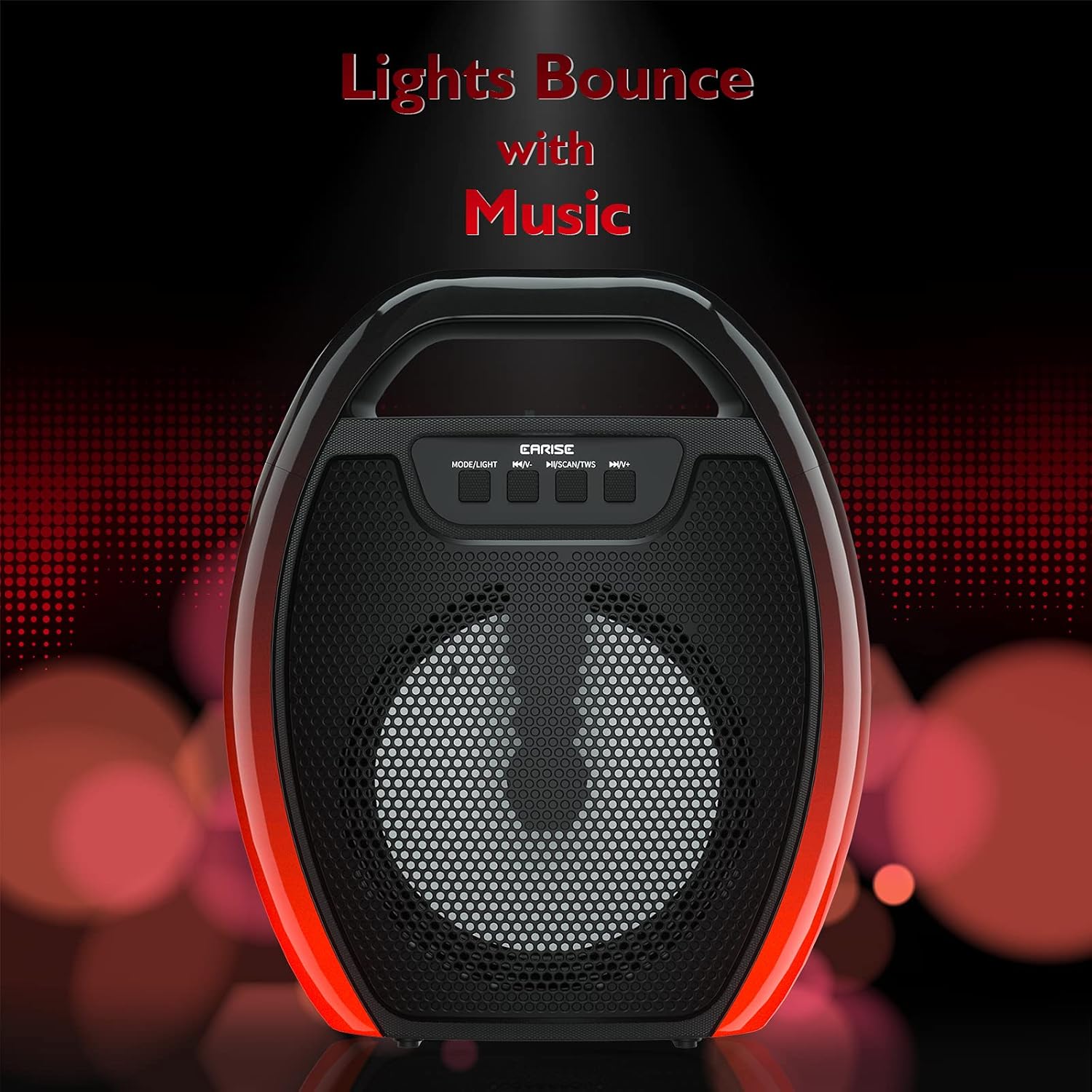
Image 6.1: The speaker displaying its light effects, which can synchronize with music playback.
6.5 כניסת מיקרופון
Connect a wired microphone (not included) to the MIC input port for karaoke or public address functions. Adjust the microphone volume using the connected microphone's controls or the speaker's main volume controls.
7. תחזוקה
- ניקוי: Use a soft, dry cloth to clean the speaker. Do not use liquid cleaners or aerosols.
- אִחסוּן: יש לאחסן את הרמקול במקום קריר ויבש, הרחק מאור שמש ישיר וטמפרטורות קיצוניות.
- טיפול בסוללה: To prolong battery life, fully charge the speaker before long periods of inactivity and recharge it at least once every three months. Avoid completely draining the battery frequently.
8. פתרון תקלות
| בְּעָיָה | סיבה אפשרית | פִּתָרוֹן |
|---|---|---|
| הרמקול לא נדלק. | סוללה חלשה; כפתור ההפעלה לא נלחץ נכון. | טען את הרמקול; לחץ והחזק את לחצן ההפעלה למשך מספר שניות. |
| לא ניתן לבצע צימוד דרך בלוטות'. | Speaker not in pairing mode; Device Bluetooth off; Speaker too far from device; Already connected to another device. | Ensure speaker is in Bluetooth pairing mode; Turn on Bluetooth on your device; Move device closer to speaker; Disconnect from other devices. |
| אין קול. | עוצמת קול נמוכה מדי; מצב קלט שגוי; המכשיר אינו מנגן אודיו. | Increase speaker and device volume; Switch to correct input mode (Bluetooth, AUX, etc.); Ensure audio is playing on your device. |
| צימוד TWS נכשל. | Speakers too far apart; One speaker already paired to a device; Not in TWS pairing mode. | Ensure speakers are close; Disconnect both speakers from any devices; Long press MSCAN/TWS on one speaker to initiate TWS pairing. |
| נורות RGB לא עובדות. | אורות כבויים; תקלה. | Long press MODE/LIGHT button to cycle through light modes; If issue persists, contact support. |
9. מפרטים
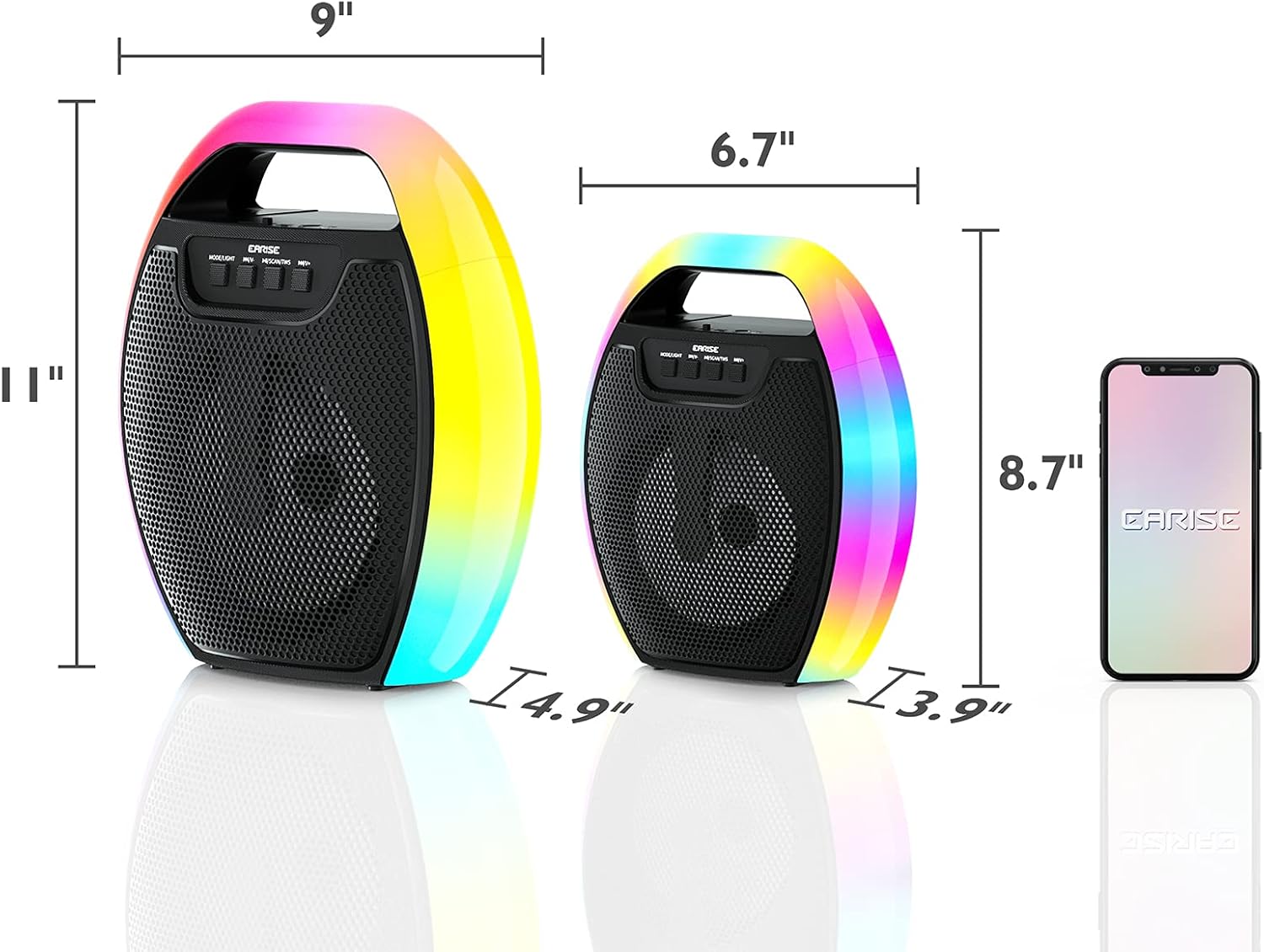
Image 9.1: Product dimensions of the EARISE D61 Plus speaker.
| תכונה | פְּרָט |
|---|---|
| שם הדגם | D61 פלוס |
| מותג | להרוויח |
| טכנולוגיית קישוריות | Bluetooth, Auxiliary (3.5mm), USB, TF Card, FM Radio |
| מצב פלט שמע | סטריאו (עם TWS) |
| סוג רמקול | רמקול חיצוני נייד |
| גודל רמקול | 4 אינץ' |
| מקור כוח | מופעל על סוללה |
| חיי סוללה | Up to 12 Hours (actual playtime varies with volume and light usage) |
| אֲטִימוּת | לֹא |
| מידות המוצר | 9 x 5 x 11 אינץ' (L x W x H) |
| משקל פריט | 2.28 פאונד |
| תכונות מיוחדות | RGB Lights, TWS Pairing, Portable |
10. אחריות ותמיכה
EARISE products are designed and manufactured to the highest quality standards. For information regarding warranty coverage, technical support, or service inquiries, please refer to the warranty card included with your purchase or visit the official EARISE webאֲתַר.
אנא שמור את הוכחת הרכישה שלך עבור תביעות אחריות.