
EuroFone S2 Black
EuroFone S2 Motorcycle Bluetooth Headset User Manual
Model: S2 Black
1. הקדמה
The EuroFone S2 Motorcycle Bluetooth Headset is designed to provide seamless communication and entertainment for motorcycle riders. Featuring Bluetooth 5.1 technology, it offers stable connections, clear audio, and a range of functions including rider-to-rider intercom, hands-free calling, music playback, and FM radio. Its robust IP67 waterproof and dustproof design ensures reliable performance in various weather conditions.
2. תכונות עיקריות
- 2-Rider Full Duplex Intercom: Communicate with a riding partner up to 800 meters away.
- IP67 עמיד למים ואבק: Designed to withstand rain, dust, snow, and low temperatures.
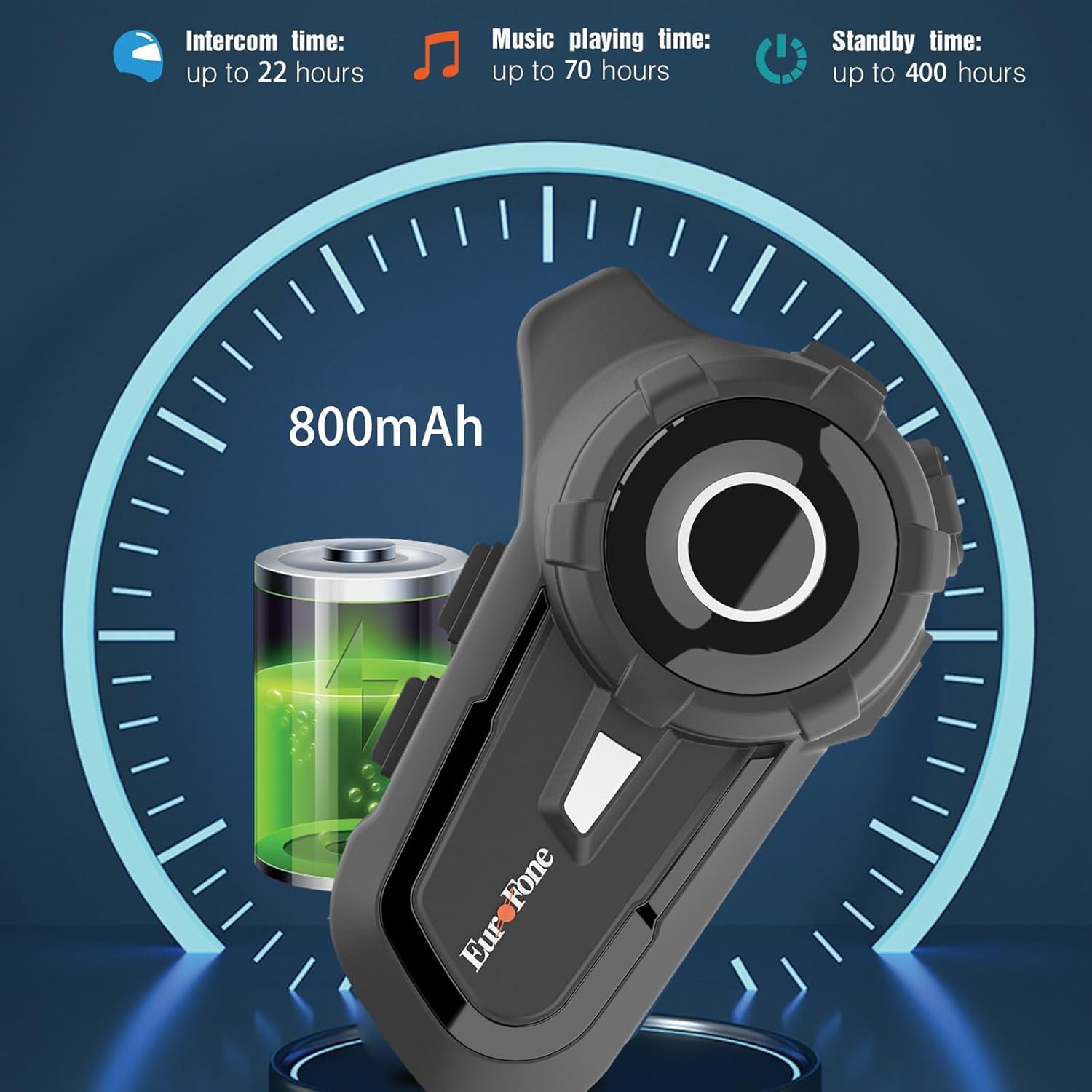
- חיי סוללה ארוכים: 800 mAh battery provides up to 20 hours of working time and 18 months standby.
- Auto Answer & Voice Control: Automatically answers calls in 10 seconds and supports voice assistant/Siri.
- Noise Reduction & Hi-Fi Stereo Sound: CVC advanced noise cancellation for clear audio and high-fidelity sound quality.
- Bluetooth 5.1: מבטיח חיבור אלחוטי יציב ויעיל.
- רדיו FM: Built-in FM radio for entertainment on the go.
- מיקום GPS: Can connect to GPS devices for navigation.
3. תכולת החבילה
ודא שכל הפריטים נמצאים בחבילה שלך:
- EuroFone S2 Bluetooth Headset Unit
- Hard Microphone (Boom Mic)
- Soft Microphone (Wired Mic)
- סט רמקולים
- כבל טעינה מסוג USB מסוג C
- הרכבה Clamp
- רפידות סקוטש לרמקולים
- מדריך למשתמש

4. התקנה והתקנה
4.1 טעינת המכשיר
Before first use, fully charge the EuroFone S2 headset. Connect the provided USB Type-C cable to the charging port on the unit and to a USB power source. The indicator light will show charging status. A full charge takes approximately 2.5 hours.

4.2 Installing into Helmet
Follow these steps to install the headset into your motorcycle helmet:
- הכנת קסדה: Carefully remove the internal padding of your helmet to access the ear pockets and inner shell.
- חיבור רמקולים: Use the provided velcro pads to attach the speakers inside the helmet's ear pockets. Ensure they are positioned directly over your ears for optimal sound quality. Route the speaker wires neatly under the lining.
- התקנת מיקרופון: Choose either the hard boom microphone (for open-face/modular helmets) or the soft wired microphone (for full-face helmets). Attach the microphone to the helmet lining near your mouth using the adhesive base. Route the microphone cable along with the speaker wires.
- הרכבה של יחידה ראשית: Secure the main headset unit to the side of the helmet using the mounting clamp. Tighten the screws to ensure a firm attachment.
- חבר כבלים: Plug the speaker and microphone cables into the corresponding ports on the main headset unit. Ensure connections are secure.
- הרכבה מחדש של הקסדה: Carefully reinsert the helmet's internal padding, ensuring all wires are tucked away and do not interfere with comfort or safety.

5. הוראות הפעלה
5.1 בקרות מעלview
The EuroFone S2 features intuitive controls for easy operation:
| לִשְׁלוֹט | פוּנקצִיָה |
|---|---|
| מקש הפעלה / כיבוי | הפעלה/כיבוי |
| מפתח רב תכליתי | Play/Pause music, Answer/End calls, Activate voice assistant |
| Knob (Jog Dial) | Rotate clockwise for Volume Up, Counter-clockwise for Volume Down. Short press rotate for Next/Previous track. |
| מפתח FM | Activate/Deactivate FM Radio |
| Talkback Key (Intercom Button) | Initiate/End intercom communication |
| Charging Port & K-wire Interface | For charging and connecting external devices. |
| טלפון לג'ק | For wired audio connection (if applicable). |

5.2 צימוד בלוטות' (טלפון)
To pair your EuroFone S2 headset with your mobile phone:
- וודא שהאוזנייה כבויה.
- בו זמנית לחץ והחזק את כפתור אינטרקום ואת כפתור רב תכליתי for approximately 5 seconds until you hear a "di di" voice prompt indicating factory settings restoration. Release the buttons.
- Turn on the power button until you hear a voice prompt. The indicator light will flash blue and red, indicating pairing mode.
- בטלפון הנייד שלך, עבור להגדרות Bluetooth וחפש מכשירים זמינים.
- Select "S2" from the list of Bluetooth devices.
- Once paired, the headset will confirm with a voice prompt, and the indicator light will show a steady blue light or slow flashes.
5.3 Intercom Pairing (Two Units)
To pair two EuroFone S2 units for intercom communication:
- Ensure both headsets are powered off.
- On the first headset, turn on the power button and press and hold the כפתור אינטרקום for approximately 5 seconds until the indicator flashes with a quick blue light. You will hear a "pairing mode" voice prompt.
- On the second headset, turn on the power button and press and hold the כפתור אינטרקום for approximately 5 seconds until the indicator flashes with a quick blue light. You will also hear a "pairing mode" voice prompt.
- Wait for a few seconds. The two headsets will automatically pair with each other. The indicator lights will change to a steady blue or slow flashes once connected.
5.4 Reconnecting Intercom
If the intercom connection is lost or you wish to re-establish it:
- Short click the כפתור רב תכליתי on either headset to hear the prompt "end intercom".
- לחץ פעמיים על כפתור אינטרקום on any one of the headsets.
- לאחר מכן לחץ על כפתור רב תכליתי. You will hear the "start intercom" voice prompt again, indicating the connection is re-established.
5.5 השמעת מוזיקה
After pairing with your phone, you can control music playback:
- הפעל/השהה: לחץ על כפתור רב תכליתי לנגן או להשהות מוסיקה.
- בקרת עוצמת הקול: סובב את ה חיוג ריצה clockwise to increase volume, counter-clockwise to decrease volume.
- הרצועה הבאה / הקודמת: Short press and rotate the חיוג ריצה counter-clockwise to play the next song. Short press and rotate clockwise to play the previous song.
5.6 שיחות טלפון
Manage phone calls hands-free:
- תשובה לשיחה: The headset will automatically answer incoming calls after 10 seconds. You can also click the כפתור רב תכליתי to answer immediately.
- סיום שיחה: לחץ על כפתור רב תכליתי to end an ongoing call.
- דחה שיחה: לחץ והחזק את כפתור רב תכליתי למשך 2 שניות כדי לדחות שיחה נכנסת.
- עוזר קול/סירי: הקש על כפתור רב תכליתי twice to activate your phone's voice assistant (Siri, Google Assistant, etc.).
5.7 רדיו FM
כדי להשתמש ברדיו FM המובנה:
- הדלקה/כיבוי של FM: לחץ על מפתח FM to activate or deactivate the FM radio.
- תחנות סריקה: While FM is on, press and hold the מפתח FM to automatically scan and save available stations.
- תחנה להחלפה: סובב את ה חיוג ריצה to switch between saved FM stations.
6. תחזוקה וטיפול
- ניקוי: נגבו את יחידת האוזניות בעזרת מטלית רכהamp בַּד. אין להשתמש בכימיקלים קשים או בחומרי ניקוי שוחקים.
- חשיפה למים: While IP67 waterproof, avoid prolonged submersion. Ensure charging port cover is securely closed when not charging.
- אִחסוּן: יש לאחסן את האוזניות במקום קריר ויבש, הרחק מאור שמש ישיר וטמפרטורות קיצוניות.
- טיפול בסוללה: להשגת חיי סוללה אופטימליים, טען את המכשיר באופן קבוע, גם אם אינו בשימוש תכוף. הימנע מפריקה מלאה של הסוללה למשך פרקי זמן ממושכים.
7. פתרון תקלות
| בְּעָיָה | סיבה אפשרית | פִּתָרוֹן |
|---|---|---|
| המכשיר לא נדלק. | סוללה חלשה. | טען את המכשיר במלואו. |
| לא ניתן להתאים לטלפון. | Headset not in pairing mode; phone Bluetooth off; previously paired device interfering. | Ensure headset is in pairing mode (flashing blue/red). Turn phone Bluetooth off/on. Forget previous pairings on phone. Perform factory reset on headset. |
| אינטרקום לא מתחבר. | Headsets not in intercom pairing mode; out of range. | Ensure both headsets are in intercom pairing mode. Move closer to each other. Re-initiate intercom connection as per section 5.4. |
| אין צליל או עוצמת קול נמוכה. | Volume too low; speakers not positioned correctly; loose connections. | Increase volume using the Jog Dial. Adjust speaker position in helmet. Check all cable connections. |
| איכות צליל/רעש ירודה. | Microphone not positioned correctly; excessive wind noise; interference. | Adjust microphone position. Ensure microphone foam cover is in place. Reduce speed if wind noise is excessive. |
8. מפרטים
| תכונה | פְּרָט |
|---|---|
| שם הדגם | S2 שחור |
| גרסת בלוטות' | 5.1 |
| טווח אינטרקום | Up to 800 meters (2-riders) |
| קיבולת סוללה | 800 מיליאמפר/שעה |
| זמן טעינה | 2.5 שעות |
| Working Time (Intercom) | עד 22 שעות |
| Working Time (Music) | עד 70 שעות |
| זמן המתנה | עד 18 חודשים |
| רמת עמידות במים | IP67 Waterproof & Dustfree |
| בקרת רעש | Active Noise Cancellation (CVC) |
| מידות | 3.35 x 2.17 x 0.98 אינץ' |
| משקל פריט | 12.7 אונקיות |
| יַצרָן | Shenzhen Goldstar Electronics Co., Ltd |
9. אחריות ותמיכה
For warranty information and technical support, please refer to the official EuroFone webאתר או צרו קשר ישירות עם שירות הלקוחות שלהם. שמרו את קבלת הרכישה כהוכחת קנייה עבור כל תביעת אחריות.
אתה יכול לבקר ב EuroFone Store on Amazon למידע נוסף על המוצר ומשאבי תמיכה.