
1. המוצר נגמרview
The XROUND AERO True Wireless Gaming Earbuds (Model XAW-01) are designed to provide a versatile audio experience for both gaming and music. Featuring 50ms ultra-low latency, XROUND Lite surround sound, and noise-reducing dual-microphones, these earbuds offer immersive sound and clear communication. They are compatible with Android, iOS, PS4, PS5, Switch, and PC, offering a seamless transition between various entertainment platforms.

Figure 1: XROUND AERO True Wireless Gaming Earbuds.
2. מה בקופסה
Your XROUND AERO package includes the following items:
- AERO True Wireless Earbuds
- נרתיק טעינה אלחוטי
- 15cm Type-C Charging Cable
- מדריך למשתמש
- Spinfit Ear Tips (3 pairs: S/M/L Sizes)
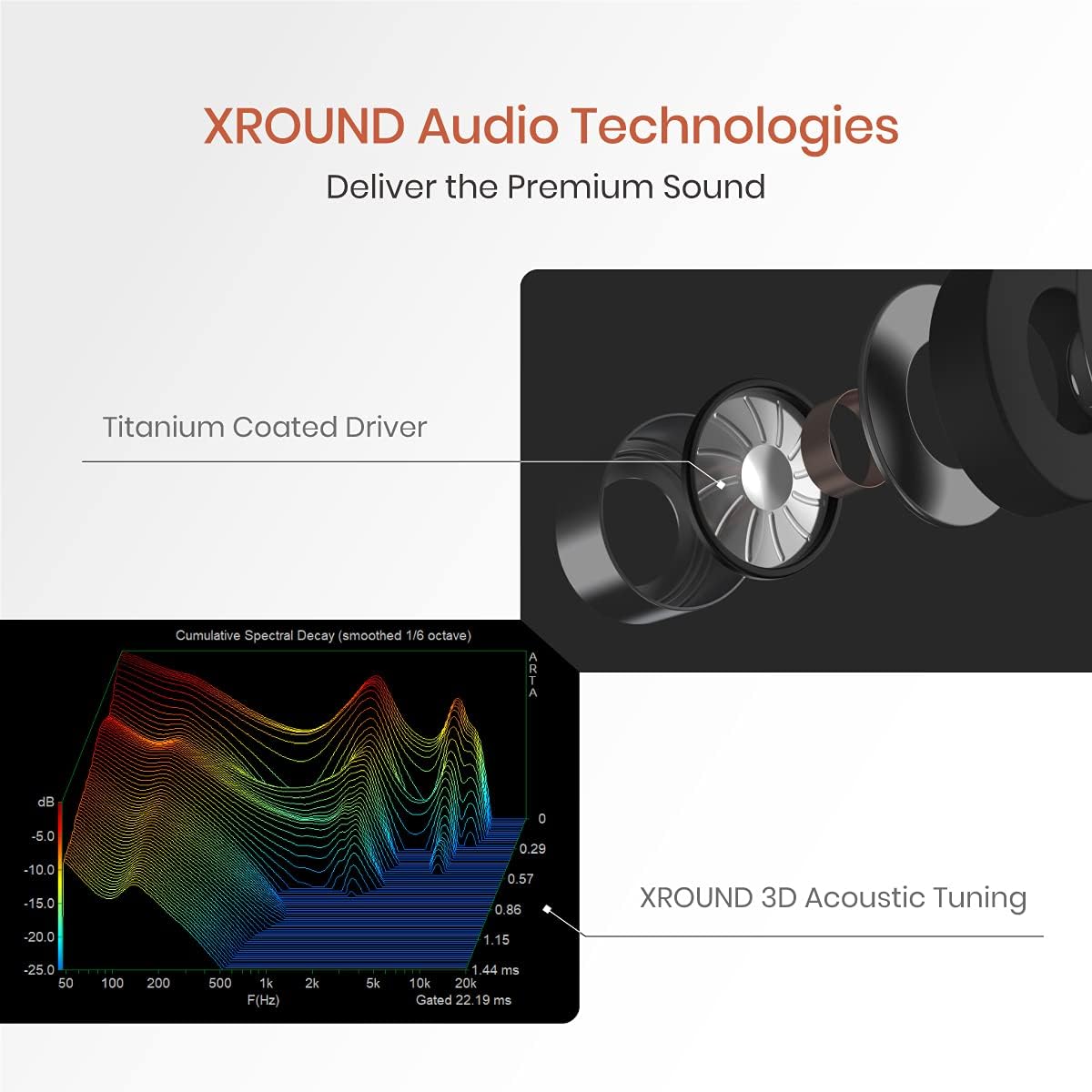
Figure 2: Included components: AERO earbuds, charging case, USB-C cable, and various ear tips.
3. התקנה
3.1 טעינה ראשונית
Before first use, fully charge your XROUND AERO earbuds and charging case. Connect the provided 15cm Type-C charging cable to the charging case and a compatible USB power source. The LED indicators on the case will show the charging status. A full charge provides up to 24 hours of total battery life with the charging case.
3.2 בחירת קצה אוזניים
For optimal sound quality and comfort, select the ear tips that best fit your ears. The package includes three pairs of Spinfit ear tips (S/M/L sizes). Experiment with different sizes to find a secure and comfortable fit that provides good sound isolation.

Figure 3: Ergonomic design and various Spinfit ear tip sizes for a comfortable and secure fit.
3.3 צימוד עם מכשירים
The XROUND AERO earbuds utilize Bluetooth 5.0 for wireless connectivity.
- עבור מכשירים ניידים (אנדרואיד/iOS): Open the charging case, and the earbuds will automatically enter pairing mode. On your device, go to Bluetooth settings and select "XROUND_AERO" from the list of available devices.
- For Gaming Consoles (PS4, PS5, Switch) and PC: Use the optional XROUND XT01 Bluetooth Transmitter (sold separately) for optimal low-latency performance. Plug the transmitter into a compatible USB port on your console or PC. The transmitter will enter pairing mode. Open the AERO charging case, and the earbuds will automatically connect to the transmitter.
3.4 התקנת אפליקציה
Download the XROUND MyTune APP from your device's app store (Android or iOS). This app allows for full customization of EQ settings, gesture controls, and other features.
4. הוראות הפעלה
4.1 הפעלה/כיבוי
- הפעלה: פתחו את מארז הטעינה, והאוזניות יידלקו אוטומטית וינסו להתחבר למכשיר האחרון שצומד.
- כיבוי: החזירו את האוזניות למארז הטעינה וסגרו את המכסה. הן יתנתקו ויכבו אוטומטית.
4.2 בקרות מחוות
The earbuds feature customizable touch controls. Default functions include:
- הפעל/השהה: הקש פעמיים על לוח המגע.
- הרצועה הבאה: Swipe the touch panel upward (Right earbud).
- רצועה קודמת: Swipe the touch panel downward (Left earbud).
- הגבר קול: Swipe the touch panel upward (Right earbud).
- להנמיך קול: Swipe the touch panel downward (Right earbud).
Customize these gestures via the XROUND MyTune APP.

Figure 4: Customize earbud gesture controls using the XROUND MyTune App.
4.3 Gaming Mode / Music Mode
Instantly switch between Gaming Mode and Music Mode using gesture control or the XROUND MyTune APP. Gaming Mode provides 50ms ultra-low latency audio, ideal for competitive gaming. Music Mode optimizes sound for a rich listening experience.

Figure 5: Seamlessly switch between Music Mode and 50ms ultra-low latency Gaming Mode.
4.4 XROUND Lite Surround Sound
The XROUND Lite surround sound system creates an immersive virtual reality 3D sound field, enhancing directional and distance audio cues in games. This feature can be toggled and adjusted (Level 1, Level 2) via the XROUND MyTune APP.
Video 1: XROUND Lite Surround Sound Test. Experience immersive 3D audio.
4.5 פונקציות שיחה
The earbuds feature noise-reducing dual-microphones for clear voice calls. Use the touch controls to manage calls:
- תשובה לשיחה: הקש פעמיים על לוח המגע.
- סיום שיחה: הקש פעמיים על לוח המגע.
- דחה שיחה: Long-hold the touch panel for 2 seconds.

Figure 6: Dual-microphone array for effective noise reduction during calls.
4.6 EQ Customization & TailorID Hearing Test
The XROUND MyTune APP allows you to fully customize the equalizer settings to match your preferred music taste. Additionally, the TailorID Hearing Test feature personalizes your hearing profile for an optimized listening experience. You can also share your custom EQ profileעם אחרים.

Figure 7: Adjust your audio equalizer settings via the XROUND MyTune App.

Figure 8: Personalize your hearing profile with the TailorID Hearing Test in the app.
5. תחזוקה
5.1 ניקוי
The XROUND AERO earbuds are IP54 water and dust resistant. To clean, gently wipe the earbuds with a soft, damp cloth. Do not submerge the earbuds in water or use harsh cleaning agents. Ensure the charging contacts on both the earbuds and the case are clean and dry before charging.
5.2 אחסון
כאשר אינן בשימוש, אחסנו את האוזניות בנרתיק הטעינה שלהן כדי להגן עליהן מפני אבק ונזקים ולהבטיח שהן יישארו טעונות.
6. פתרון תקלות
- אוזניות לא מתחברות: Ensure both earbuds are in the charging case. Open the lid and check if the indicator lights are flashing, indicating pairing mode. If not, manually initiate pairing mode via the app or by following the instructions in the full user manual. Ensure Bluetooth is enabled on your device.
- אין צליל או איכות צליל ירודה: Check the ear tip fit. An improper seal can significantly affect sound quality. Ensure the earbuds are charged and properly connected to your device. Adjust EQ settings in the XROUND MyTune APP.
- בעיות במיקרופון: Ensure the dual-microphones are not obstructed. For console gaming, verify the external microphone (if using XT01 transmitter) is properly connected and selected as the input device in your console's audio settings.
- הסוללה מתרוקנת במהירות: Ensure earbuds are fully seated in the charging case when not in use. Using Gaming Mode or high volume levels will consume battery faster.
7. מפרטים
| תכונה | מִפרָט |
|---|---|
| שם הדגם | XAW-01 |
| טכנולוגיית קישוריות | אלחוטי (בלוטות' 5.0) |
| חביון שמע | 50 מילישניות (מצב משחק) |
| רמת עמידות במים | IP54 (עמיד במים) |
| חיי סוללה | 24 שעות (עם מארז טעינה) |
| סוג מנהל התקן שמע | Dynamic Driver (Titanium-coated) |
| שיטת בקרה | App (XROUND MyTune APP), Media Control (Gesture) |
| מכשירים תואמים | Android, iOS, PS4, PS5, Switch, PC |
| משקל פריט | 1.9 אונקיות (54 גרם) |
| מידות המוצר | 2.17 x 2.17 x 0.98 אינץ' |
8. סרטון מוצר רשמי
צפו בסרטון המוצר הרשמי לקבלת מידע נוסףview of the XROUND AERO True Wireless Gaming Earbuds.
Video 2: XROUND AERO True Wireless Gaming Earbuds Product Overview.