
מָבוֹא
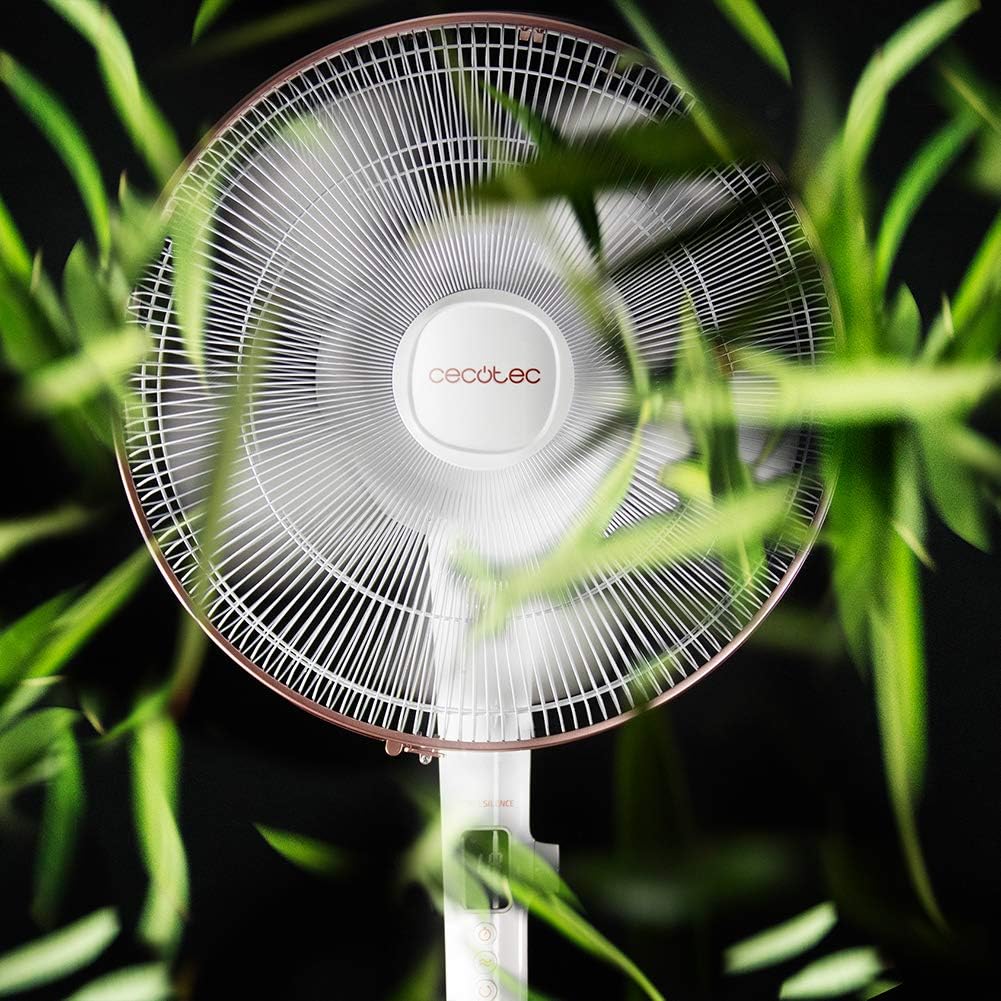
Thank you for choosing the Cecotec EnergySilence 1030 SmartExtreme Pedestal Fan. This fan is designed to provide powerful yet quiet air circulation with advanced features for enhanced comfort. It incorporates a highly efficient DC motor, offering 24 speed settings and 3 operational modes to suit various needs. Please read this manual carefully before use to ensure proper operation, maintenance, and safety.
מה יש בקופסה
- גוף מעריצים
- שְׁלַט רָחוֹק
- מדריך למשתמש
הוראות בטיחות
- תמיד נתקו את המאוורר משקע החשמל לפני ניקוי או ביצוע כל תחזוקה.
- אין להכניס אצבעות או חפצים אחרים לתוך סורג המאוורר בזמן שהוא פועל.
- הרחק את המאוורר ממים או נוזלים אחרים. אין להשתמש ב...amp סביבות.
- ודאו שכבל החשמל אינו פגום או צבט. אין להפעיל את המאוורר עם כבל או תקע פגומים.
- מכשיר זה אינו מיועד לשימוש על ידי אנשים (כולל ילדים) עם יכולות פיזיות, חושיות או נפשיות מופחתות, או חוסר ניסיון וידע, אלא אם כן הם קיבלו פיקוח או הדרכה לגבי השימוש במכשיר על ידי אדם האחראי לבטיחותם.
- הנח את המאוורר על משטח יציב ושטוח כדי למנוע ממנו להתהפך.
- Do not cover the fan during operation.
הרכבה והתקנה
The Cecotec EnergySilence 1030 SmartExtreme fan requires minimal assembly. Carefully unpack all components. The main fan body, including the motor and blades, will need to be securely attached to the pedestal and base. Ensure all parts click into place or are tightened as per the visual instructions provided in the included manual. The fan features an adjustable telescopic pole, allowing you to set the height between 115 cm and 135 cm for optimal air distribution.

הוראות הפעלה
לוּחַ בַּקָרָה
The fan features an intuitive control panel with an LED screen displaying the current settings.

- כפתור הפעלה (הפעלה/כיבוי): לחץ כדי להפעיל או לכבות את המאוורר.
- התאמת מהירות: Use the dedicated buttons or dial to cycle through 24 speed settings. The current speed will be shown on the LED display.
- לחצן מצב: Press to switch between the three available modes: Eco, Sleep, and Turbo.
- כפתור טיימר: Press to activate and set the timer for up to 18 hours.
- לחצן תנודה: Press to enable or disable the automatic oscillation function.
שְׁלַט רָחוֹק
The fan can also be conveniently operated using the included remote control.

- כל הפונקציות הזמינות בלוח הבקרה נגישות גם דרך השלט רחוק.
- Ensure the remote control is pointed towards the fan's receiver for optimal response.
- דורש סוללות AAA (לא כלולות).
מצבים ומהירויות
The fan offers 24 speed settings and 3 distinct modes:
- מצב לסביבה: Operates at a lower power consumption, ideal for energy saving.
- מצב שינה: Designed for quiet operation, gradually decreasing fan speed to provide a comfortable sleeping environment.
- מצב טורבו: מספק זרימת אוויר מקסימלית לקירור מהיר.
פונקציית טיימר
The programmable timer allows you to set the fan to operate for a specific duration, up to a maximum of 18 hours. Once the set time expires, the fan will automatically turn off.
תְנוּדָה
Activate the automatic oscillation function to distribute fresh air more widely across the room. This feature ensures a broader coverage area, enhancing overall comfort.
תַחזוּקָה
Regular cleaning ensures optimal performance and extends the lifespan of your fan.
- Before cleaning, always unplug the fan from the power supply.
- השתמש רך, דamp מטלית לניגוב המשטחים החיצוניים. אין להשתמש בחומרי ניקוי שוחקים או ממסים.
- Periodically clean the fan blades and protective grilles to remove dust and debris. This can be done using a soft brush or a vacuum cleaner with a brush attachment.
- ודא שהמאוורר יבש לחלוטין לפני חיבורו מחדש לחשמל.
פתרון בעיות
| בְּעָיָה | סיבה אפשרית | פִּתָרוֹן |
|---|---|---|
| המאוורר לא נדלק | No power supply; Power cord not properly connected; Fan is off. | בדוק את שקע החשמל; ודא שכבל החשמל מחובר היטב; לחץ על כפתור ההפעלה. |
| זרימת אוויר חלשה | Low speed setting; Dust accumulation on blades/grille. | Increase speed setting; Clean fan blades and grilles. |
| רעש יוצא דופן | Loose parts; Obstruction in fan blades. | Check for loose components and tighten if necessary; Remove any obstructions. If noise persists, contact support. |
| השלט רחוק לא עובד | סוללות ריקות; חסימה בין השלט למאוורר. | Replace batteries; Ensure clear line of sight to fan's receiver. |
מפרטים
| תכונה | פְּרָט |
|---|---|
| מותג | Cecotec |
| מספר דגם | 05915 |
| כּוֹחַ | 28 וואט |
| כרך ידtage | 230V (AC) |
| מידות המוצר | 45D x 45W x 135H cm (adjustable height) |
| משקל פריט | 5.4 קילוגרם |
| עיצוב מאוורר | Pedestal מאוורר |
| הגדרות מהירות | 24 |
| מצבים | Eco, Sleep, Turbo |
| שָׁעוֹן עֶצֶר | עד 18 שעות |
| תְנוּדָה | אוֹטוֹמָטִי |
| תכונה מיוחדת | נייד |
אחריות ותמיכה
למידע על אחריות ותמיכת לקוחות, אנא עיינו בכרטיס האחריות המצורף למוצר שלכם או בקרו באתר הרשמי של Cecotec. website. If you encounter any issues not covered in this manual, please contact Cecotec customer service for assistance.