
מָבוֹא
Thank you for choosing the Casio CSN 316 Calculator. This manual provides essential information to help you get the most out of your device, including setup instructions, operational guidance, maintenance tips, and troubleshooting solutions. Please read this manual thoroughly before using the calculator and keep it for future reference.
המוצר נגמרview
The Casio CSN 316 is a reliable 12-digit calculator designed for everyday use. It features dual power sources, ensuring consistent performance in various environments. Its clear LCD display makes calculations easy to read.
תכונות עיקריות:
- 12-digit display capacity
- Dual power (Solar and Battery)
- תצוגת LCD ברורה
- Standard arithmetic functions
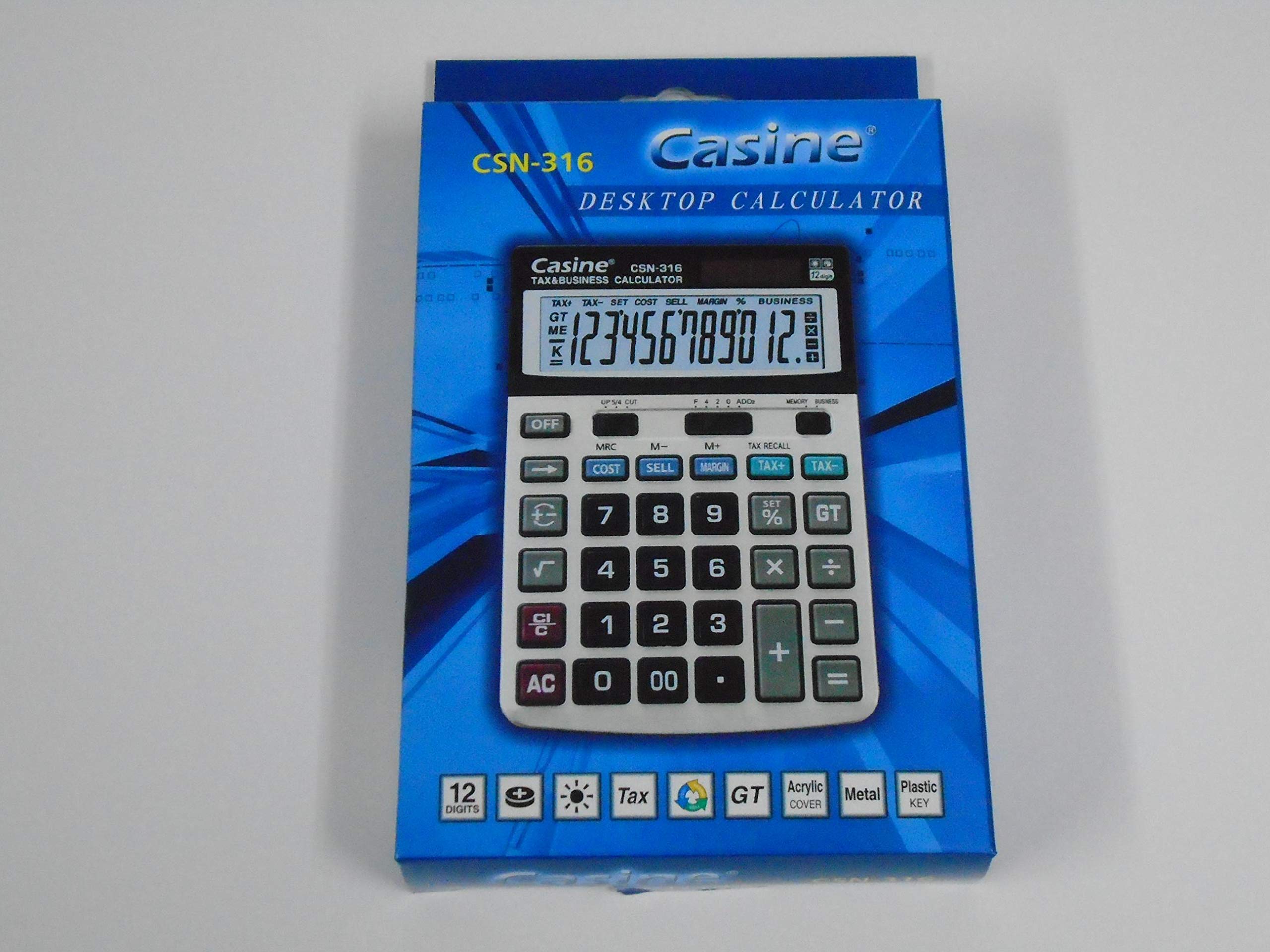
איור 1: חֲזִית view of the Casio CSN 316 Calculator, showing the 12-digit LCD display and key layout.
הגדרה
1. מקור כוח
The Casio CSN 316 calculator operates on dual power: solar power and battery power. Under sufficient lighting, the calculator will primarily use solar power. In low light conditions, it will automatically switch to battery power.
2. התקנת/החלפת סוללה
- ודא שהמחשבון כבוי.
- אתר את מכסה תא הסוללה בגב המחשבון.
- Using a small screwdriver, carefully remove the screw(s) securing the battery compartment cover.
- הסר את המכסה.
- Insert a new battery (type specified in Specifications section) with the correct polarity (+/-) as indicated inside the compartment.
- החזר את מכסה תא הסוללה למקומו ואבטח אותו בעזרת הבורג/ים.
פֶּתֶק: השלך סוללות משומשות בהתאם לתקנות המקומיות.
הוראות הפעלה
חישובים בסיסיים
- תוספת (+): הזינו את המספר הראשון, לחצו על +, הזינו את המספר השני, לחצו =.
- חיסור (-): הזינו את המספר הראשון, לחצו על -, הזינו את המספר השני, לחצו =.
- כפל (×): הזינו את המספר הראשון, לחצו על ×, הזינו את המספר השני, לחצו =.
- חילוק (÷): הזינו את המספר הראשון, לחצו על ÷, הזינו את המספר השני, לחצו =.
Clearing Entries
- לִלְחוֹץ AC (All Clear) to clear all entries and reset the calculator.
- לִלְחוֹץ CE (Clear Entry) to clear the last entered number without affecting previous calculations.
פונקציות זיכרון
- M+: מוסיף את הערך המוצג לזיכרון.
- M-: מחסר את הערך המוצג מהזיכרון.
- MR: Recalls the value stored in memory to the display.
- MC: מנקה את הזיכרון.
תַחזוּקָה
ניקוי
To clean your calculator, wipe it gently with a soft, dry cloth. Do not use abrasive cleaners, solvents, or spray directly onto the calculator, as this may damage the display or internal components.
אִחסוּן
יש לאחסן את המחשבון במקום קריר ויבש, הרחק מאור שמש ישיר וטמפרטורות קיצוניות. יש להימנע מהנחת חפצים כבדים על גבי המחשבון.
פתרון בעיות
| בְּעָיָה | סיבה אפשרית | פִּתָרוֹן |
|---|---|---|
| התצוגה ריקה או עמומה. | אור לא מספיק לאנרגיה סולארית, או סוללה חלשה. | עבור לאזור בהיר יותר או החלף את הסוללה. |
| תוצאות חישוב שגויות. | Incorrect key input or previous calculation not cleared. | לִלְחוֹץ AC to clear all and re-enter the calculation carefully. |
| המקשים אינם מגיבים. | Calculator may be frozen or battery is completely drained. | Replace the battery. If problem persists, contact customer support. |
מפרטים
- מותג: קאסיו
- שם הדגם: CSN 316
- סוג תצוגה: LCD
- כמות הספרות: 12
- מקור כוח: Dual Power (Solar and Battery Powered)
- מספר חלק של יצרן: 2724633395248.0
- ASIN: B091BPDPC4
- תאריך זמין ראשון: 30 במרץ, 2021
אחריות ותמיכה
For detailed warranty information, please refer to the warranty card included with your product packaging or visit the official Casio website. If you require further assistance or have questions not covered in this manual, please contact Casio customer support through their official channels.
לעתים קרובות ניתן למצוא פרטי יצירת קשר עם התמיכה באתר היצרן webאֲתַר: www.casio.com