
1. הקדמה
The RTNLIT 20 Keys 5V Music Infrared Remote Controller is an advanced micro control unit designed for RGB LED strip lights. It offers convenient control over brightness, static colors, and various color-changing effects. A key feature is its sound-control mode, allowing LED colors to synchronize with music rhythms, enhancing your lighting experience. This controller is suitable for a wide range of LED lighting applications, including LED light bars, modules, light boxes, and luminous characters.
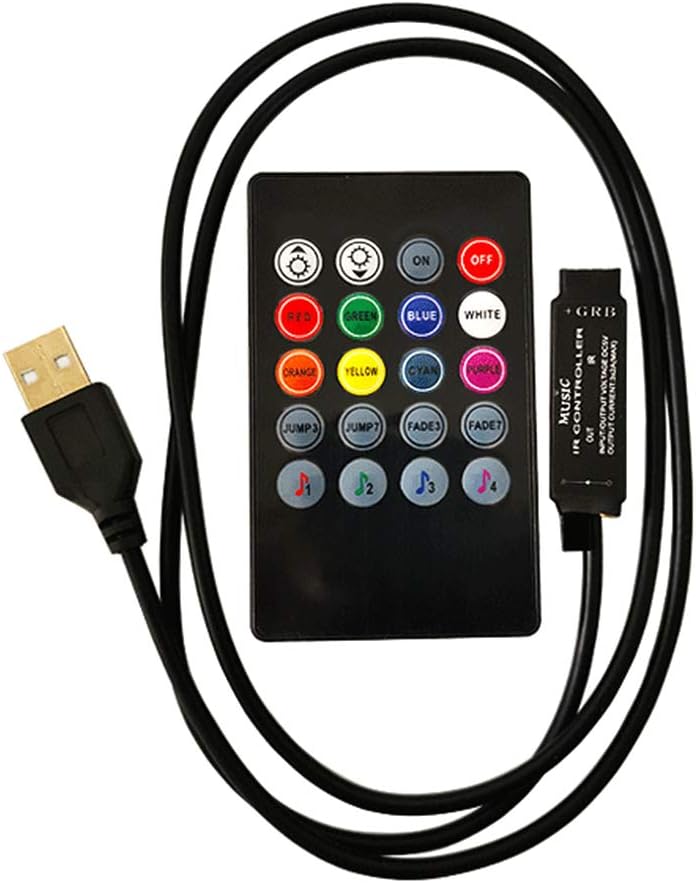
Image: The RTNLIT 20 Keys 5V Music Infrared Remote Controller with its USB power cable.
2. מידע בטיחות והערות חשובות
- This product should be debugged and installed by qualified personnel to ensure proper function and safety.
- המוצר הזה הוא לא עמיד למים. Avoid exposure to direct sun and rain. If outdoor installation is necessary, use a waterproof enclosure to protect the controller.
- Ensure good heat dissipation conditions to prolong the life of the LED controller. Install the product in a well-ventilated environment.
- ודא שנפח הפלטtage of your LED power supply meets the product's voltage range requirements (5V).
- The wire diameter used for connections must be sufficient to handle the load of the connected LED lamps. Ensure all wiring is firm and secure to prevent overheating or poor contact, which could lead to accidents.
- Before powering on the device for debugging or operation, double-check all wiring connections to prevent damage to the LED lamps or the controller due to incorrect wiring.
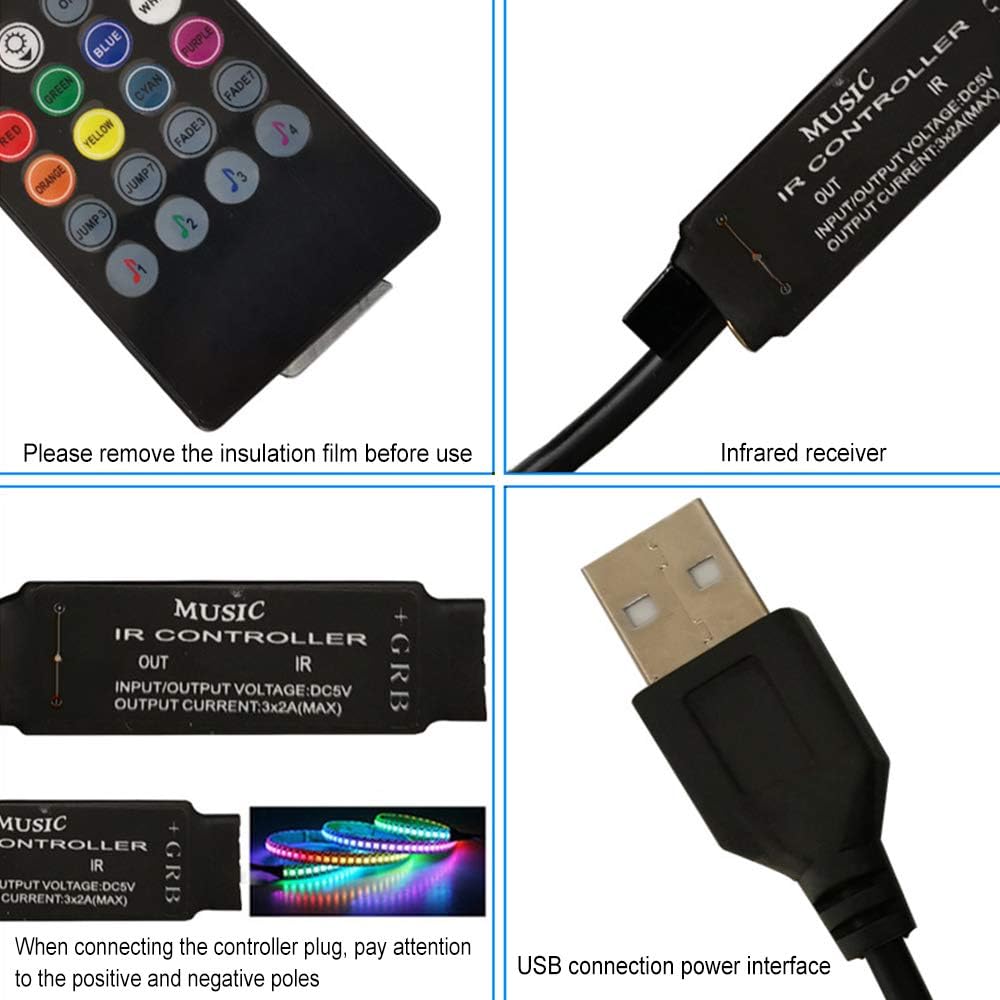
תמונה: מפורט view of the controller's components, including the infrared receiver and USB connection. Remember to remove the insulation film from the remote's battery compartment before use.
3. מה בקופסה
החבילה שלך צריכה להכיל את הפריטים הבאים:
- 1 x 20 Key IR Music LED Controller
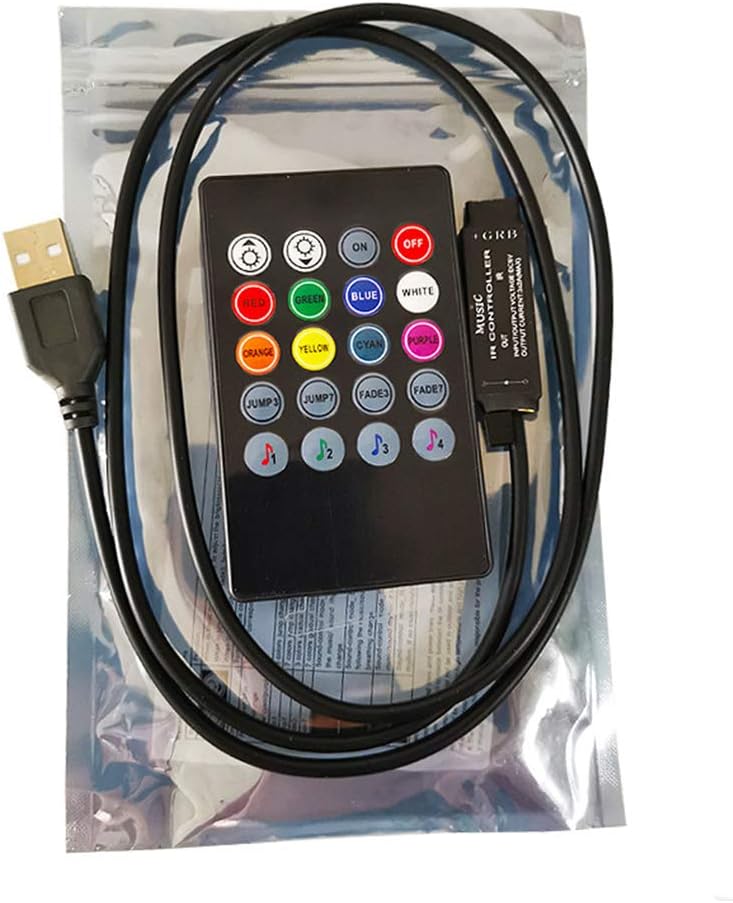
Image: The RTNLIT controller as it appears in its retail packaging.
4. המוצר נגמרview ורכיבים
4.1 פריסת שלט רחוק
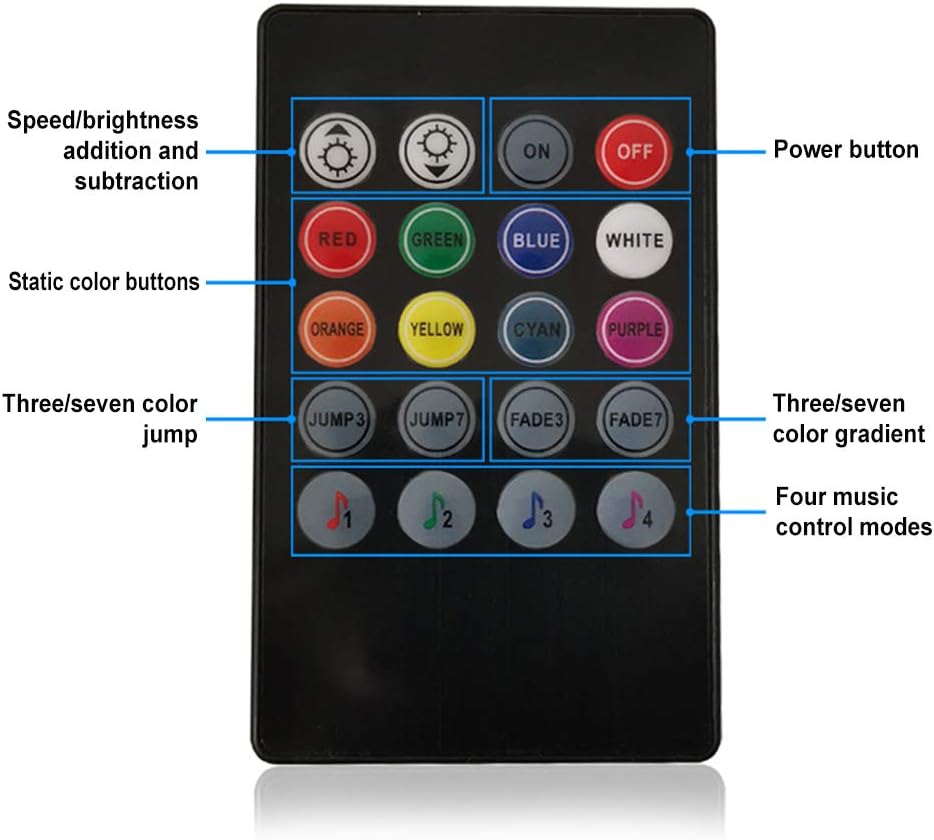
Image: The 20-key infrared remote control with labels indicating button functions.
- לחצן הפעלה: ON / OFF
- כוונון בהירות/מהירות: Increase or decrease brightness in static modes, or speed in dynamic modes.
- כפתורי צבע סטטיים: RED, GREEN, BLUE, WHITE, ORANGE, YELLOW, CYAN, PURPLE for direct color selection.
- מצבים דינמיים:
- JUMP3: 3-color jump effect.
- JUMP7: 7-color jump effect.
- FADE3: 3-color gradient effect.
- FADE7: 7-color gradient effect.
- Music Control Modes (♫1, ♫2, ♫3, ♫4): Four distinct modes where LED colors change in response to music rhythm.
4.2 Controller Module
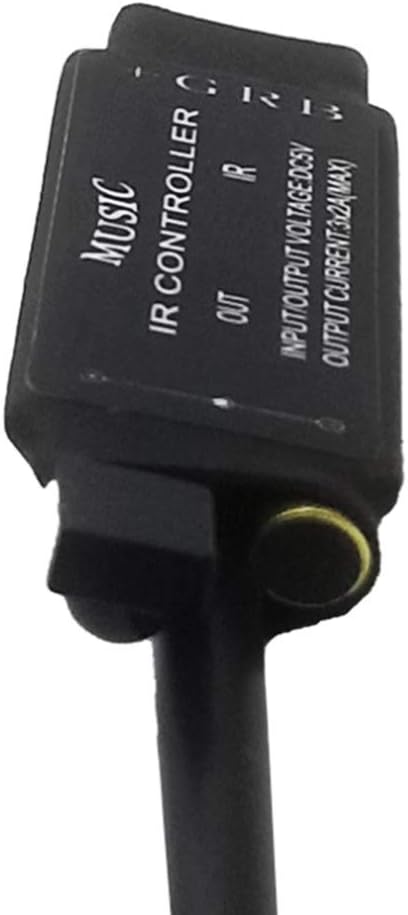
תמונה: מפורט view of the controller module, highlighting its input and output connections.
- חיבור USB: Provides 5V power input to the controller.
- מקלט אינפרא אדום (IR): Receives signals from the remote control. Ensure this is not obstructed.
- RGB Output: Connects to the RGB LED strip light. Pay attention to the common anode connection (G, R, B, +).
5. התקנה והתקנה
5.1 חיבור הבקר
- Prepare LED Strip: Ensure your RGB LED strip light is compatible with a 5V common anode controller.
- Connect LED Strip to Controller: Carefully connect the RGB LED strip to the controller's output terminals. Match the G (Green), R (Red), B (Blue), and + (Common Anode) pins correctly. Incorrect polarity can damage the LED strip or controller.
- חבר חשמל: Insert the USB plug of the controller into a 5V USB power source (e.g., a USB wall adapter, power bank, or computer USB port).
- Position IR Receiver: Ensure the infrared receiver on the controller is visible and not obstructed, as it needs a clear line of sight to the remote control.
- Remove Remote Insulation: If applicable, remove the clear plastic insulation film from the battery compartment of the remote control before first use.
Image: Visual guide for connecting the controller to your LED strip and USB power source. Always ensure correct positive and negative pole connections.
6. הוראות הפעלה
Once the controller is properly connected and powered, use the 20-key infrared remote control to operate your LED strip lights.
6.1 פעולה בסיסית
- הפעלה/כיבוי: הקש על כבוי button to turn off the lights, and the ON button to turn them on.
- התאמת בהירות: השתמש ב- בהירות למעלה ו בהירות למטה buttons (sun icons) to adjust the intensity of the light in static color modes.
6.2 בחירת צבע
- צבעים סטטיים: Press any of the dedicated color buttons (RED, GREEN, BLUE, WHITE, ORANGE, YELLOW, CYAN, PURPLE) to instantly switch the LED strip to that specific color.
6.3 מצבים דינאמיים
- מצבי קפיצה:
- לִלְחוֹץ JUMP3 for a rapid transition between 3 primary colors.
- לִלְחוֹץ JUMP7 for a rapid transition through 7 different colors.
- Fade Modes:
- לִלְחוֹץ FADE3 for a smooth, gradual transition between 3 primary colors.
- לִלְחוֹץ FADE7 for a smooth, gradual transition through 7 different colors.
- התאמת מהירות: In dynamic modes, the brightness adjustment buttons may function as speed controls, allowing you to increase or decrease the transition speed.
6.4 Music Control Modes
The controller features four distinct music modes, allowing the LED lights to react to ambient sound. Select the mode that best suits your music or environment:
- Press ♫1, ♫2, ♫3, or ♫4 to activate different music synchronization effects. The specific behavior of each mode may vary, offering different visual interpretations of the sound.
7. תחזוקה
- ניקוי: Gently wipe the controller and remote with a dry, soft cloth. Do not use harsh chemicals or abrasive cleaners.
- לַחוּת: Keep the controller and remote dry. Avoid exposure to water or high humidity, as this product is not waterproof.
- חוֹם: Ensure the controller is installed in a well-ventilated area to prevent overheating, which can shorten its lifespan.
- החלפת סוללה: If the remote control's range decreases or it stops responding, replace the LR44 battery (1 required).
8. פתרון תקלות
| לְהַנפִּיק | סיבה אפשרית | פִּתָרוֹן |
|---|---|---|
| אורות לא נדלקים. | No power, incorrect wiring, remote battery dead. | Check USB power connection. Verify LED strip wiring polarity. Replace remote battery. Ensure IR receiver is unobstructed. |
| השלט רחוק לא מגיב. | Remote battery dead, IR receiver obstructed, remote too far. | Replace remote battery. Ensure clear line of sight between remote and IR receiver. Operate remote within effective range. |
| הצבעים שגויים או מהבהבים. | Incorrect wiring, faulty LED strip. | Double-check the G, R, B, and + connections on the LED strip. Test with a different LED strip if possible. |
| Controller feels hot. | Poor ventilation, overloaded LED strip. | Ensure the controller is in a well-ventilated area. Verify the total wattage of your LED strip does not exceed the controller's maximum output (3x2A max). |
| Music mode not working. | No sound detected, sound too low. | Ensure there is audible music or sound near the controller. Increase the volume of the sound source. |
9. מפרטים
| תכונה | מִפרָט |
|---|---|
| קלט כרךtage | 5V |
| ערוצי פלט | 3 ערוצים (RGB) |
| מצב חיבור | אנודה נפוצה |
| צריכת חשמל סטטית | <1W |
| טמפרטורת עבודה | -20℃ ~ +60℃ |
| שיטת בקרה | שלט אינפרא אדום (IR). |
| מקשים מרוחקים | 20 מפתחות |
| מקור כוח | חשמלי עם כבל (USB 5V) |
| חוֹמֶר | מַתֶכֶת |
| משקל פריט | 1.44 אונקיות |
| מידות חבילה | 6.34 x 4.13 x 0.51 אינץ' |
| סוללות נדרשות | סוללת LR1 אחת (כלול) |
10. אחריות ותמיכה
מידע בנוגע לאחריות המוצר ותמיכת הלקוחות לא היה זמין בנתונים שסופקו. אנא עיין באריזת המוצר או באישור המוכר. website for details on warranty coverage and how to obtain support.
11. סרטוני מוצר רשמיים
No official product videos were found in the provided data for this item.