
1. הקדמה
The COMPUTHERM T-32 room thermostat is designed for controlling most boilers and air conditioners available in the EU. It can be easily connected to any gas boiler with a two-wire thermostatic connection point, and to all air conditioning systems or electrical appliances, whether they have a 24V or 230V control circuit.
This digital thermostat allows for more precise temperature measurement and adjustment compared to traditional thermostats. It helps reduce energy costs while maintaining comfort by regulating the connected appliance (e.g., a gas boiler or pump) based on the measured and set temperatures.
תכונות עיקריות:
- בקרת טמפרטורה מדויקת: Easily set desired temperature between 5°C and 30°C in 0.5°C increments.
- Constant Indoor Temperature: Switching sensitivity of ±0.2°C or 0.1°C ensures a uniform and stable room temperature.
- תאימות רב-תכליתית: Suitable for boilers with a two-wire connection and various HVAC systems (24V or 230V).
- מצבי חימום וקירור: Supports both heating and cooling functions.
- תצוגה דיגיטלית: Provides clear and accurate temperature readings.
2. התקנה והתקנה
חָשׁוּב: ההתקן חייב להיות מותקן על ידי אדם מוסמך.
2.1 תכולת החבילה
ודא שכל הרכיבים קיימים:
- 1x COMPUTHERM T-32 Digital Room Thermostat
- 2x סוללות AAA
- חומרת הרכבה (ברגים ותקעים לקיר)

Figure 1: Package contents including the thermostat, batteries, and mounting hardware.
2.2 התקנת סוללה
- Carefully remove the back cover of the thermostat.
- הכניסו את שתי סוללות ה-AAA לתא הסוללות, תוך הקפדה על קוטביות נכונה (+/-).
- החזר את הכיסוי האחורי למקומו.
2.3 הרכבה וחיווט
The thermostat is designed for wall mounting in a room. Choose a location away from direct sunlight, drafts, or heat sources that could affect temperature readings.
- Separate the front panel from the back plate.
- סמנו את מיקום ההרכבה הרצוי על הקיר.
- קדחו חורים והכניסו את תקעי הקיר.
- אבטחו את הלוח האחורי לקיר באמצעות הברגים המצורפים.
- Connect the two-wire control circuit from your boiler or HVAC system to the terminals on the back plate. Refer to the wiring diagram on the back of the thermostat for correct connections.
- Carefully reattach the front panel to the back plate.

איור 2: אחורי view of the thermostat with wiring terminals and battery compartment details.
3. תפעול
3.1 תצוגה נגמרתview
The digital display shows the current room temperature and the set desired temperature. The thermostat features three control buttons below the display.

איור 3: חזית view of the COMPUTHERM T-32 thermostat with its digital display and three control buttons.
3.2 הגדרת הטמפרטורה הרצויה
Use the temperature control buttons (typically marked with up and down arrows or similar symbols) to adjust the desired temperature. Each press changes the temperature by 0.5°C within a range of 5°C to 30°C.
- הקש על חץ למעלה כפתור כדי להגביר את הטמפרטורה הרצויה.
- הקש על חץ למטה כפתור כדי להוריד את הטמפרטורה הרצויה.
The thermostat will automatically regulate the connected heating or cooling appliance to maintain the set temperature within its switching sensitivity of ±0.2°C.
3.3 Heating Mode Operation
In heating mode, if the measured room temperature falls below the set temperature minus the switching sensitivity (e.g., 22°C - 0.2°C = 21.8°C), the thermostat will activate the heating appliance. It will deactivate the heating when the room temperature rises above the set temperature plus the switching sensitivity (e.g., 22°C + 0.2°C = 22.2°C).
3.4 Cooling Mode Operation
In cooling mode, the operation is reversed. If the measured room temperature rises above the set temperature plus the switching sensitivity, the thermostat will activate the cooling appliance. It will deactivate cooling when the room temperature falls below the set temperature minus the switching sensitivity.
Note: After a temperature change using the thermostat's adjustment buttons, the switching sensitivity is temporarily not considered, allowing the thermostat to react to a difference of ±0.1°C for immediate response.
4. תחזוקה
- ניקוי: Wipe the thermostat with a soft, dry cloth. Do not use abrasive cleaners or solvents.
- החלפת סוללה: החליפו סוללות כאשר מחוון סוללה חלשה מופיע על הצג. השתמשו תמיד בסוללות אלקליין AAA חדשות.
- הימנע מחסימות: Ensure no objects block the thermostat's ventilation slots or sensor, as this can affect temperature accuracy.
5. פתרון תקלות
| בְּעָיָה | סיבה אפשרית | פִּתָרוֹן |
|---|---|---|
| תצוגת התרמוסטט ריקה. | סוללות מתות או מותקנות בצורה שגויה. | החליפו את הסוללות, תוך הקפדה על קוטביות נכונה. |
| מערכת החימום/קירור לא מגיבה. | Incorrect wiring; system power off; thermostat in wrong mode. | Check wiring connections (consult a professional); ensure system power is on; verify thermostat is set to appropriate mode (heating/cooling). |
| קריאת טמפרטורה לא מדויקת. | Thermostat located near heat source/draft; sensor obstructed. | Relocate thermostat if possible; ensure no obstructions around the sensor. |
| Temperature fluctuates too much. | High switching sensitivity setting (not applicable for T-32 as it's fixed). | The T-32 has a fixed sensitivity of ±0.2°C. Ensure proper placement and insulation of the room. |
6. מפרטים
- דֶגֶם: T32
- מקור כוח: 2x AAA 1.5V Alkaline Batteries (included)
- שליטה כרךtage: 24V AC או 230V AC
- כושר העמסה: 8 Ampארס
- טווח מדידת טמפרטורה: 5 מעלות צלזיוס עד 30 מעלות צלזיוס
- טווח הגדרת טמפרטורה: 5 מעלות צלזיוס עד 30 מעלות צלזיוס
- Temperature Setting Increment: 0.5 מעלות צלזיוס
- רגישות למעבר: ±0.2°C (or ±0.1°C after manual adjustment)
- מידות (L x W x H): 8.5 x 8.5 x 2.8 ס"מ
- מִשׁקָל: 160 גרם
- קישוריות: חוטי
- צֶבַע: לָבָן


Figure 4: Dimensions of the COMPUTHERM T-32 thermostat.
7. אחריות
The COMPUTHERM T-32 Digital Room Thermostat comes with a אחריות יצרן לשנהאנא שמור את הוכחת הרכישה שלך לצורך תביעות אחריות. האחריות מכסה פגמים בחומרים ובביצוע בשימוש רגיל.
8. תמיכה
For further assistance or if you encounter issues not covered in this manual, please refer to the official COMPUTHERM website or contact your retailer. Always ensure that any electrical work is performed by a qualified professional.
למידע נוסף, ניתן לבקר באתר היצרן webאֲתַר: www.calorsol.de
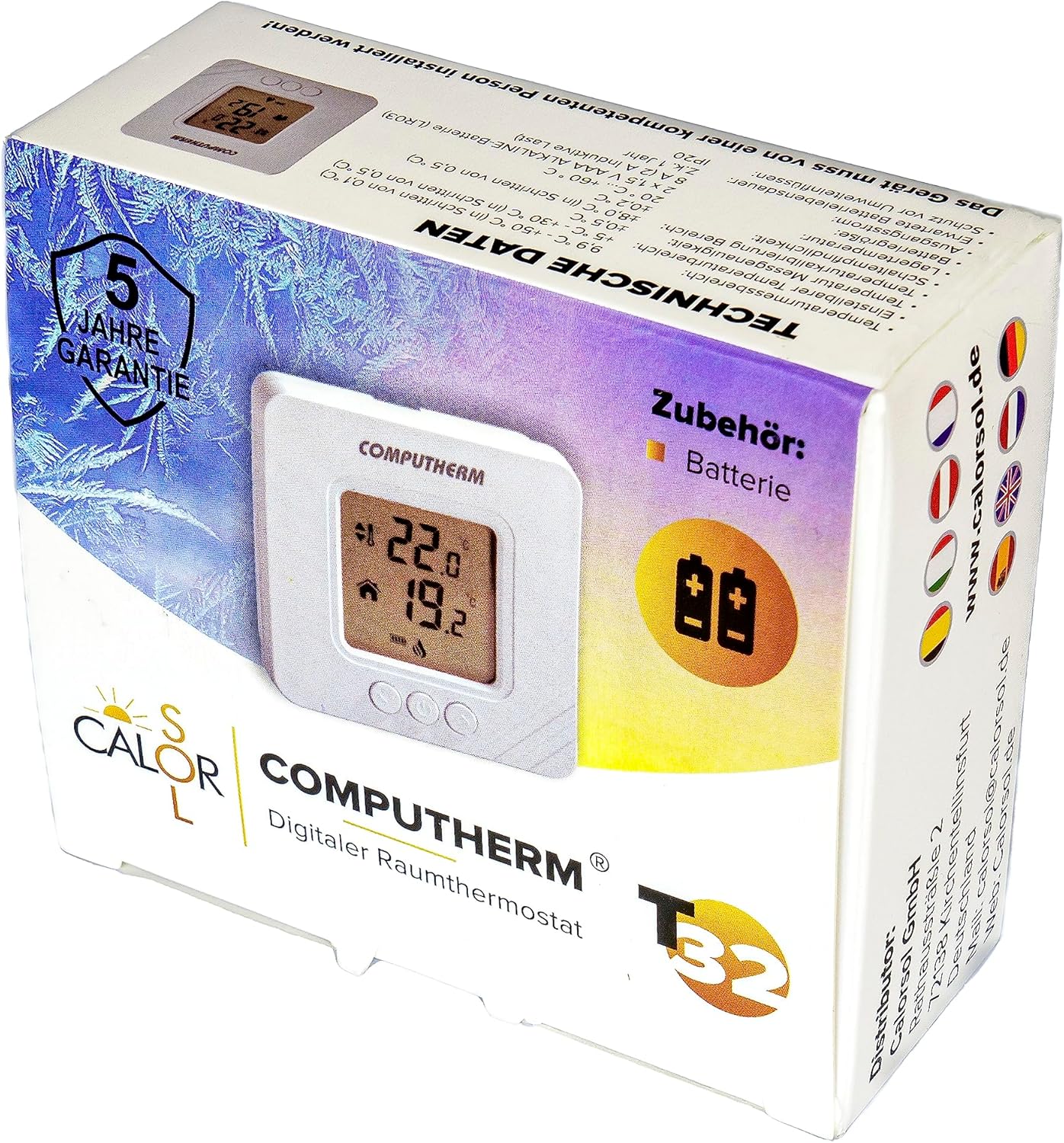
Figure 5: Product packaging displaying warranty information and technical data.