
KIANO 43-inch Elegance 4K UHD Smart TV User Manual
Model: Elegance TV 43
מָבוֹא
This manual provides essential information for the safe and efficient use of your KIANO 43-inch Elegance 4K UHD Smart TV. Please read these instructions carefully before operating the device and retain them for future reference. Your KIANO Elegance TV features a 4K UHD (3840x2160) resolution display with HDR10 support, an Android 11 operating system for smart functionalities, Wi-Fi and Bluetooth connectivity, and integrated Dolby Audio.
1. התקנה
1.1 פריקה ובדיקת תכולה
Carefully remove the TV from its packaging. Ensure all accessories are present:
- KIANO 43-inch Elegance Smart TV
- שְׁלַט רָחוֹק
- כבל חשמל
- מעמדי טלוויזיה (2x) וברגים
- מדריך למשתמש (מסמך זה)
1.2 Attaching the TV Stands or Wall Mount
להתקנת מעמד:
- הניחו את הטלוויזיה כשפניה כלפי מטה על משטח רך ושטוח כדי למנוע נזק למסך.
- יישרו כל מעמד עם החריצים המתאימים בתחתית הטלוויזיה.
- אבטחו את המעמדים באמצעות הברגים המצורפים.
For Wall Mounting (VESA 200x200mm):
If you intend to wall mount your TV, ensure you use a VESA-compatible wall mount kit (not included) that supports the TV's weight and VESA dimensions (200x200mm). Follow the instructions provided with your wall mount kit.

תמונה 1.1: חזית view of the KIANO 43-inch Elegance Smart TV.
1.3 חיבור התקנים חיצוניים
Your KIANO TV offers various connectivity options:
- יציאות HDMI (2x): חבר נגני Blu-ray, קונסולות משחקים או ממירים.
- יציאות USB (2x): חבר כונני USB להפעלת מדיה.
- חריץ CI: For conditional access modules (CAM) from your service provider.
- RJ45 LAN: עבור חיבור אינטרנט קווי.
- קלט AV: עבור מכשירים ישנים יותר המשתמשים בווידאו מרוכב ואודיו סטריאו.
- שקע אוזניות: להאזנה פרטית.
- קלט אנטנה/לוויין: For DVB-T2/C/S2 signals.
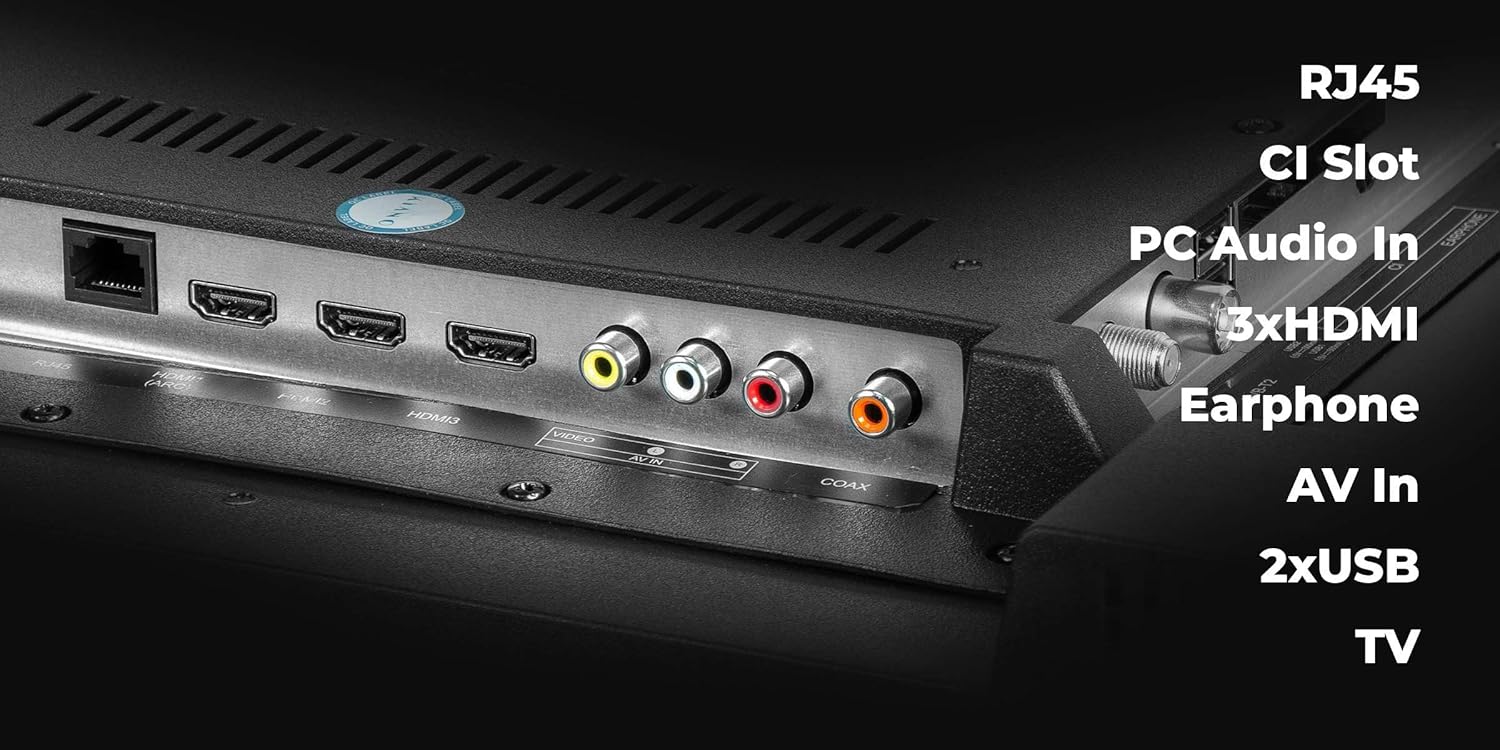
Image 1.2: Rear connectivity ports of the KIANO Smart TV.
1.4 Power Connection and First-Time Setup
- חבר את כבל החשמל לטלוויזיה ולאחר מכן לשקע חשמל.
- לחץ על כפתור ההפעלה בשלט רחוק או על הטלוויזיה עצמה.
- Follow the on-screen instructions for initial setup, including language selection, network connection (Wi-Fi or LAN), and channel scanning for DVB-T2/C/S2 signals.
2. הפעלת הטלוויזיה שלך
2.1 שלט רחוק מעלview
The remote control allows you to navigate menus, adjust settings, and access smart features. Insert two AAA batteries (not included) into the remote control, ensuring correct polarity.

Image 2.1: KIANO Smart TV Remote Control.
2.2 Basic Navigation and Smart Features
- הפעלה/כיבוי: הקש על כפתור ההפעלה האדום.
- בקרת עוצמת הקול: השתמש ב- VOL +/- כפתורים.
- בחירת ערוץ: השתמש ב- CH +/- כפתורים או לוח מקשים מספריים.
- מקור קלט: הקש על מָקוֹר button to select HDMI, AV, or TV tuner.
- Smart TV Access: Your Android 11 interface provides quick access to applications like Netflix, YouTube, and a web browser. Navigate using the directional pad and OK לַחְצָן.
- חיבור רשת: Access the settings menu to connect to your Wi-Fi network or configure a wired LAN connection.
- בלוטות': התאם התקני Bluetooth כגון אוזניות או רמקולים דרך תפריט ההגדרות של הטלוויזיה.
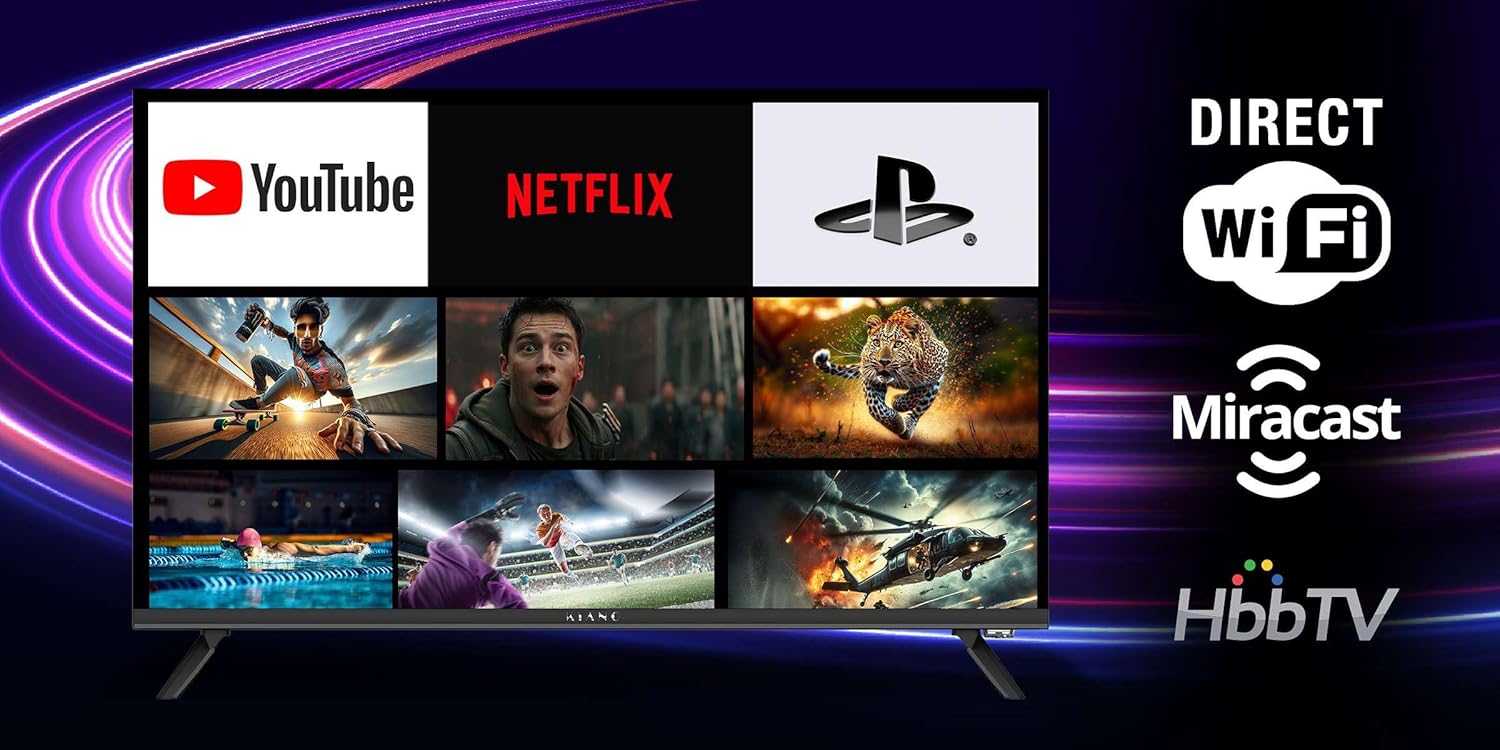
Image 2.2: Smart TV interface with popular applications.
3. תחזוקה
3.1 ניקוי הטלוויזיה שלך
- מָסָך: נגבו בעדינות את המסך בעזרת מטלית רכה ונטולת סיבים. עבור סימנים עקשניים, השתמשו בתמיסת ניקוי ייעודית למסך המרוחה על המטלית, ולא ישירות על המסך.
- גוף הטלוויזיה: השתמש במטלית רכה ויבשה כדי לנגב אבק ולכלוך ממסגרת הטלוויזיה ומהפאנל האחורי.
- Do not use abrasive cleaners, waxes, or solvents as they can damage the finish. Always unplug the TV before cleaning.
3.2 עדכוני תוכנה
Your KIANO Smart TV may receive software updates to improve performance and add new features. You can usually check for updates in the TV's settings menu under 'System' or 'About'. Ensure your TV is connected to the internet before checking for updates.
4. פתרון תקלות
אם נתקלת בבעיות עם הטלוויזיה שלך, עיין בבעיות הנפוצות ובפתרונות הבאים:
| בְּעָיָה | פתרון אפשרי |
|---|---|
| אין כוח | Check if the power cable is securely connected to the TV and the power outlet. Ensure the outlet is active. Try a different power outlet. |
| אין תמונה, אבל יש קול | בדוק את מקור הקלט. ודא שההתקנים החיצוניים מופעלים ומחוברים כראוי. נסה כבל HDMI אחר. |
| אין קול, אבל יש תמונה | Check the volume level and mute status. Ensure external audio devices are connected correctly. Check audio output settings in the TV menu. |
| השלט רחוק לא עובד | החלף את הסוללות. ודא שאין חסימות בין השלט לחיישן ה-IR של הטלוויזיה. |
| בעיות חיבור Wi-Fi | הפעל מחדש את הנתב והמודם. בדוק את הגדרות ה-Wi-Fi בטלוויזיה. ודא שהטלוויזיה נמצאת בטווח קליטה של רשת ה-Wi-Fi שלך. |
| אפליקציות איטיות או קורסות | Close and reopen the app. Clear the app's cache in the TV settings. Ensure the TV's software is up to date. Restart the TV. |
If the problem persists after trying these solutions, you may consider performing a factory reset (Note: This will erase all personal settings and installed applications) או צרו קשר עם תמיכת הלקוחות.
5. מפרט טכני
| תכונה | מִפרָט |
|---|---|
| גודל מסך | 43 אינץ' |
| טכנולוגיית תצוגה | LED (DLED panel) |
| הַחְלָטָה | 4K UHD (3840 x 2160) |
| תמיכה ב-HDR | HDR10 |
| מַעֲרֶכֶת הַפעָלָה | אנדרואיד 11 |
| קישוריות | Wi-Fi, Bluetooth, RJ45 LAN |
| יציאות HDMI | 2 |
| יציאות USB | 2 |
| שֶׁמַע | 2x 10W Front Speakers, Dolby Digital Plus |
| מקלטים | DVB-T2/C/S2 |
| תאימות VESA | 200 x 200 מ"מ |
| צריכת חשמל | Max. 75 W (≤ 0.5 W in standby) |
| מידות המוצר (DxWxH) | 9 ס"מ x 95.5 ס"מ x 55.3 ס"מ |
| פורמט תמונה | 1.78:1 |

Image 5.1: KIANO 43-inch Elegance Smart TV dimensions.
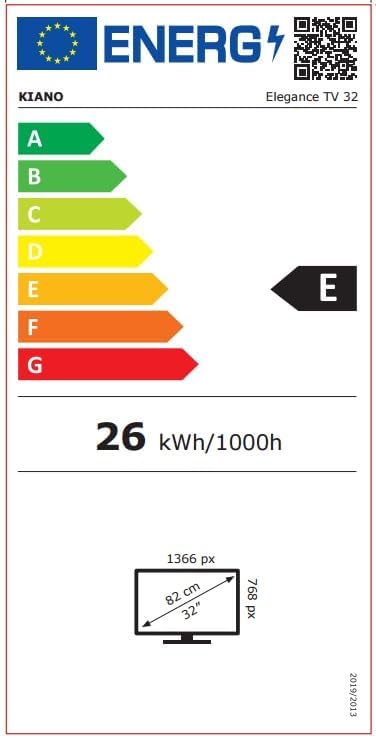
Image 5.2: Energy efficiency label for KIANO Elegance TV (example for 32-inch model, actual 43-inch model may vary slightly).
6. מידע על אחריות
Your KIANO 43-inch Elegance Smart TV comes with a אחריות יצרן לשנה. Please retain your proof of purchase for warranty claims. Additionally, spare parts for this model are guaranteed to be available for 7 שנים מתאריך הרכישה.
7. תמיכת לקוחות
For further assistance, technical support, or warranty inquiries, please refer to the contact information provided with your purchase documentation or visit the official KIANO website. When contacting support, please have your TV's model number (Elegance TV 43) and serial number ready.