
מָבוֹא
This manual provides detailed instructions for the Califone 3066-USB Deluxe Multimedia Stereo Headset. Designed for clear audio communication and listening, this headset features a USB plug for easy connectivity, an omni-directional microphone, and noise-reducing earcups. Please read this manual thoroughly to ensure proper setup, operation, and maintenance of your device.
תוכן החבילה
ודא שכל הפריטים נמצאים בחבילה שלך:
- Califone 3066-USB Deluxe Multimedia Stereo Headset (Pack of 2)
- Integrated USB Cable (7-ft)
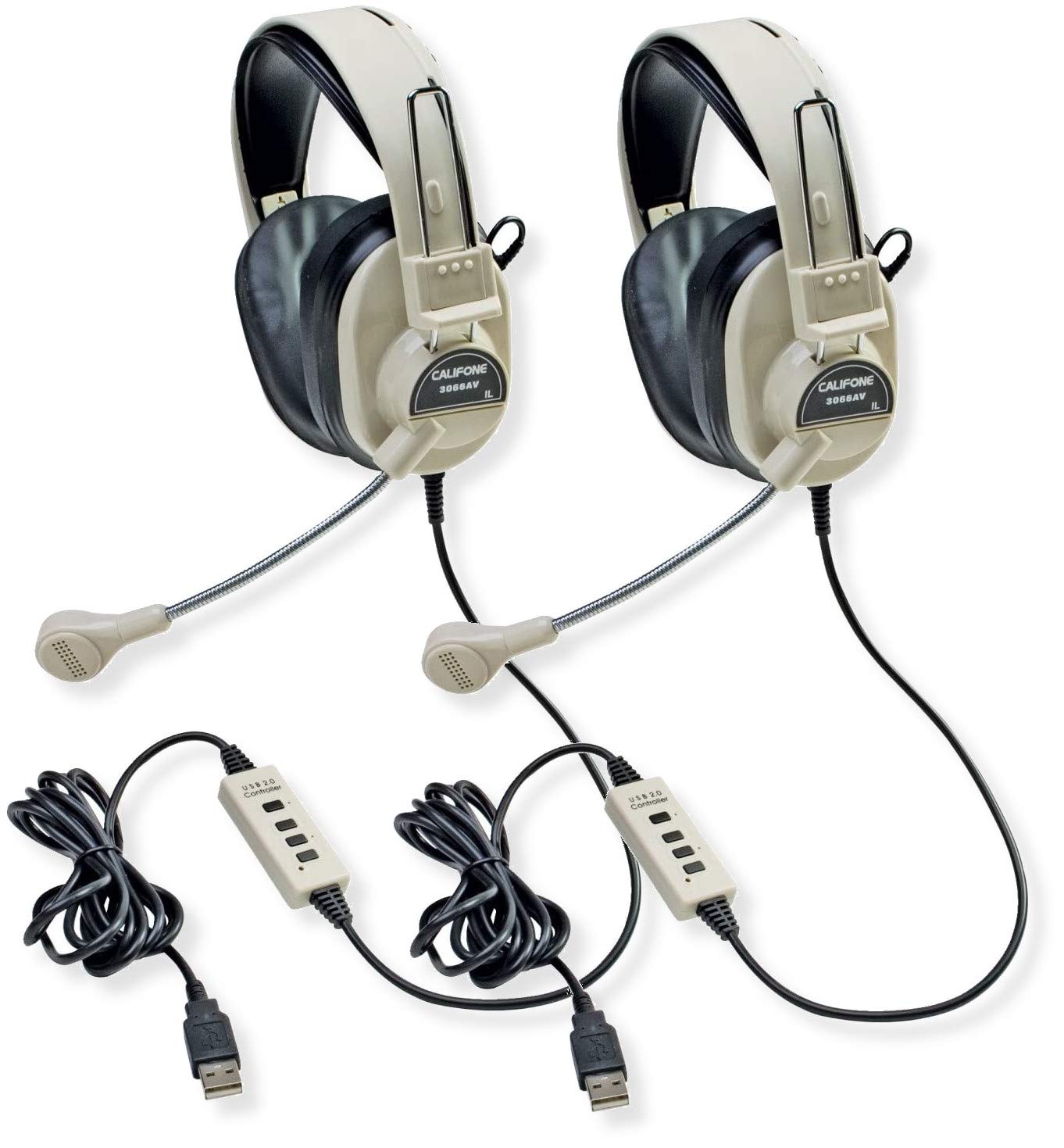
Image: Two Califone 3066-USB Deluxe Multimedia Stereo Headsets. Each headset features large, over-ear earcups, a flexible gooseneck microphone extending from the left earcup, and an integrated USB cable. The headsets are black and appear durable.
הגדרה
- חבר את האוזניות: Locate an available USB port on your computer or laptop. Insert the USB plug of the Califone 3066-USB headset into the USB port. The headset is designed for Plug and Play functionality, meaning your operating system should automatically detect and install the necessary drivers.
- Adjust the Headset: The headstrap is fully adjustable to fit various head sizes. Gently extend or retract the headstrap until the earcups sit comfortably over your ears.
- מקם את המיקרופון: The microphone features a flexible gooseneck design. Position the microphone approximately 1-2 inches from your mouth for optimal voice capture.
- אימות הגדרות שמע: After connecting, check your computer's audio settings to ensure the Califone 3066-USB is selected as the default playback and recording device. This is typically found in your operating system's Sound or Audio settings.
הוראות הפעלה
The Califone 3066-USB headset features an in-line control unit on its 7-ft cord for convenient audio management.
- בקרת עוצמת הקול: Use the in-line volume control wheel to adjust the listening volume of the headphones. Rotate the wheel up to increase volume and down to decrease volume.
- השתקת מיקרופון: The in-line control includes a switch for microphone on/off (mute). Flip the switch to the 'off' position to mute the microphone, preventing your voice from being transmitted. Flip it to the 'on' position to enable the microphone.
- הפחתת רעש: The earcups are designed to reduce ambient noise, providing a clearer listening experience. The omni-directional microphone includes a built-in windscreen to minimize the recording of unintended background sounds.
תַחזוּקָה
תחזוקה נאותה מבטיחה את אורך החיים והביצועים האופטימליים של האוזניות שלכם.
- ניקוי: Use a soft, dry cloth to wipe down the earcups and headstrap. For stubborn dirt, a slightly damp cloth with mild soap can be used, but ensure no moisture enters the speaker or microphone components.
- כריות אוזניים: The leatherette ear cushions are replaceable. If they become worn or damaged, contact Califone support for replacement options.
- טיפול בכבלים: Avoid sharp bends or excessive pulling on the 7-ft cord. The reinforced connection is designed to resist accidental pull-out, but proper handling will prevent damage.
- אִחסוּן: יש לאחסן את האוזניות במקום נקי ויבש, הרחק מטמפרטורות קיצוניות ואור שמש ישיר, כאשר אינן בשימוש.
פתרון בעיות
If you encounter issues with your Califone 3066-USB headset, refer to the following common solutions:
- אין קול/מיקרופון לא עובד:
- Ensure the USB plug is fully inserted into a working USB port. Try a different USB port.
- Check the in-line volume control and microphone mute switch. Ensure volume is up and mic is not muted.
- Verify that the Califone 3066-USB is selected as the default audio input and output device in your computer's sound settings.
- הפעל מחדש את המחשב.
- איכות שמע ירודה:
- Adjust the volume using the in-line control and your computer's system volume.
- Ensure the microphone is positioned correctly (1-2 inches from mouth) and not obstructed.
- בדוק אם יש חיבורים רופפים.
- אוזניות לא מזוהות על ידי המחשב:
- Try connecting the headset to a different USB port or another computer to rule out a port issue.
- בדוק את מנהל ההתקנים (Windows) או את פרטי המערכת (macOS) במחשב שלך כדי לראות אם ההתקן מופיע ברשימה.
- ודא שמערכת ההפעלה שלך מעודכנת.
מפרטים
| תכונה | פְּרָט |
|---|---|
| דֶגֶם | 3066-USB |
| קישוריות | Wired USB (Backwards compatible USB 2.0) |
| Headphone Speaker Size | 40 מ"מ מילאר |
| תגובת תדר אוזניות | 20-20000 הרץ |
| רגישות לאוזניות | 110dB SPL ± 3dB at 1kHz |
| סוג מיקרופון | מעבד אלקטרנט |
| מיקרופון Directivity | רב-כיווני |
| תגובת תדר מיקרופון | 20-16000 הרץ |
| רגישות למיקרופון | -41dB (standard -38dB, max -35dB) |
| אורך כבל | 7-ft (2.1 meters) |
| בקרות | In-line volume control, mic on/off switch |
| כוסות אוזניים | Noise-reducing ABS plastic with replaceable leatherette cushions |
| משקל (כל אחד) | 0.75 פאונד (12 אונקיות) |
אחריות ותמיכה
For warranty information, technical support, or to inquire about replacement parts (such as ear cushions), please contact Califone customer service directly. Refer to the official Califone webאתר האינטרנט לקבלת פרטי הקשר ומדיניות האחריות העדכניים ביותר.
You can visit the Califone store on Amazon for more product information: Califone Store