
מָבוֹא
The VOX VFS3 is a dedicated 3-button footswitch designed to enhance the functionality and control of your VOX Mini Go series amplifier. This footswitch allows for hands-free operation of various amplifier features, such as program switching, effect on/off, or looper control, depending on your specific Mini Go amplifier model. This manual provides essential information for the proper setup, operation, and maintenance of your VFS3 footswitch.
מידע בטיחות
- אין לחשוף את היחידה לגשם או לחות.
- הימנע מהצבת היחידה ליד מקורות חום או באור שמש ישיר.
- אין לנסות לפרק או לשנות את היחידה. יש לפנות לכל תיקון וטיפול באנשי מקצוע מוסמכים.
- Use only with compatible VOX Mini Go ampבעלי חיים.
- הרחק מהישג ידם של ילדים.
תוכן החבילה
- VOX VFS3 3-Button Footswitch (with integrated cable)
- מדריך למשתמש (מסמך זה)
המוצר נגמרview
The VFS3 footswitch features three robust buttons, each with an associated LED indicator, and an integrated cable for connection to your ampחיים יותר.
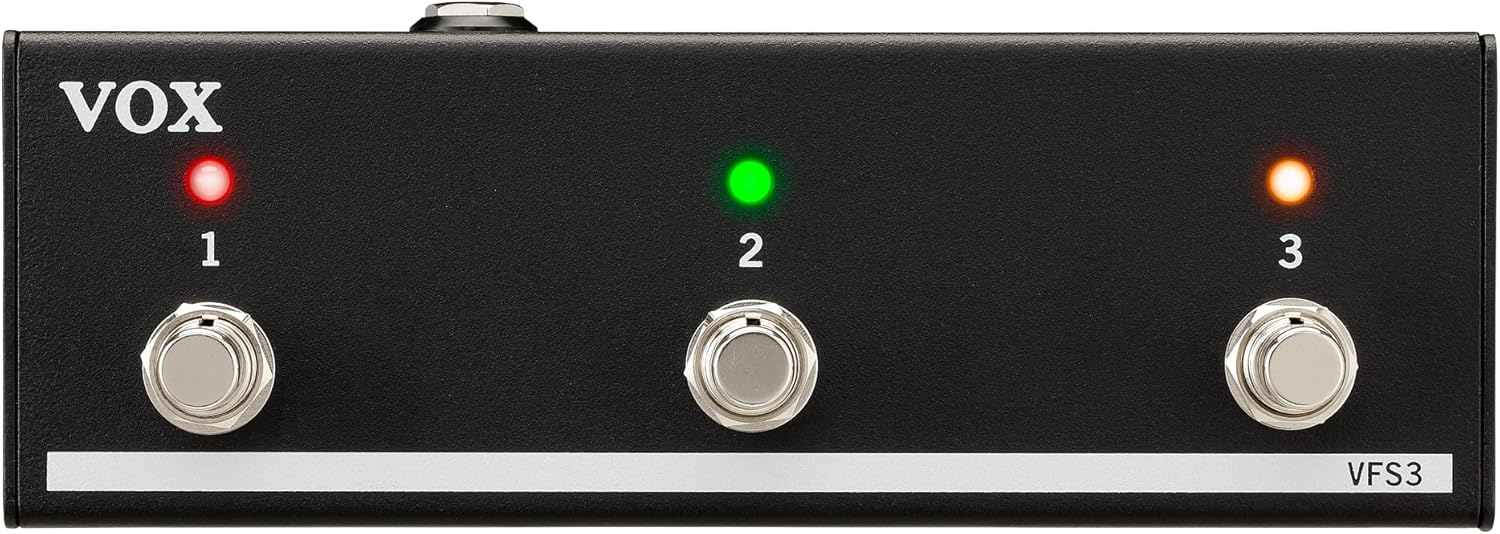
חֲזִית view of the VOX VFS3 3-Button Footswitch. It features three silver footswitches labeled 1, 2, and 3, each with a corresponding LED indicator above it. The VOX logo is on the left, and 'VFS3' is on the bottom right.
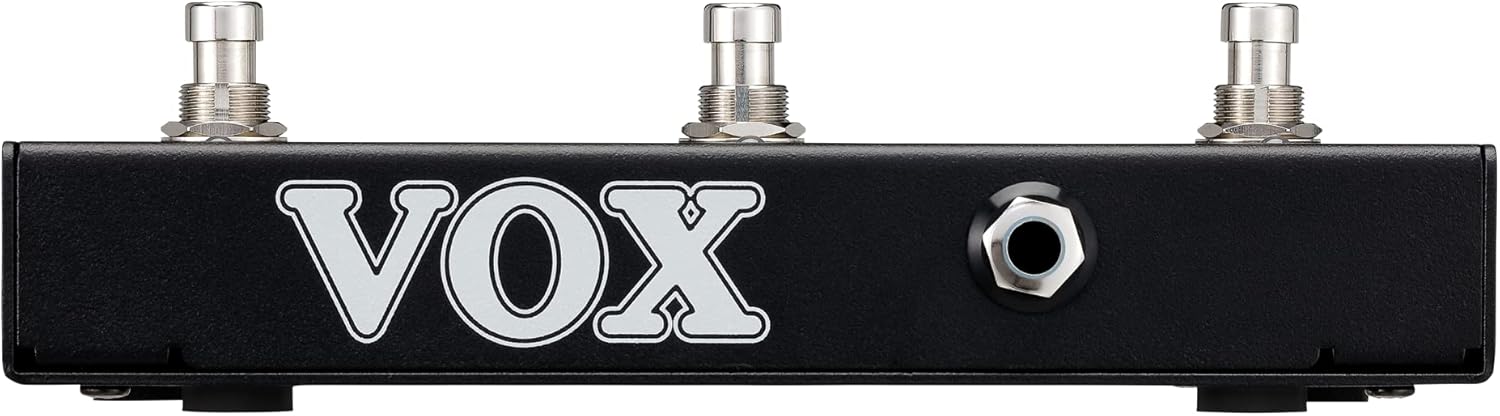
צַד view of the VOX VFS3 footswitch, highlighting its compact and durable metal casing.

בְּחֲזָרָה view of the VOX VFS3 footswitch, displaying the integrated cable that connects to the amplifier. The VOX logo is prominently featured.
הגדרה
- Connect the Footswitch: Locate the footswitch input jack on your VOX Mini Go amplifier. This is typically a 3.5mm (1/8-inch) stereo jack.
- הכנס את הכבל: Firmly insert the integrated 3.5mm cable from the VFS3 footswitch into the footswitch input jack on your Mini Go ampחיים יותר.
- הפעלה: Turn on your VOX Mini Go amplifier. The footswitch is powered by the amplifier, so no external power supply is needed for the VFS3.
- אמת חיבור: ה amplifier should recognize the footswitch. Refer to your Mini Go amplifier's manual for specific indications or settings related to footswitch connection.

The VOX VFS3 footswitch connected to a VOX Mini Go amplifier, illustrating the proper connection of the cable to the ampשקע הקלט של המפיץ.
הוראות הפעלה
The specific functions controlled by the VFS3 footswitch buttons (1, 2, and 3) are determined by the connected VOX Mini Go amplifier model and its current settings. Please consult the user manual for your specific VOX Mini Go amplifier for detailed information on footswitch assignments and configuration.
Common Functions (May Vary by Amplifier Model):
- Program/Preset Switching: Buttons may be assigned to switch between amplifier programs or presets (e.g., Clean, Overdrive, Distortion).
- אפקט הפעלה/כיבוי: Control individual effects (e.g., Reverb, Delay, Chorus) by toggling them on or off.
- בקרת לופר: For Mini Go models with a built-in looper, the buttons often control looper functions such as:
- כפתור 1: הקלט/הפעל
- כפתור 2: לְהַפְסִיק
- כפתור 3: Clear/Undo
- הקש על טמפו: כַּמָה amplifiers may allow one of the buttons to be used for tap tempo functionality for time-based effects.
The LEDs above each button indicate the status of the assigned function (e.g., effect on/off, selected program). Refer to your amplifier's manual for the meaning of specific LED colors or states.
תַחזוּקָה
- ניקוי: נגבו את היחידה בעזרת מטלית רכה ויבשה. אין להשתמש בחומרי ניקוי שוחקים, שעווה או ממסים.
- אִחסוּן: When not in use for extended periods, store the footswitch in a clean, dry environment away from extreme temperatures.
- טיפול בכבלים: Avoid sharp bends or kinks in the integrated cable to prevent damage.
פתרון בעיות
| בְּעָיָה | סיבה אפשרית | פִּתָרוֹן |
|---|---|---|
| Footswitch not responding | Cable not fully inserted; Amplifier not powered on; Incorrect ampהגדרות ה-lifier. | Ensure the 3.5mm cable is securely connected to the ampמפיץ. ודא את amplifier is powered on. Check your Mini Go amplifier's settings to ensure footswitch control is enabled and configured correctly. |
| נוריות לא נדלקות | No power from amplifier; Faulty connection. | אשר את amplifier is on and the cable is properly connected. The footswitch draws power from the ampחיים יותר. |
| Buttons perform unexpected functions | Footswitch assignments are incorrect on the ampחיים יותר. | Refer to your VOX Mini Go amplifier's manual to reconfigure the footswitch button assignments. |
מפרטים
- דֶגֶם: VFS3
- מכשירים תואמים: VOX Mini Go Ampבעלי חיים
- סוג מחבר: 3.5mm Jack (integrated cable)
- חוֹמֶר: Metal chassis
- מידות (L x W x H): בערך 7.9 x 3 x 2.5 אינץ' (20.1 x 7.6 x 6.4 ס"מ)
- מִשׁקָל: בערך 1.1 פאונד (0.5 ק"ג)
- מקור כוח: Powered by connected ampחיים יותר
אחריות ותמיכה
For warranty information and technical support, please refer to the documentation provided with your VOX Mini Go amplifier or visit the official VOX webאתר. שמור את קבלת הרכישה כהוכחת קנייה.