
מָבוֹא
This universal remote control is designed for seamless compatibility with all Samsung TV models, including LCD, Smart, 3D LED, and HDTVs. It serves as a perfect replacement for damaged or old remote controls, covering all functions of the original. Its user-friendly design and backlit buttons enhance convenience, especially in low-light conditions.
הגדרה
התקנת סוללה
The remote requires two AAA batteries (not supplied). To install, locate the battery compartment on the back of the remote. Slide the battery cover downwards to open. Insert the batteries, ensuring correct polarity (+ and - ends match the indicators inside the compartment). Close the cover by sliding it back into place until it clicks securely.

תמונה: אחורי view of the remote control with the battery cover removed, illustrating the battery insertion process.
חיבור ראשוני
No programming or complex setup is required. Once the batteries are correctly installed, the remote control is ready to use with your Samsung TV immediately.
הוראות הפעלה
Remote Layout and Key Functions
Familiarize yourself with the buttons on your remote control. Key functions include:
- לחצן הפעלה: Located at the top left, turns the TV on or off.
- לחצן המקור: מעבר בין מקורות קלט שונים (HDMI, AV וכו').
- לוח מספרים (0-9): לבחירת ערוצים ישירה.
- Volume (+/-) and Mute: כוונון עוצמת הקול והשתקת הצליל.
- ערוץ (CH +/-): משנה ערוצי טלוויזיה.
- Navigation Arrows (Up, Down, Left, Right) and Enter: משמש לניווט ובחירה בתפריטים.
- כפתור Smart Hub: Accesses your Samsung Smart Hub for apps and streaming services.
- Netflix/Amazon Buttons: Direct access to popular streaming platforms.
- חזרה/יציאה: Navigates back or exits menus/apps.
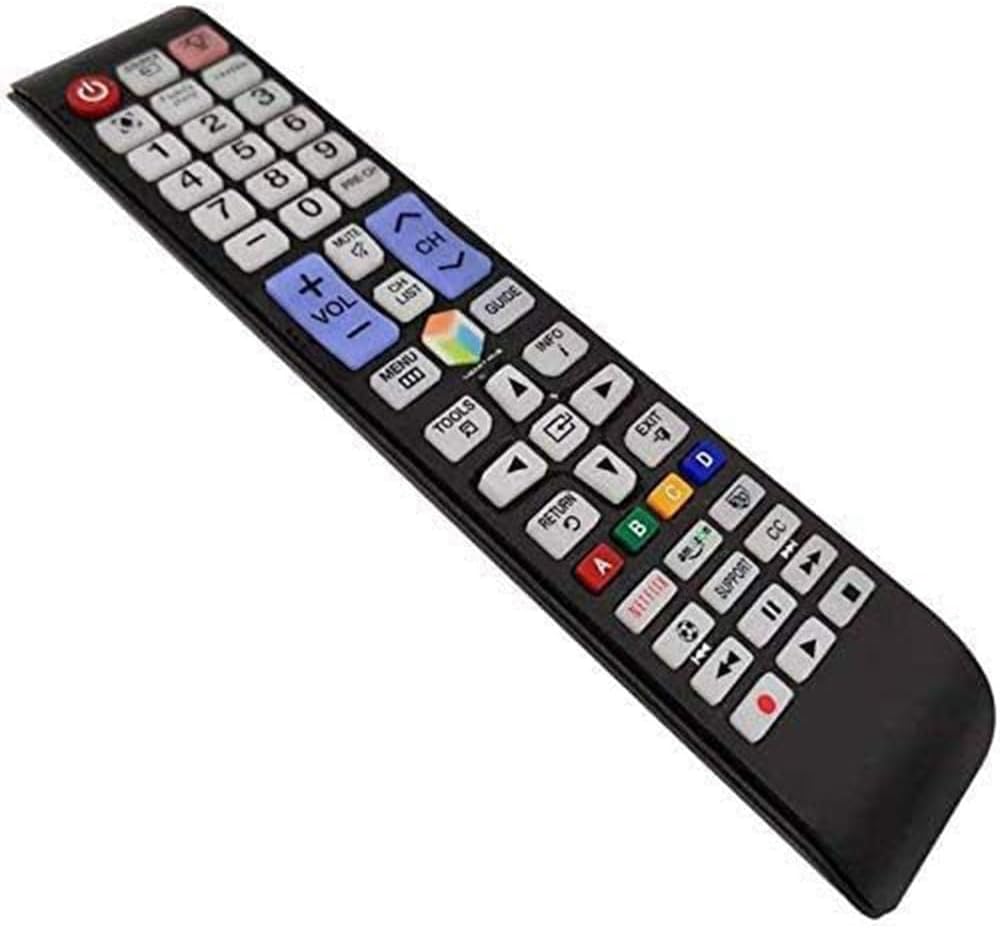
תמונה: מפורט view של סידור הכפתורים של השלט רחוק.
תכונת תאורה אחורית
The remote features a backlight function for improved visibility in dark environments. Press the light bulb button (located near the top right) to illuminate the buttons. The backlight will automatically turn off after a short period of inactivity to conserve battery life.

Image: The remote control demonstrating its backlit button feature.
Smart TV and App Navigation
For Samsung Smart TVs, use the navigation arrows and the central 'Enter' button to browse through menus, select applications, and control playback within streaming services. The dedicated Netflix and Amazon buttons provide quick access to these platforms.

Image: The remote control being used to navigate a Samsung Smart TV interface.
תַחזוּקָה
ניקוי
To clean the remote control, wipe it gently with a soft, dry cloth. Do not use liquid cleaners or abrasive materials, as they may damage the surface or internal components.
החלפת סוללה
Replace batteries when the remote's response becomes sluggish or the backlight dims significantly. Always replace both batteries at the same time with new AAA batteries to ensure optimal performance.
פתרון בעיות
| לְהַנפִּיק | סיבה אפשרית | פִּתָרוֹן |
|---|---|---|
| מרחוק לא מגיב | סוללות מתות או שהוכנסו לא נכון | החליפו את הסוללות, תוך הקפדה על קוטביות נכונה. |
| כפתורים לא עובדים | Obstruction between remote and TV sensor | Ensure a clear line of sight to the TV's IR sensor. |
| תאורה אחורית לא עובדת | כוח סוללה נמוך | החלף סוללות. |
מפרטים
| תכונה | פְּרָט |
|---|---|
| מידות המוצר | 1.97 x 1.18 x 1.57 אינץ' |
| משקל פריט | 1.06 אונקיות |
| סוללות נדרשות | 2 סוללות AAA |
| תכונה מיוחדת | כפתורים עם תאורה אחורית |
| צֶבַע | כְּחוֹל |
| מכשירים תואמים | All Samsung TV / LCD / Smart TV / 3D LED / HDTVs |
אחריות ותמיכה
If you encounter any quality problems or require assistance with your SMATAR Universal Remote Control, please feel free to contact us. We are committed to providing a satisfactory solution and ensuring your complete satisfaction with our product.