
1. הקדמה
תודה על הרכישהasing the BESTISAN 28-inch Soundbar. This manual provides detailed instructions for setting up, operating, and maintaining your new soundbar to ensure optimal performance and an immersive audio experience. Please read this manual thoroughly before use and retain it for future reference.
2. תכולת החבילה
ודא שכל הפריטים המפורטים להלן כלולים בחבילה שלך:
- סרגל סאונד
- שְׁלַט רָחוֹק
- מתאם מתח
- כבל אופטי דיגיטלי
- כבל אודיו סטריאו RCA עד 3.5 מ"מ
- מדריך למשתמש
- Mount Kits (Wall mount template, Mount screws, Wall mount brackets)

3. המוצר נגמרview
3.1. פקדים ומחוונים בלוח הקדמי

- לחצן הפעלה: Short press to turn on, long press for 2 seconds to turn off. Short press to switch modes (BT-HDMI-AUX-OPT-BT).
- Volume + / Next Button: Short press to increase volume step by step, long press for the next song (in Bluetooth mode).
- Volume - / Previous Button: Short press to decrease volume step by step, long press for the previous song (in Bluetooth mode).
- כפתור הפעלה / השהיה: Short press to play/pause songs (in Bluetooth mode).
- Mode LED Indicator: Displays the current input mode (Standby, Bluetooth, Optical, ARC, AUX, USB).
3.2. חיבורי לוח אחורי
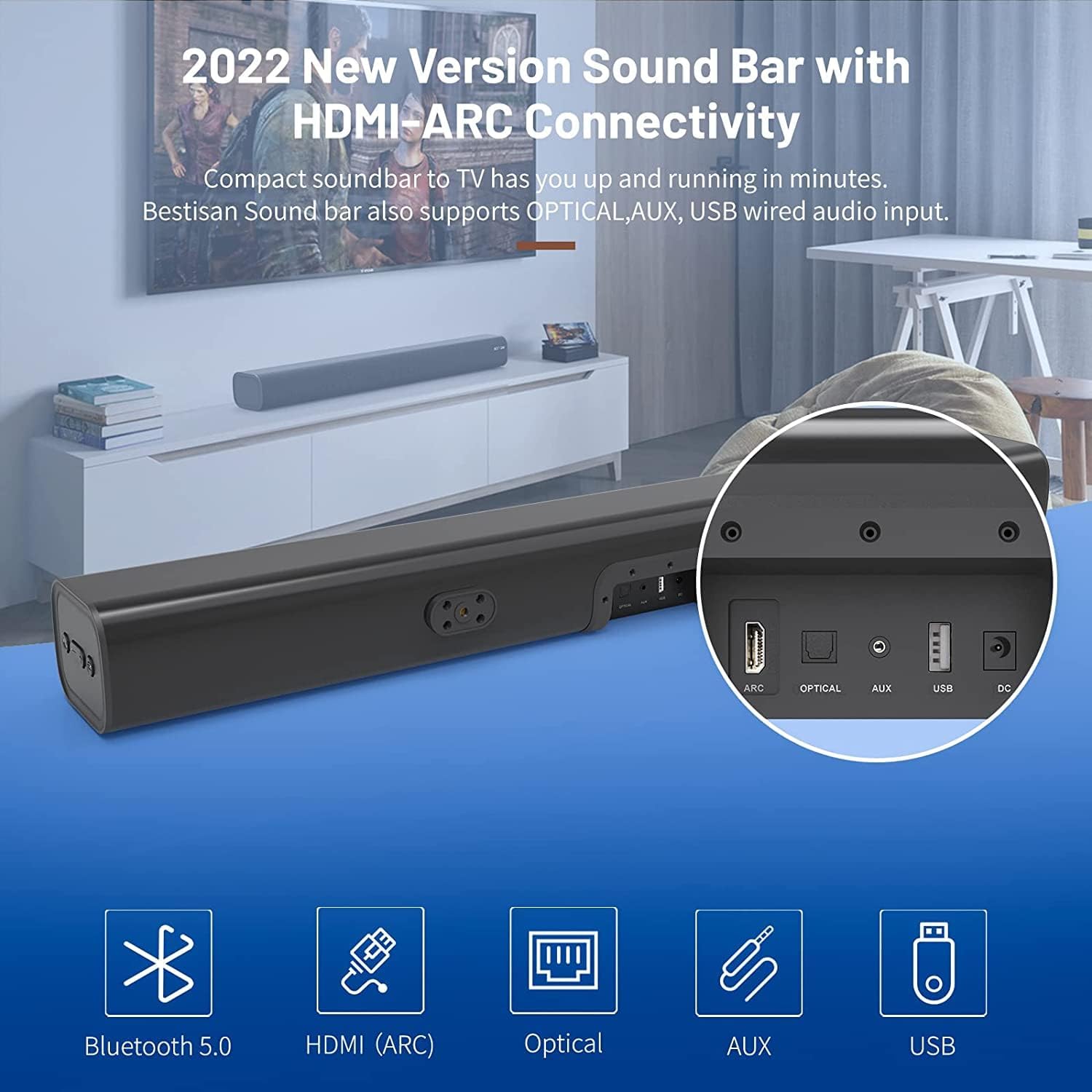
- HDMI ARC (TV): Connects to your TV's HDMI ARC port for high-quality audio transmission.
- אוֹפּטִי: כניסת שמע אופטית דיגיטלית.
- AUX IN: כניסת שמע נוספת 3.5 מ"מ.
- USB: USB input for media playback.
- DC in Power input for the soundbar.
4. התקנה
4.1. אפשרויות מיקום
The BESTISAN Soundbar offers flexible placement options to suit your home theater setup:
- מיקום בשולחן העבודה: Place the soundbar on a flat surface in front of your TV. Ensure it does not obstruct the TV's remote sensor.
- הרכבה על הקיר: Use the included wall mount kit to securely attach the soundbar to the wall below your TV. A wall mounting template is provided for easy installation.


4.2. הדלק
- Connect the power cord to the DC IN port on the back of the soundbar.
- חבר את הקצה השני של כבל החשמל לשקע חשמל.
- Press the Power button on the soundbar or the remote control to turn it on. The LED indicator will light up.
הווידאו 1: This video demonstrates the easy setup process for the soundbar, including connecting the power adapter and turning on the device. It highlights the various input options available on the back of the soundbar.
5. חיבור לטלוויזיה שלך
The soundbar offers multiple connection options for your TV. Choose the method that best suits your TV's available ports.
5.1. חיבור HDMI ARC
- Connect one end of the HDMI cable (not included) to the HDMI ARC port on the soundbar.
- Connect the other end of the HDMI cable to your TV's HDMI ARC port.
- On your TV settings, set the audio output to "HDMI ARC" and the digital sound format to "PCM" or "Passthrough".
5.2. חיבור אופטי
- Connect one end of the Digital Optical Cable (included) to the OPTICAL port on the soundbar.
- Connect the other end of the Digital Optical Cable to your TV's optical audio output port.
- On your TV settings, set the audio output to "Optical" and the digital sound format to "PCM".
5.3. חיבור AUX
- Connect one end of the Stereo RCA to 3.5mm Audio Cable (included) to the AUX IN port on the soundbar.
- Connect the RCA ends of the cable to your TV's RCA audio output ports (usually red and white).
- On your TV settings, ensure the audio output is set to "External Speakers" or "Headset".
5.4. חיבור Bluetooth
- Turn on the soundbar and press the "BT" button on the remote or the mode button on the soundbar until the LED indicator flashes blue, indicating Bluetooth pairing mode.
- הפעל את בלוטות' במכשיר הנייד שלך (סמארטפון, טאבלט וכו').
- חפש "BESTISAN" or "ST08" in the list of available Bluetooth devices and select it to pair.
- לאחר החיבור, מחוון LED יהפוך לכחול מלא.
6. הפעלת הסאונדבר
6.1. שימוש בשלט רחוק
The included remote control provides full functionality for your soundbar:
- כּוֹחַ: הפעל/כבה את סאונד בר.
- לְהַשְׁתִיק: Mute/unmute the sound.
- נפח +/-: כוונן את עוצמת הקול.
- הפעל/השהה: Play or pause audio (Bluetooth mode).
- הקודם הבא: Skip to the previous or next track (Bluetooth mode).
- Mode Selection (OPT, BT, ARC, AUX, USB): מעבר בין מקורות קלט.
- Sound Modes (Movie, Music, Dialogue): Select optimized equalizer settings for different content types.
- טרבל +/-: כוונן את רמות הטרבל.
- בס +/-: כוונון רמות הבס.
6.2. Sound Modes (DSP Technology)
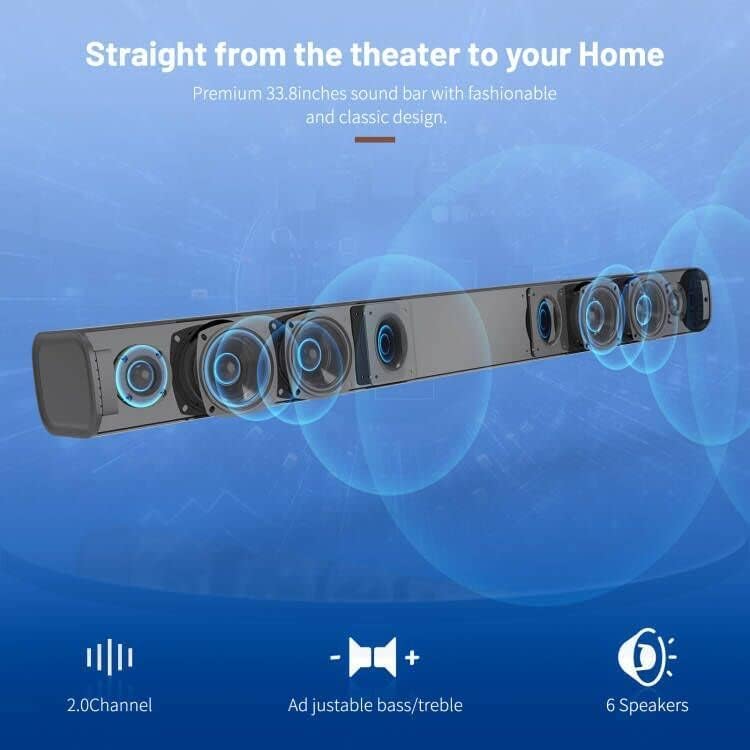
The soundbar features DSP (Digital Signal Processing) technology with three preset equalizer modes:
- מצב סרט: Enhances cinematic audio with dynamic range and impactful bass.
- מצב מוזיקה: אופטימיזציה של השמעת מוזיקה, ומספקת צליל מאוזן.
- מצב דיאלוג: Clarifies speech, making conversations easier to understand.

7. תחזוקה
- נקו את הסאונד בר בעזרת מטלית רכה ויבשה. אין להשתמש בחומרי ניקוי נוזליים או בתרסיסים.
- הימנעו מחשיפת הסאונד בר לטמפרטורות קיצוניות, לחות או אור שמש ישיר.
- אל תנסה לפרק או לתקן את היחידה בעצמך. צור קשר עם תמיכת הלקוחות לקבלת סיוע.
8. פתרון תקלות
| בְּעָיָה | פתרון אפשרי |
|---|---|
| אין כוח | ודא שמתאם החשמל מחובר היטב לסאונד בר ולשקע חשמל תקין. |
| אין קול |
|
| בעיות התאמת בלוטות' |
|
| השלט רחוק לא עובד |
|
9. מפרטים
- מותג: בטיסיאן
- שם הדגם: ST08, SE08
- סוג רמקול: סרגל סאונד
- טכנולוגיית קישוריות: HDMI (ARC), Optical, Aux, USB, Bluetooth 5.0
- מצב פלט אודיו: סטריאו
- עוצמת פלט מקסימלית של רמקול: 100 וואט
- מידות המוצר: 3.4" D x 33.79" W x 4.4" H
- משקל פריט: 5.19 פאונד
- סוג הרכבה: מתקן קיר
- תכונה מיוחדת: Bass Boost, DSP Technology (Dialogue, Movie, Music modes)
10. אחריות ותמיכה
For warranty information, technical support, or customer service inquiries, please refer to the contact details provided in your User's Guide or visit the official BESTISAN webאֲתַר.
יַצרָן: בסטיסן
תאריך זמין ראשון: 3 בנובמבר 2020