
1. הקדמה
This manual provides detailed instructions for the installation, operation, and maintenance of your Overmax Camspot 3.7 Full HD Wireless Indoor Camera. Please read this manual thoroughly before using the product to ensure proper function and safety. Keep this manual for future reference.
2. תכולת החבילה
ודא שכל הרכיבים נמצאים בחבילה:
- Overmax Camspot 3.7 Wireless Indoor Camera
- Power Cable with Adapter
- Mounting Kit (screws, wall plugs, bracket)
- מדריך למשתמש (מסמך זה)
3. המוצר נגמרview
הכירו את רכיבי המצלמה והממשקים שלה.
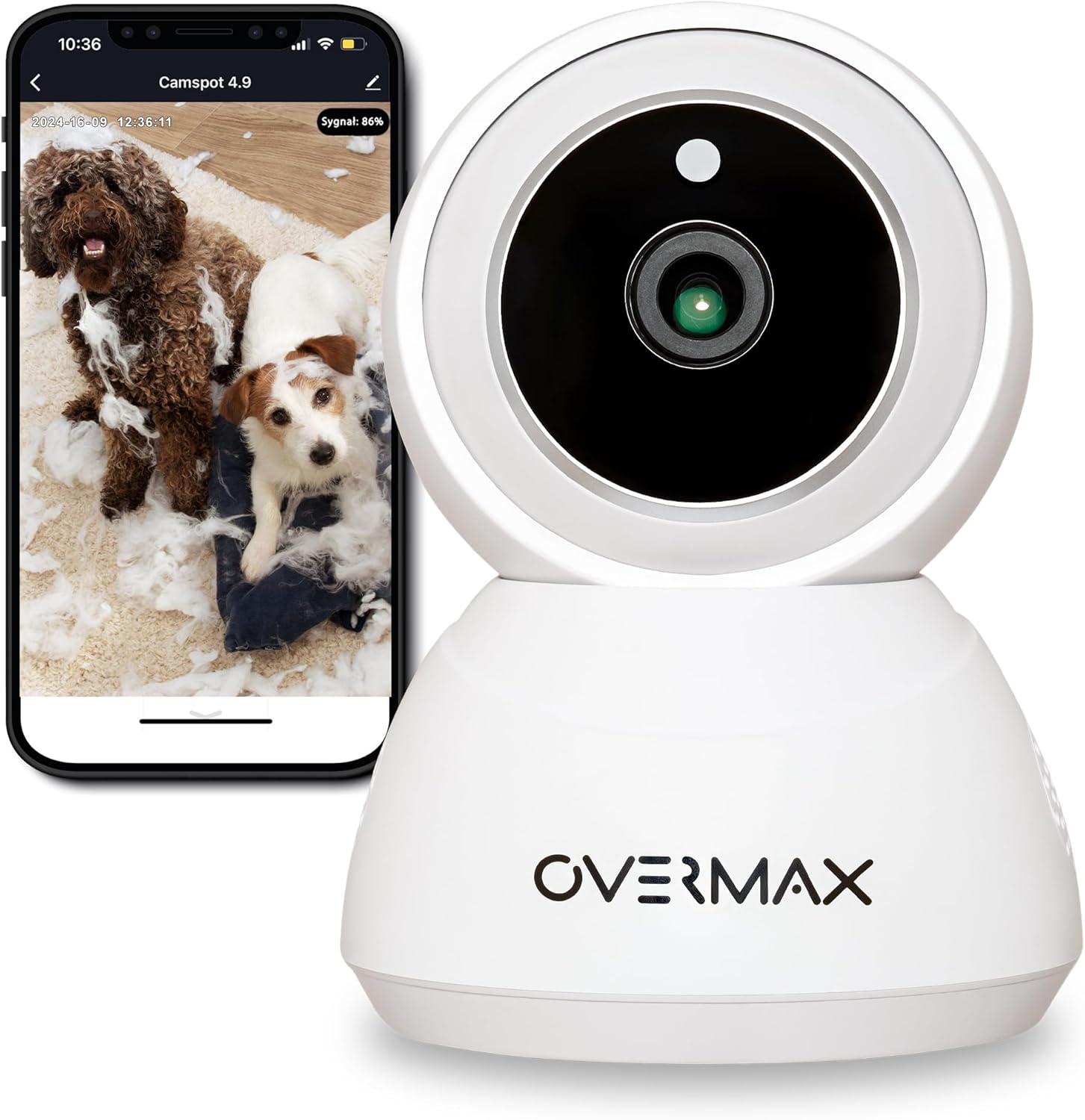
איור 3.1: חזית view of the Overmax Camspot 3.7 camera with a smartphone showing the live video feed.

איור 3.2: צד view of the Overmax Camspot 3.7 camera, showing its dome shape and speaker grille.

איור 3.3: אחורי view of the camera, highlighting the LAN port, Reset button, and DC 5V power input.

איור 3.4: View of the camera with the microSD card slot visible, located beneath the lens assembly.
4. התקנה
4.1 התקנה פיזית
The Camspot 3.7 can be placed on a flat surface or mounted to a wall or ceiling.
- בחר מיקום: בחר מיקום המספק את הרצוי viewזווית הצילום ונמצא בטווח קליטה של רשת ה-Wi-Fi שלך או חיבור Ethernet.
- הרכבה (אופציונלי):
- Attach the mounting bracket to the desired surface using the provided screws and wall plugs.
- Secure the camera to the mounting bracket. Ensure it is firmly attached.

Figure 4.1: The Overmax Camspot 3.7 camera shown mounted on a wall bracket, illustrating a typical installation.
4.2 התקנת אפליקציה ויצירת חשבון
The Overmax Control app is required to operate the camera.
- הורד את האפליקציה: חפש "Overmax Control" in your smartphone's app store (iOS or Android) and download it.
- צור חשבון: פתחו את האפליקציה ופעל לפי ההוראות שעל המסך כדי ליצור חשבון משתמש חדש.

Figure 4.2: The Overmax Camspot 3.7 camera alongside a smartphone displaying the 'CONTROL' app logo, indicating the required application for setup and operation.
4.3 Power On and Network Connection
- הפעלה: Connect the power cable to the camera's DC 5V port and plug the adapter into a power outlet. The camera will power on and initiate its startup sequence.
- חיבור רשת:
- Wi-Fi: פעל לפי ההוראות שבאפליקציה כדי לחבר את המצלמה לרשת ה-Wi-Fi 2.4GHz שלך.
- אתרנט (אופציונלי): Connect an Ethernet cable from your router to the camera's LAN port for a wired connection.
4.4 התאמת המצלמה
Once the camera is powered on and the app is installed, proceed with pairing:
- הוסף מכשיר: In the Overmax Control app, tap the "Add Device" or "+" icon.
- בחר סוג מצלמה: Choose the appropriate camera model (Camspot 3.7).
- סרוק קוד QR: The app will prompt you to scan a QR code. Position your smartphone's screen with the QR code approximately 15-20 cm in front of the camera lens. The camera will emit a sound upon successful scanning.
- התקנה מלאה: Follow any remaining on-screen prompts in the app to finalize the pairing process.

Figure 4.3: The Overmax Camspot 3.7 camera positioned to scan a QR code displayed on a smartphone, a common method for device pairing.
5. הוראות הפעלה
5.1 בשידור חי View
Access the live video feed from your camera through the Overmax Control app. This allows real-time monitoring of the camera's surroundings.
5.2 בקרת סיבוב/נטייה
The Camspot 3.7 features motorized pan and tilt capabilities.
- סיבוב אופקי: 355 מעלות
- סיבוב אנכי: 120 מעלות
Use the directional controls within the Overmax Control app to adjust the camera's viewזווית מרחוק.

Figure 5.1: Diagram illustrating the camera's extensive pan (355°) and tilt (120°) rotation range.
5.3 שמע דו-כיווני
The camera is equipped with a microphone and speaker, enabling two-way communication. You can listen to the camera's environment and speak through the camera using the app.
5.4 Motion Detection and Auto-Tracking
The camera can detect moving objects and automatically track their movement within its field of view. Configure motion detection sensitivity and alerts in the app settings.
5.5 ראיית לילה
The Camspot 3.7 features infrared technology for clear viewing in low-light or complete darkness, with a night vision range of up to 10 meters. The camera automatically switches to night mode when ambient light is insufficient.
5.6 הקלטה ואחסון
The camera supports two primary storage methods for video recordings:
- כרטיס MicroSD: Insert a microSD card (up to 128GB, not included) into the designated slot for local storage. This allows for continuous recording for up to 3 weeks.
- אחסון בענן: The camera supports real-time cloud storage for recordings. Refer to the app for subscription details and options.
5.7 שילוב בית חכם
The Camspot 3.7 is compatible with Google Home and Amazon Alexa. Follow the instructions within the respective smart home apps to integrate your camera for voice control and automation.
5.8 Baby Monitor Function
Utilize the camera's features, including two-way audio and night vision, to monitor an infant. The app provides a comprehensive interface for this purpose.

Figure 5.2: The Overmax Camspot 3.7 camera shown with a smartphone displaying the app's control interface, including options for screenshot, speaking, recording, cloud storage, and direction control.
6. תחזוקה
- ניקוי: השתמשו במטלית רכה ויבשה לניקוי עדשת המצלמה וגוף המצלמה. אין להשתמש בכימיקלים חזקים או בחומרי ניקוי שוחקים.
- עדכוני קושחה: Regularly check the Overmax Control app for available firmware updates to ensure optimal performance and security.
- ניהול אחסון: מעת לעת מחדשview and manage recordings on your microSD card or cloud storage to free up space if needed.
7. פתרון תקלות
- מצלמה לא מתחברת ל-Wi-Fi:
- ודא שרשת ה-Wi-Fi שלך היא 2.4GHz. המצלמה אינה תומכת ברשתות 5GHz.
- בדוק את נכונות סיסמת ה-Wi-Fi.
- קרב את המצלמה לנתב.
- הפעל מחדש את המצלמה ואת הנתב שלך.
- לא בשידור חי View:
- Verify internet connection on your smartphone and the camera.
- Check if the camera is powered on and connected to the network.
- הפעל מחדש את האפליקציה.
- זיהוי תנועה לא עובד:
- ודא שזיהוי תנועה מופעל בהגדרות האפליקציה.
- התאם את הגדרות הרגישות.
- בדוק אם יש חסימות במצלמה view.
- כרטיס MicroSD לא מקליט:
- ודא שכרטיס ה-microSD מוכנס כהלכה.
- Format the microSD card through the app.
- Check if the card is full or corrupted.
- המצלמה לא מגיבה:
- Press and hold the Reset button (located at the back) for approximately 5-10 seconds to factory reset the camera. You will need to re-pair it after a reset.
8. מפרטים
| תכונה | מִפרָט |
|---|---|
| שם הדגם | Overmax Camspot 3.7 |
| רזולוציית וידאו | רזולוציית Full HD (1080p) |
| עֲדָשָׁה | 3.6 מ"מ |
| פריימים לשנייה (FPS) | 25-30 |
| דחיסת וידאו | H.264 |
| סיבוב אופקי | 355° |
| סיבוב אנכי | 120° |
| טווח ראיית לילה | עד 10 מטרים (אינפרא אדום) |
| תמיכה בכרטיס MicroSD | עד 128 GB |
| קישוריות | Wi-Fi (2.4GHz), אתרנט |
| מערכות נתמכות | Windows XP/7/8/10, Android, iOS, Mac |
| אודיו דו-כיווני | Yes (Microphone, 1W Speaker) |
| זיהוי תנועה | Yes (Automatic Detector) |
| ספק כוח | 12 Volts, 1 Watt |
| מידות (L x W x H) | 8.5 x 8.2 x 10.5 ס"מ |
| מִשׁקָל | 180 גרם |
| חוֹמֶר | מַתֶכֶת |
| צֶבַע | לָבָן |
9. אחריות ותמיכה
Overmax products are covered by a manufacturer's warranty. For specific warranty terms and conditions, please refer to the warranty card included in your package or visit the official Overmax webאֲתַר.
For technical support, troubleshooting assistance, or any product-related inquiries, please contact Overmax customer service through the contact information provided on the official website or within the Overmax Control application.