
פיק טק P 8005
PeakTech P 8005 Sound Level Meter User Manual
Model: P 8005 | Brand: PeakTech
1. הקדמה
The PeakTech P 8005 is a high-precision Class 2 sound level meter designed for accurate noise measurement and data logging. It is suitable for a wide range of applications including noise projects, quality control, disease prevention, and environmental sound measurements in factories, schools, offices, traffic, and households. This device features a 4-digit 20mm LCD multi-function display with a bargraph and backlight, a USB interface for continuous measurements, and AC/DC outputs for connection to frequency analyzers or X-Y wave recorders. This manual provides detailed instructions for the proper use, maintenance, and troubleshooting of your PeakTech P 8005.
2. מידע בטיחות
Please read all safety instructions carefully before operating the device. Failure to follow these instructions may result in damage to the device or personal injury.
- אין לחשוף את המכשיר לטמפרטורות קיצוניות, ללחות או לאור שמש ישיר.
- הימנעו מרעידות או פגיעות חזקות.
- אין לנסות לפתוח או לשנות את המכשיר. תיקונים יבוצעו אך ורק על ידי אנשי מקצוע מוסמכים.
- הרחק את המכשיר משדות אלקטרומגנטיים חזקים.
- Ensure proper ventilation when using the AC adapter for extended periods.
- השלך סוללות בהתאם לתקנות המקומיות.
3. תכולת החבילה
ודא שכל הפריטים המפורטים להלן כלולים בחבילה שלך:
- PeakTech P 8005 Sound Level Meter
- תיק נשיאה
- 3m Additional Microphone Cable
- כבל ממשק USB
- Software for Windows (on CD-ROM)
- מיני חצובה
- מתאם מתח AC 9V
- סוללה 9V
- מדריך למשתמש

4. המוצר נגמרview
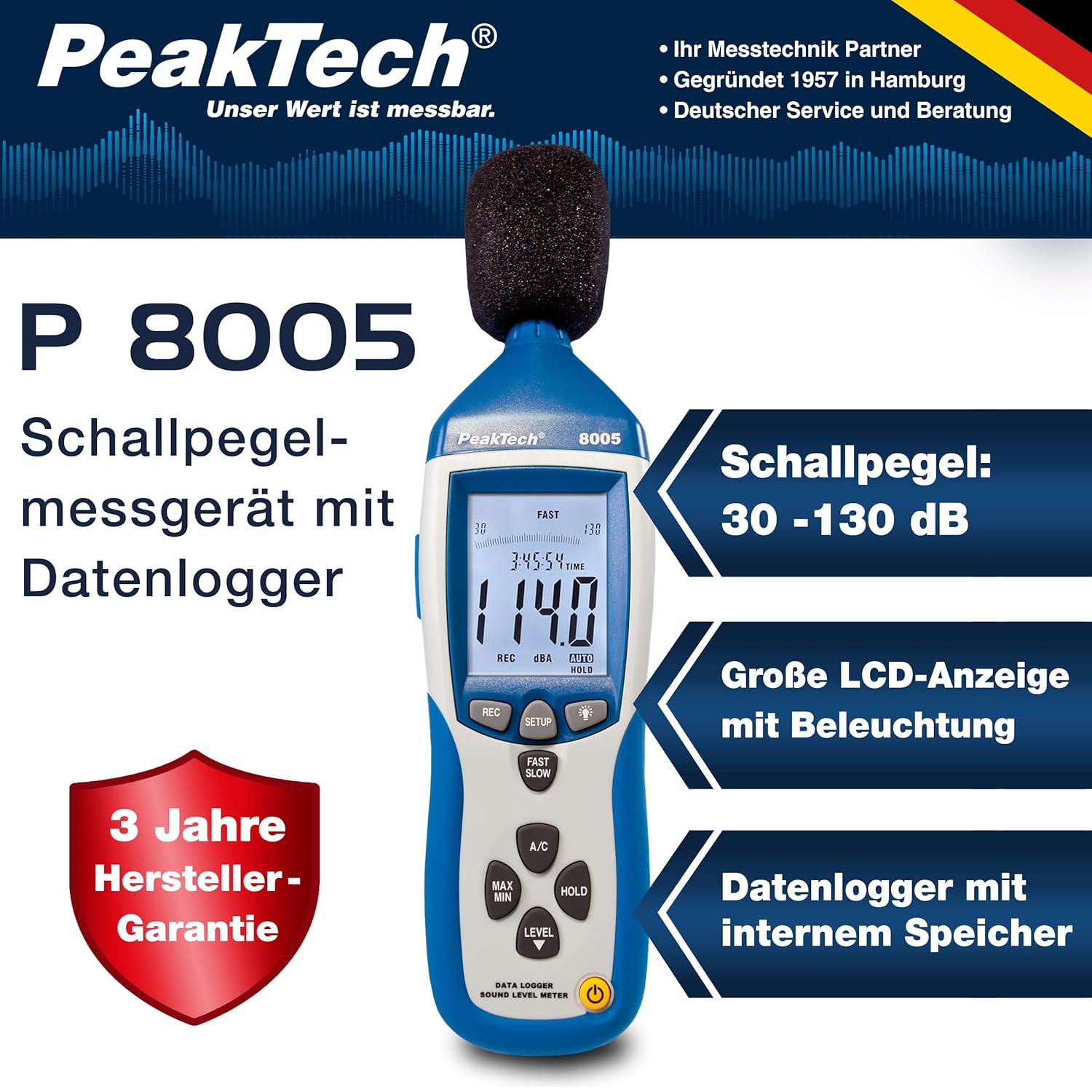
The PeakTech P 8005 is designed for user-friendly operation while providing professional-grade accuracy. Familiarize yourself with the main components and controls.
4.1. תכונות עיקריות
- מדידה מדויקת: Class 2 sound level meter (IEC-61672-1 compliant) for accurate readings even in noisy environments.
- טווח מדידה רחב: 30 to 130 dB across 4 ranges with 0.1 dB resolution.
- רישום נתונים: Internal memory for up to 32,000 readings (1x/sec to 1x/min).
- קישוריות: USB 2.0 interface for PC connection and data transfer.
- יציאות אנלוגיות: AC/DC outputs for connecting to frequency analyzers or X-Y wave recorders.
- לְהַצִיג: 4-digit 20mm LCD with bargraph and backlight.
- מצבי מדידה: Fast (125 ms) and Slow (1 s) response times, A and C weighting.
- פונקציות נוספות: MIN/MAX measurements, over-range/under-range indication.

5. התקנה
5.1. התקנת סוללה
The PeakTech P 8005 operates on a 9V battery or via the included 9V AC power adapter.
- אתר את תא הסוללות בגב המכשיר.
- פתח את מכסה הסוללה.
- הכנס את סוללת ה-9V, תוך הקפדה על קוטביות נכונה.
- סגור היטב את מכסה הסוללה.
5.2. הפעלת המכשיר
- כדי להפעיל, לחץ על כּוֹחַ לַחְצָן.
- כדי לכבות, לחץ והחזק את המקש כּוֹחַ לחצן עד שהתצוגה תכבה.
- For continuous operation, connect the 9V AC power adapter to the DC 9V input port on the side of the device.
5.3. חיבור מיקרופון
The device comes with a built-in microphone. For remote measurements or specific setups, you can use the included 3m additional microphone cable.
- Unscrew the microphone cap from the top of the device.
- Connect the 3m microphone cable to the microphone input.
- Attach the external microphone to the other end of the cable.
- For stable measurements, attach the device to the mini tripod using the threaded mount at the bottom.

סרטון 5.1: אוברview of the PeakTech 8005 Sound Level Meter, demonstrating its features and setup, including the use of the external microphone and power adapter.
6. הוראות הפעלה
6.1. מדידה בסיסית
After powering on, the device will immediately begin measuring sound levels.
- The current sound level in dB is displayed on the LCD.
- השתמש ב- רָמָה button to cycle through the four measurement ranges (30-80 dB, 50-100 dB, 80-130 dB, Auto 30-130 dB).
- לִלְחוֹץ מהר לאט to switch between fast (125 ms) and slow (1 s) response times. Fast is suitable for sudden noise changes, while slow is for average noise levels.
- לִלְחוֹץ מיזוג אוויר to select A-weighting (dBA) or C-weighting (dBC). A-weighting mimics human ear response, C-weighting is for mechanical noise.

6.2. Data Logging and PC Connection
The P 8005 can record up to 32,000 measurement values internally. To access and analyze this data, use the included Windows software.
- Install the software from the provided CD-ROM onto a Windows PC (Windows 95/98/NT/2000/XP/VISTA/7/8/10 supported).
- Connect the sound level meter to your PC using the USB interface cable.
- Open the software. The software allows for real-time data display, data import from the device's internal memory, and export to formats like Excel for further analysis.
- Refer to the software's help documentation for detailed instructions on data logging setup and analysis.

7. תחזוקה
7.1. ניקיון
Clean the device regularly to ensure optimal performance.
- נגב את החלק החיצוני עם מטלית רכה ויבשה.
- אין להשתמש בחומרי ניקוי שוחקים או ממסים.
- Keep the microphone free from dust and debris.
7.2. אחסון
When not in use, store the device in its carrying case in a cool, dry place, away from direct sunlight and extreme temperatures.
7.3. כיול
The PeakTech P 8005 is a precision instrument. Regular calibration is recommended to maintain accuracy, especially for professional applications. Refer to the included test report for the last calibration date. Contact PeakTech support for calibration services.
8. פתרון תקלות
| בְּעָיָה | סיבה אפשרית | פִּתָרוֹן |
|---|---|---|
| המכשיר לא נדלק. | Low or dead battery; AC adapter not connected or faulty. | Replace the 9V battery or connect the AC adapter. Ensure the adapter is working. |
| קריאות לא מדויקות. | Incorrect measurement range; microphone obstructed; device needs calibration. | Adjust the measurement range using the רָמָה button. Clear any obstructions from the microphone. Consider professional calibration. |
| תוכנה לא מזהה את המכשיר. | USB cable faulty; driver issue; software compatibility. | Try a different USB port or cable. Reinstall the software and drivers. Check software compatibility settings (e.g., Windows 98 compatibility mode for older systems). |
| Data logging issues. | Memory full; incorrect logging settings. | Download and clear data from the device. Review data logging settings in the software. |
9. מפרטים
| פָּרָמֶטֶר | עֵרֶך |
|---|---|
| תקן מיושם | IEC-61672-1 Type 2, ANSI S1.4 Type 2 |
| Accuracy (1 kHz Sine; A, C) | ± 1.4 dB |
| דיוק (טווח תדרים) | According to EN-61672-1 Class 2, max. ± 5.6 dB |
| טווח תדרים | 31.5 הרץ - 8 קילוהרץ |
| טווח דינמי | 50 dB |
| טווחי רמות | Low: 30 dB ~ 80 dB, Med: 50 dB ~ 100 dB, High: 80 dB ~ 130 dB, Auto: 30 dB ~ 130 dB |
| זמן תגובה | Fast: 125 ms / Slow: 1 s |
| מִיקרוֹפוֹן | ½-inch Electret Condenser Microphone |
| הַחְלָטָה | 0.1 dB |
| עדכון תצוגה | 2 פעמים / שנייה. |
| פלט אנלוגי | AC/DC Outputs, AC: 1 Veff = 10 mV/dB |
| כרך הפעלהtage | 9V Battery or 9V AC Power Adapter |
| מידות (WxHxD) | 80 x 280 x 50 מ"מ |
| מִשׁקָל | 350 גרם |
| Data Logger Memory | עד 32,000 קריאות |
10. אחריות ותמיכה
PeakTech products are designed for reliability and performance. For warranty information and technical support, please refer to the documentation included with your product or visit the official PeakTech webאתר. שמור את קבלת הרכישה כהוכחת קנייה לתביעות אחריות.
יַצרָן: PeakTech
Webאֲתַר: PeakTech Official Store
Ask a question about this manual
Ask about setup, troubleshooting, compatibility, parts, safety, or missing instructions. Manuals+ will review the question and use this page’s manual context to help answer it.