
מָבוֹא
This manual provides comprehensive instructions for the beyerdynamic FOX Professional USB Studio Microphone and its accompanying Microphone Suspension Boom Scissor Arm. It covers essential information regarding product setup, operation, maintenance, and troubleshooting to ensure optimal performance and longevity of your equipment. Please read this manual thoroughly before using the product.
מידע בטיחות
Please observe the following safety instructions to prevent damage to the device, injury to yourself, or damage to other property:
- Do not expose the microphone to moisture, rain, or extreme temperatures.
- הימנעו מהפלת המיקרופון או מחשיפתו לפגיעות חזקות.
- אל תנסה לפרק או לשנות את המיקרופון. יש לפנות לכל טיפול וטיפול באנשי מקצוע מוסמכים.
- Keep the microphone and boom arm away from strong magnetic fields.
- Ensure the boom arm is securely clamped to a stable surface to prevent accidental falls.
- Use only the specified power source (USB connection) for the microphone.
תוכן החבילה
ודא שכל הפריטים המפורטים להלן נמצאים בחבילה שלך:
- beyerdynamic FOX Professional USB Studio Microphone
- Microphone Suspension Boom Scissor Arm with 3/8-Inch-16 Threading (Black)
- כבל USB
- Desk Stand (for microphone)
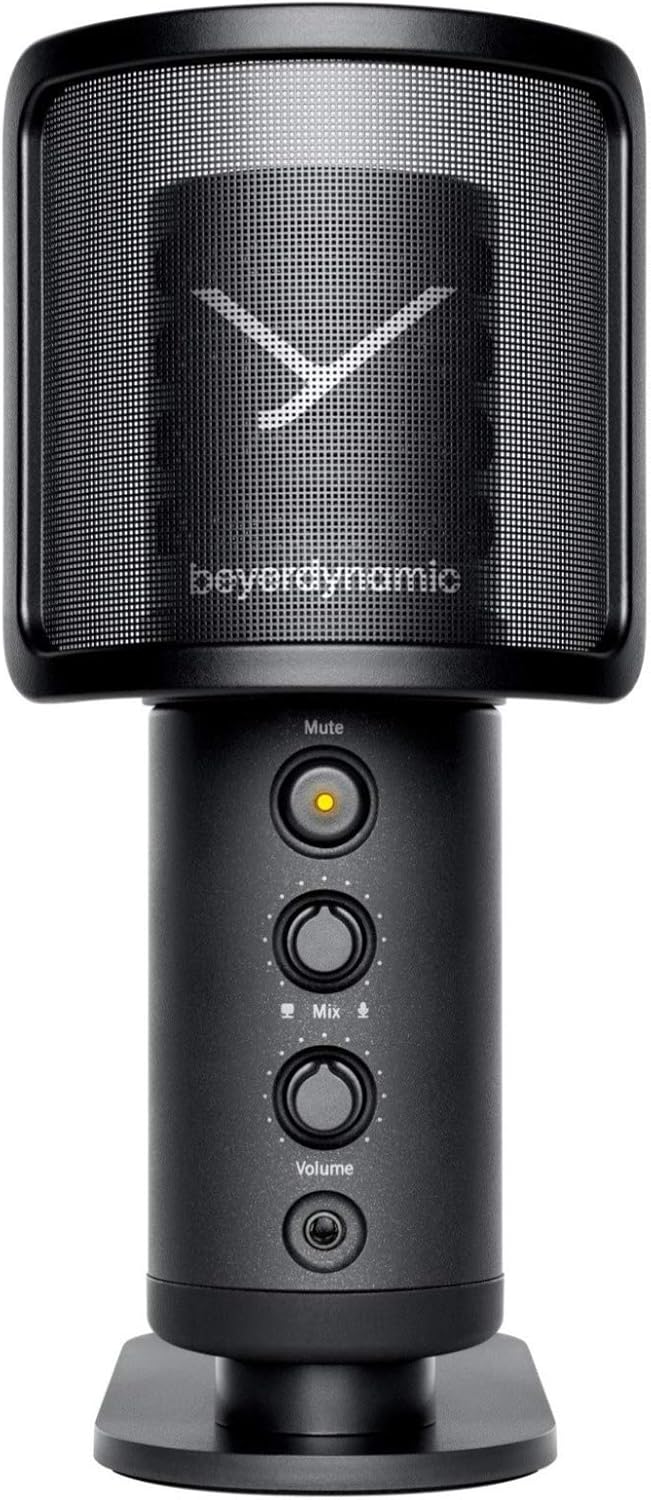
Image: The beyerdynamic FOX USB Studio Microphone and the included boom arm, showcasing את החבילה המלאה.
המוצר נגמרview
תכונות עיקריות:
- אודיו ברזולוציה גבוהה: 24-bit / 96 kHz studio-grade quality for professional recordings.
- Large Condenser Capsule: Ensures accurate signal conversion and low inherent noise.
- תבנית קוטב קרדיואידית: Focuses on sound directly in front of the microphone, reducing unwanted background noise.
- ניטור אפס אחזור: Integrated headphone output allows real-time monitoring of your audio.
- כפתור השתק: Instantly mutes the microphone for privacy or to prevent unwanted sounds from being recorded.
- מתג הגברה: Adjustable gain for recording various sound sources, including loud instruments.
- קישוריות USB: Simple plug-and-play connection to PC, Mac, or compatible smartphones/tablets.
רכיבי מיקרופון:
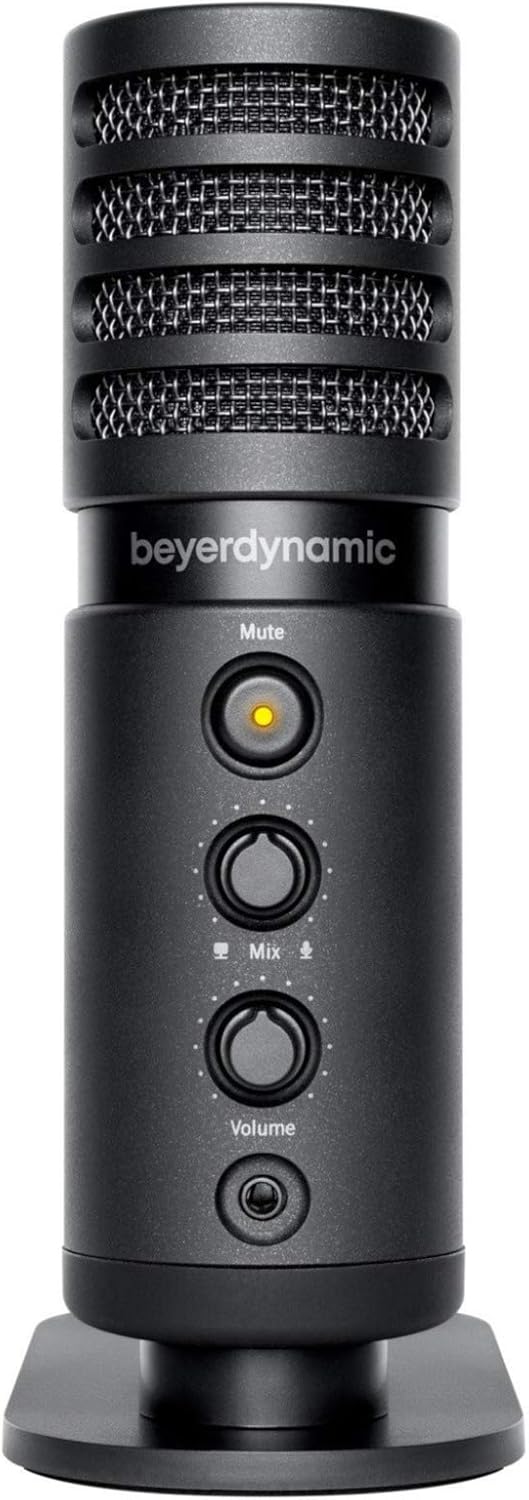
תמונה: חזית view of the beyerdynamic FOX microphone, highlighting the mute button, mix control, and volume knob.
- גריל מיקרופון: Protects the condenser capsule.
- כפתור השתק: Press to mute/unmute the microphone. An indicator light will show status.
- בקרת ערבוב: Adjusts the balance between microphone input and computer playback in your headphones.
- ידית עוצמת הקול: Controls the headphone output volume.
- שקע אוזניות (3.5 מ"מ): For connecting monitoring headphones.
- יציאת USB-C: For connecting the microphone to your computer or mobile device.
- Threaded Mount: For attaching to the desk stand or boom arm.
הגדרה
1. Assembling the Boom Arm:
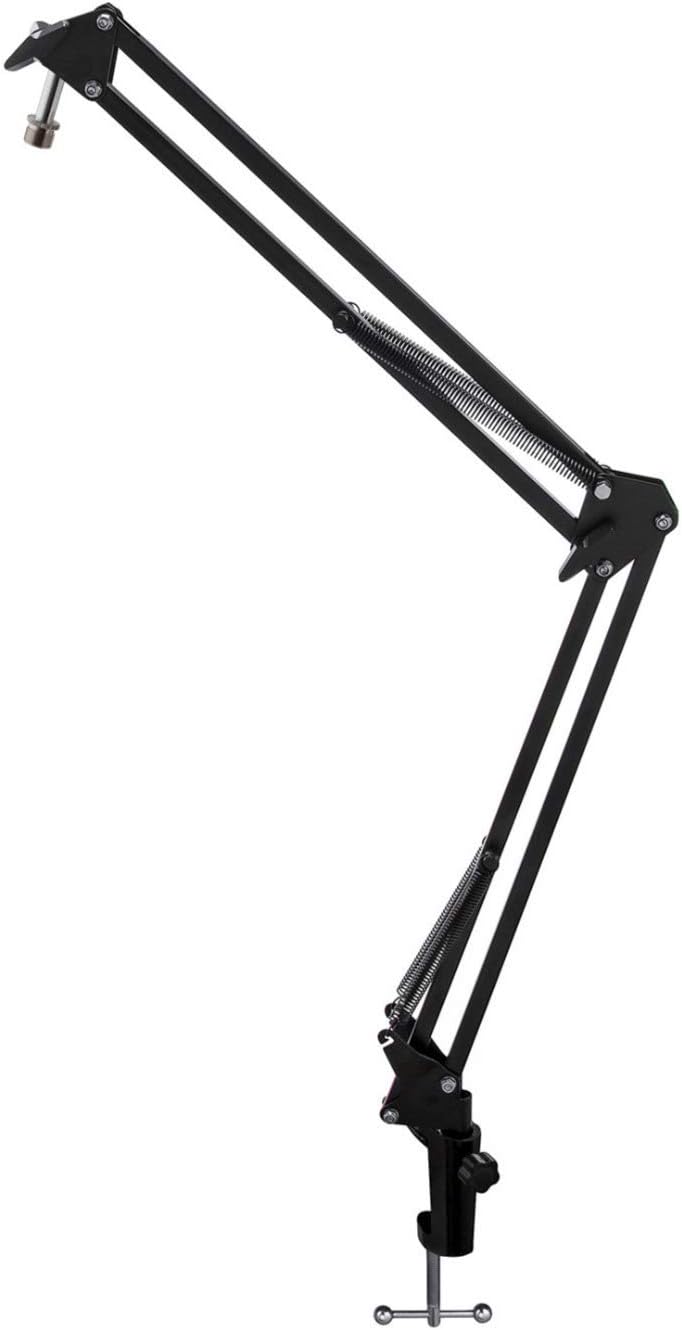
Image: The Microphone Suspension Boom Scissor Arm, showing its adjustable joints and desk clamp.
- שולחן עבודה צמודamp: חברו היטב את דלת השולחןamp to the edge of a sturdy desk or table. Ensure it is tight to prevent movement.
- הכנס זרוע בום: הכנס את בסיס זרוע הבום לתוך החור שבמשטח השולחן.amp. Tighten the locking screw on the clamp כדי להחזיק את הזרוע במקומה.
- התאם מיקום: Adjust the boom arm to your desired height and reach. The springs will help balance the microphone's weight.
2. Attaching the Microphone:
- To Boom Arm: Screw the beyerdynamic FOX microphone onto the 3/8-inch-16 threaded mount at the end of the boom arm. Ensure it is finger-tight.
- Using Desk Stand (Optional): If not using the boom arm, screw the microphone onto its included desk stand.
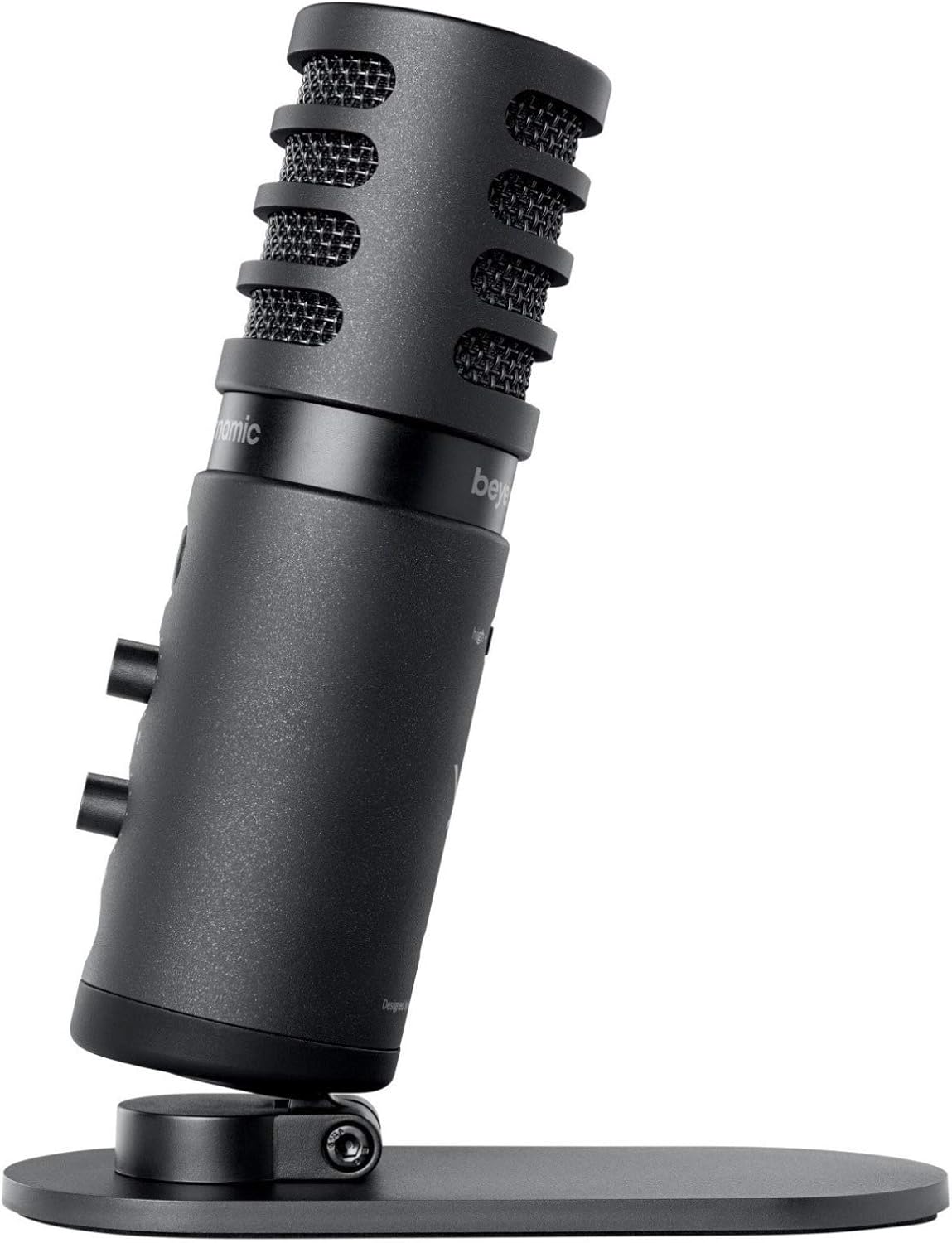
Image: The beyerdynamic FOX microphone mounted on its compact desk stand, ready for use.
3. התחברות למכשיר שלך:
- Connect the supplied USB cable to the USB-C port on the microphone.
- Connect the other end of the USB cable to an available USB port on your computer (PC/Mac) or compatible smartphone/tablet (adapter may be required for some mobile devices).
- המיקרופון הוא מסוג "חבר והפעל" והוא אמור להיות מזוהה אוטומטית על ידי מערכת ההפעלה שלך.
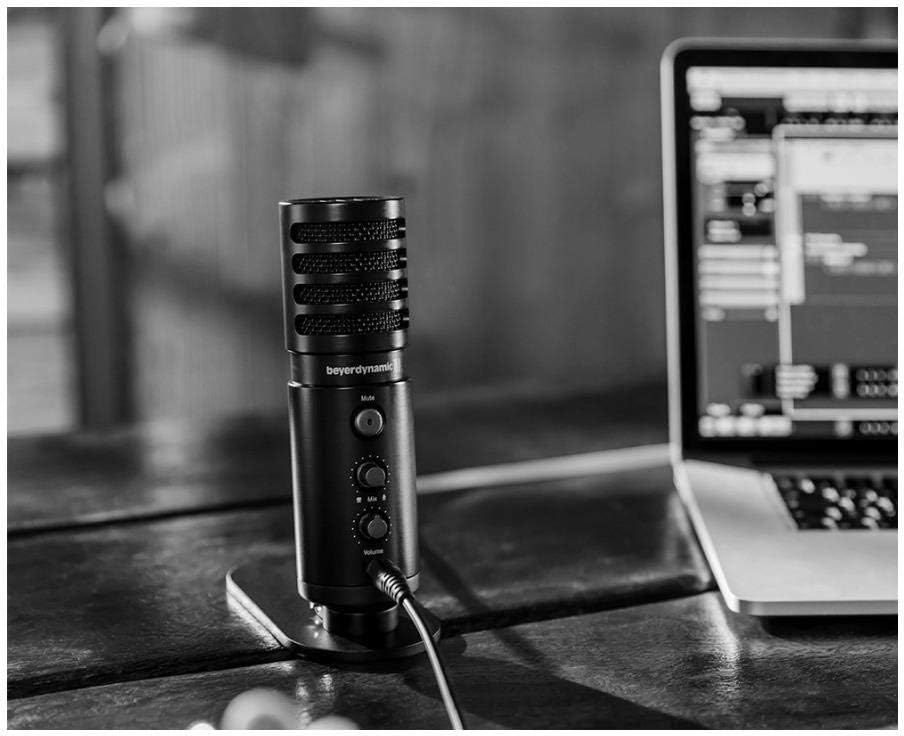
Image: The beyerdynamic FOX microphone in use, connected via USB to a laptop on a wooden desk.
הוראות הפעלה
1. System Recognition:
- Once connected, your operating system (Windows, macOS, Android, iOS) should automatically detect the beyerdynamic FOX as an audio input and output device.
- You may need to select "beyerdynamic FOX" as your default input/output device in your system's sound settings or within your recording software.
2. Using the Mute Button:
- הקש על לְהַשְׁתִיק button on the front of the microphone to toggle between active and muted states.
- An indicator light will typically show the microphone's status (e.g., green for active, red/orange for muted).
3. Adjusting Gain (Input Level):
- The FOX microphone features a gain switch (often labeled "Gain" or represented by a symbol like a microphone with a "+" or "-").
- Use this switch to adjust the microphone's sensitivity. For quiet sources (e.g., soft vocals), use a higher gain setting. For loud sources (e.g., instruments, loud speaking), use a lower gain setting to prevent distortion.
- Monitor your recording software's input levels to ensure they are not peaking (clipping).
4. Zero-Latency Monitoring:
- Connect headphones to the 3.5mm headphone jack on the microphone.
- השתמש ב- כֶּרֶך knob to adjust the headphone listening level.
- ה לְעַרְבֵּב control allows you to blend the microphone's direct input with the audio playback from your computer. Turn towards the microphone icon to hear more of your live input, and towards the speaker icon to hear more of your computer's audio.
- This feature allows you to hear your voice or instrument in real-time without delay, which is crucial for accurate performance.
תַחזוּקָה
- ניקוי: Use a soft, dry cloth to clean the microphone's exterior. Do not use liquid cleaners or solvents.
- אִחסוּן: כאשר המיקרופון אינו בשימוש, יש לאחסן אותו בסביבה יבשה וללא אבק.
- זרוע בום: Periodically check the boom arm's clamps and joints for tightness. Lubricate moving parts if necessary with a small amount of silicone-based lubricant.
- טיפול בכבלים: Avoid sharp bends or kinks in the USB cable. Store it neatly to prevent damage.
פתרון בעיות
| בְּעָיָה | סיבה אפשרית | פִּתָרוֹן |
|---|---|---|
| אין קול מהמיקרופון |
|
|
| Distorted or clipping sound |
|
|
| אין קול באוזניות |
|
|
| Boom arm is unstable |
|
|
מפרטים
| תכונה | פְּרָט |
|---|---|
| מספר דגם | FOXUSBMIC_K5 |
| גורם צורת מיקרופון | Table Array (with included desk stand) |
| טכנולוגיית קישוריות | USB |
| סוג מחבר | USB |
| דפוס קוטבי | חד כיווני (קרדיואיד) |
| הַחְלָטָה | 24 סיביות / 96 קילוהרץ |
| יחס אות לרעש | 78 dB |
| פלטפורמת חומרה | מחשב, סמארטפון |
| מכשירים תואמים | Headphone, Personal Computer, Smartphone |
| מקור כוח | חשמלי חוטי (מופעל באמצעות USB) |
| Item Weight (Microphone) | 16 גרם (1 קילו) |
| מידות המוצר | 16.2 x 8.3 x 6.8 inches (overall bundle dimensions) |
| צֶבַע | שָׁחוֹר |
| UPC | 040962932483 |
אחריות ותמיכה
למידע על אחריות ותמיכה טכנית, אנא עיינו באתר הרשמי של beyerdynamic webאתר או צרו קשר ישירות עם שירות הלקוחות שלהם. שמרו את הוכחת הרכישה שלכם לצורך תביעות אחריות.
רִשְׁמִי Webאֲתַר: www.beyerdynamic.com