
1. הקדמה
This manual provides essential information for the installation, operation, and maintenance of your Segotep GM850 850W Power Supply. Please read this manual thoroughly before installation and retain it for future reference. The Segotep GM850 is a high-performance, fully modular power supply designed to meet the demands of modern computing systems, including those with NVIDIA RTX 20/30/40/50 Series and AMD Graphics Cards.

Image 1.1: Segotep GM850 850W Power Supply and Retail Box
2. מידע בטיחות
Observe the following safety precautions to prevent injury or damage to your equipment:
- Always disconnect the power cord from the wall outlet before installing, removing, or cleaning the power supply.
- אין לפתוח את יחידת ספק הכוח. עוצמת קול גבוההtagישנם חלקים בפנים, ואין בהם חלקים הניתנים לתיקון על ידי המשתמש. פתיחת היחידה תגרום לביטול האחריות.
- Ensure the power supply is installed in a well-ventilated area, free from excessive heat, humidity, or dust.
- Use only the modular cables provided with this power supply. Using incompatible cables may cause damage to the PSU or connected components.
- חבר את ספק הכוח לשקע חשמלי מוארק.
- Avoid placing objects into the fan grille or ventilation openings of the power supply.

Image 2.1: Safety Protection Features (OVP, OCP, OPP, SPD, OTP, UVP, SCP)
3. תכולת החבילה
Verify that all items are present in your Segotep GM850 850W Power Supply package:
- Segotep GM850 850W Power Supply Unit
- כבל מתח AC
- Modular Cable Set (see Image 3.1 for details)
- ברגי הרכבה
- 24-Pin Bridge Tool (for testing, if included)
- מדריך למשתמש (מסמך זה)

Image 3.1: Included Modular Cables and 24-Pin Bridge Tool
4. תכונות מוצר
- מוכן ל-ATX 3.1 ו-PCIe 5.1: This power supply is compliant with the latest ATX 3.1 and PCIe 5.1 standards, ensuring compatibility with next-generation hardware. It is designed to handle power excursions up to 200% of total power and 300% of GPU power, providing stable power delivery for high-performance graphics cards.
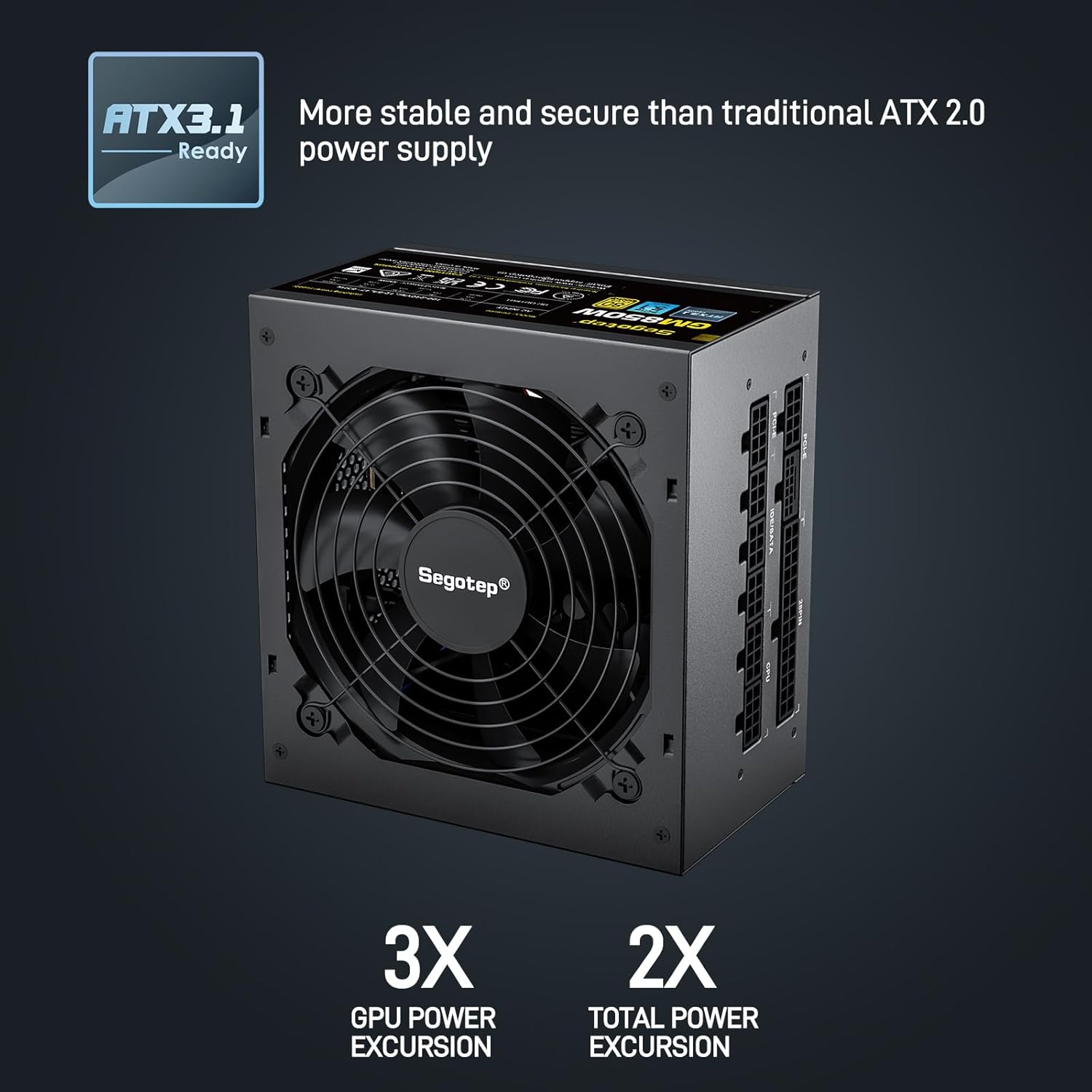
Image 4.1: ATX 3.1 Compliance and Power Excursion Handling
- 80 פלוס זהב מוסמך: The 80 PLUS Gold certification guarantees high power efficiency, reducing energy waste and operating costs. This results in less heat generation and a quieter system.
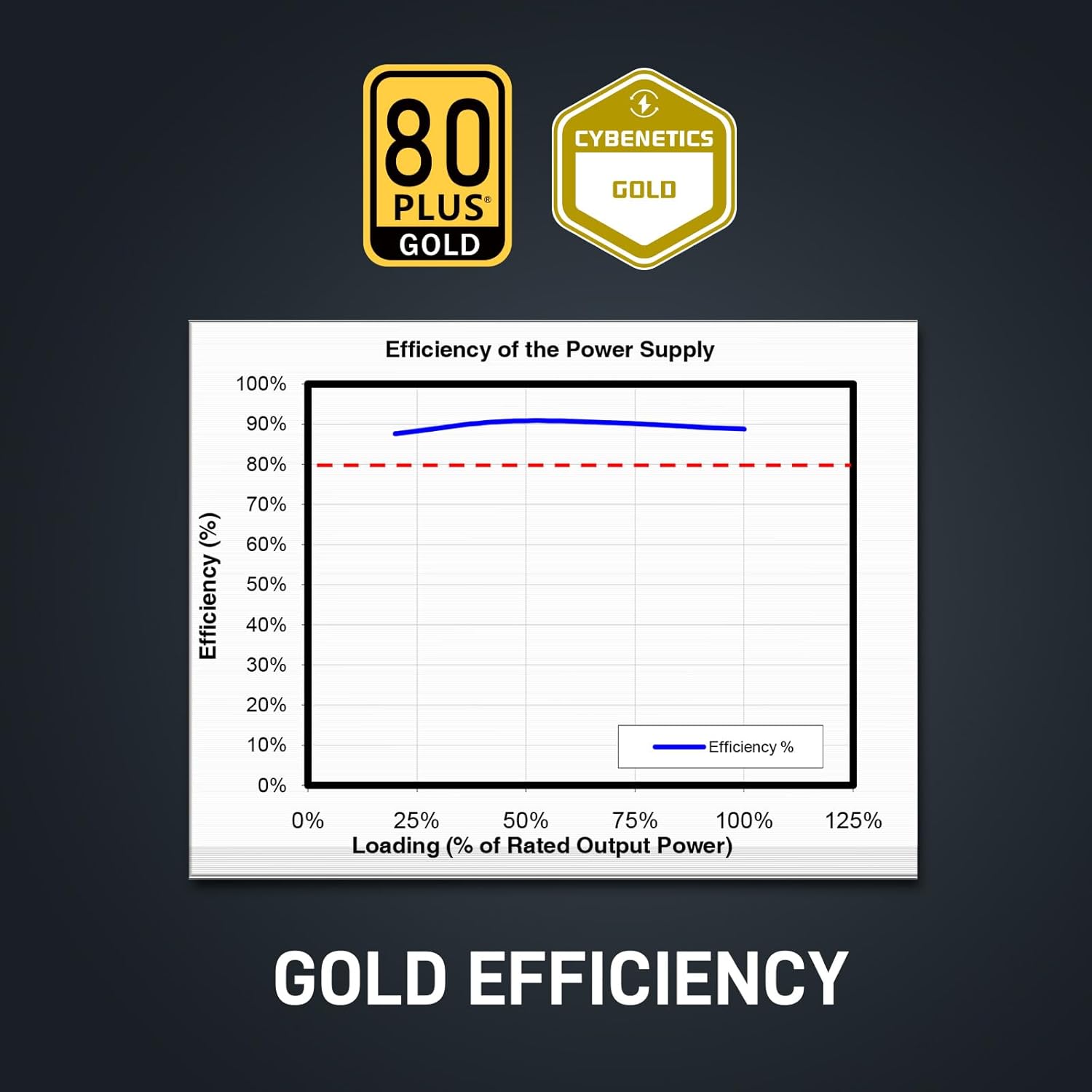
Image 4.2: 80 Plus Gold Efficiency Certification
- עיצוב מודולרי לחלוטין: The fully modular cable system allows you to connect only the cables your system requires, improving airflow within your PC case and simplifying cable management. The flat black cables enhance the aesthetic appeal of your build.
- Native 12VHPWR Cable: Equipped with a native 12VHPWR cable, this PSU can deliver up to 600W of power directly to PCIe 5.1 graphics cards, eliminating the need for adapters and ensuring stable power delivery.
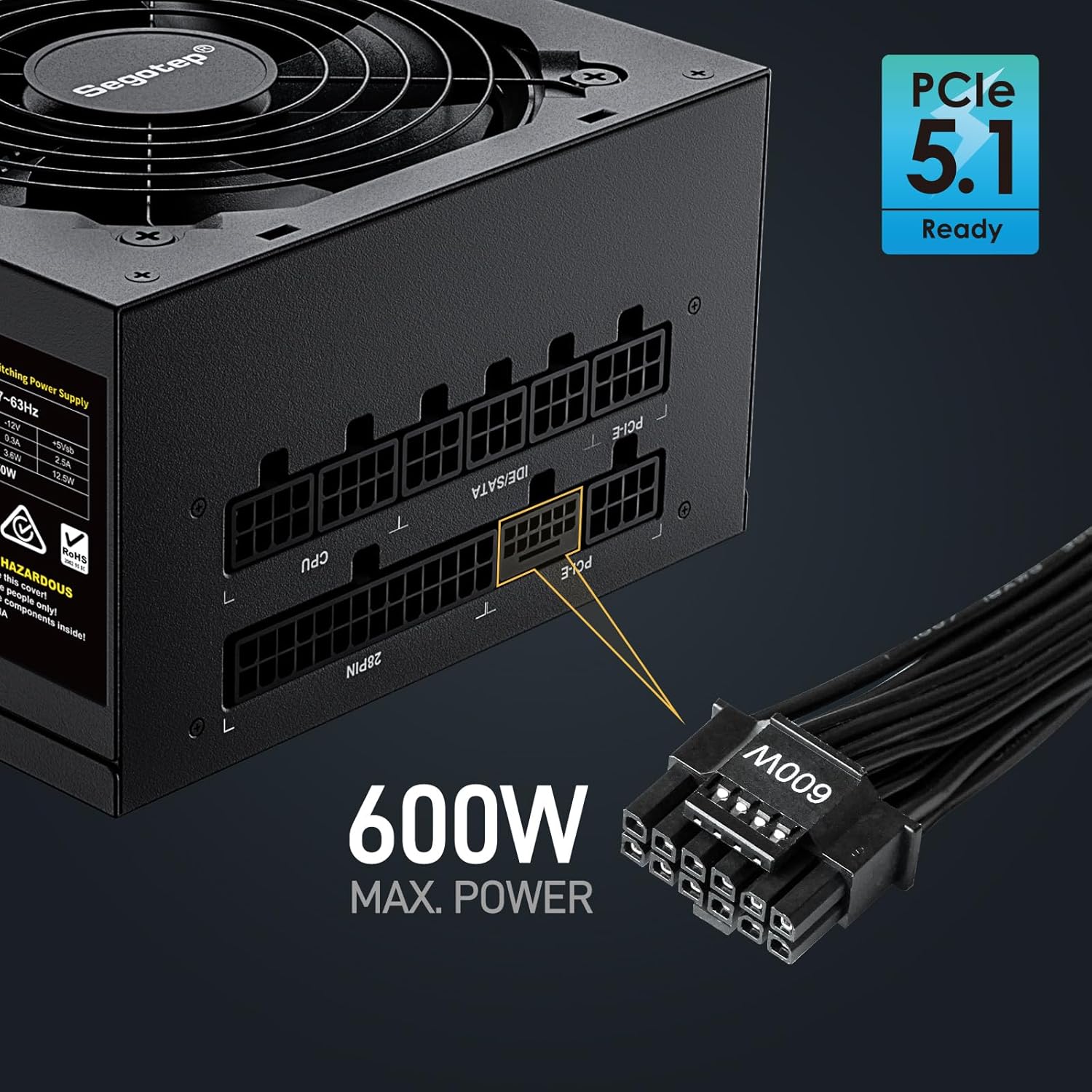
Image 4.3: Native 12VHPWR Cable for PCIe 5.1 Graphics Cards
- Stable +12V Output: Featuring a DC-DC structure, Full Bridge LLC resonance assist, and 12V synchronous rectification, the GM850 provides a highly stable and safe +12V output, crucial for sensitive components like the CPU and GPU.
- הגנות בטיחות מקיפות: The power supply incorporates multiple protection circuits to safeguard your components: OVP (Over Voltage Protection), OCP (Over Current Protection), OPP (Over Power Protection), SPD (Surge Protection Device), OTP (Over Temperature Protection), UVP (Under Voltagהגנה (e Protection), ו-SCP (הגנה מפני קצר חשמלי).
- 120mm FDB Fan: A 120mm Fluid Dynamic Bearing (FDB) fan provides efficient cooling with minimal noise, contributing to a quieter computing experience.

Image 4.4: Graphics Card Compatibility and Connector Types
5. מדריך התקנה
Follow these steps to install your Segotep GM850 850W Power Supply:
- הֲכָנָה: ודא שהמחשב כבוי ומנותק משקע החשמל בקיר. פתח את מארז המחשב.
- הסר את ספק הכוח הישן (אם רלוונטי): נתק את כל הכבלים מספק הכוח הישן שלך. פתח את הברגה והסר את ספק הכוח הישן מהמארז.
- התקן את ספק הכוח החדש: Carefully slide the Segotep GM850 into the power supply bay of your computer case. Secure it with the provided mounting screws.
- חיבור כבלים חיוניים:
- 20+4 Pin ATX Motherboard Cable: Connect the main motherboard power cable to the corresponding port on your motherboard.
- 4+4 Pin CPU Cable(s): Connect the CPU power cable(s) to the CPU power port(s) on your motherboard.
- Connect Graphics Card Cables:
- For PCIe 5.1 compatible graphics cards, use the native 12VHPWR (16-pin) cable.
- For older graphics cards, use the 6+2 pin PCIe cables as required by your GPU.
- חיבור כבלי ציוד היקפי: Connect SATA power cables to your SSDs, HDDs, and optical drives. Connect IDE/Molex cables for any other peripherals that require them.
- ניהול כבלים: Utilize the fully modular design and flat cables to route and manage cables neatly within your case for optimal airflow and aesthetics.
- בדיקה סופית: בדוק שוב את כל החיבורים כדי לוודא שהם מאובטחים. סגור את מארז המחשב.
- הפעלה: Plug the AC power cord into the power supply and then into a grounded wall outlet. Flip the power switch on the PSU to the 'ON' position. Power on your computer.

Image 5.1: Segotep GM850 Power Supply Installed in a PC Case
6. תפעול
Once installed, the Segotep GM850 850W Power Supply operates automatically, providing stable power to your system. The 120mm FDB fan adjusts its speed based on the power supply's temperature and load, ensuring efficient cooling while maintaining low noise levels. No user intervention is typically required during normal operation.
7. תחזוקה
To ensure optimal performance and longevity of your power supply, consider the following maintenance tips:
- הסרת אבק: Periodically clean the exterior of the power supply and its fan grille to prevent dust buildup, which can impede airflow and cooling. Use compressed air to gently clear dust from the fan and vents. Ensure the system is powered off and unplugged before cleaning.
- בדיקת כבלים: Occasionally check all modular cable connections to ensure they are seated firmly.
- סְבִיבָה: Maintain a clean, cool, and dry environment for your computer to prevent excessive strain on the power supply.
8. פתרון תקלות
אם נתקלת בבעיות באספקת החשמל שלך, עיין בבעיות הנפוצות ובפתרונות הבאות:
| בְּעָיָה | סיבה אפשרית | פִּתָרוֹן |
|---|---|---|
| המחשב לא נדלק. | Power cord not connected, PSU switch off, faulty component, insufficient power. | Ensure power cord is secure. Check PSU switch is ON. Verify all modular cables are correctly connected. Test with minimal components. |
| המערכת קורסת או מופעלת מחדש באופן אקראי. | Overload, overheating, unstable power delivery. | ודא את כל רמת האנרגיה של המערכתtage does not exceed 850W. Check for proper ventilation. Verify all cables are securely connected. |
| המאוורר רועש בצורה מוגזמת. | Dust buildup, high load, fan malfunction. | Clean dust from the fan and vents. Ensure adequate case airflow. If noise persists, contact support. |
| ריח שרוף או עשן. | כשל חמור ברכיב. | Immediately disconnect power from the wall outlet. Do not attempt to power on the system. Contact Segotep support. |
If these steps do not resolve your issue, please contact Segotep customer support.
9. מפרטים
| תכונה | פְּרָט |
|---|---|
| שם הדגם | GM850 |
| פלט וואטtage | 850 וואט |
| הסמכת יעילות | 80 פלוס זהב |
| גורם צורה | ATX 3.0 (Compatible with ATX 3.1) |
| סוג מחבר | ATX 3.1, PCI Express 5.1 (Native 12VHPWR) |
| שיטת קירור | Air (120mm FDB Fan) |
| מידות המוצר (L x W x H) | 5.91 x 5.51 x 3.35 אינץ' |
| משקל פריט | 5.29 פאונד |
| מכשירים תואמים | Gaming Console (PC) |
| הגנות | OVP, OCP, OPP, SPD, OTP, UVP, SCP |
10. אחריות ותמיכה
The Segotep GM850 850W Power Supply comes with a אחריות לשנה from the date of purchase, covering defects in materials and workmanship under normal use. This warranty does not cover damage caused by improper installation, accidents, abuse, misuse, natural disaster, or unauthorized modification.
For technical support, warranty claims, or further assistance, please contact Segotep customer service through their official website or the retailer where the product was purchased. Please have your proof of purchase and product model information ready when contacting support.
Segotep Inc.
Webאֲתַר: www.segotep.com
אֶלֶקטרוֹנִי: support@segotep.us