
1. נגמרview
The CHONCHOW T931 is a full-sized wired gaming keyboard designed for various computing and gaming platforms. It features LED rainbow backlighting, anti-ghosting capabilities, and an ergonomic design for comfortable use. This manual provides instructions for setup, operation, maintenance, and troubleshooting.
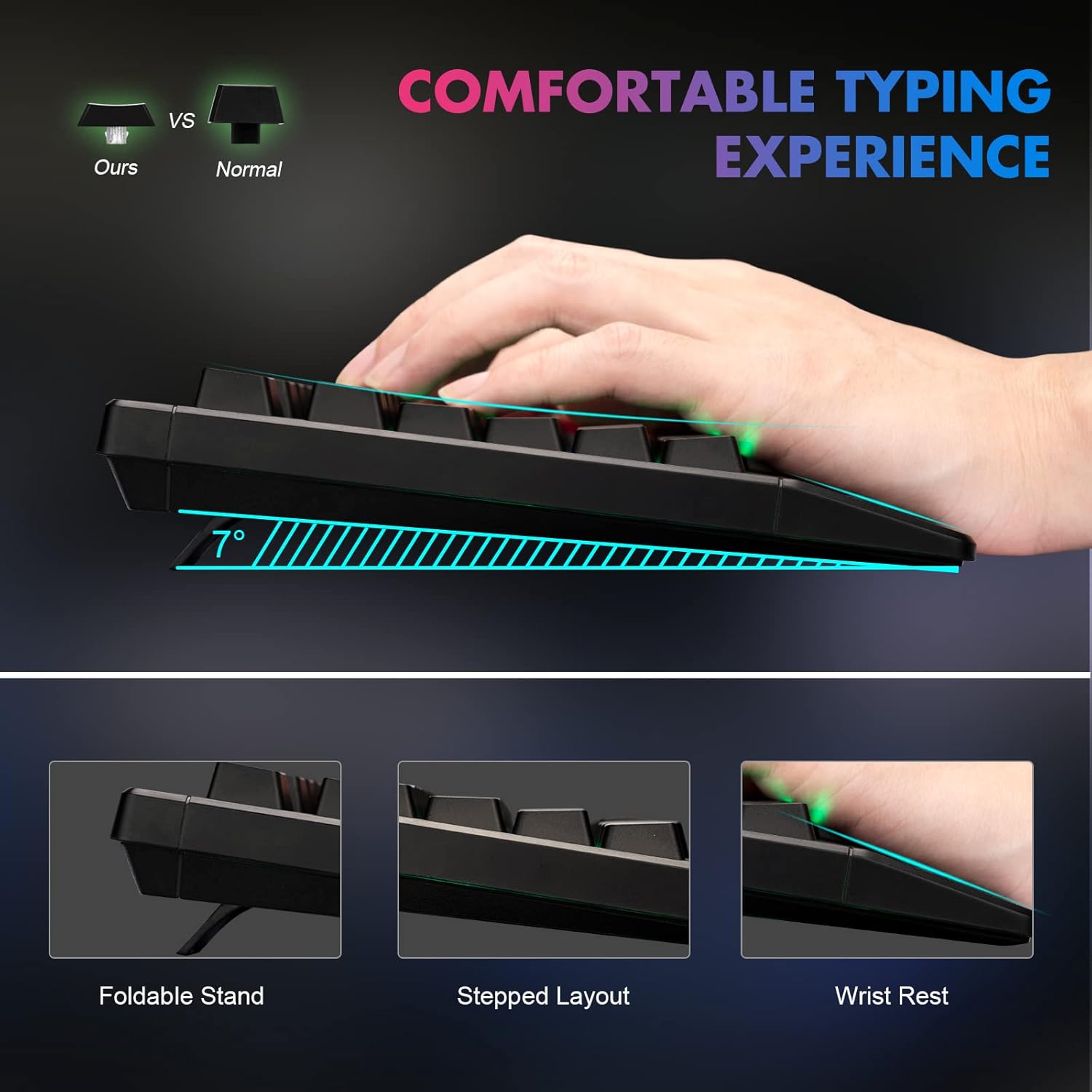
Figure 1: Ergonomic design of the CHONCHOW T931 keyboard, highlighting the integrated wrist rest, stepped key layout, and foldable feet for adjustable typing angle.
2. התקנה
The CHONCHOW T931 keyboard is a plug-and-play device, requiring no additional driver installation for basic functionality.
2.1 חיבור המקלדת
- Locate an available USB port on your computer, laptop, or compatible gaming console (PS3, PS4, PS5, Xbox).
- הכנס את מחבר ה-USB של המקלדת ליציאת ה-USB.
- מערכת ההפעלה תזהה ותתקין באופן אוטומטי את מנהלי ההתקנים הדרושים. המקלדת תהיה מוכנה לשימוש תוך מספר שניות.
2.2 תאימות
This keyboard is compatible with a wide range of operating systems and devices, including:
- מערכות הפעלה: Windows 2000, 2003, XP, Vista, Win7, Win8, Win10, Win11, macOS, Linux.
- מכשירים: PC, Laptops, Gaming Consoles (PS3, PS4, PS5, Xbox), and various tablet models.
3. הוראות הפעלה
בקרת תאורה אחורית 3.1
The keyboard features LED rainbow backlighting with multiple modes and adjustable brightness.
- Turn Backlight On/Off: לִלְחוֹץ FN + Light Bulb Key (located next to the right ALT key) to toggle the backlight on or off.
- שנה מצבי תאורה: לִלְחוֹץ FN + PG UP / PG DN to cycle through available static and dynamic backlight modes.
- התאם את הבהירות: לִלְחוֹץ FN + Plus (+) / Minus (-) keys to adjust the backlight brightness (3 levels available).
- Adjust Dynamic Speed: עבור מצבי תאורה דינמיים, לחצו FN + חץ שמאלה / חץ ימינה to adjust the speed of the effect.
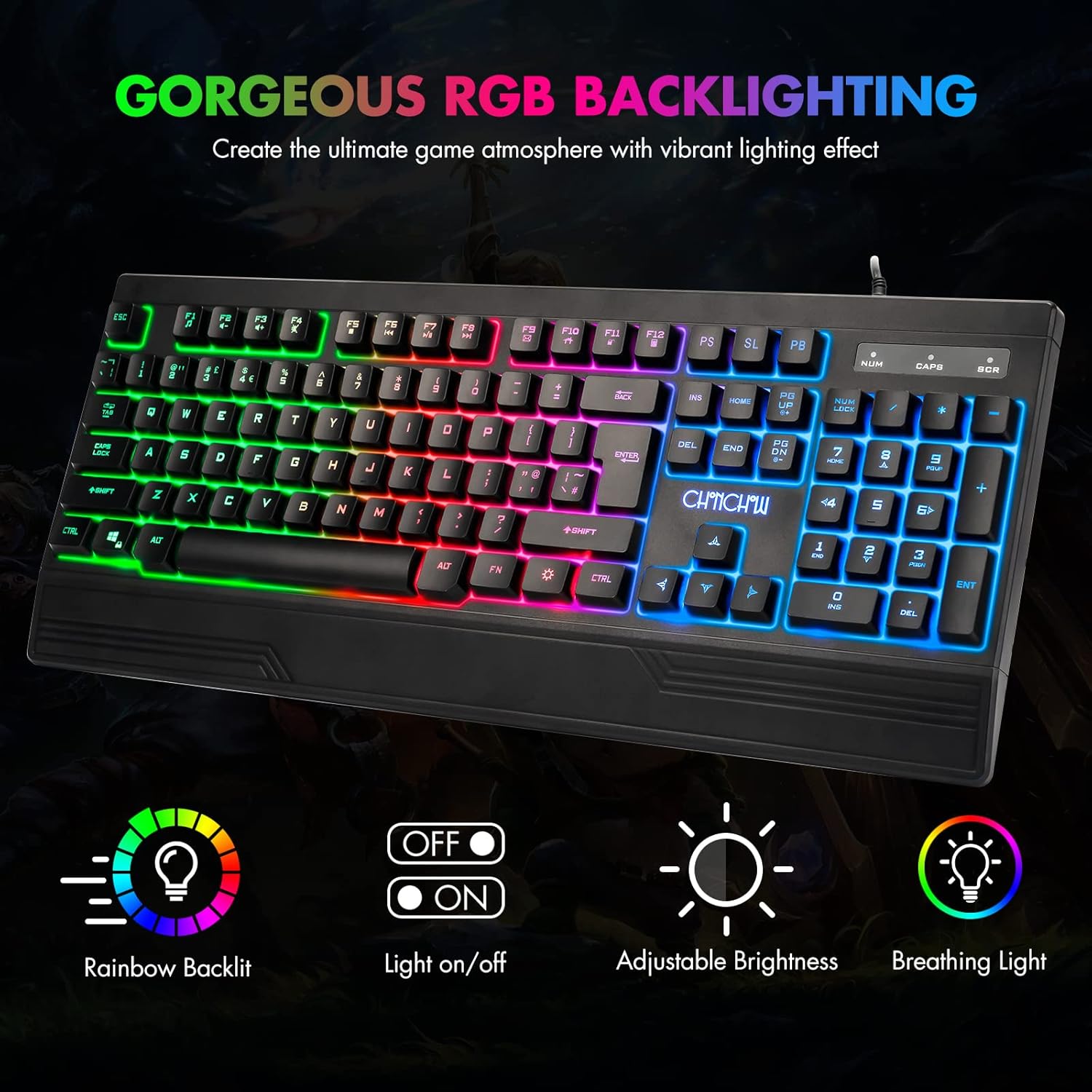
Figure 2: The CHONCHOW T931 keyboard showcasing its vibrant rainbow LED backlighting and indicators for various lighting controls.
איור 3: מפורט view of the FN key combinations for managing the keyboard's LED backlight settings.
3.2 פונקציות מולטימדיה
גישה לבקרות המולטימדיה על ידי לחיצה על FN key in combination with the designated function keys (F1-F12).
| שילוב מפתחות | פוּנקצִיָה |
|---|---|
| FN + F1 | נַגָן |
| FN + F2 | הורדת עוצמת הקול |
| FN + F3 | הגברת עוצמת הקול |
| FN + F4 | לְהַשְׁתִיק |
| FN + F5 | הפסק את ההפעלה |
| FN + F6 | המסלול הקודם |
| FN + F7 | הפעל/השהה |
| FN + F8 | המסלול הבא |
| FN + F9 | אֶלֶקטרוֹנִי |
| FN + F10 | עמוד הבית |
| FN + F11 | נעילת מקלדת |
| FN + F12 | מַחשְׁבוֹן |

Figure 4: Illustration of multimedia function keys and the WASD interchange function.
3.3 תכונות משחקים
- 26 מקשים נגד רפאים: This feature ensures that multiple key presses are registered simultaneously without conflict, which is crucial for fast-paced gaming.
- Interchangeable W/A/S/D Keys: לִלְחוֹץ FN + W. to swap the functionality of the W, A, S, D keys with the arrow keys (Up, Left, Down, Right). Press FN + W. again to restore the original setting.
- WIN Lock Function: The keyboard includes a WIN lock function to prevent accidental presses of the Windows key during gameplay, which can minimize interruptions.

Figure 5: The keyboard's anti-ghosting capability ensures accurate registration of multiple simultaneous key presses.
4. תחזוקה
Proper maintenance can extend the lifespan and performance of your keyboard.
4.1 Spill-Resistant Design
The CHONCHOW T931 keyboard features a spill-resistant design to protect against minor liquid spills. In case of a spill, immediately disconnect the keyboard from your device and allow it to dry completely before reconnecting.

Figure 6: The keyboard's spill-resistant construction helps protect against accidental liquid exposure.
4.2 Cleaning and Detachable Keycaps
For thorough cleaning, the keycaps are detachable.
- Gently pull up on the keycaps to remove them. A keycap puller (not included) can assist in this process.
- Clean the keycaps with a soft, damp cloth. For the keyboard base, use a soft brush or compressed air to remove dust and debris.
- Ensure all components are completely dry before reattaching the keycaps.
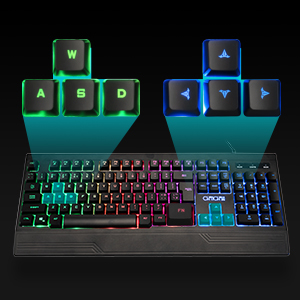
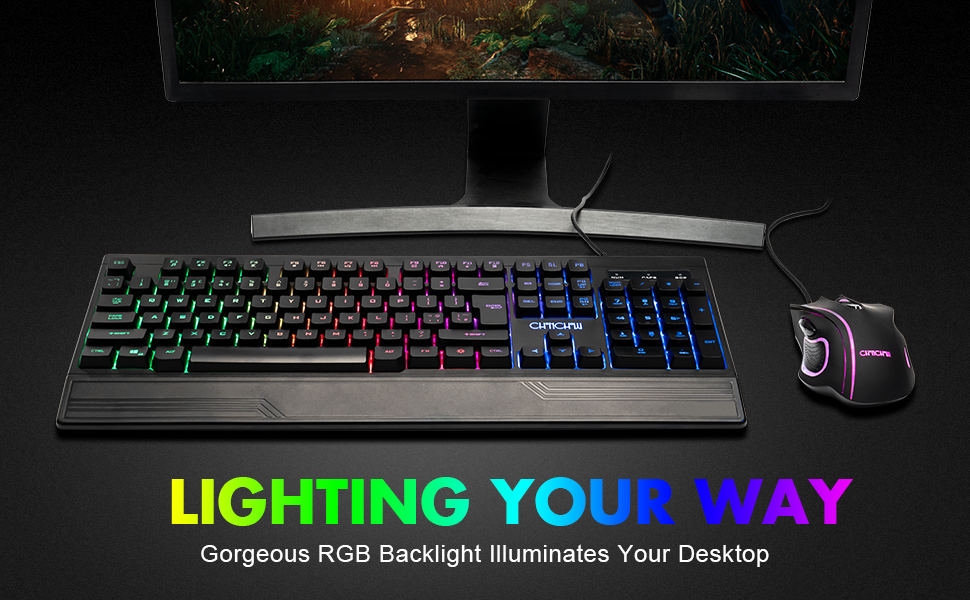
Figure 7: Detachable keycaps facilitate easy cleaning and maintenance of the keyboard.
5. פתרון תקלות
If you encounter issues with your CHONCHOW T931 keyboard, please refer to the following common solutions:
- המקלדת לא מגיבה:
- ודא שכבל ה-USB מחובר היטב הן למקלדת והן למכשיר.
- נסה לחבר את המקלדת ליציאת USB אחרת.
- Test the keyboard on another computer or device to rule out a device-specific issue.
- הפעל מחדש את המחשב או המכשיר.
- תאורה אחורית לא עובדת:
- לִלְחוֹץ FN + Light Bulb Key to ensure the backlight is turned on.
- כוונן את הבהירות באמצעות FN + Plus (+) / Minus (-) מפתחות.
- מפתחות לא נרשמים כראוי:
- Ensure no debris is lodged under the keycaps. Refer to the cleaning instructions in Section 4.2.
- If W/A/S/D keys are acting as arrow keys, press FN + W. to revert to standard functionality.
אם שלבים אלה אינם פותרים את הבעיה, אנא פנו לתמיכת הלקוחות לקבלת סיוע נוסף.
6. מפרטים
| תכונה | פְּרָט |
|---|---|
| מותג | צ'ונצ'ו |
| מספר דגם | T931 |
| טכנולוגיית קישוריות | USB חוטי |
| פריסת מקלדת | QWERTY, 104 Keys |
| סוג מתג | Crater Switch Keys |
| תאורה אחורית | LED Rainbow (RGB) |
| תכונות מיוחדות | Backlit, Ergonomic, Wrist Rest, 26-Key Anti-Ghosting, Spill-Resistant |
| מידות המוצר (L x W x H) | 44.2 ס"מ x 16.3 ס"מ x 3.0 ס"מ (17.4 אינץ' x 6.4 אינץ' x 1.2 אינץ') |
| חוֹמֶר | פּלָסטִי |
| מערכות הפעלה תואמות | חלונות, macOS, לינוקס |
| שימוש מומלץ | משחקים |
7. אחריות ותמיכה
CHONCHOW offers a 30-day refund or replacement policy for quality issues and a 12-month warranty from the date of purchase.
For warranty claims, technical support, or any product-related inquiries, please contact CHONCHOW customer service through the retailer's platform or the official CHONCHOW webאֲתַר.