
1. הקדמה
This manual provides essential instructions for the safe and efficient use of your LIFX Color Smart LED Bulb. The LIFX Color bulb offers a wide spectrum of colors and white tones, controllable via Wi-Fi without the need for a separate hub. It is designed to enhance your lighting experience with smart features and energy efficiency.

Image: The LIFX Color Smart LED Bulb alongside its product packaging, highlighting its features.
תכונות עיקריות:
- Billions of Colors: Access a vast range of colors and a wide cool-to-warm white spectrum (1500K to 9000K).
- 800 Lumens בהירות: מספק ampתאורה להגדרות שונות.
- E26 Edison Screw Base: Standard fitting for easy installation.
- קישוריות Wi-Fi: Connects directly to your 2.4GHz Wi-Fi network, no hub required.
- שליטה קולית: Compatible with Alexa, Apple HomeKit/Siri, and Hey Google.
- Scheduling & Scenes: Customize lighting schedules and create personalized scenes.
2. מידע בטיחות
Please read and follow these safety guidelines to prevent injury or damage to the product.
- שימוש פנימי בלבד: נורה זו מיועדת לשימוש פנימי במקומות יבשים.
- התקנה נכונה: ודא שהחשמל כבוי לפני התקנה או הסרה של הנורה.
- כרך ידtage תאימות: Use only within the specified voltage range (AC 100-240V, 50/60 Hz).
- הימנע מתקנים סגורים: Do not use in fully enclosed luminaires as this may reduce bulb life.
- מתגי דימר: Do not use with standard dimmer switches. Dimming is controlled via the app or voice assistants.
- רְשׁוּת: יש להשליך פסולת אלקטרונית באחריות בהתאם לתקנות המקומיות.
3. תכולת החבילה
Your LIFX Color Smart LED Bulb package should contain the following:
- 1 x LIFX Color Smart LED Bulb (E26 Edison Screw)
4. מדריך התקנה
4.1 התקנה פיזית
- ודא שהחשמל לגוף התאורה כבוי במתג.
- Carefully screw the LIFX Color Smart LED Bulb into a standard E26 Edison screw socket. Do not overtighten.
- Turn the power back on at the switch. The bulb should illuminate with a default white light.

Image: A visual guide showing the three simple steps for setting up the LIFX bulb: screwing it into a lamp, downloading the app, and enjoying the light.
4.2 הורדת אפליקציה וחיבור Wi-Fi
- Download the official LIFX app from the Apple App Store or Google Play Store.
- Open the LIFX app and create an account or log in.
- Follow the in-app instructions to add your new LIFX bulb. This typically involves scanning a QR code on the bulb or its packaging and connecting to your home's 2.4GHz Wi-Fi network.
- Ensure your mobile device is connected to the 2.4GHz Wi-Fi network during the setup process.
4.3 שילוב עוזר קולי
The LIFX Color bulb is compatible with popular voice assistants. Follow the instructions within your preferred voice assistant's app to link your LIFX account.
- אמזון אלקסה: Enable the LIFX skill in the Alexa app and discover devices.
- אפל הום קיט/סירי: Use the Home app on your iOS device to add the accessory.
- היי גוגל: Link your LIFX account in the Google Home app.

Image: A collage of logos indicating compatibility with various smart home platforms and voice assistants.
5. הוראות הפעלה
5.1 Controlling Color and Brightness
Use the LIFX app to adjust the bulb's color and brightness. The app features a color wheel and sliders for precise control.
- Open the LIFX app and select your bulb.
- Drag your finger across the color wheel to choose a desired color.
- Adjust the brightness slider to set the light intensity from 1% to 100%.
- For white light, select from the warm to cool white spectrum options.

Image: A smartphone displaying the LIFX app interface, featuring a color wheel for selecting light colors and adjusting brightness.
5.2 שליטה קולית
Once integrated with a voice assistant, you can control your LIFX bulb using simple voice commands.
- "אלכסה, תדליקי את האור בסלון."
- "Hey Google, set the kitchen light to blue."
- "Siri, dim the bedroom light to 50%."
- "Alexa, set the kitchen to 'Frozen'."

Image: A person in a kitchen interacting with a voice assistant to control the lighting, demonstrating hands-free operation.
5.3 תזמון וסצנות
Automate your lighting to fit your daily routine or create custom ambiances.
- לוחות זמנים: In the LIFX app, set specific times for your lights to turn on/off, change color, or adjust brightness. For example, schedule lights to gradually brighten in the morning for a gentle wake-up or dim in the evening for winding down.
- סצנות: Create and save custom lighting configurations (e.g., "Movie Night," "Relax," "Party"). Activate these scenes with a single tap in the app or via voice command.
- בִּטָחוֹן: Use scheduling to make it appear as if someone is home when you are away.

תמונה: מראה חיצוני view of a house at dusk, illustrating how scheduled lighting can provide added security by making it appear occupied.

Image: A person waking up in bed as a smart light gradually brightens, demonstrating the use of light as an alarm clock replacement.
6. תחזוקה
The LIFX Color Smart LED Bulb requires minimal maintenance.
- ניקוי: Ensure the bulb is cool and the power is off before cleaning. Wipe with a soft, dry cloth. Do not use liquid cleaners or abrasive materials.
- אִחסוּן: If storing the bulb, keep it in its original packaging or a protective container in a cool, dry place.
7. פתרון תקלות
If you encounter issues with your LIFX Color Smart LED Bulb, refer to the following common solutions:
| בְּעָיָה | פתרון אפשרי |
|---|---|
| Bulb not connecting to Wi-Fi/App |
|
| Bulb is unresponsive or offline |
|
| פקודות קוליות לא עובדות |
|
8. מפרטים
Detailed technical specifications for the LIFX Color Smart LED Bulb (Model: L3A19LC08E26US):
| תכונה | פְּרָט |
|---|---|
| שם הדגם | LIFX Color - 800 Lumens |
| מספר דגם | L3A19LC08E26US |
| סוג אור | LED |
| גודל צורת נורה | A19 |
| בסיס נורה | E26 |
| בְּהִירוּת | 800 לומן |
| מהtagה שימוש | 9.0W at full brightness |
| שווה ליבון | 60W |
| כרך ידtagטווח | AC 100-240V 50/60 הרץ |
| טמפרטורת צבע | 1500K עד 9000K |
| אינדקס עיבוד צבע (CRI) | 80 |
| זווית קרן | 235° |
| עמעום | Software dimming 1% - 100% |
| Wi-Fi | 2.4GHz (WPA, WPA2 Security) |
| מידות (W x H) | 2.36 אינץ' x 4.13 אינץ' (60 מ"מ x 105 מ"מ) |
| חוֹמֶר | אלומיניום, פלסטיק |
| חיים ממוצעים | 206,432 שעות (כ-22.8 שנים) |
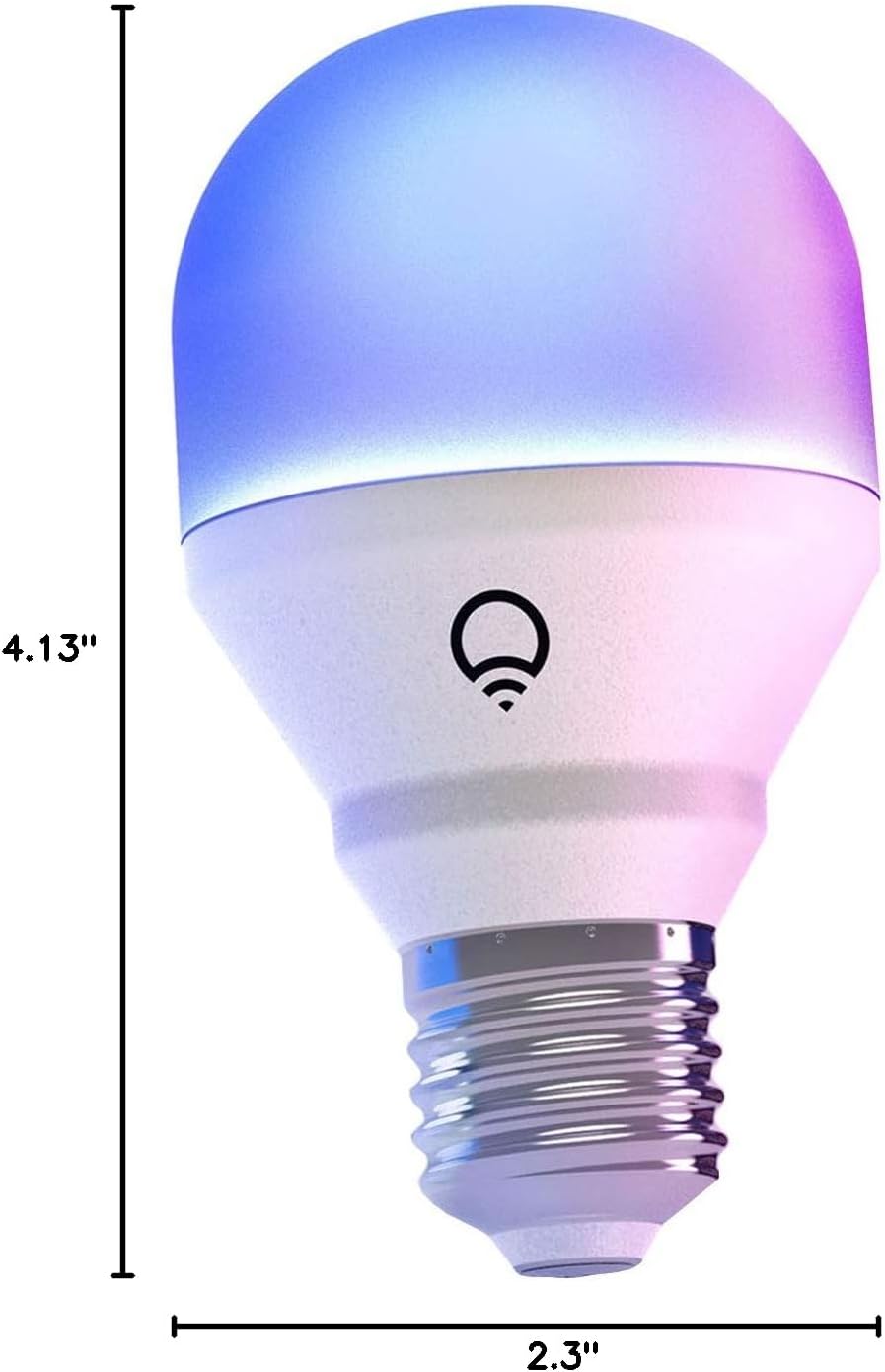
Image: A diagram illustrating the physical dimensions of the LIFX Color Smart LED Bulb.
9. מידע על אחריות
The LIFX Color Smart LED Bulb comes with a אחריות לשנה. Please retain your proof of purchase for warranty claims. For specific terms and conditions, refer to the official LIFX webאתר או צור קשר עם תמיכת הלקוחות.
10. תמיכה
לסיוע נוסף, תמיכה טכנית, או view frequently asked questions, please visit the official LIFX support website. You can typically find contact information for customer service on their webגם באתר.
משאבים מקוונים:
- LIFX Official Webאֲתַר: www.lifx.com
- Support Section: Refer to the support or FAQ section on the official website for troubleshooting guides and contact options.