
מָבוֹא
Thank you for choosing the SLuB Bone Conduction Headphones F806. These open-ear wireless earphones utilize advanced bone conduction technology and Bluetooth 5.0 connectivity to provide a unique audio experience while keeping you aware of your surroundings. This manual provides detailed instructions for setup, operation, maintenance, and troubleshooting to ensure optimal performance and longevity of your device.
המוצר נגמרview
תכונות מפתח
- טכנולוגיית הולכת עצם: Delivers audio through your cheekbones, leaving your ears open to ambient sounds.
- עיצוב אוזניים פתוחות: Enhances situational awareness, ideal for outdoor activities.
- Bluetooth 5.0: מספק קישוריות אלחוטית יציבה ויעילה.
- אולטרה קל משקל: Weighs approximately 35 grams for comfortable extended wear.
- IPX5 Waterproof: Resistant to sweat and light rain, suitable for sports.
- חיי סוללה ארוכים: עד 8 שעות של נגינה רציפה.
רכיבי מוצר

איור 1: מֵעַלview of SLuB Bone Conduction Headphones F806, highlighting features such as 180 mAh battery, 9h talk time, 8h play time, 180h standby time, and 25g weight, suitable for cycling, climbing, working, gym, and running.

איור 2: Illustration of the open-ear design, allowing users to hear surroundings and avoid potential dangers while enjoying music.

איור 3: Explanation of bone conduction technology, which delivers audio to the auditory nerve via the cheekbone, keeping both ears open.

איור 4: Demonstration of the headphones' resilient and durable titanium wire skeleton, capable of 360° bending without deformation.

איור 5: Visual representation of the IPX5 waterproof rating, indicating nano-coating protection against sweat and water.
הוראות התקנה
1. טעינת האוזניות
- Locate the USB charging interface on the headphones.
- Connect the provided USB charging cable to the headphones and a compatible USB power source (e.g., computer USB port, wall adapter).
- The indicator light will illuminate during charging. Once fully charged, the light will change color or turn off, depending on the model. A full charge typically takes approximately 2 hours.
איור 6: Location of the USB Charging Interface, Indicator Light, and Volume controls.
2. זיווג Bluetooth
- הפעלה: Press and hold the multifunction button (Power Button) for 2 seconds until the indicator light flashes, indicating pairing mode.
- הפעל בלוטות': במכשיר שלך (סמארטפון, טאבלט וכו'), הפעל את Bluetooth.
- תבחר מכשיר: חפש "SLuB F806" or a similar name in the list of available Bluetooth devices and select it to connect.
- אִשׁוּר: Once successfully paired, the indicator light will stop flashing or show a steady light, and you may hear an audio prompt.

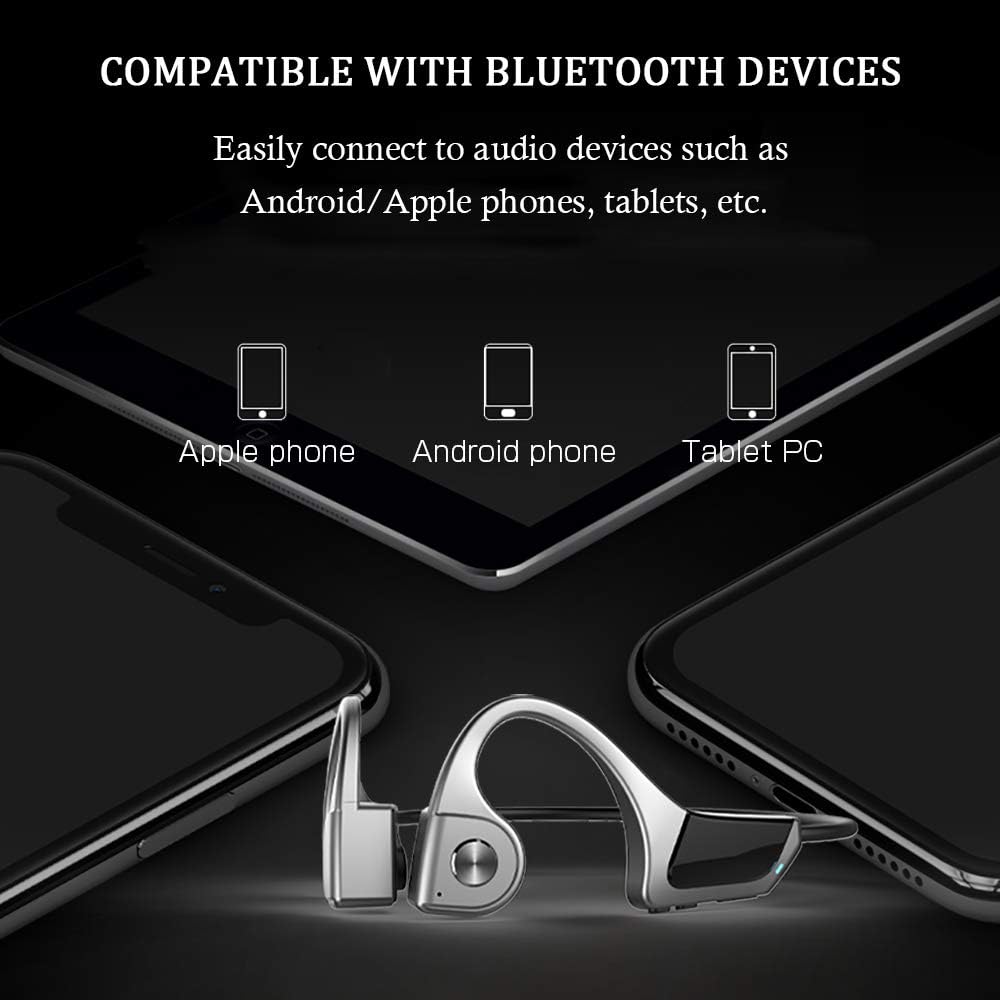
איור 7: Compatibility with various Bluetooth devices, including Apple phones, Android phones, and Tablet PCs.
הוראות הפעלה
פונקציות כפתור

איור 8: Detailed functions of the micro raised buttons for easy control.
| פוּנקצִיָה | פְּעוּלָה |
|---|---|
| הפעלה/כיבוי | לחץ והחזק את לחצן הרב-תכליתי למשך 2 שניות. |
| חיוג קולי | Press and hold the multifunction button for 2 seconds (when powered on). |
| Volume Up (+) / Volume Down (-) | Click the +/- key. |
| מענה / ניתוק שיחה | Click the multifunction button. |
| הפעל / השהה מוזיקה | Click the multifunction button. |
| המסלול הקודם / הבא | Long press the +/- key. |
תַחזוּקָה
- ניקוי: נגב את האוזניות עם רך, דamp בַּד. אין להשתמש בכימיקלים קשים או בחומרים שוחקים.
- אִחסוּן: יש לאחסן את האוזניות במקום קריר ויבש, הרחק מאור שמש ישיר וטמפרטורות קיצוניות.
- טְעִינָה: ודא ששקע הטעינה יבש לפני חיבור כבל הטעינה.
- חשיפה למים: While IPX5 rated, avoid submerging the headphones in water. Dry thoroughly if exposed to sweat or rain.
פתרון בעיות
| בְּעָיָה | פתרון אפשרי |
|---|---|
| האוזניות לא נדלקות. | Ensure the headphones are fully charged. Press and hold the multifunction button for 2 seconds. |
| לא ניתן לבצע התאמה עם המכשיר. |
|
| אין צליל או עוצמת קול נמוכה. |
|
| איכות שיחה ירודה. |
|
מפרטים
| תכונה | פְּרָט |
|---|---|
| מספר דגם | F806 |
| מותג | SLuB |
| טכנולוגיית קישוריות | בלוטות' 5.0, אלחוטי |
| מיקום אוזניים | אוזן פתוחה |
| רמת עמידות במים | IPX5 עמיד למים |
| משקל פריט | 35 גרם |
| חוֹמֶר | פּלָסטִי |
| סוג בקרה | בקרת מדיה |
| שיטת בקרה | מגע (הכוונה ללחיצות כפתור) |
| שימושים ספציפיים | ספורט ופעילות גופנית |
אחריות ותמיכה
למידע על אחריות ותמיכת לקוחות, אנא עיין בתיעוד המצורף לרכישה שלך או צור קשר עם הקמעונאי. שמור את הוכחת הרכישה שלך עבור כל תביעת אחריות.