
1. הקדמה
The SUPLA SBW-02 WiFi Receiver is an integrated 2-channel module designed for convenient control of gates and garage doors. It allows seamless integration with existing gate motors, enabling remote operation via the Supla mobile application. This device is suitable for direct mounting within the motor housing and operates with a universal 12-24V AC/DC power supply, making it versatile for various applications. By connecting limit switch signals to the control unit's inputs, users can monitor the opening and closing status of their gate or door. The SBW-02 offers wireless control and monitoring capabilities via Wi-Fi, providing enhanced comfort and security from anywhere in the world through the Supla mobile application.
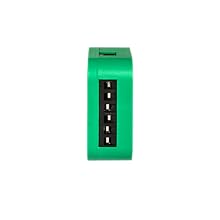
תמונה 1.1: חזית view of the SUPLA SBW-02 WiFi Receiver module.
2. מידע בטיחות
- קרא מדריך זה ביסודיות לפני ההתקנה וההפעלה.
- ההתקנה חייבת להתבצע על ידי חשמלאי מוסמך בהתאם לתקנות החשמל המקומיות ולתקנות המקומיות.
- ודא שספק הכוח מנותק לפני ביצוע כל התקנה, חיווט או תחזוקה.
- The device operates on 12-24V AC/DC. Verify your power source matches these requirements.
- Do not expose the device to moisture, extreme temperatures, or direct sunlight. The operating temperature range is -20°C to +55°C.
- The housing protection rating is IP20, meaning it is protected against solid objects larger than 12.5mm but has no protection against water. Install in a dry, protected environment.
- Use wires with a cross-section up to 2.5 mm² for connections.
- This device is compliant with EN 61010-1 standards.
3. המוצר נגמרview
The SBW-02 is a compact WiFi receiver designed for smart control of gates and garage doors. It features two independent channels, allowing control of one gate and one door, or two separate gates.
תכונות עיקריות:
- בקרת ערוץ כפול: Manages two independent outputs for gate or door operation.
- ספק כוח אוניברסלי: Compatible with 12-24V AC/DC power sources.
- קישוריות Wi-Fi: Operates on Wi-Fi 2.4GHz 802.11b/g/n for remote access.
- ניטור מצב: Connects to limit switches to provide real-time gate/door status (open/closed).
- בקרת אפליקציה לנייד: Full control and monitoring via the Supla mobile application from anywhere.
- עיצוב קומפקטי: Designed for direct mounting within a gate drive or a standard Ø 60mm installation box.
- תאימות קול עוזר: Works with popular voice assistants like Google Home.

Image 3.1: The SUPLA SBW-02 allows control of gates and doors from anywhere in the world via the mobile application. It features two independent channels and universal 12-24V AC/DC power.
4. התקנה והגדרה
4.1. תרשים חיווט
The SBW-02 is designed for simple installation within a Ø 60 mm installation box or directly into the gate motor housing. Refer to the diagram below for proper wiring.

Image 4.1: Wiring diagram for the SBW-02 module, showing connections for power (12-24V AC/DC), Wi-Fi, and two output channels (OUT1, OUT2) for gate control, along with inputs (IN1, IN2) for limit switches.
4.2. Quick Start Guide (5 Steps)
Follow these steps to quickly set up and commission your SUPLA SBW-02 device:
- התקנת האפליקציה: Download and install the official Supla mobile application on your smartphone or tablet.
- Create Account / Log In: Open the Supla app and either create a new user account or log in with your existing credentials.
- התחבר לכוח: Connect the SBW-02 module to a 12-24V AC/DC power supply according to the wiring diagram.
- הוסף מכשיר: Within the Supla application, follow the on-screen instructions to add your new SBW-02 device. This typically involves putting the device into configuration mode (e.g., by pressing a button) and connecting it to your Wi-Fi network.
- מכשירי בקרה: Once successfully added, you can now control and monitor your connected gates or doors through the Supla app.

Image 4.2: Visual representation of the 5-step quick start guide for the SUPLA SBW-02.
4.3. Downloading the SUPLA Application
The SUPLA application is available for both Android and iOS devices. You can download it by scanning the QR code below or by visiting the provided link:

Image 4.3: QR code and app store logos for downloading the SUPLA mobile application.
קישור להורדה: http://onelink.to/t6bzdj
5. הוראות הפעלה
5.1. בקרת אפליקציות מובייל
Once the SBW-02 is configured and connected to your Supla account, you can control your gates and doors directly from the mobile application. The app provides an intuitive interface to:
- Open and close gates/doors remotely.
- Monitor the real-time status (open/closed) of each connected channel.
- Set up schedules or automation rules for gate/door operation.
- Receive notifications regarding gate/door status changes.
5.2. שילוב עוזר קולי
The SUPLA SBW-02 supports integration with popular voice assistants, such as Google Home. This allows for hands-free control of your gates and doors.
- Connecting to Voice Assistant: Follow the instructions within the Supla app or your voice assistant's app (e.g., Google Home app) to link your Supla account.
- פקודות קוליות: Once linked, you can use simple voice commands to operate your devices. For example, "Ok Google, open the garage door" or "Ok Google, close the gate."

Image 5.1: The SUPLA system integrates with voice assistants like Google Home for convenient hands-free control.
6. תחזוקה
The SUPLA SBW-02 WiFi Receiver is designed for minimal maintenance.
- ניקוי: נגבו את המכשיר מעת לעת במטלית יבשה ורכה. אין להשתמש בחומרי ניקוי נוזליים או ממסים.
- עדכוני קושחה: Ensure your device's firmware is up to date through the Supla mobile application to benefit from the latest features and security enhancements.
- בדיקת חיבור: Regularly check the physical connections to ensure they are secure and free from corrosion.
- תנאים סביבתיים: Ensure the device remains within its specified operating temperature range (-20°C to +55°C) and is protected from moisture, as its IP20 rating does not provide water protection.
7. פתרון תקלות
| בְּעָיָה | סיבה אפשרית | פִּתָרוֹן |
|---|---|---|
| המכשיר לא מופעל. | אספקת חשמל שגויה כרךtage; loose wiring; faulty power source. | Verify power supply is 12-24V AC/DC. Check all wiring connections. Test the power source. |
| לא ניתן להתחבר ל-Wi-Fi. | Incorrect Wi-Fi password; device too far from router; 5GHz network selected; Wi-Fi interference. | Ensure correct 2.4GHz Wi-Fi password. Move device closer to router. Ensure router is broadcasting 2.4GHz. Reduce interference. |
| Gate/door not responding to app commands. | No internet connection; device offline; incorrect wiring to gate motor; motor issue. | Check internet connectivity on your phone. Verify device status in Supla app. Inspect wiring to gate motor. Test gate motor manually. |
| Incorrect gate/door status displayed. | Limit switches incorrectly wired or faulty. | Check wiring of limit switches to IN1/IN2. Ensure limit switches are functioning correctly. |
8. מפרטים
| תכונה | פְּרָט |
|---|---|
| מספר דגם | SBW-02 |
| מותג | Supla (by Zamel) |
| ספק כוח | 12-24V AC / DC |
| הפצה | Wi-Fi 2.4GHz 802.11b/g/n |
| כוח פליטה | ERP < 20 mW |
| תדירות מדורגת | 50 הרץ |
| כוח מדורג | 0.6 W |
| מספר כניסות | 2 (for limit switches) |
| מספר ערוצי פלט | 2 |
| העברת אנשי קשר | 2 x potential-free contact, 3 A/250 V AC |
| זרם פלט מקסימלי | 3 A / 24 V AC |
| עומס פלט מקסימלי | 3 A / 250 V AC |
| מספר המסופים | 8 (for wires up to 2.5 mm² cross-section) |
| טווח טמפרטורות פעולה | -20 מעלות צלזיוס עד +55 מעלות צלזיוס |
| דירוג הגנה על דיור | IP20 |
| מידות (L x W x H) | 47 x 47 x 20 מ"מ (4.7 x 4.7 x 2 ס"מ) |
| מִשׁקָל | 4.54 גרם |
| מפרטים תואמים | EN 61010-1 |
| ארץ מוצא | פּוֹלִין |
9. אחריות ותמיכה
9.1. מידע על אחריות
The SUPLA SBW-02 WiFi Receiver comes with a standard manufacturer's warranty. Please refer to the warranty card included in your product packaging or visit the official Supla/Zamel webבאתר לקבלת תנאי האחריות המפורטים. שמור את הוכחת הרכישה שלך לצורך תביעות אחריות.
9.2. תמיכה טכנית
For technical assistance, troubleshooting beyond this manual, or inquiries about your SUPLA SBW-02 device, please contact Supla/Zamel customer support.
- משאבים מקוונים: Visit the official Supla webאתר (supla.org) for FAQs, additional documentation, and community forums.
- מידע ליצירת קשר: Specific contact details (phone, email) can usually be found on the product packaging or the official webאֲתַר.