
TecTake 402229-NL
Tectake® Gaming Office Chair User Manual
Model: 402229-NL
1. המוצר נגמרview
The Tectake® Gaming Office Chair is designed to provide exceptional comfort and ergonomic support for extended periods of sitting, whether for office work or gaming. It features a robust integrated steel frame, extra thick padding, and a sporty bucket seat design. Key elements include continuous seat height adjustment, a reclining backrest, height-adjustable armrests, and 360-degree swivel capability. The chair comes with additional neck and lumbar cushions for enhanced comfort and posture support.

איור 1.1: חזית view of the Tectake Gaming Office Chair, highlighting its ergonomic design and included cushions.

Figure 1.2: The Tectake Gaming Office Chair integrated into a typical gaming environment, showcasinהמראה האסתטי שלו.
2. תכונות עיקריות
- Extra Thick Padding: Provides soft and comfortable seating for prolonged use.
- Integrated Steel Frame: Ensures superior quality design and durability.
- Continuous Seat Height Adjustment: Utilizes a high-quality gas pressure spring for smooth height changes.
- משענת גב מתכווננת: Can be reclined to a 105° position for relaxation.
- 360° Swivel Functionality: Allows for full rotation, enhancing mobility and access.
- מנגנון הטיה מתכוונן: Can be individually adjusted to suit user's body weight.
- משענות ידיים מתכווננות לגובה: Designed for optimal body positioning and comfort.
- Included Neck and Lumbar Cushions: Provide additional support for the neck and lower back.
- חומרים עמידים: Constructed with two-tone 100% polyurethane synthetic leather.
- בסיס יציב: Features a glossy finished cross base with 5 double casters for stability and smooth movement.

Figure 2.1: Illustration of the backrest's 105-degree recline capability.

Figure 2.2: Demonstration of the height-adjustable armrests for personalized comfort.
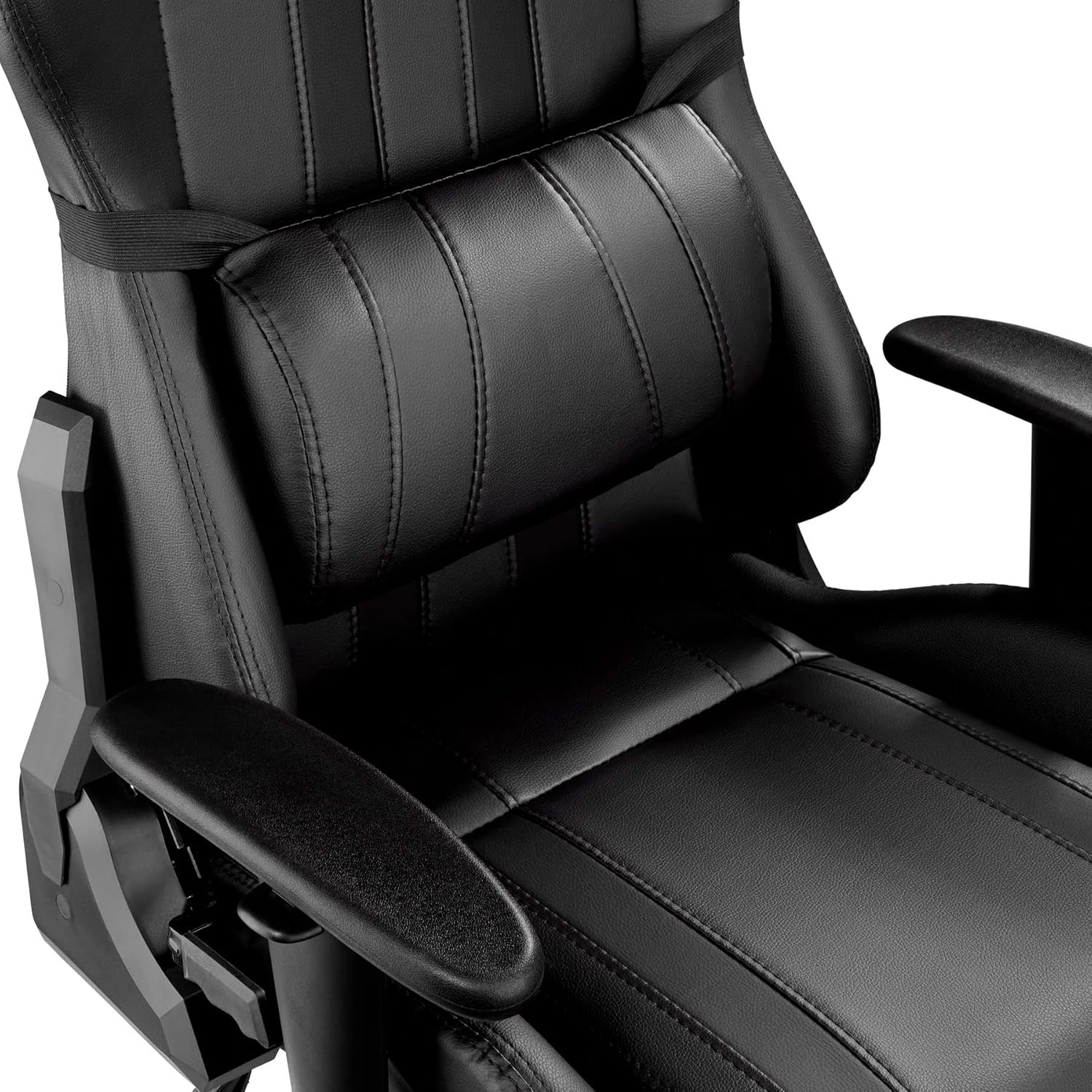
איור 2.3: תקריב view of the adjustable lumbar support cushion.
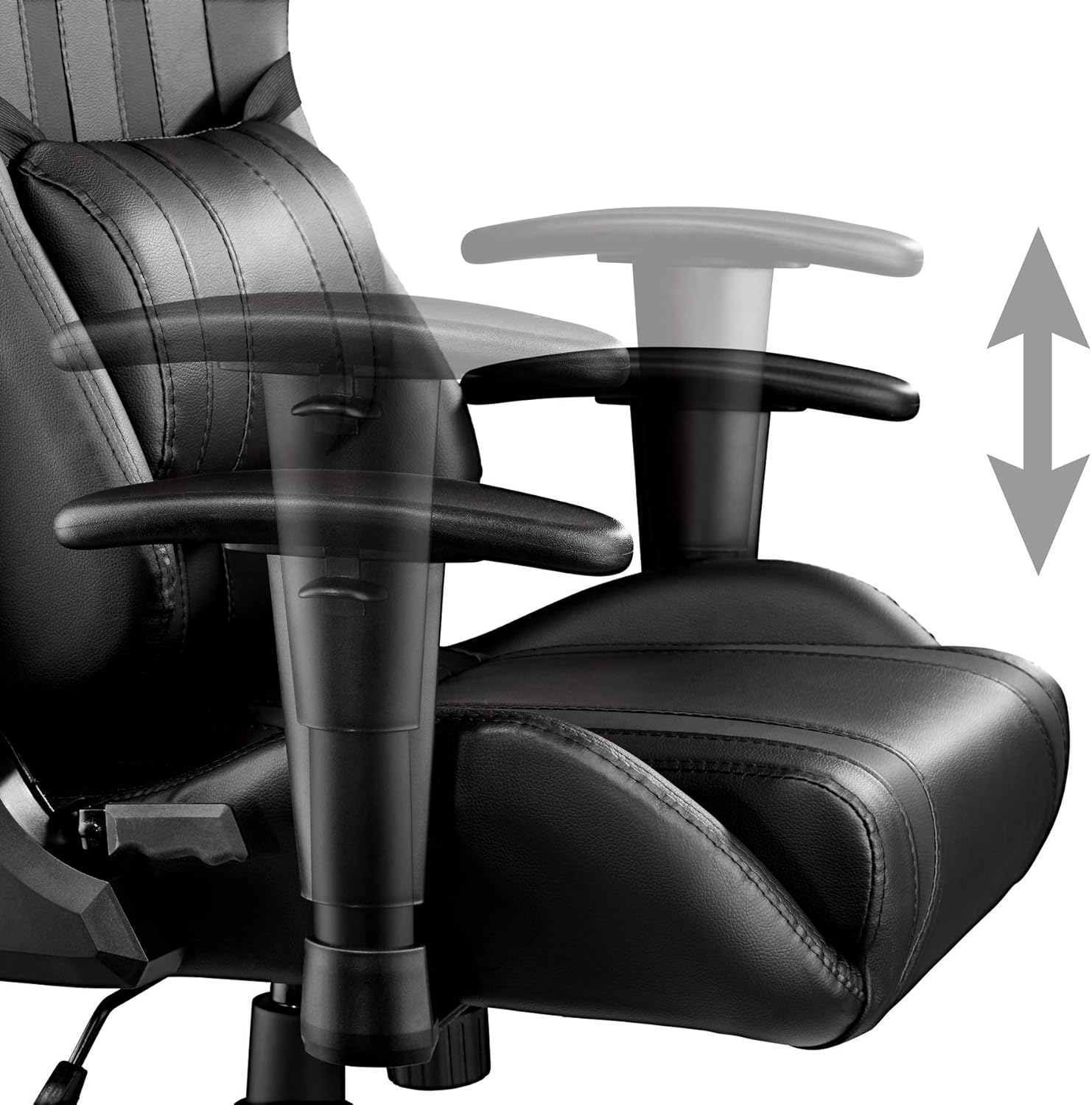
Figure 2.4: Detail of the stable cross base and durable double casters.
3. מפרט טכני
| תְכוּנָה | עֵרֶך |
|---|---|
| מידות כוללות (WxDxH) | 70 x 75 x 120-128 ס"מ |
| גובה מושב | 45-53 ס"מ |
| Seat (WxD) | 40 על 50 ס"מ |
| Backrest (WxH) | 40 על 80 ס"מ |
| Armrest Pad (WxL) | 28 על 8 ס"מ |
| מרחק בין משענות ידיים | 47 ס"מ |
| גובה משענת היד | 58.5-66.5 ס"מ |
| כוונון גובה משענת היד | 8 ס"מ |
| Seat Padding Thickness | כ. 8 ס"מ |
| Backrest Padding Thickness | כ. 5 ס"מ |
| Wheels (Diameter x Width) | משוער. 6 x 5.6 ס"מ |
| קיבולת עומס מקסימלית | 120 ק"ג |
| משקל המוצר | 19.8 ק"ג |
| חומרים | Steel frame, plastic parts, 100% polyester padding, 100% polyurethane synthetic leather |
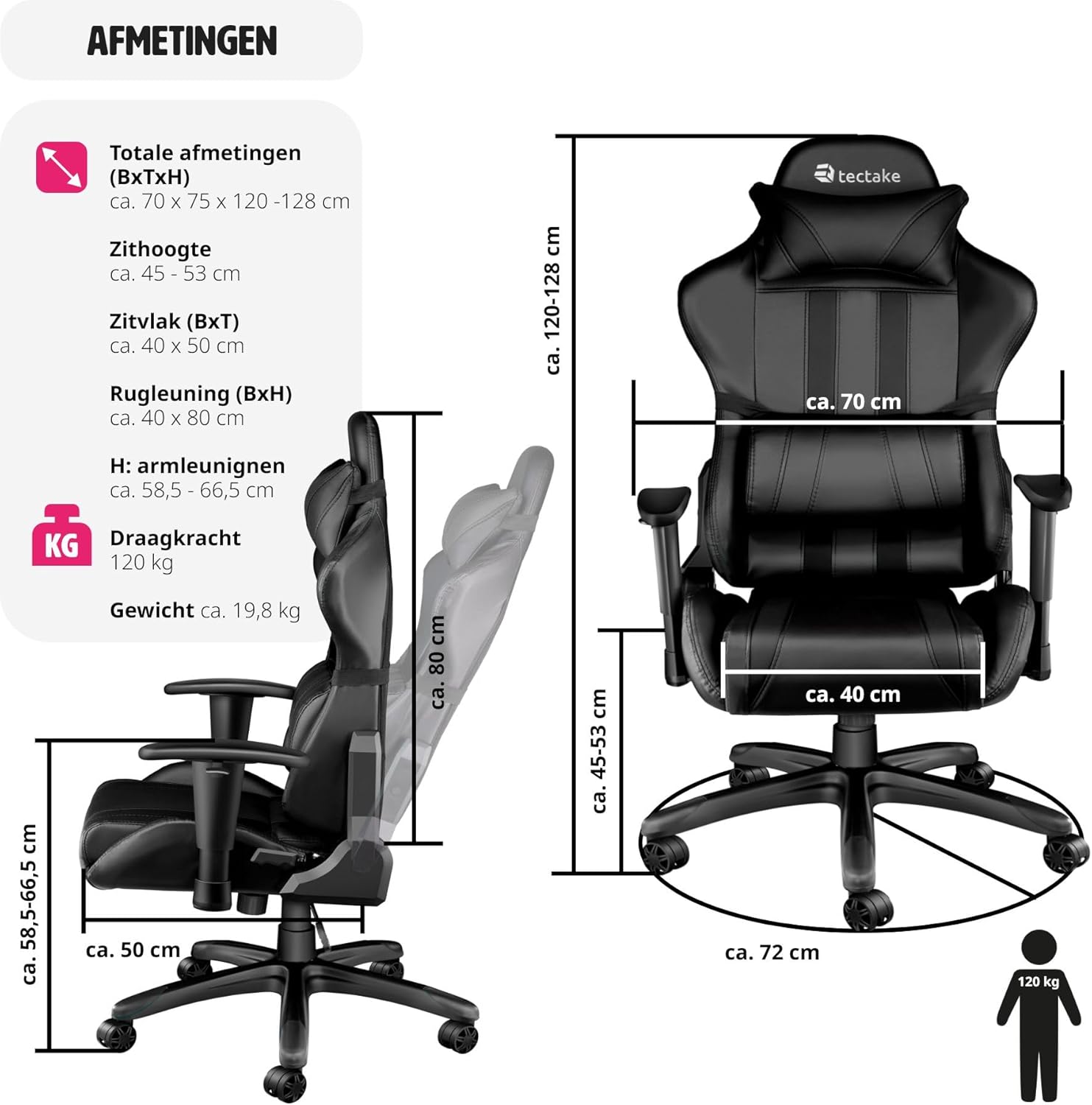
Figure 3.1: Detailed diagram illustrating the chair's various dimensions.
4. הוראות הרכבה
The Tectake Gaming Office Chair is designed for easy assembly. Please follow the included assembly guide for detailed, step-by-step instructions. Ensure all components are present before beginning assembly.
שלבי האסיפה הכללית:
- פרקו את כל הרכיבים וודאו זאת מול רשימת החלקים במדריך ההרכבה שלכם.
- Attach the casters to the star base.
- הכנס את בלון הרמת הגז למרכז בסיס הכוכב.
- Assemble the seat and backrest components, attaching the armrests and mechanism.
- הנח את המושב ומשענת הגב המורכבים על בלון הרמת הגז.
- Attach the neck and lumbar cushions.
- Test all adjustment functions to ensure proper operation.
For specific screw types and fastening methods, refer to the visual diagrams in your printed assembly manual.
5. הוראות הפעלה
5.1. התאמת גובה המושב
To adjust the seat height, locate the lever on the right side, beneath the seat. To raise the seat, lift the lever while taking your weight off the chair. To lower the seat, lift the lever while remaining seated.
5.2. הטיית משענת הגב
The backrest can be reclined up to 105 degrees. Locate the recline lever on the left side of the chair. Pull the lever upwards to unlock the backrest, adjust to your desired angle, and then push the lever downwards to lock it in place.
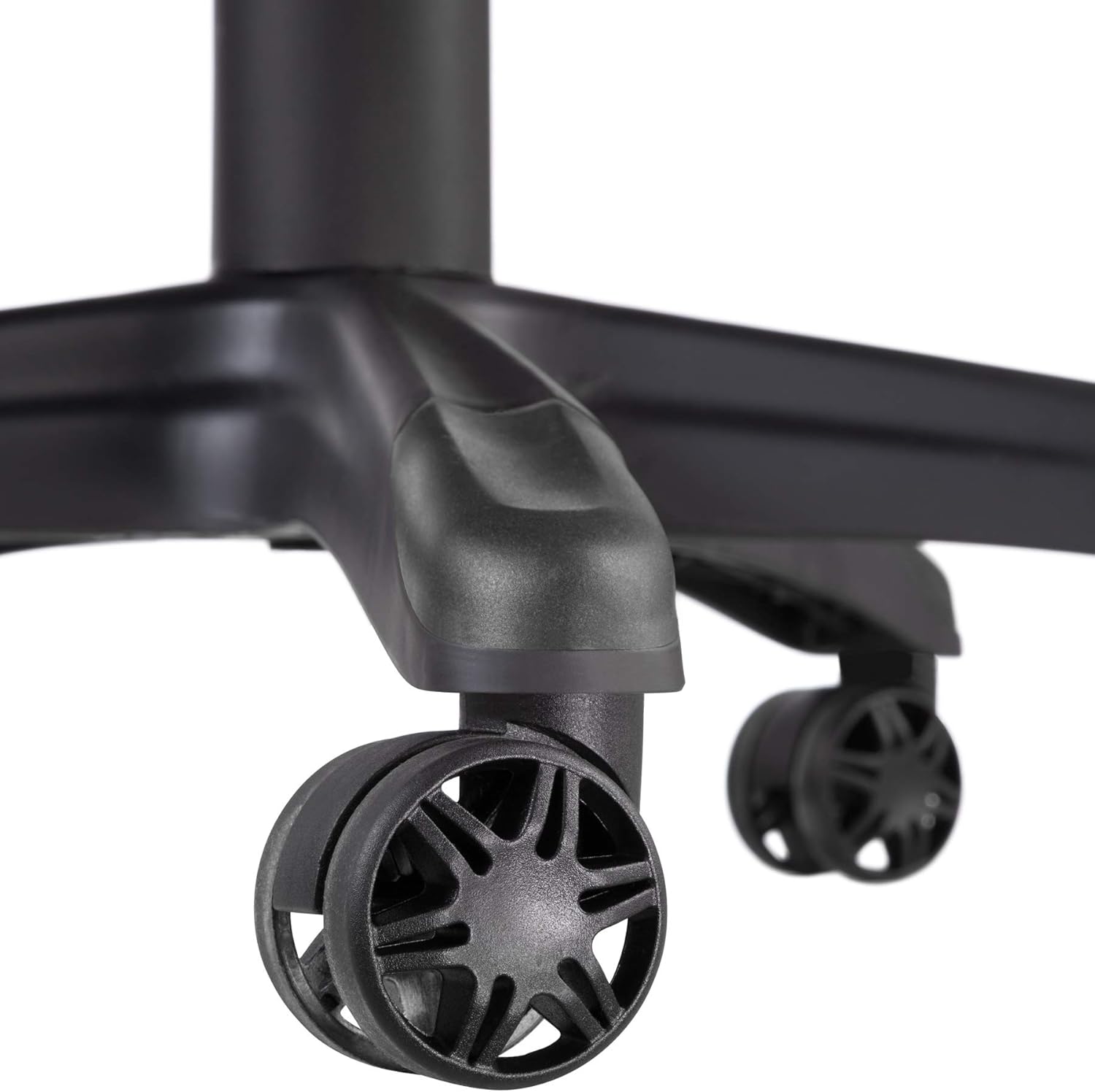
Figure 5.1: Close-up of the tilt and height adjustment levers located beneath the seat.
5.3. Armrest Height Adjustment
To adjust the height of the armrests, press the button located on the side of each armrest support. While holding the button, move the armrest up or down to your preferred height. Release the button to lock the armrest in position.
5.4. Tilt Mechanism Adjustment
The tilt tension can be adjusted to match your body weight. Rotate the round knob located underneath the front of the seat. Turn clockwise to increase tension (making it harder to recline) and counter-clockwise to decrease tension (making it easier to recline).
5.5. סיבוב של 360 מעלות
The chair is designed to swivel 360 degrees freely on its base. Simply rotate the chair in any direction as needed.
6. טיפול ותחזוקה
Proper care and maintenance will extend the life and appearance of your Tectake Gaming Office Chair.
- ניקוי: For the synthetic leather surfaces, wipe regularly with a soft, damp cloth. For stubborn stains, use a mild soap solution and wipe dry immediately. Avoid abrasive cleaners, solvents, or harsh chemicals, as these can damage the material.
- גלגלים: Periodically check the casters for hair, dust, or debris that may impede smooth rolling. Clean them as necessary.
- חוּמרָה: Occasionally check all screws and bolts to ensure they are tight. Retighten if necessary to maintain stability and prevent squeaking.
- חשיפה לאור השמש: Avoid prolonged exposure to direct sunlight, which can cause the synthetic leather to fade or crack over time.
- הגבלת משקל: Do not exceed the maximum load capacity of 120 kg to prevent damage to the chair and ensure safety.
7. פתרון תקלות
If you encounter any issues with your Tectake Gaming Office Chair, refer to the following common troubleshooting tips:
- חריקות כיסא:
- בדוק והדק את כל ברגי ההרכבה, במיוחד אלה המחברים את המושב למנגנון ולמשענת הגב.
- Apply a small amount of silicone spray to moving parts of the mechanism or where metal components rub.
- קושי בהתאמת גובה:
- ודא שידית הרמת הגז מופעלת במלואה.
- If the chair does not go up, ensure you are standing up and taking your weight off the seat when lifting the lever.
- If the chair does not go down, ensure you are fully seated and applying weight when lifting the lever.
- גלגלים לא מתגלגלים בצורה חלקה:
- בדקו את הגלגלים לאיתור שיער סבוך, סיבים או פסולת. נקו אותם היטב.
- ודא שהגלגלים מוכנסים היטב לבסיס.
- משענת הגב לא ננעלת:
- Ensure the recline lever is pushed down completely to lock the backrest in position.
- Check for any obstructions in the recline mechanism.
אם הבעיה נמשכת לאחר ניסיון פתרונות אלה, אנא צור קשר עם תמיכת הלקוחות.
8. אחריות ותמיכה
This Tectake Gaming Office Chair comes with a standard return policy. Customers are eligible for a refund or replacement within 30 days of purchase, subject to the terms and conditions of the retailer.
For any questions regarding assembly, operation, maintenance, or to report a defect, please contact the seller directly through your purchase platform. Please have your model number (402229-NL) and proof of purchase ready when contacting support.
Information regarding spare parts availability is not provided in the product details. Please inquire with the seller for any specific spare part needs.
Ask a question about this manual
Ask about setup, troubleshooting, compatibility, parts, safety, or missing instructions. Manuals+ will review the question and use this page’s manual context to help answer it.