
מָבוֹא
תודה על הרכישהasing the eKids Harry Potter Bluetooth Speaker. This portable wireless speaker is designed to provide clear audio from your Bluetooth-enabled devices. This manual provides essential information for setting up, operating, and maintaining your speaker.

תמונה: חזית view of the eKids Harry Potter Bluetooth Speaker, featuring the Harry Potter character design.
מידע בטיחות
Please read and follow all safety instructions before using this product to prevent injury or damage.
- אין לחשוף את היחידה לטמפרטורות קיצוניות, לאור שמש ישיר או לחות.
- Do not immerse the unit in water. This product is not waterproof.
- השתמש רק בכבל הטעינה המצורף.
- אל תנסה לפרק או לשנות את היחידה.
- הרחק מהישג ידם של ילדים קטנים.
- השלך סוללות כראוי בהתאם לתקנות המקומיות.
תוכן החבילה
ודא שכל הפריטים נמצאים בחבילה:
- Harry Potter Bluetooth Speaker
- כבל טעינה מיקרו USB
- רצועת יד
המוצר נגמרview
הכירו את רכיבי הרמקול שלכם:

Image: Diagram showing the speaker's dimensions (2.2 inches / 56mm height, 1.8 inches / 46mm width) and labeled parts including the speaker grille, slot to attach wrist strap, port for charging (Micro USB), and Power/Pairing Button.
- סורג רמקול: ממוקם בחלק העליון עבור פלט שמע.
- לחצן הפעלה/התאמה: Controls power and initiates Bluetooth pairing.
- יציאת טעינה: יציאת מיקרו USB לחיבור כבל טעינה.
- Wrist Strap Slot: לחיבור רצועת היד המצורפת.
טעינת הרמקול
The speaker is powered by a built-in rechargeable Lithium-Ion battery. Before first use, fully charge the speaker.
- Connect the small end of the Micro USB charging cable to the Charging Port on the speaker.
- Connect the large end of the Micro USB charging cable to a powered USB port (e.g., computer, USB wall adapter).
- The charging indicator light (if present, refer to product for exact location) will illuminate during charging and turn off when fully charged.
- Charging time may vary. Disconnect the cable once charging is complete.
Bluetooth
Follow these steps to connect your speaker to a Bluetooth-enabled device:
- ודא שהרמקול טעון במלואו.
- לחץ והחזק את לחצן הפעלה/התאמה on the speaker until you hear an audible prompt or see an indicator light flashing, indicating it is in pairing mode.
- On your Bluetooth-enabled device (smartphone, tablet, computer, etc.), go to the Bluetooth settings menu.
- אפשר Bluetooth וחפש מכשירים זמינים.
- Select "Harry Potter Speaker" (or similar name) from the list of devices.
- Once paired, you will hear a confirmation tone, and the indicator light will stop flashing.
- The speaker can wirelessly stream audio up to 30 feet from your device.
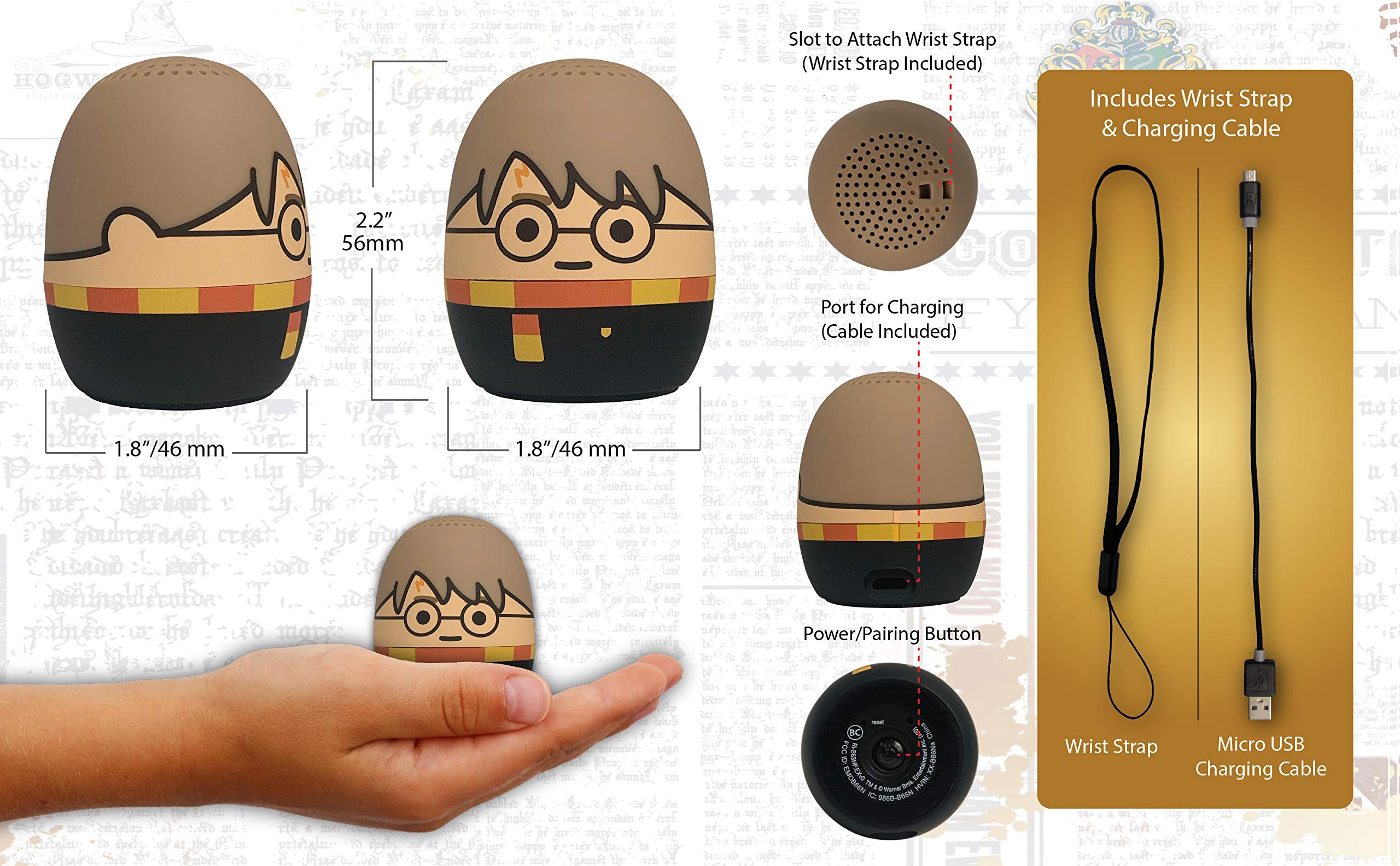
Image: The Harry Potter Bluetooth Speaker shown with icons representing compatible devices: mobile phone, tablet, notebook, PC, smart watch, and game device.
מִבצָע
After successful pairing, you can begin playing audio:
- השמעת אודיו: Start playing music or other audio content on your paired device. The sound will be transmitted to the speaker.
- בקרת עוצמת הקול: Adjust the volume directly from your paired device.
- הפעלה/כיבוי: לחץ והחזק את לחצן הפעלה/התאמה כדי להפעיל או לכבות את הרמקול.
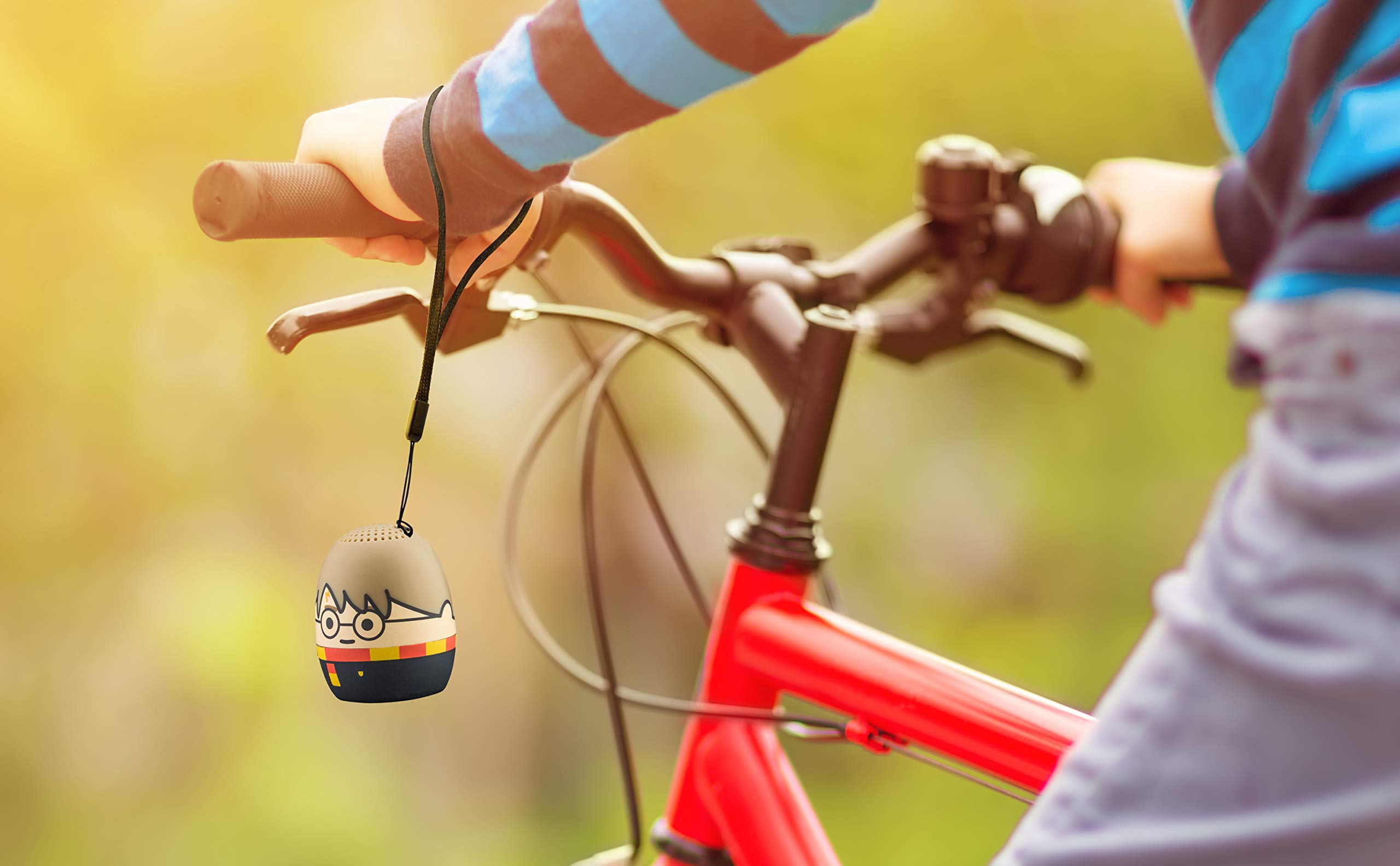
Image: The Harry Potter Bluetooth Speaker, with its wrist strap, attached to the handlebar of a bicycle, demonstrating its portability for outdoor use.
תַחזוּקָה
To ensure the longevity of your speaker, follow these maintenance guidelines:
- ניקוי: Wipe the speaker with a soft, dry cloth. Do not use liquid cleaners or abrasive materials.
- אִחסוּן: יש לאחסן את הרמקול במקום קריר ויבש, הרחק מאור שמש ישיר וטמפרטורות קיצוניות, כאשר אינו בשימוש למשך תקופות ממושכות.
- טיפול בסוללה: For optimal battery life, avoid fully discharging the battery frequently. Charge it regularly, even if not used often.
פתרון בעיות
If you encounter issues with your speaker, refer to the following table:
| בְּעָיָה | פִּתָרוֹן |
|---|---|
| הרמקול לא נדלק. | ודא שהסוללה טעונה. חבר את הרמקול למקור חשמל באמצעות כבל Micro USB. |
| לא ניתן להתחבר למכשיר Bluetooth. |
|
| אין צליל או עוצמת קול נמוכה. |
|
| איכות שמע ירודה. |
|
מפרטים
| תכונה | פְּרָט |
|---|---|
| מותג | eKids |
| שם הדגם | הארי פוטר |
| טכנולוגיית קישוריות | בלוטות', USB |
| רמקול כוח פלט מרבי | 10 וואט |
| מצב פלט שמע | סטריאו |
| סוג רמקול | נייד |
| שיטת בקרה | לַחְצָן |
| גודל רמקול | 40 מילימטרים |
| מקור כוח | מופעל על סוללה (סוללת ליתיום יון אחת כלולה) |
| מכשירים תואמים | Personal Computer, Smartphone, Tablet, Television |
| הוא עמיד למים | שֶׁקֶר |
| UPC | 092298948775 |
| ASIN | B087NFC293 |
אחריות ותמיכה
This product comes with a Limited Warranty. For specific warranty details, please refer to the documentation included with your purchase or contact eKids customer support.
For technical support or further assistance, please visit the eKids official webאתר או צרו קשר עם מחלקת שירות הלקוחות שלהם. שמרו את קבלת הרכישה שלכם לצורך תביעות אחריות.