
1. הקדמה
Thank you for choosing the Tribit FlyBuds C1 True Wireless Earbuds (Model BTH91). This manual provides essential information for setting up, operating, and maintaining your new earbuds. Please read it thoroughly to ensure optimal performance and longevity of your device.

Image: Tribit FlyBuds C1 Wireless Earbuds and Charging Case.
2. מידע בטיחות
To prevent damage to your earbuds or injury to yourself, please observe the following safety precautions:
- אין לפרק או לשנות את האוזניות או את מארז הטעינה.
- הרחק את המכשיר מטמפרטורות קיצוניות, מאור שמש ישיר ולהבות גלויות.
- Avoid exposing the earbuds to water for prolonged periods, despite their IPX8 rating. Ensure the charging port cover is securely closed before exposure to liquids.
- אין להשתמש בחומרי ניקוי שוחקים או בכימיקלים חזקים לניקוי המכשיר.
- האזינו בעוצמת קול מתונה כדי למנוע נזק לשמיעה.
- הרחק מהישג ידם של ילדים וחיות מחמד.
3. תכולת החבילה
The Tribit FlyBuds C1 package includes:
- Tribit FlyBuds C1 Earbuds (Model BTH91)
- נרתיק טעינה
- כבל טעינה USB-C
- שְׁרוֹך
- 6 Pairs of Silicone Ear Tips (various sizes)
- מדריך למשתמש
- כרטיס אחריות ל-18 חודשים
Image: All items included in the Tribit FlyBuds C1 retail package.
4. התקנה
4.1. טעינת האוזניות והמארז
לפני השימוש הראשון, טען את האוזניות ואת נרתיק הטעינה במלואם.
- הניחו את האוזניות במארז הטעינה. ודאו שהן יושבות כראוי בחריצים המתאימים.
- Connect the USB-C charging cable to the charging port on the case and to a power source. The LED indicators on the case will show charging status. A full charge takes approximately 1.5 hours.
- מארז הטעינה תומך גם בטעינה אלחוטית. פשוט הניחו את המארז על משטח טעינה אלחוטי תואם.
The earbuds provide up to 5 hours of playback on a single charge, and the charging case extends total playtime to up to 100 hours.
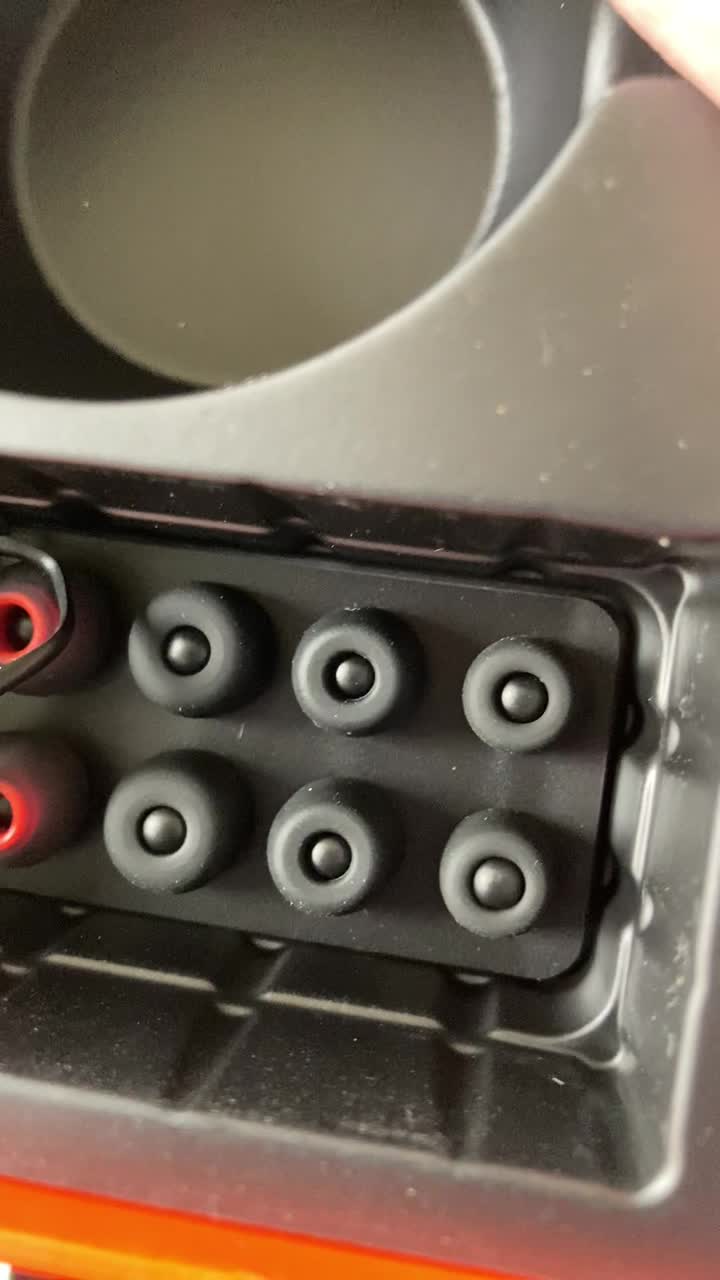
Image: Tribit FlyBuds C1 earbuds charging inside their case, with battery indicator lights visible.
4.2. צימוד עם המכשיר שלך
The Tribit FlyBuds C1 feature one-step pairing for convenience.
- פתחו את מארז הטעינה. האוזניות ייכנסו אוטומטית למצב צימוד.
- במכשיר שלך (סמארטפון, טאבלט, מחשב נייד), הפעל את Bluetooth וחפש מכשירים זמינים.
- Select "Tribit FlyBuds C1" from the list of devices. Once connected, a voice prompt will confirm successful pairing.
- The earbuds will automatically connect to the last paired device when the case is opened. To unpair, press and hold the button on the charging case.
4.3. התאמת האוזניות
לקבלת איכות צליל ונוחות אופטימליים, בחרו טיפים לאוזניים בגודל הנכון.
- Experiment with the 6 included pairs of silicone ear tips to find the best fit for your ears. A snug fit ensures better bass response and noise isolation.
- הכניסו בעדינות את האוזניות לתעלת האוזן וסובבו קלות כדי לקבע אותן.
Image: Selection of silicone ear tips for personalized fit.
5. הוראות הפעלה
5.1. הפעלה/כיבוי
- הפעלה: פתח את נרתיק הטעינה והאוזניות יופעלו אוטומטית.
- כיבוי: החזירו את האוזניות למארז הטעינה וסגרו את המכסה. הן יכבו אוטומטית ויתחילו להיטען.
5.2. השמעת מוזיקה
The Tribit FlyBuds C1 feature physical buttons for control:
- הפעל/השהה: לחצו פעם אחת על הכפתור באחת מהאוזניות.
- הרצועה הבאה: לחצו פעמיים על הכפתור באוזניה הימנית.
- רצועה קודמת: לחצו פעמיים על הכפתור באוזניה השמאלית.
הערה: בקרת עוצמת הקול אינה זמינה ישירות באוזניות. אנא כוונו את עוצמת הקול דרך המכשיר המחובר.
5.3. ניהול שיחות
- מענה/סיום שיחה: לחצו פעם אחת על הכפתור באחת מהאוזניות.
- דחה שיחה: לחץ והחזק את הכפתור באחת מהאוזניות למשך 2 שניות.
- הפעלת העוזר הקולי (Siri, Google Assistant): Triple-press the button on either earbud.
The earbuds feature 4 microphones with CVC 8.0 Call Noise Reduction for clear calls.
5.4. Single Earbud Mode
Either earbud can be used independently. Simply take one earbud out of the case, and it will automatically connect to your device. The other earbud can remain in the case or be used later.
5.5. איטום בתקן IPX8
The Tribit FlyBuds C1 are IPX8 rated, offering protection against sweat, splashes, and submersion in water up to 1 meter for 30 minutes. This makes them suitable for sports and exercise in various weather conditions.
- Ensure the USB-C charging port cover is securely closed before exposing the earbuds to water.
- Do not charge the earbuds if they are wet. Dry them thoroughly before placing them back in the charging case.
6. תחזוקה
Proper maintenance ensures the longevity and performance of your Tribit FlyBuds C1.
- ניקוי: Regularly clean the earbuds and charging case with a soft, dry, lint-free cloth. For ear tips, remove them and wash with mild soap and water, then dry completely before reattaching.
- אִחסוּן: כאשר אינן בשימוש, יש לאחסן את האוזניות בנרתיק הטעינה שלהן כדי להגן עליהן ולשמור עליהן טעונות. יש לאחסן במקום קריר ויבש הרחק מטמפרטורות קיצוניות.
- הימנע מנזק: Do not drop, puncture, or expose the device to strong impacts.
7. פתרון תקלות
If you encounter issues with your Tribit FlyBuds C1, try the following solutions:
| בְּעָיָה | פִּתָרוֹן |
|---|---|
| אוזניות לא מתאימות |
|
| אין קול או עוצמת קול נמוכה |
|
| אוזניות לא נטענות |
|
| חיבור לסירוגין |
|
8. מפרטים
| תכונה | פְּרָט |
|---|---|
| שם הדגם | BTH91 (FlyBuds C1) |
| טכנולוגיית קישוריות | אלחוטי (Bluetooth) |
| גרסת בלוטות' | 5.2 |
| טווח בלוטות' | 10 מטר |
| חיי סוללה (אוזניות) | עד 5 שעות לכל טעינה |
| זמן משחק כולל (עם נרתיק טעינה) | עד 100 שעות |
| זמן טעינה | כשעה וחצי (במקרה) |
| רמת עמידות במים | IPX8 (עמיד למים) |
| תכונות בקרת רעש | CVC 8.0 Call Noise Reduction, Sound Isolation |
| שיטת בקרה | כפתור פיזי |
| יציאת טעינה | USB-C, Wireless Charging (Qi-compatible) |
| משקל פריט | 2.4 אונקיות |
| מידות המוצר | 2.4 x 2.4 x 1.2 אינץ' |
9. אחריות ותמיכה
Tribit provides an 18-month warranty for the FlyBuds C1 (Model BTH91) from the date of purchase. This warranty covers manufacturing defects and ensures your product is free from material and workmanship flaws under normal use.
For warranty claims, technical support, or any questions regarding your product, please contact Tribit customer service:
- אֶלֶקטרוֹנִי: support@tribaudio.com
- כרטיס תמיכה: לְבַקֵר tribitaudio.com/support
- טֵלֵפוֹן: 1-888-232-3138 (Mon-Fri, 9:00-6:00 PST [US])
Please have your purchase receipt and product model number (BTH91) ready when contacting support.