
מָבוֹא
Xenoblade Chronicles: Definitive Edition is an enhanced version of the classic role-playing game, developed by Monolith Soft and published by Nintendo for the Nintendo Switch. This edition features updated graphics, remixed music, and additional story content, including the "Future Connected" epilogue. Players embark on an epic journey to discover the origins of Shulk and his companions as they confront a mechanical threat, utilizing a unique future-seeing blade and strategic real-time combat.
Key features of this game include:
- Discover the origins of Shulk as he and his companions clash against a seemingly-insurmountable mechanical menace.
- Engage in real-time, strategic RPG battles by carefully positioning characters, selecting combat arts, and executing Chain Attacks.
- Traverse sprawling environments as you explore the Bionis and Mechonis, two titans frozen in battle.
- See what happens a year after the events of the main game in a new epilogue that focuses on Shulk and his friend Melia.
- Watch as characters and environments come to life with updated graphics.

Image: The official game cover for Xenoblade Chronicles: Definitive Edition on Nintendo Switch, featuring the main characters and game logo.
הגדרה
To begin playing Xenoblade Chronicles: Definitive Edition, follow these steps:
- For Physical Game Card: Insert the Xenoblade Chronicles: Definitive Edition game card into the Nintendo Switch console's game card slot. Ensure the card is inserted correctly until it clicks into place.
- להורדה דיגיטלית: If you purchased the digital version, ensure the game has been fully downloaded and installed from the Nintendo eShop. You may need sufficient free space on your console's internal memory or a microSD card.
- עדכון מערכת: Ensure your Nintendo Switch console's system software is up to date. Connect your console to the internet and navigate to System Settings > System > System Update to check for and install any available updates.
- השקת משחק: From the Nintendo Switch HOME Menu, select the Xenoblade Chronicles: Definitive Edition icon to launch the game.
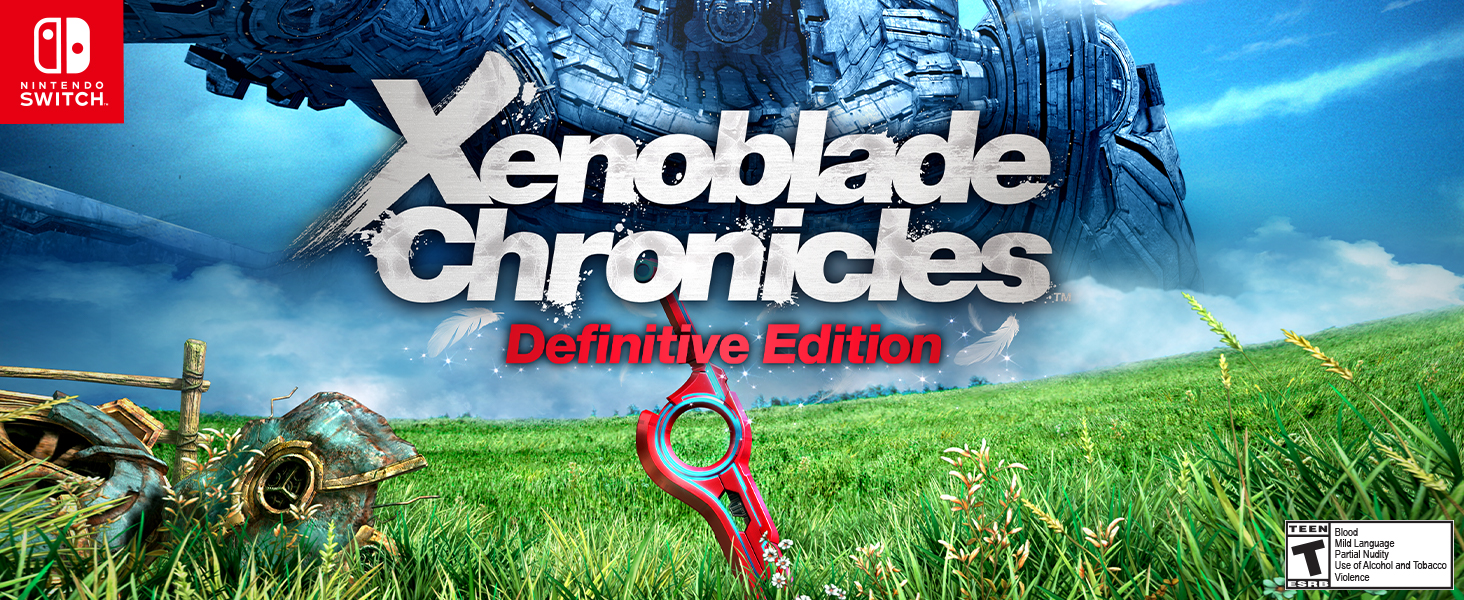
Image: A screenshot showing the title screen of Xenoblade Chronicles: Definitive Edition, indicating the game is ready to be played.
הפעלת המשחק
בקרות בסיסיות
The game supports various control schemes, including Joy-Cons attached to the console, Joy-Cons in a Joy-Con grip, or the Nintendo Switch Pro Controller. Refer to the in-game tutorial for a detailed breakdown of controls, which can be revisited at any time.
- מקל שמאל: Character Movement
- מקל ימני: בקרת מצלמה
- כפתור: Interact / Confirm
- כפתור B: Cancel / Jump
- כפתור X: פתח את התפריט הראשי
- כפתור Y: Auto-Attack (during combat)
- Directional Buttons / D-Pad: Select Combat Arts (during combat)
- כפתורי שמאל/ימין: Cycle through menus / Target enemies
- כפתורי ZL/ZR: Use selected Combat Art / Special actions
מערכת לחימה
Combat in Xenoblade Chronicles: Definitive Edition is real-time with strategic elements. Your controlled character will auto-attack when near an enemy. You manage a party of three characters, each with unique "Arts" (special abilities) that can be selected and activated during battle. Positioning is crucial; certain Arts deal more damage or have additional effects when used from specific angles (e.g., from behind or the side of an enemy).
- Arts Palette: A set of Arts is displayed at the bottom of the screen. Use the D-Pad to select an Art and the ZL/ZR buttons to activate it.
- Talent Art: Each character has a unique Talent Art that charges over time.
- Chain Attacks: By filling the Party Gauge, you can initiate a Chain Attack, allowing your party members to unleash a series of powerful Arts in succession.
- Visions: Shulk possesses the ability to foresee enemy attacks, providing a brief window to warn allies or use specific Arts to counter.
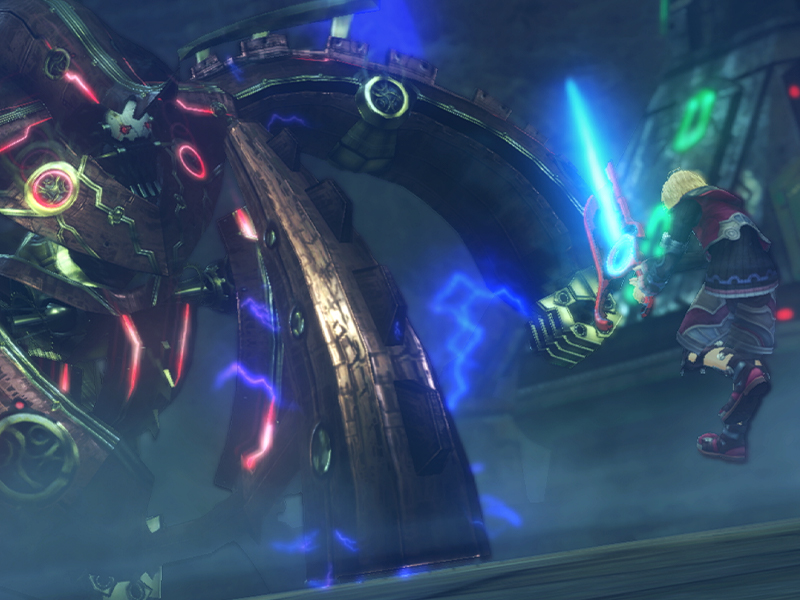
Image: A dynamic in-game screenshot depicting a combat sequence, highlighting character models and special attack effects.
Exploration and Quests
The world of Xenoblade Chronicles: Definitive Edition is vast and open. Explore diverse environments, discover hidden locations, and interact with non-player characters (NPCs) to uncover side quests. The game features an improved quest tracking system to help you manage your objectives.
- מַפָּה: Use the in-game map to navigate the world and locate objectives.
- Fast Travel: Once discovered, landmarks allow for instant travel across the expansive world.
- Side Quests: Engage in various side quests, including monster hunts, item collection, and character-specific storylines.
שמירת התקדמות
The game features an auto-save function that regularly saves your progress. You can also manually save your game at any time by accessing the main menu.
תַחזוּקָה
Proper care ensures the longevity and optimal performance of your game.
- טיפול בכרטיסי משחק: If using a physical game card, keep it clean and free from dust or fingerprints. Store it in its original case when not in use.
- עדכוני תוכנה: Regularly check for and install game software updates. These updates often include bug fixes, performance improvements, and sometimes new content.
- Console Maintenance: Ensure your Nintendo Switch console is kept in good condition, free from excessive dust, and stored in a cool, dry place.
- Digital Data Management: For digital versions, periodically check your console's storage to ensure sufficient space for game updates and save data.
פתרון בעיות
If you encounter issues while playing, consider the following solutions:
- המשחק לא עולה:
- Ensure the game card is fully inserted (if physical).
- Verify the game software is fully downloaded and installed (if digital).
- הפעל מחדש את קונסולת ה-Nintendo Switch שלך.
- Check for any pending system or game software updates.
- בעיות ביצועים (השהיה, קיפאון):
- Close any other running applications on your Switch.
- Ensure your console is not overheating.
- Restart the game and console.
- Check for game software updates, as these often include performance optimizations.
- Save Data Issues:
- Ensure there is enough free space on your console or microSD card for save data.
- Do not power off the console during a save operation.
- If using Nintendo Switch Online, verify cloud save data is syncing correctly.
- קלט הבקר לא מגיב:
- Ensure your Joy-Cons or Pro Controller are properly paired and charged.
- Try detaching and reattaching Joy-Cons, or re-pairing your Pro Controller.
- Check for controller firmware updates via System Settings.
מפרטים
| מספר דגם | HACPAUBQA |
| פּלַטפוֹרמָה | Nintendo Switch |
| מספר שחקנים | 1 |
| תאריך יציאה | 29 במאי 2020 |
| שָׂפָה | אַנגְלִית |
| מדורג | נוער |
| משקל פריט | 1.76 אונקיות |
| מידות המוצר | 1 x 2 x 1 אינץ' |
| UPC | 045496596958 |
סרטוני מוצר רשמיים
Video: Official trailer for Xenoblade Chronicles: Definitive Edition, showcasing gameplay, story elements, and updated visuals. This video is provided by Nintendo of America.
Video: Accolades trailer for Xenoblade Chronicles: Definitive Edition, featuring positive reviews and highlights from the game. This video is provided by Nintendo of America.
אחריות ותמיכה
For warranty information regarding your Nintendo Switch console or game, please refer to the official Nintendo website or the documentation included with your console. Nintendo provides limited warranties for its products.
If you require technical assistance or have questions not covered in this manual, please contact Nintendo Customer Support:
- תמיכה מקוונת: Visit the official Nintendo Support webאתר לשאלות נפוצות, מדריכים לפתרון בעיות ואפשרויות ליצירת קשר.
- תמיכה טלפונית: עיין ב-Nintendos של האזור שלך webאתר למספרי טלפון של שירות לקוחות מקומיים.
Always ensure you are consulting official Nintendo resources for the most accurate and up-to-date support information.