
Elo E931896
מדריך למשתמש של מערכת נקודת מכירה EloPOS 15 אינץ'
דגם: E931896
1. המוצר נגמרview
The EloPOS System is a versatile point-of-sale solution designed for commercial environments. It features a 15-inch 4:3 touchscreen display, an Intel 8th generation i3 processor, and an integrated expansion hub for connecting various peripherals. This system is built for durability and continuous public use, making it suitable for traditional POS and self-service applications.
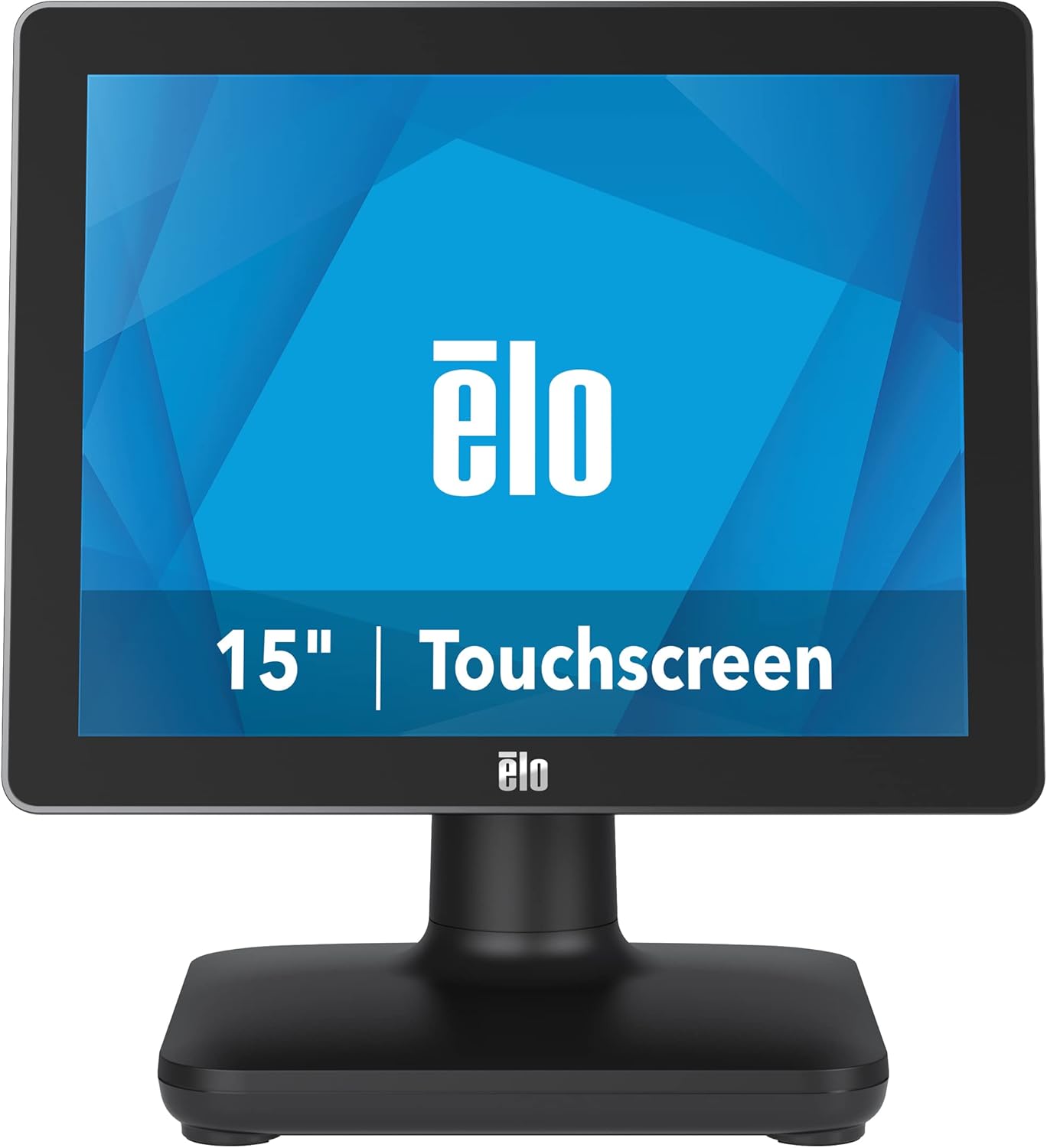
איור 1: חזית view of the EloPOS System.
The system's robust design ensures reliability in demanding retail environments, providing a stable platform for your business operations.
2. תכולת החבילה
Verify that all items listed below are included in your EloPOS system package:
- EloPOS System Unit
- NA Power Cord
- כבל חשמל של האיחוד האירופי
- מתאם חשמל - 180W
- Cable RJ-45 to DB-9
- Cable Cover Locking Screw
- מדריך התקנה מהיר (QIG)
3. תכונות עיקריות
The EloPOS System is equipped with several features designed to enhance its functionality and durability:
- Integrated Expansion Hub: The included stand features an integrated expansion hub, allowing connection of various POS peripherals such as cash drawers, printers, barcode scanners, and payment devices.
- Windows 10 Operating System: Utilizes the reliable performance and security of Intel 8th Generation processors, integrated Trusted Platform Modules, Intel vPro, and the Windows 10 operating system.
- עמידות בדרגה מסחרית: Features a splash-proof housing and a rugged retail-hardened design, built to withstand adverse conditions common in commercial environments.
- קישוריות USB-C: Enables easy connection of a 1302L customer-facing display, providing touch, data, and power through a single cable (second display sold separately).
- Elo Edge Connect: Allows seamless attachment of up to four peripherals (sold separately) to the edge of the touchscreen, including fingerprint scanners, EMV readers, barcode scanners, or MSRs.
4. מדריך התקנה
4.1. פריקה והשמה
Carefully remove the EloPOS system and all components from the packaging. Place the unit on a stable, flat surface, ensuring adequate ventilation around the device.
4.2. חיבור חשמל
- Connect the 180W power adapter to the power input port on the back of the EloPOS system.
- Connect the appropriate power cord (NA or EU) to the power adapter.
- חבר את כבל החשמל לשקע חשמל מוארק.
4.3. חיבור ציוד היקפי
The EloPOS system features an integrated expansion hub for connecting various peripherals. Refer to the image below for port locations.

איור 2: אחורי view with connection hub.
- יציאות USB: Connect USB devices such as keyboards, mice, barcode scanners, or payment terminals to the available USB 2.0 or USB 3.0 ports.
- יציאת אתרנט: Connect an Ethernet cable for network connectivity.
- יציאות טוריות: Use the RJ-45 to DB-9 cable for connecting serial devices if required.
- יציאת USB-C: For connecting compatible USB-C devices, including the Elo 1302L customer-facing display.
5. תפעול
5.1. הפעלה / כיבוי
To power on the system, press the power button, typically located on the side or back of the display unit. To power off, use the standard Windows shutdown procedure or press and hold the power button for a few seconds.
5.2. שימוש במסך המגע
The EloPOS system features a responsive touchscreen display. Use your finger or a compatible stylus for navigation and input. Ensure the screen is clean for optimal touch performance.
6. תחזוקה
Regular maintenance helps ensure the longevity and optimal performance of your EloPOS system:
- ניקוי המסך: השתמש קלות במטלית רכה נטולת מוך דampיש לנקות את המסך עם חומר ניקוי זכוכית שאינו שוחק וללא אמוניה. אין לרסס את חומר הניקוי ישירות על המסך.
- ניקוי ה-Casing: נגב את החלק החיצוני של ה-casinז עם רך, דamp מטלית. הימנעו מכימיקלים חזקים או מחומרים שוחקים.
- אוורור: Ensure that the ventilation openings on the system are not blocked to prevent overheating.
- עדכוני תוכנה: Regularly check for and install operating system and driver updates to maintain system security and performance.
7. פתרון תקלות
This section provides solutions to common issues you might encounter with your EloPOS system.
| בְּעָיָה | סיבה אפשרית | פִּתָרוֹן |
|---|---|---|
| המערכת לא נדלקת. | Power cord not connected, power adapter faulty, power outlet issue. | Check power cord connections. Ensure power adapter is securely plugged in. Test the power outlet with another device. |
| מסך המגע לא מגיב. | Screen dirty, drivers not installed/corrupted, system frozen. | Clean the screen. Restart the system. Check device manager for touchscreen driver status. |
| Peripheral (e.g., printer) not detected. | Incorrect port, driver issue, peripheral not powered on. | Ensure peripheral is powered on and connected to the correct port. Install or update peripheral drivers. |
| System runs slowly. | Too many applications running, insufficient RAM, overheating. | Close unnecessary applications. Check system resources. Ensure proper ventilation. |
8. מפרט טכני
| תכונה | מִפרָט |
|---|---|
| גודל תצוגת מסך עומד | 15 אינץ' |
| רזולוציית מסך | 1024x768 |
| רזולוציית מסך מקסימלית | 1366x768 |
| מעבד | 3.1 GHz core_i3 (Intel 8th Generation) |
| אַיִל | 4 GB DDR4 |
| כונן קשיח | SSD 128 גיגה-בייט |
| מעבד גרפי | Intel HD Graphics 520 |
| מַעֲרֶכֶת הַפעָלָה | Windows 10 |
| מספר יציאות USB 2.0 | 2 |
| מספר יציאות USB 3.0 | 3 |
| מספר דגם פריט | E931896 |
| משקל פריט | 11.6 פאונד |
| מידות המוצר (LxWxH) | 8.71 x 14.16 x 13.37 אינץ' |
| צֶבַע | שָׁחוֹר |
| מקור כוח | AC |
| כרך ידtage | 240 וולט |
9. מידע על אחריות
The EloPOS System is backed by Elo's standard 3-year warranty. This warranty covers defects in materials and workmanship under normal use. For detailed terms and conditions, please refer to the official Elo warranty policy document or contact Elo customer support.
10. תמיכה ויצירת קשר
For further assistance, technical support, or service inquiries, please visit the official Elo website or contact their customer support. You can find more information and resources at the חנות Elo באמזון.
Ask a question about this manual
Ask about setup, troubleshooting, compatibility, parts, safety, or missing instructions. Manuals+ will review the question and use this page’s manual context to help answer it.