
1. הקדמה
תודה על הרכישהasing the boAt Stone 190 Bluetooth Speaker. This manual provides essential information for setting up, operating, and maintaining your speaker. Please read it carefully before use to ensure optimal performance and longevity of your device.

Image: The boAt Stone 190 speaker showcasing its portable and lightweight design, ideal for on-the-go use.
2. תכולת החבילה
אנא סמן את התיבה עבור הפריטים הבאים:
- רמקול בלוטות' של boAt Stone 190
- כבל טעינה USB
- מדריך למשתמש
3. המוצר נגמרview ובקרות
Familiarize yourself with the speaker's layout and control buttons.

תמונה: מלמעלה למטה view of the boAt Stone 190 speaker, highlighting its integrated control buttons for easy operation.
- לחצן הפעלה: לחץ והחזק להפעלה/כיבוי.
- לחצן הפעלה/השהה: לחץ כדי להפעיל או להשהות מוזיקה.
- הגברת עוצמת הקול (+): לחץ כדי להגביר את עוצמת הקול. לחץ לחיצה ממושכת כדי להופיע על הרצועה הבאה.
- להנמיך קול (-): לחץ כדי להנמיך את עוצמת הקול. לחץ לחיצה ממושכת כדי להופיע על הרצועה הקודמת.
- לחצן מצב (M): Press to switch between modes (if applicable).
- יציאת טעינה: לחיבור כבל טעינה USB.
4. טעינת הרמקול
Before first use, fully charge the speaker. Use the provided USB charging cable.
- Connect the small end of the USB cable to the charging port on the speaker.
- חבר את הקצה הגדול יותר של כבל ה-USB למתאם חשמל USB (לא כלול) או ליציאת USB של מחשב.
- מחוון ה-LED יציג את מצב הטעינה. הוא יכבה או ישנה צבע לאחר טעינה מלאה.
A full charge provides up to 4 hours of playback time with its 800mAh battery capacity.

Image: The boAt Stone 190 speaker, illustrating its 800mAh battery capacity and up to 4 hours of playback time.
5. זיווג Bluetooth
Follow these steps to connect your boAt Stone 190 speaker to a Bluetooth-enabled device.

Image: The boAt Stone 190 speaker, highlighting its instant wireless connectivity via Bluetooth V5.0.
- הפעלה: Press and hold the Power button on the speaker until you hear an audible prompt and the LED indicator flashes, indicating it's in pairing mode.
- אפשר Bluetooth: On your smartphone, tablet, or other Bluetooth device, go to the Bluetooth settings and enable Bluetooth.
- תבחר מכשיר: In the list of available devices, search for and select "boAt Stone 190".
- אשר חיבור: Once paired, you will hear a confirmation tone, and the LED indicator will stop flashing and remain solid.
- התחבר מחדש: הרמקול ינסה להתחבר מחדש באופן אוטומטי למכשיר האחרון שצומד לאחר הפעלתו.
6. הפעלת הרמקול
השמעת מוסיקה
- הפעל/השהה: לחץ על כפתור הפעל/השהה.
- הגבר קול: לחיצה קצרה על כפתור '+'.
- להנמיך קול: לחיצה קצרה על כפתור '-'.
- הרצועה הבאה: לחץ לחיצה ארוכה על כפתור '+'.
- רצועה קודמת: לחץ לחיצה ארוכה על כפתור '-'.
פונקציות שיחה
- מענה/סיום שיחה: לחץ על כפתור הפעל/השהה.
- דחה שיחה: לחץ והחזק את לחצן הפעל/השהה.
7. עמידות למים (IPX7)
The boAt Stone 190 speaker features an IPX7 water resistance rating.
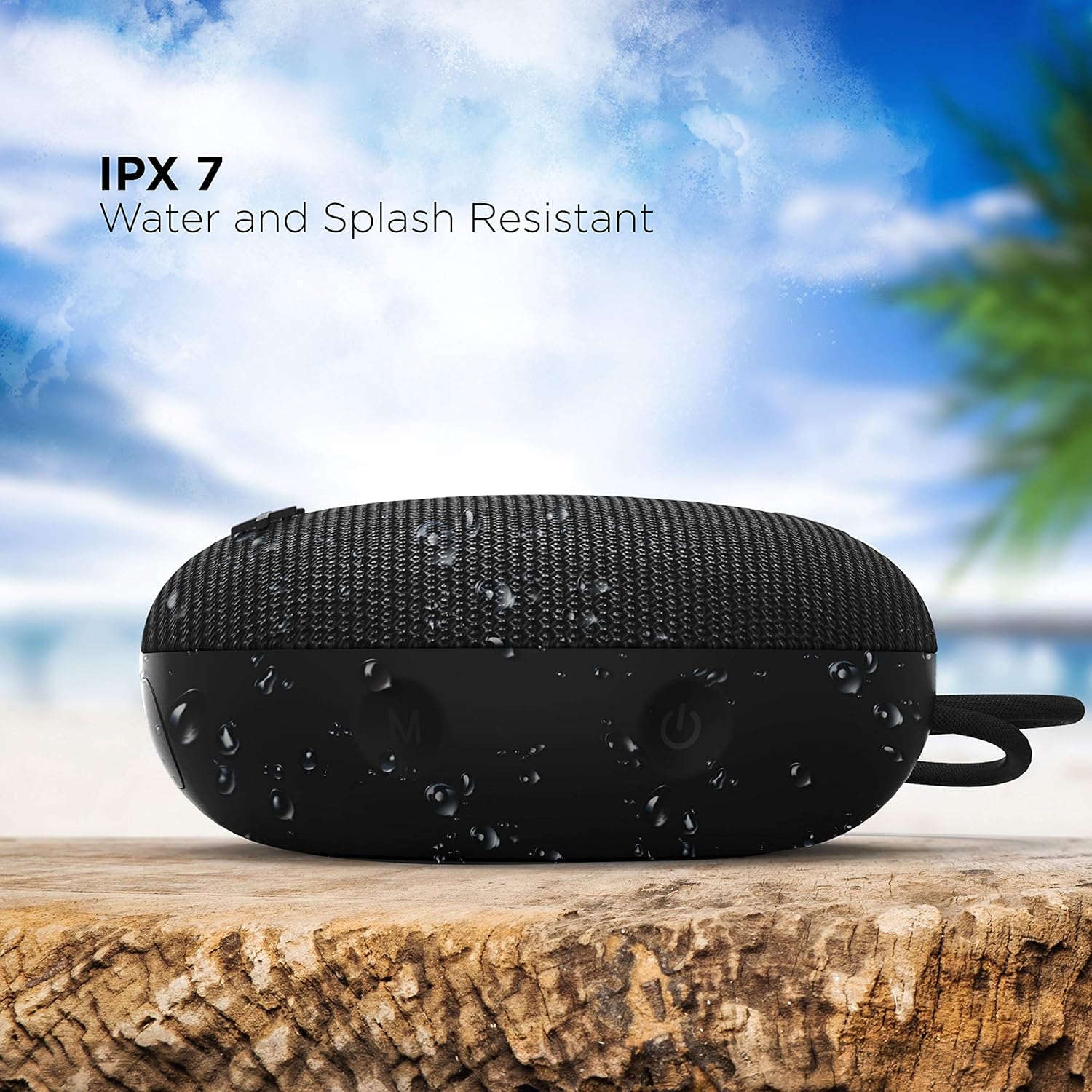
Image: The boAt Stone 190 speaker, demonstrating its IPX7 water and splash resistant capabilities, suitable for outdoor use.
- IPX7 means the speaker can be immersed in water up to 1 meter for 30 minutes.
- It is resistant to splashes, rain, and accidental submersion.
- ודא שמכסה שקע הטעינה סגור היטב לפני חשיפת הרמקול למים.
- Do not intentionally submerge the speaker for extended periods or in water deeper than 1 meter.
8. תחזוקה וטיפול
- ניקוי: נגב את הרמקול באמצעות רך, damp בַּד. אין להשתמש בכימיקלים קשים או בחומרי ניקוי שוחקים.
- אִחסוּן: יש לאחסן את הרמקול במקום קריר ויבש, הרחק מטמפרטורות קיצוניות ואור שמש ישיר.
- יציאת טעינה: שמרו על שקע הטעינה נקי מאבק ופסולת.
- סוֹלְלָה: כדי לשמר את חיי הסוללה, יש לטעון את הרמקול לפחות פעם בשלושה חודשים אם אינו בשימוש קבוע.
9. פתרון תקלות
| בְּעָיָה | פִּתָרוֹן |
|---|---|
| הרמקול לא נדלק. | ודא שהרמקול טעון. חבר אותו לחשמל ונסה שוב. |
| לא ניתן להתאים עם מכשיר Bluetooth. | Make sure the speaker is in pairing mode (flashing LED). Turn off and on Bluetooth on your device. Ensure the speaker is within range (10 meters). Forget previous pairings on your device and try again. |
| אין צליל או עוצמת קול נמוכה. | הגבירו את עוצמת הקול הן ברמקול והן במכשיר המחובר. ודאו שהרמקול מחובר כראוי. בדקו אם מקור השמע מתנגן. |
| עיוות סאונד. | Move the speaker closer to your device. Reduce volume on either the speaker or the connected device. Ensure there are no obstructions causing interference. |
10. מפרטים
Technical details of the boAt Stone 190 Bluetooth Speaker.

Image: The boAt Stone 190 speaker, highlighting its 5 Watt audio output and 52mm full-range driver for clear sound.
| תכונה | פְּרָט |
|---|---|
| מותג | סִירָה |
| שם הדגם | אבן 190 |
| רמקול כוח פלט מרבי | 5 וואט |
| טכנולוגיית קישוריות | בלוטות' |
| גרסת בלוטות' | V5.0 (Inferred from image) |
| מצב פלט שמע | מונו |
| סוג רמקול | בָּחוּץ |
| רמת עמידות במים | IPX7 (עמיד למים) |
| גודל רמקול | 52 מילימטרים |
| קיבולת סוללה | 800mAh (Inferred from image) |
| חיי סוללה ממוצעים | 4 שעות |
| מקור כוח | מופעל על סוללה |
| מידות פריט (D x W x H) | 4.9D x 12.5W x 12.5H סנטימטרים |
| משקל פריט | 150 גרם |
| מכשירים תואמים | שולחן עבודה, מחשב נייד, נגן MP3, סמארטפון, טאבלט |
11. מידע בטיחות
- Do not disassemble, repair, or modify the speaker. This may cause fire, electric shock, or complete damage to the product.
- אין לחשוף את הרמקול לטמפרטורות קיצוניות (מעל 45°C או מתחת ל-10°C-).
- הרחק את הרמקול מילדים וחיות מחמד.
- הימנע מהאזנה ברמות ווליום גבוהות לתקופות ממושכות כדי למנוע נזקי שמיעה.
- השתמש רק בכבל הטעינה המצורף או בכבל שווה ערך מאושר.
12. תמיכת לקוחות ואחריות
For product-related queries, support, or warranty information, please contact boAt customer service.
- צור קשר עם התמיכה: +91(022)69181920
- אֶלֶקטרוֹנִי: info@imaginemarketingindia.com
- יַצרָן: Imagine Marketing Ltd.
- כְּתוֹבֶת: Unit no. 204 & 205, 2nd floor, D-wing & E-wing, Corporate Avenue, Andheri Ghatkopar Link Road, Mumbai, Maharashtra-400093, India.