
CREATE 82466_161240
מדריך למשתמש של מאוורר תקרה שחור מדגם CREATE IKOHS LIGHTCALM
דגם: 82466_161240
1. הקדמה
Thank you for choosing the CREATE IKOHS LIGHTCALM Black Ceiling Fan. This manual provides essential information for the safe installation, operation, and maintenance of your new ceiling fan. Please read it thoroughly before use and retain it for future reference.
This ceiling fan features a durable copper DC motor, offering efficient and quiet operation. It includes a reverse function for year-round use, a remote control for convenient operation, and an integrated light with three adjustable color temperatures.
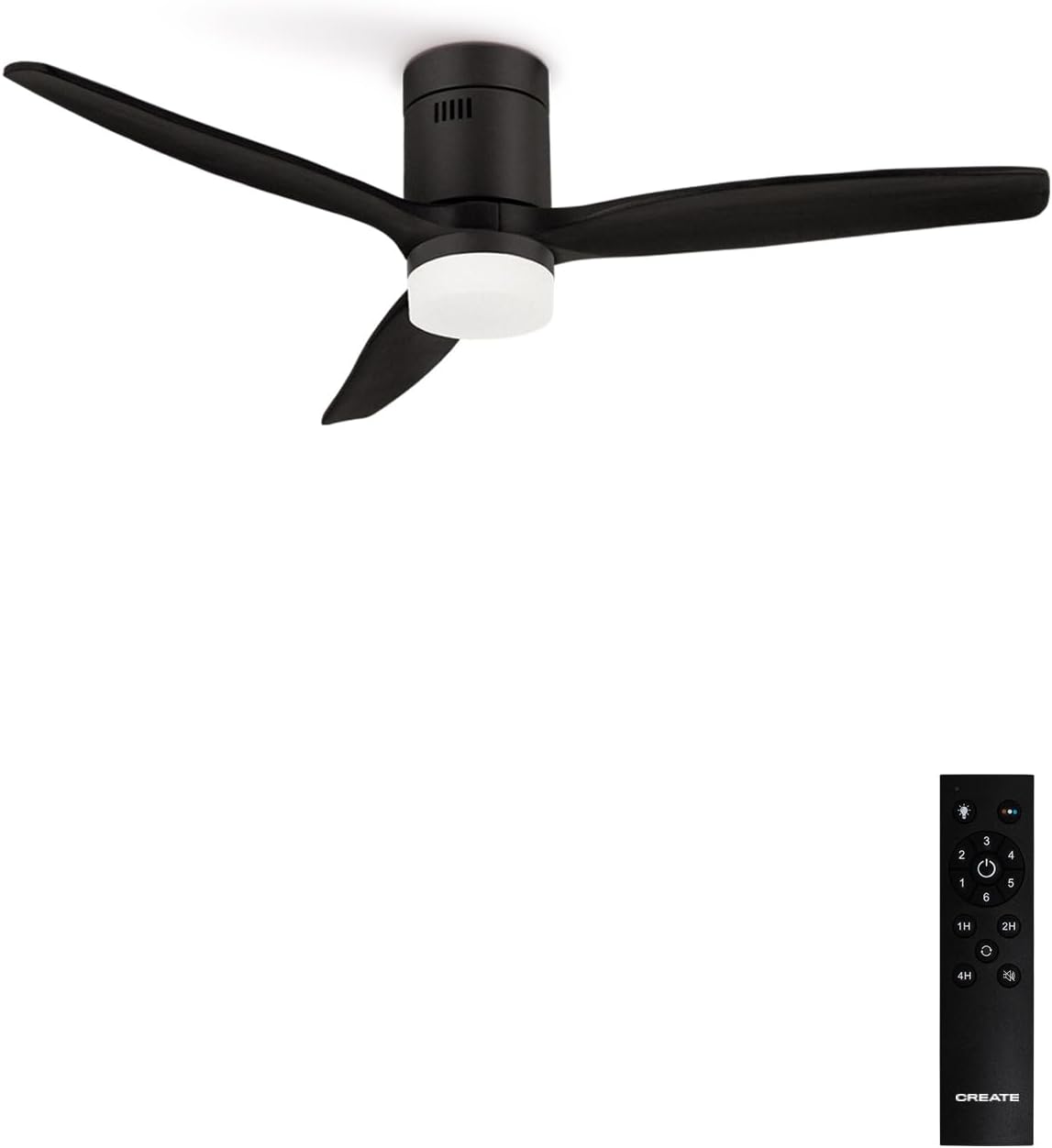
Image 1.1: The CREATE IKOHS LIGHTCALM Black Ceiling Fan with its remote control.
2. מידע בטיחות
כדי להפחית את הסיכון להתחשמלות, שריפה או פציעה, יש להקפיד תמיד על אמצעי הזהירות הבסיסיים הבאים:
- קרא בעיון את כל ההוראות לפני התקנה ותפעול המאוורר.
- Ensure the main power supply is disconnected at the circuit breaker before installation or maintenance.
- All electrical connections must be performed by a qualified electrician and comply with local electrical codes.
- The fan must be mounted to a structure capable of supporting its weight (minimum 6 kg).
- ודא שיש מרווח מספיק בין להבי המאוורר לבין כל מכשול.
- אין להכניס חפצים לתוך להבי המאוורר בזמן שהמאוורר פועל.
- Do not attempt to repair or modify the fan yourself. Contact qualified service personnel.
3. תכולת החבילה
ודא שכל הרכיבים קיימים ולא ניזוקו לפני תחילת ההתקנה:
- יחידת מנוע מאוורר תקרה
- Fan Blades (3 units)
- Light Kit with Diffuser
- שְׁלַט רָחוֹק
- Mounting Bracket and Hardware (screws, washers, wire nuts)
- מדריך למשתמש
4. התקנה והתקנה
Professional installation is recommended. Follow these general steps for installation:
- היכונו להתקנה: Turn off power at the main circuit breaker. Ensure the mounting location is structurally sound and can support the fan's weight.
- התקן את תושבת הרכבה: Secure the mounting bracket to the ceiling junction box using appropriate screws and washers.
- הרכבת להבי המאוורר: Attach the fan blades to the motor unit according to the instructions provided in the separate assembly guide (if applicable).
- חיבורי חוטים: Connect the fan's electrical wires to the household wiring. Ensure proper grounding and secure all connections with wire nuts.
- Mount Fan to Bracket: Carefully lift the fan assembly and hang it onto the mounting bracket. Secure the fan canopy to the bracket.
- התקן ערכת אור: Connect the light kit wiring and attach the light diffuser to the fan motor housing.
- החזר כוח: לאחר השלמת ההתקנה וכל החיבורים מאובטחים, יש להחזיר את החשמל למפסק החשמל.

תמונה 4.1: צד view dimensions of the fan, showing height and light kit depth.

תמונה 4.2: למעלה view dimensions of the fan, showing blade span and motor housing diameter.
5. הוראות הפעלה
Your CREATE IKOHS LIGHTCALM ceiling fan is controlled by the included remote control.
5.1 פונקציות שלט רחוק
- לחצן הפעלה: מדליק או מכבה את המאוורר והתאורה.
- כפתורי מהירות מאוורר (1-6): כוונון מהירות המאוורר מ-1 (הנמוך ביותר) ל-6 (הגבוה ביותר).
- כפתור הפעלה/כיבוי אור: Toggles the light on or off independently of the fan.
- Light Color Temperature Button: Cycles through three light color temperatures: cool white, natural white, and warm white.
- כפתורי טיימר (1H, 2H, 4H): מגדיר את המאוורר לכיבוי אוטומטי לאחר שעה, 2 או 4 שעות.
- כפתור פונקציה הפוכה: Changes the direction of the fan blade rotation for summer or winter mode.

Image 5.1: The fan's integrated light offers three distinct color temperatures.
5.2 Summer Mode (Downward Airflow)
In summer mode, the fan blades rotate counter-clockwise, pushing air downwards. This creates a direct breeze, enhancing the cooling effect of air conditioning or providing a refreshing airflow in warmer conditions.
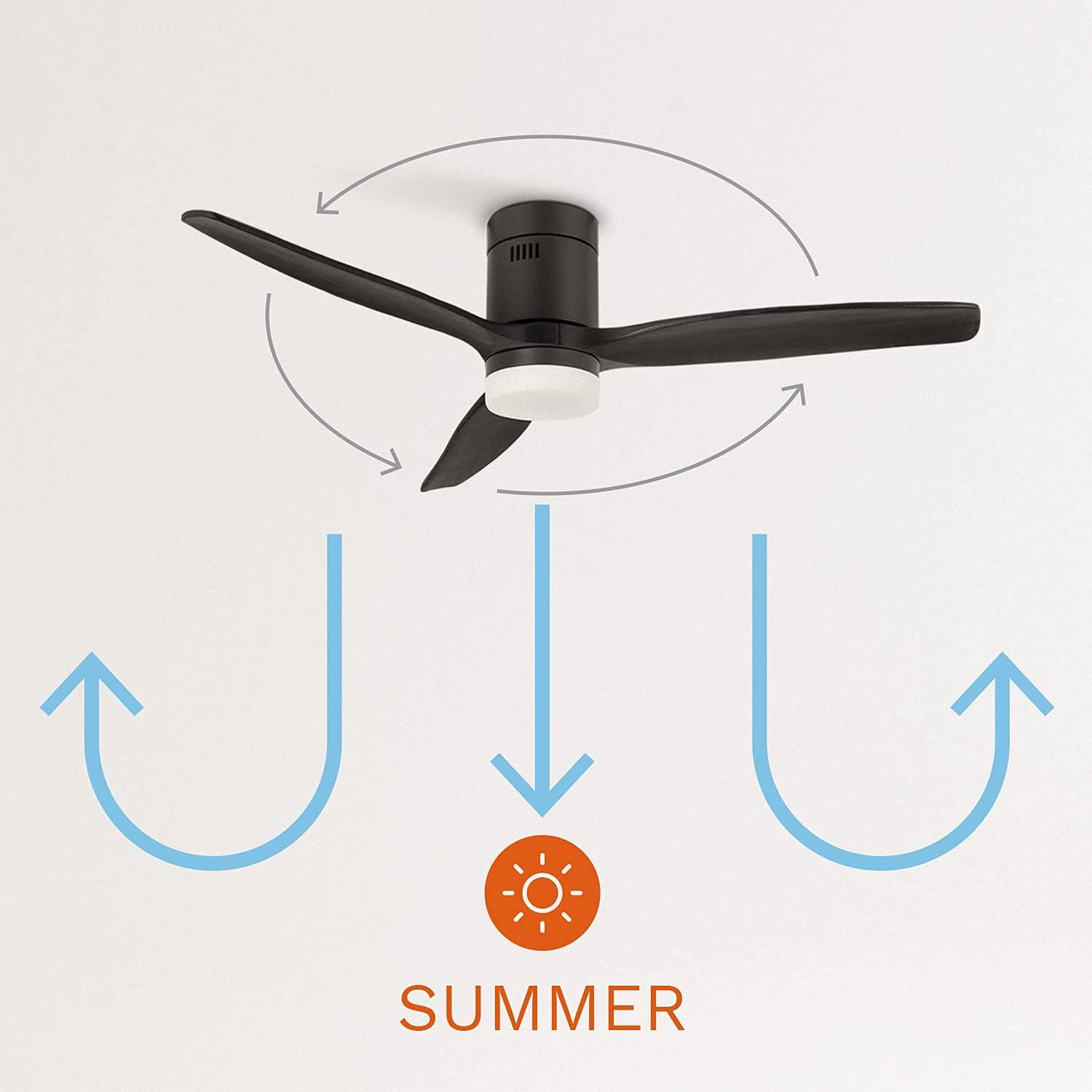
Image 5.2: Summer mode operation, circulating air downwards for cooling.
5.3 Winter Mode (Upward Airflow)
In winter mode, the fan blades rotate clockwise, drawing air upwards. This helps to redistribute warm air that collects near the ceiling, circulating it throughout the room and improving heating efficiency.
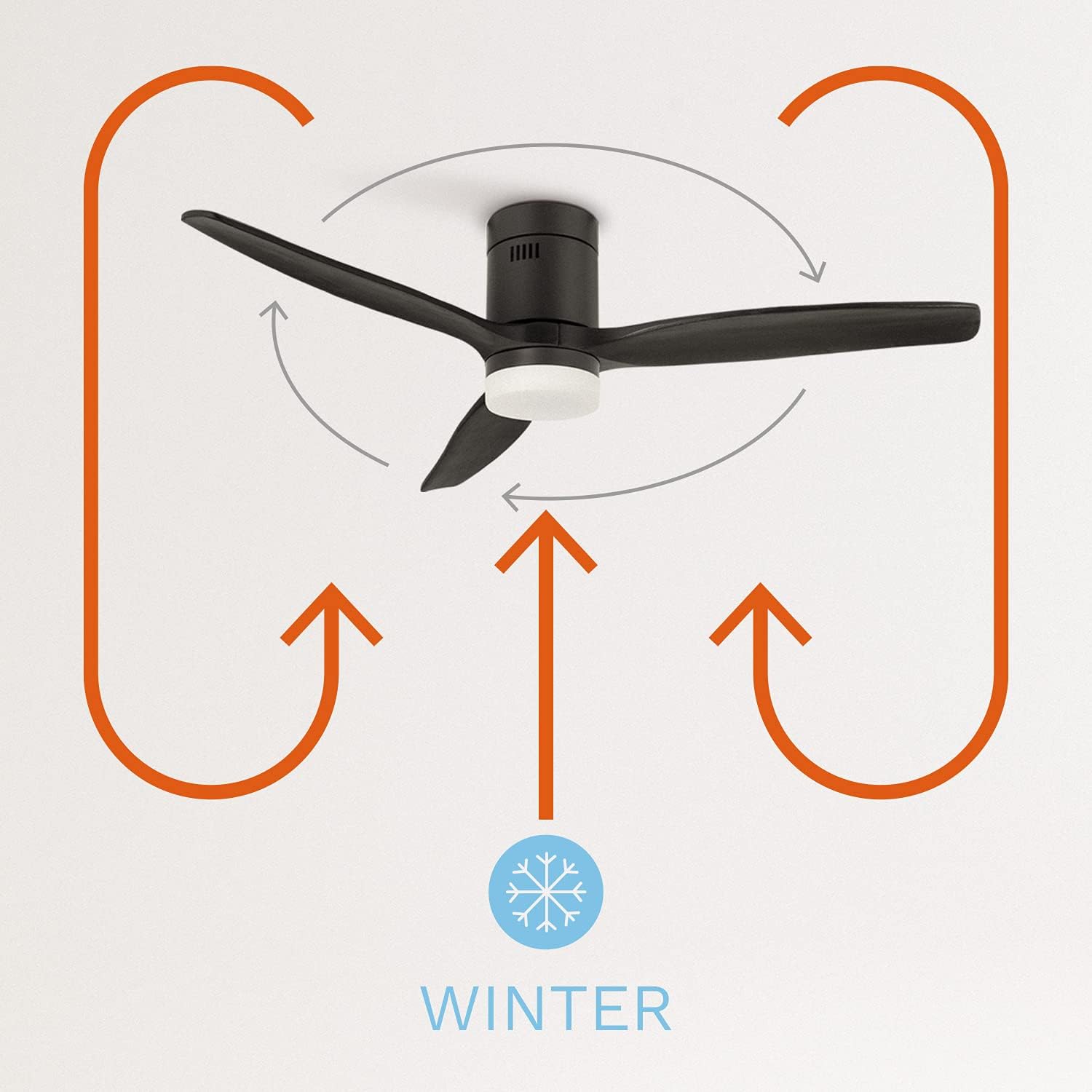
Image 5.3: Winter mode operation, circulating warm air upwards to redistribute heat.
6. תחזוקה
תחזוקה שוטפת מבטיחה ביצועים אופטימליים ואורך חיים של מאוורר התקרה שלכם.
- ניקוי: יש לנקות מעת לעת את להבי המאוורר ואת בית המנוע בעזרת מטלית רכהamp מטלית. אין להשתמש בחומרי ניקוי שוחקים או ממסים. יש לוודא שהחשמל כבוי לפני הניקוי.
- בדיקת אטימות: Annually check all screws and connections for tightness. Loose connections can cause noise and affect performance.
- מקור אור: The integrated LED light source is designed for long life. If replacement is needed, contact qualified service personnel.
7. פתרון תקלות
אם נתקלת בבעיות עם המאוורר שלך, עיין בבעיות הנפוצות ובפתרונות הבאים:
| בְּעָיָה | סיבה אפשרית | פִּתָרוֹן |
|---|---|---|
| המאוורר לא מופעל | אין ספק כוח סוללת השלט רחוק חלשה/ריקה | בדוק את המפסק החלף סוללות שלט רחוק |
| המאוורר עושה רעש מוגזם | Loose screws on blades or mounting להבים לא מאוזנים | הדקו את כל הברגים Ensure blades are properly installed and balanced |
| האור לא עובד | חיבור חיווט רופף Light source issue | בדוק את חיבורי החיווט (ניתוק החשמל) פנה לצוות השירות |
| השלט רחוק לא מגיב | סוללה חלשה/מתה חסימה בין שלט למקלט | החלף סוללות שלט רחוק הקפידו על קו ראייה ברור |
8. מפרטים
Technical specifications for the CREATE IKOHS LIGHTCALM Black Ceiling Fan:
| תכונה | מִפרָט |
|---|---|
| מותג | לִיצוֹר |
| מספר דגם | 82466_161240 |
| צֶבַע | שָׁחוֹר |
| מידות המוצר | 132 x 31.5 x 31.5 ס"מ |
| מִשׁקָל | 6 ק"ג |
| כוח / וואטtage | 40 וואט |
| כרך ידtage | 240 וולט |
| חוֹמֶר | נחושת (מנוע) |
| מספר מהירויות | 6 |
| רמת רעש | 50 דציבלים |
| תכונות מיוחדות | Remote Controlled, Timer, Reverse Function |
| שיעור יעילות אנרגטית | A+ to G (as per EU label) |

Image 8.1: EU Energy Label for a similar CREATE model, indicating energy efficiency and noise level.

Image 8.2: Product data sheet for a similar CREATE model, detailing specific energy consumption and air volume.
9. אחריות ותמיכה
Your CREATE IKOHS LIGHTCALM Black Ceiling Fan is covered by a manufacturer's warranty. Please refer to the warranty card included with your purchase for specific terms and conditions. For technical support, spare parts, or warranty claims, please contact your retailer or the CREATE customer service department.
שמור את הוכחת הרכישה שלך לצורך אימות האחריות.
Ask a question about this manual
Ask about setup, troubleshooting, compatibility, parts, safety, or missing instructions. Manuals+ will review the question and use this page’s manual context to help answer it.