
מָבוֹא
This manual provides detailed instructions for the Dr Trust 505 Smart Fitness Body Fat Composition Analyzer Weighing Scale. This device is designed to accurately measure body weight and various body composition metrics, syncing data with a mobile application for comprehensive fitness tracking and health management. Please read this manual thoroughly before using the device.

Image: Dr Trust 505 Smart Fitness Body Fat Composition Analyzer Weighing Scale, showcasinהעיצוב החלקלק והתצוגה הדיגיטלית שלו.
תוכן החבילה
ודא שכל הפריטים נמצאים בחבילה:
- 1 x Dr Trust 505 Rechargeable Smart Scale
- 1 x USB Charging Cable (Micro USB)
- 1 x מדריך למשתמש

Image: Contents of the Dr Trust 505 Smart Scale package, including the scale, USB cable, and user manual.
הגדרה
1. טעינה ראשונית
The Dr Trust 505 scale is equipped with a rechargeable battery. Before first use, ensure the scale is fully charged.
- Locate the Micro USB charging port on the side of the scale.
- Connect the provided USB charging cable to the scale and to any standard USB power source (e.g., mobile charger, power bank, computer USB port).
- Allow the scale to charge until the battery indicator on the display shows full. A full charge can last for months under standard home use.
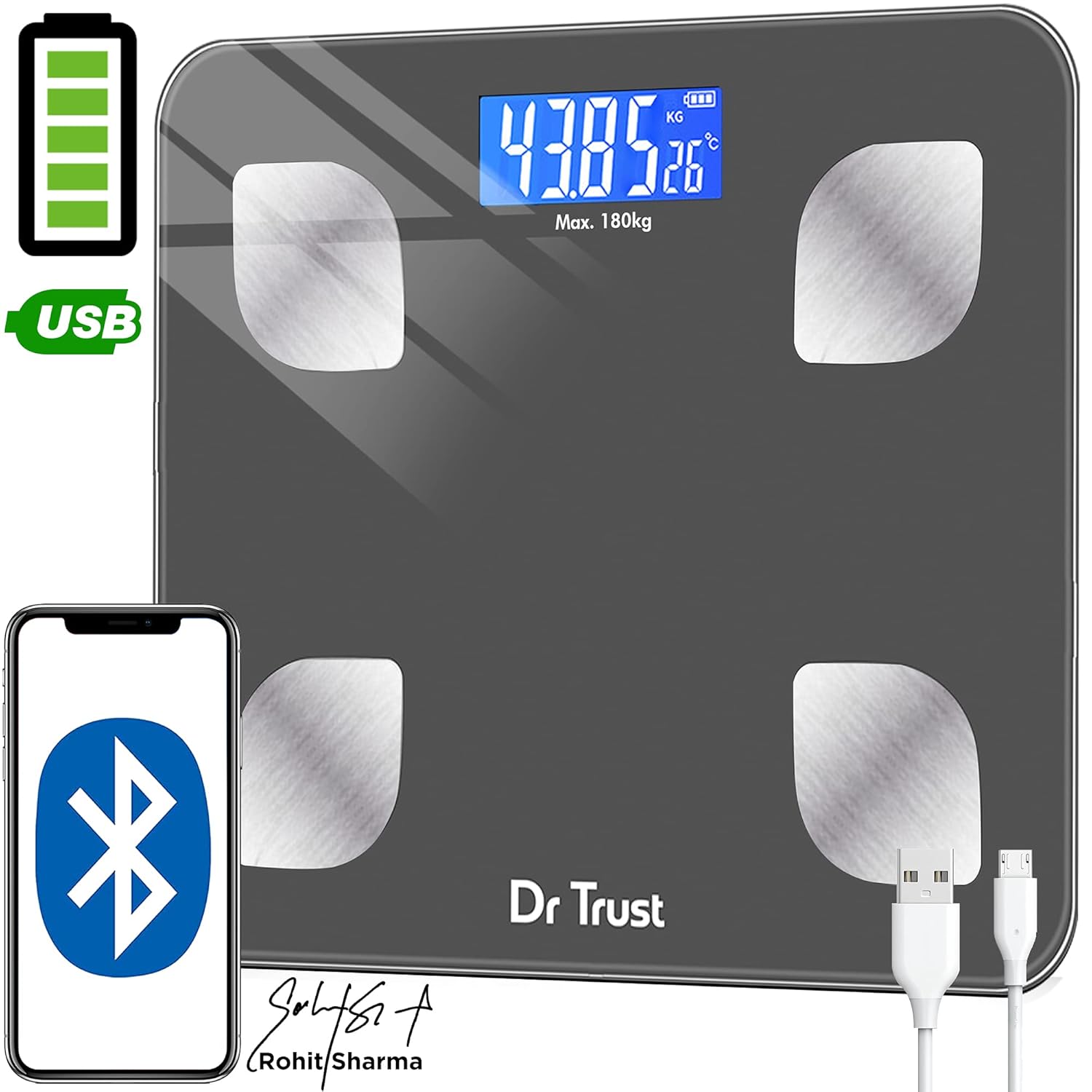
Image: Dr Trust 505 Smart Scale connected via USB cable for charging, highlighting its rechargeable feature.
2. התקנה וצימוד של אפליקציה
To utilize the full features of the Dr Trust 505 scale, including body composition analysis and data tracking, download the companion mobile application.
- הורד את ה Dr Trust 360 אפליקציה מה- חנות Google Play (למכשירי אנדרואיד) או ה- Apple App Store (עבור מכשירי iOS).
- ודא שה-Bluetooth מופעל בטלפון החכם שלך.
- Open the Dr Trust 360 app and create your user profile.
- Step onto the scale to activate it. The display will show your weight.
- Follow the in-app instructions to pair your scale with the application via Bluetooth. The app will automatically detect the scale.
- Once paired, your measurements will sync automatically to your profile in the app. The app also supports integration with Apple Health and Google Fit.

Image: Screenshot of the Dr Trust 360 app interface, showing connectivity options with Google Play, Apple App Store, Apple Health, and Google Fit.
הוראות הפעלה
1. ביצוע מדידה
- Place the scale on a hard, flat surface. Avoid carpets or uneven flooring for accurate readings.
- Step onto the scale barefoot. Ensure your feet are placed on the four metal electrodes for body composition analysis.
- The scale will automatically power on and display your weight. Remain still until the reading stabilizes.
- If connected to the Dr Trust 360 app, your weight and other body composition metrics will automatically sync to your profile.
2. הבנת מדדי הרכב גוף
The Dr Trust 505 scale, in conjunction with the Dr Trust 360 app, measures up to 16 essential body metrics:
- משקל גוף
- BMI (מדד מסת הגוף)
- אחוז שומן בגוףtage
- מסת שריר
- מסת עצם
- אחוז מי גוףtage
- שומן קרביים
- שומן תת עורי
- קצב חלבון
- BMR (קצב חילוף חומרים בסיסי)
- BFR (Body Fat Rate)
- Fat-Free Weight
- שריר השלד
- גיל הגוף
- עידן חילוף החומרים
- רמת השמנת יתר

Image: Visual representation of the 16 essential body metrics measured by the Dr Trust 505 Smart Scale and tracked in the app.
3. Multiple User Support
The Dr Trust 360 app supports up to 8 user profiles, allowing multiple family members or individuals to track their data separately on the same scale.
- Each user creates their own profile בתוך האפליקציה.
- The app intelligently recognizes users based on their weight and previous measurements.
- Data is synced to the respective user's profile, ensuring personalized tracking.

Image: Illustration showing how one Dr Trust 505 Smart Scale can be used by multiple users, with data shared via the app.
4. שינוי יחידות מידה
The scale allows you to switch between different weight units (e.g., kilograms, pounds). Look for a "Unit" button, usually on the underside or side of the scale, to toggle between units.

תמונה: תקריב view of the Dr Trust 505 Smart Scale showing the unit button, micro USB charging port, and display indicators.
תַחזוּקָה
1. ניקוי המשקל
- נגבו את משטח המשקל בעזרת מטלית רכהamp בַּד.
- אין להשתמש בחומרי ניקוי שוחקים, כימיקלים חזקים או לטבול את המשקל במים.
- ודאו שהמשקל יבש לפני האחסון או השימוש הבא.
2. אחסון
- אחסן את האבנית במקום קריר ויבש.
- הימנעו מטמפרטורות קיצוניות או מאור שמש ישיר.
- אין להניח חפצים כבדים על המשקל כאשר אינו בשימוש.
פתרון בעיות
| בְּעָיָה | סיבה אפשרית | פִּתָרוֹן |
|---|---|---|
| "Lo" מוצג על המסך | סוללה חלשה. | Recharge the scale using the provided USB cable. |
| "לִטְעוֹת" מוצג על המסך | עומס יתר או שגיאת מדידה. | The weight exceeds the maximum capacity (180 kg). Step off the scale. If the error persists, ensure the scale is on a flat, stable surface. |
| קריאות לא מדויקות או משתנות |
|
|
| Scale does not connect to app |
|
|
מפרטים
- דֶגֶם: 505 (IHJ00004)
- מותג: ד"ר אמון
- מידות המוצר: 32 x 28 x 4 ס"מ
- משקל פריט: 1.5 ק"ג (1500 גרם)
- חוֹמֶר: זכוכית מחוסמת
- סוג תצוגה: LCD
- קיבולת משקל: Maximum 180 Kilograms
- דיוק הקריאה: 0.01 ק"ג
- מקור כוח: Rechargeable Battery (USB Micro-B)
- קישוריות: בלוטות'
- חיישנים: 4 High Precision Sensors
- ארץ מוצא: הוֹדוּ
אחריות ותמיכה
למידע בנוגע לאחריות, תמיכה טכנית או שאלות בנוגע לשירות, אנא צרו קשר ישירות עם היצרן.
- יַצרָן: Nureca Limited
- כְּתוֹבֶת: B2-166, Time Square, 7th and 8th Floor, CTS No 349 and 349-1, Western Express Highway, Andheri East, Mumbai, Mumbai City, Maharashtra, 400069, India
- מספר איש קשר: 7527013265
אנא שמור את קבלת הרכישה שלך כהוכחת קנייה עבור כל תביעת אחריות.