
1. הקדמה
Thank you for choosing the Awei A831BL Bluetooth In-Ear Headset. This manual provides essential information for the safe and efficient use of your device. Please read it carefully before use and retain it for future reference.
The Awei A831BL is a wireless in-ear headset designed for mobile phone use, offering up to 8 hours of continuous talk and music playback. It features pure, high-quality bass sound and is suitable for various activities.
2. תכולת החבילה
אנא בדקו את החבילה עבור הפריטים הבאים:
- Awei A831BL Bluetooth In-Ear Headset
- כבל טעינה USB
- קצות אוזניים (גדלים שונים)
- מדריך למשתמש
3. המוצר נגמרview
Familiarize yourself with the components of your Awei A831BL headset.
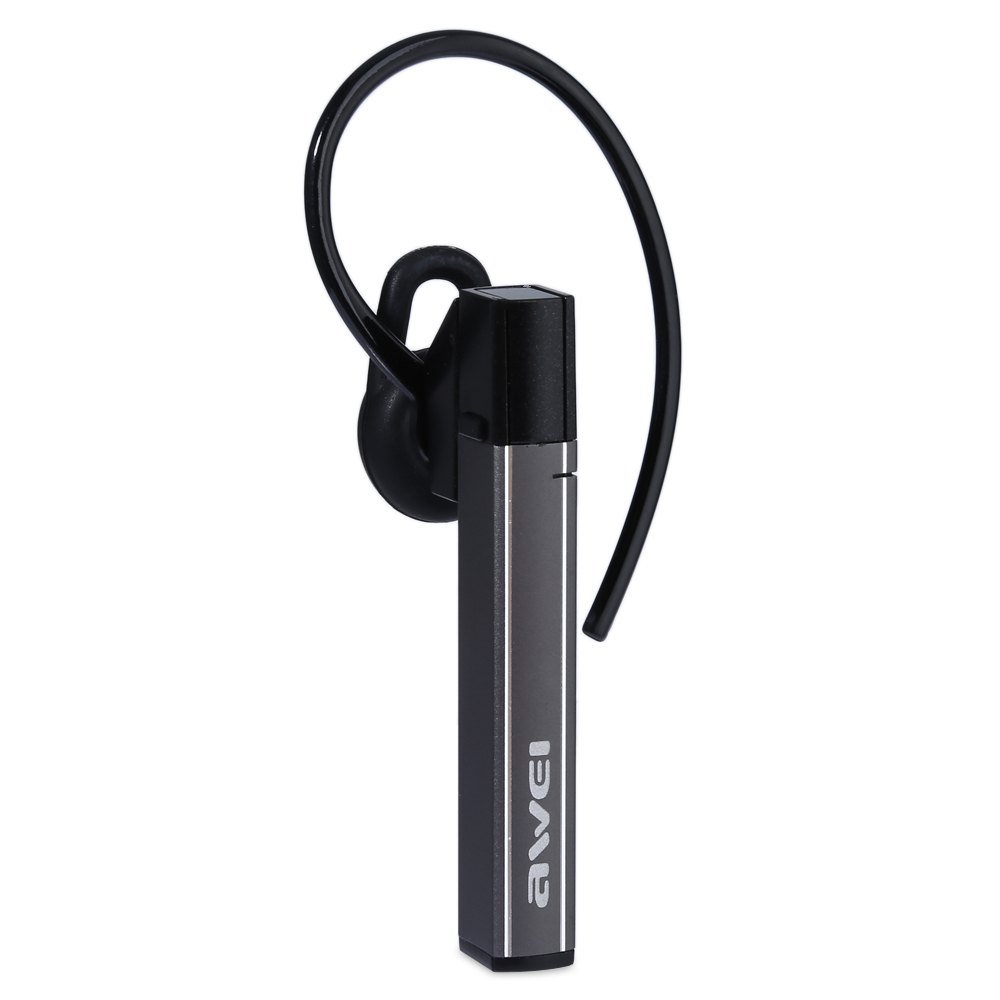
Image: The Awei A831BL Bluetooth In-Ear Headset in grey, showing the earbud design and inline controls.
The headset features an ergonomic in-ear design for comfortable wear, especially during activities. It includes an integrated microphone for hands-free calls and inline controls for managing audio and calls.
4. התקנה
4.1 טעינת האוזניות
- חבר את כבל הטעינה USB ליציאת הטעינה באוזניות.
- חבר את הקצה השני של כבל ה-USB לספק כוח USB (לא כלול) או ליציאת ה-USB של המחשב.
- The indicator light will illuminate (e.g., red) during charging.
- Once fully charged, the indicator light will change (e.g., turn blue or turn off).
A full charge provides up to 8 hours of talk or music playback time.
4.2 זיווג בלוטות '
- ודא שהאוזניות טעונות במלואן וכבויות.
- Press and hold the Multi-function button (usually the center button on the inline control) for approximately 5-7 seconds until the indicator light flashes red and blue alternately, indicating pairing mode.
- On your mobile phone or Bluetooth-enabled device, enable Bluetooth and search for available devices.
- בחר "Awei A831BL" מרשימת המכשירים שנמצאו.
- אם תתבקש להזין סיסמה, הזן "0000" (ארבעה אפסים).
- Once successfully paired, the indicator light will flash blue slowly, and you may hear a confirmation tone.
האוזניות ינסו להתחבר מחדש באופן אוטומטי למכשיר האחרון שצומד לאחר הפעלתן.
5. הוראות הפעלה
5.1 הפעלה/כיבוי
- הפעלה: Press and hold the Multi-function button for about 3 seconds until the blue indicator light flashes.
- כיבוי: Press and hold the Multi-function button for about 3-4 seconds until the red indicator light flashes briefly and then turns off.
5.2 השמעת מוזיקה
- הפעל/השהה: לחץ פעם אחת על כפתור הרב-פונקציה.
- הגבר קול: לחץ על כפתור '+'.
- להנמיך קול: לחץ על כפתור '-'.
- הרצועה הבאה: לחץ והחזק את כפתור '+'.
- רצועה קודמת: לחץ והחזק את כפתור '-'.
5.3 ניהול שיחות
- תשובה לשיחה: לחץ פעם אחת על כפתור הרב-תכליתי כאשר מתקבלת שיחה.
- סיום שיחה: לחץ על לחצן הרב-תכליתי פעם אחת במהלך שיחה.
- דחה שיחה: Press and hold the Multi-function button for about 2 seconds when a call comes in.
- חיוג חוזר למספר האחרון: לחץ פעמיים על כפתור הרב פונקציות.
The integrated microphone allows for clear hands-free communication.
6. תחזוקה
- נקו את האוזניות באופן קבוע בעזרת מטלית רכה ויבשה.
- Avoid exposing the headset to extreme temperatures, humidity, or corrosive substances.
- אל תנסה לפרק או לשנות את האוזניות, שכן פעולה זו תגרום לביטול האחריות ועלולה לגרום נזק.
- יש לאחסן את האוזניות במקום קריר ויבש כאשר אינן בשימוש.
7. פתרון תקלות
| בְּעָיָה | פִּתָרוֹן |
|---|---|
| האוזניות לא נדלקות. | ודא שהאוזניות טעונות במלואן. חבר אותן למקור חשמל ונסה שוב. |
| לא ניתן לבצע התאמה עם מכשיר. | Ensure the headset is in pairing mode (flashing red and blue). Turn off and on your device's Bluetooth. Move closer to the device. Clear previous Bluetooth connections on your device. |
| אין צליל או עוצמת קול נמוכה. | בדוק את עוצמת הקול הן באוזניות והן במכשיר המחובר. ודא שהאוזניות מחוברות כראוי. |
| איכות שיחה ירודה. | Ensure the microphone is not obstructed. Move to an area with less interference. Check your phone's signal strength. |
8. מפרטים
| תכונה | פְּרָט |
|---|---|
| מותג | אווי |
| מספר דגם | A831BL |
| צֶבַע | אָפוֹר |
| טכנולוגיית קישוריות | אלחוטי (Bluetooth) |
| סוג אוזניות | בתוך האוזן |
| מִיקרוֹפוֹן | כֵּן |
| ביטול רעשים | לֹא |
| חיי סוללה | Up to 8 hours (talk/music) |
| תכונות סאונד | Pure, high-quality bass sound |
| חוֹמֶר | פּלָסטִי |
| מכשירים תואמים | טלפונים ניידים |
9. אחריות ותמיכה
Awei products are designed and manufactured to the highest quality standards. For warranty information and customer support, please refer to the warranty card included in your package or contact your local retailer. Keep your purchase receipt as proof of purchase.
For further assistance, please visit the official Awei webלאתר או לפנות למחלקת שירות הלקוחות שלהם.