
מָבוֹא
The Divoom Ditoo Pro is a versatile mini Bluetooth speaker featuring a 16x16 LED app-controlled pixel art screen. It functions as a portable speaker, a customizable display for pixel art, a clock, and a mood light. This device is designed to enhance your desk or bedside environment with both audio and visual functionality.
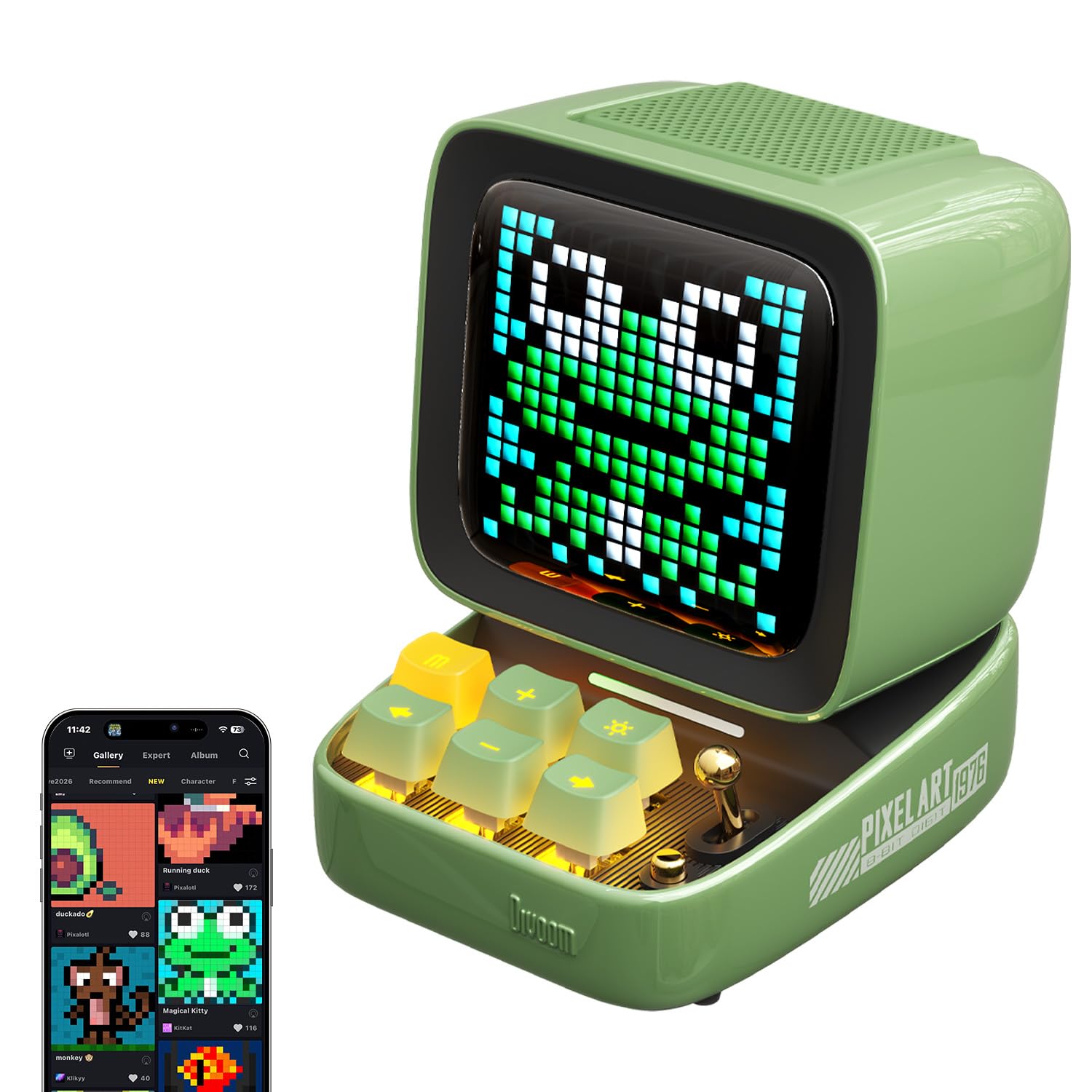
Image: The Divoom Ditoo Pro speaker in green, showcasing its retro computer design with a pixel art display.
מה יש בקופסה
ודא שכל הפריטים נמצאים בעת פתיחת הקופסה:
- Divoom Ditoo Pro Speaker
- כבל טעינה USB-C
- מדריך למשתמש
- מיני מיקרופון אלחוטי
הגדרה
1. הפעלה
To power on the Ditoo Pro, press and hold the power button located on the device until the screen illuminates.
2. זיווג Bluetooth
- הפעל את Bluetooth במכשיר הנייד שלך.
- חפש 'Ditoo Pro' in the list of available Bluetooth devices and select it to pair.
- Download and install the official Divoom app from your device's app store.
- Open the Divoom app and follow the on-screen instructions to connect to your Ditoo Pro speaker. This step is crucial for accessing all smart features and customization options.
Video: An official Divoom video demonstrating the product's functions and app connectivity.
הוראות הפעלה
1. Pixel Art Customization
Utilize the Divoom app to create and display custom pixel art. You can draw your own designs, send personalized messages, or select from a vast online gallery of community-created pixel art and seasonal themes.

Image: A user interacting with the Divoom app on a smartphone to customize pixel art displayed on the Ditoo Pro speaker.

Image: The Divoom Ditoo Pro displaying a pixel art frog, illustrating the vibrant community designs available through the app.
2. השמעת שמע
Connect your device via Bluetooth to stream music. The Ditoo Pro delivers rich, clear audio suitable for various listening environments. It also supports music playback via TF card and USB-C audio input.

Image: An internal diagram of the Divoom Ditoo Pro, highlighting its 15W driver and passive radiators for enhanced sound quality.
3. פונקציות חכמות
The Divoom app unlocks several smart features:
- שעון מעורר: Set gentle alarms with customizable sounds.
- רעש לבן: Access built-in white noise options for relaxation or sleep.
- טיימר פומודורו: Utilize the Pomodoro-style focus timer for productivity.
- תזכורות: Set hydration or break reminders.
- סטוֹפֶּר: A built-in stopwatch function is available.
- מיני-משחקים: Play retro pixel games directly on the screen.

Image: The Divoom Ditoo Pro showcasing its multi-functional capabilities with icons for games, notifications, alarms, voice memos, white noise, time planner, and RGB lighting.
4. בקרות פיזיות
The device features mechanical-style keys and a joystick for direct interaction. These controls allow for navigation through menus, adjusting volume, changing display modes, and playing games without needing the app.
תַחזוּקָה
- ניקוי: השתמשו במטלית רכה ויבשה לניקוי המכשיר. הימנעו מחומרי ניקוי שוחקים או ממסים.
- אִחסוּן: Store the Ditoo Pro in a cool, dry place when not in use.
- טיפול בסוללה: For optimal battery life, avoid fully discharging the device frequently. Recharge with the provided USB-C cable.
פתרון בעיות
- המכשיר לא מופעל: ודא שהמכשיר טעון. חבר אותו למקור חשמל באמצעות כבל USB-C.
- בעיות התאמת Bluetooth: Make sure Bluetooth is enabled on your mobile device and the Ditoo Pro is within range. Try restarting both devices.
- אין צליל: Check the volume levels on both the Ditoo Pro and your connected device. Ensure the speaker is not muted.
- בעיות קישוריות לאפליקציה: Verify that the Divoom app is updated to the latest version. Restart the app and the Ditoo Pro.
מפרטים
| מותג | דיבום |
| שם הדגם | Ditoo Pro |
| סוג רמקול | סאב וופר |
| טכנולוגיית קישוריות | בלוטות' |
| טכנולוגיית תקשורת אלחוטית | בלוטות' |
| תכונה מיוחדת | Display, Smart APP Control |
| מקור כוח | מופעל על סוללה |
| קיבולת סוללה | 5000 מיליamp שעות |
| זמן טעינה | 4 שעות |
| רמקול כוח פלט מרבי | 15 וואט |
| תגובת תדר | 30 הרץ |
| יחס אות לרעש | 80 dB |
| טווח בלוטות' | 10 מטר |
| מידות המוצר | 4.49" D x 3.54" W x 4.76" H |
| משקל פריט | 1.18 פאונד (533 גרם) |
| חוֹמֶר | פּלָסטִי |
| צֶבַע | יָרוֹק |

Image: The Divoom Ditoo Pro speaker with its key dimensions indicated.
אחריות ותמיכה
The Divoom Ditoo Pro comes with a limited warranty. For detailed warranty information, product support, or service inquiries, please refer to the official Divoom website or contact their customer service directly. Our support team is available to assist with any questions or issues you may encounter.