Welcome to your XClear Wireless Earbuds user manual. This guide provides essential information for setting up, operating, and maintaining your earbuds to ensure optimal performance and longevity. Please read this manual thoroughly before using your device.
מה יש בקופסה
נרתיק טעינה אלחוטי
אוזניים (בגדלים שונים)
מדריך למשתמש
2. המוצר נגמרview
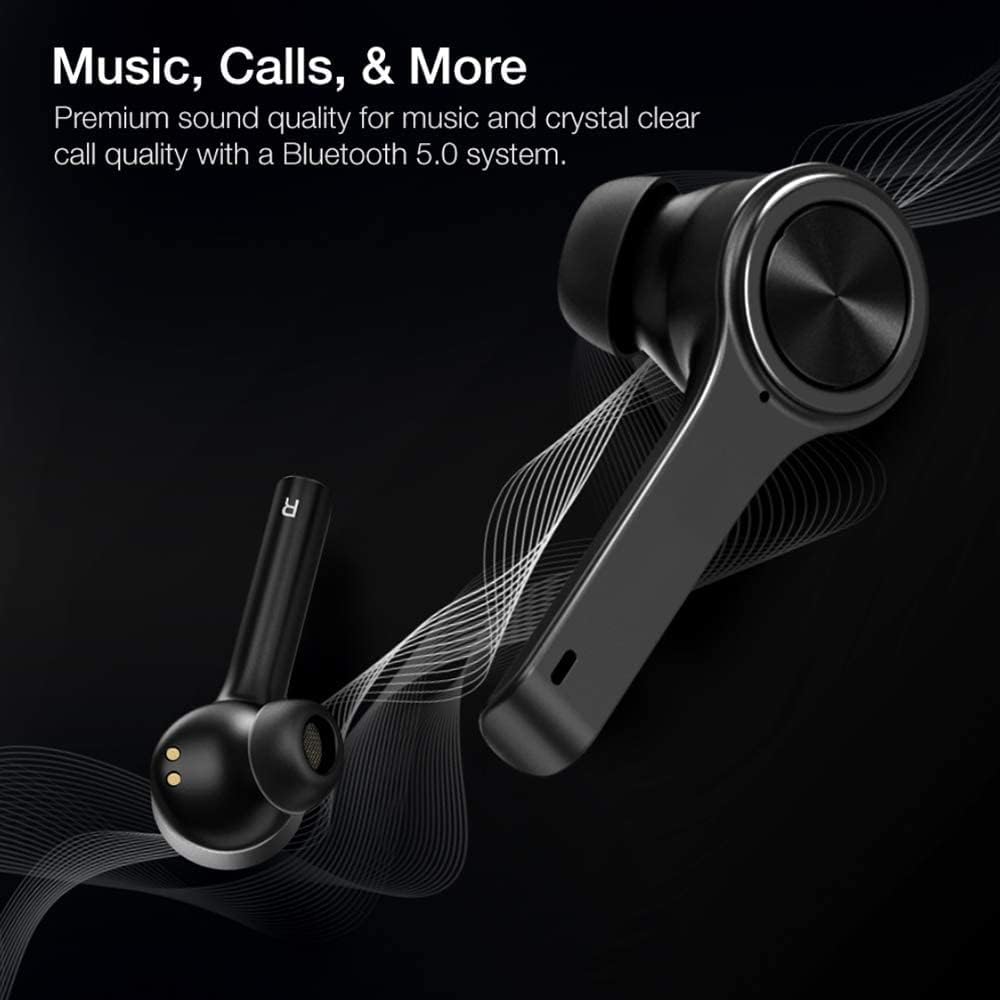
The XClear Wireless Earbuds (Model TT000082) are designed for an immersive audio experience with advanced features for convenience and durability. They feature Bluetooth 5.0 technology for stable connections and clear audio.
תכונות מפתח
איכות צליל פרימיום: Enjoy clear music and calls via Bluetooth 5.0.
התאמה מהירה: Quick and easy connection by opening the charging case.
מארז טעינה קומפקטי: Portable case with a digital LED battery indicator.
התאמה נוחה: Ergonomic design for a secure fit during daily use and sports.
עמידות בפני זיעה (IPX5): Designed to withstand sweat and light splashes.
Image: XClear Wireless Earbuds and Charging Case. The earbuds are shown alongside their compact charging case, highlighting their sleek design.
Image: A person running while wearing XClear Wireless Earbuds, demonstrating a secure and comfortable fit during physical activity. A close-up inset shows an earbud in an ear.
3. התקנה
טעינה ראשונית
Before first use, fully charge the earbuds and the charging case. Place the earbuds into the charging case. Connect the charging case to a power source using a compatible USB-C cable. The digital LED battery indicator on the case will show the charging progress. A full charge provides up to 5 hours of playtime for the earbuds and an additional 14 hours with the charging case.
Image: The XClear Wireless Earbuds charging case displaying battery life. Graphics indicate 5 hours of playtime for earbuds and 14 hours with the case.
התאמה למכשיר שלך
ודא שהאוזניות טעונות.
Open the charging case. The earbuds will automatically enter pairing mode, indicated by bright LED lights.
בטלפון החכם או במכשיר התומך ב-Bluetooth שלך, עבור אל הגדרות Bluetooth.
Select "XClear Earbuds" from the list of available devices to connect.
Once connected, the LED lights on the earbuds will indicate a successful pairing.
Selecting the Right Eartips
For optimal sound quality and comfort, select the eartips that best fit your ear canals. An improper fit may result in reduced sound quality or call performance. Experiment with the different sizes provided to find the most snug and secure fit.
4. הוראות הפעלה
מגע בפקדים
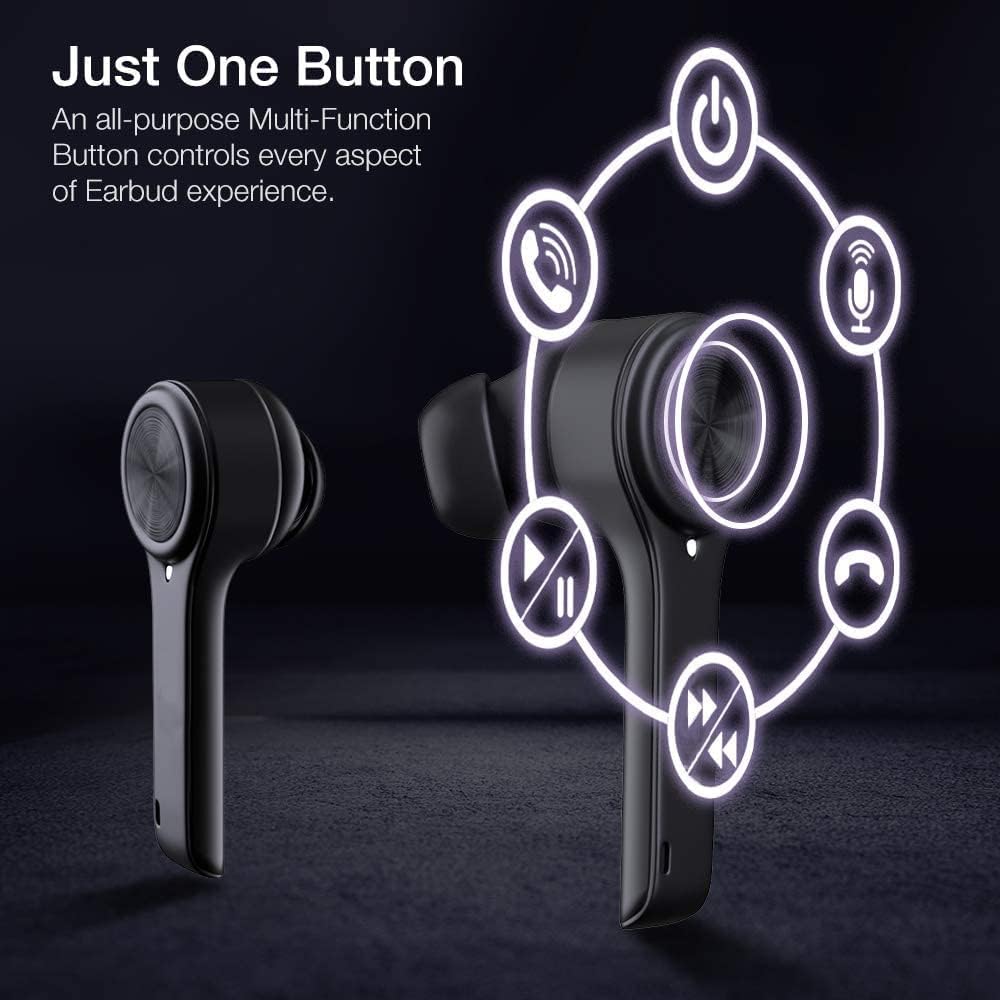
The XClear Wireless Earbuds feature intuitive touch controls for managing your audio and calls:
הפעל/השהה: הקשה אחת על אחת האוזניות.
הרצועה הבאה: הקש פעמיים על האוזניה הימנית.
רצועה קודמת: הקש פעמיים על האוזניה השמאלית.
מענה/סיום שיחה: נגיעה אחת על כל אחת מהאוזניות במהלך שיחה נכנסת.
דחה שיחה: לחץ והחזק את כל אחת מהאוזניות למשך 2 שניות במהלך שיחה נכנסת.
הפעל את Assistant Voice: הקש שלוש פעמים על כל אחת מהאוזניות.
Image: A diagram illustrating the multi-function touch controls on the XClear Earbuds, showing icons for power, calls, microphone, play/pause, and track skipping.
Dual Mode Listening
You can use the XClear Wireless Earbuds in either Stereo Mode (both earbuds) or Single Ear Mode (one earbud). To properly use Single Ear Mode, ensure the unused earbud is placed in the charging case and the lid is closed.
Image: A man wearing a single XClear earbud, demonstrating the dual mode listening feature. The text indicates the ability to switch between stereo and single ear mode.
5. תחזוקה
ניקוי ואחסון
נקו באופן קבוע את האוזניות ואת נרתיק הטעינה בעזרת מטלית רכה ויבשה.
הימנע משימוש בכימיקלים קשים או חומרים שוחקים.
אחסנו את האוזניות בנרתיק הטעינה שלהן כאשר אינן בשימוש כדי להגן עליהן מפני אבק ונזק.
טיפול בסוללה
כדי להאריך את חיי הסוללה, הימנעו מפריקת האוזניות ומארז הטעינה באופן מלא לעתים קרובות.
Charge the device using only the provided cable or a certified USB-C charger.
אין לחשוף את המכשיר לטמפרטורות קיצוניות.
Image: A close-up of an XClear earbud with water droplets, illustrating its sweatproof and water-resistant design.
6. פתרון תקלות
בעיות נפוצות ופתרונות
האוזניות לא נטענות: Ensure the charging cable is securely connected to both the case and the power source. Verify that the earbuds are correctly seated in the charging case. Check the charging case's battery level.
אוזניות לא מתחברות: Make sure Bluetooth is enabled on your device. Place the earbuds back in the case, close the lid, then open it again to re-enter pairing mode. If issues persist, try forgetting the device in your Bluetooth settings and re-pairing.
איכות סאונד ירודה: Ensure the eartips provide a snug fit in your ear canals. Clean any debris from the earbud speakers. Check the audio source for quality issues.
אוזניה אחת לא עובדת: Place both earbuds back into the charging case, close the lid, and then open it again. This often re-syncs them. If the issue continues, try resetting the earbuds (refer to the full manual for specific reset instructions if available).
XClear offers a 1-Year Warranty on this product. Please retain your proof of purchase for warranty claims. For detailed terms and conditions, refer to the official XClear webאתר או צור קשר עם תמיכת הלקוחות.
תמיכת לקוחות
For further assistance, technical support, or warranty inquiries, please visit the XClear official website or contact their customer service department. Contact details can typically be found on the product packaging or the brand's webאֲתַר.
Ask a question about this manual
Ask about setup, troubleshooting, compatibility, parts, safety, or missing instructions. Manuals+ will review the question and use this page’s manual context to help answer it.