
1. הקדמה
Thank you for choosing the CREATE NETBOT S15 Robot Vacuum Cleaner. This manual provides essential information for the safe operation, maintenance, and troubleshooting of your device. Please read it thoroughly before first use and retain it for future reference.
המוצר נגמרview

The image above displays the CREATE NETBOT S15 Robot Vacuum Cleaner, its dedicated remote control, and a smartphone screen showing the companion application interface. The robot is black with a textured top surface and a central green power button. The remote control features a digital display and various control buttons. The app shows a map of a cleaned area.
The NETBOT S15 is designed to simplify your cleaning routine, offering multiple cleaning modes and smart features for efficient floor maintenance.
2. הוראות בטיחות
כדי להבטיח פעולה בטוחה ולמנוע נזק, אנא הקפידו על אמצעי הזהירות הבאים:
- קרא את כל ההוראות לפני השימוש במכשיר.
- אין לאפשר לילדים להפעיל את שואב האבק הרובוטי. יש לפקח על ילדים וחיות מחמד כאשר הרובוט פועל.
- Ensure the charging base is placed against a wall on a hard, level surface, with adequate clear space around it.
- הרחק שיער, בגדים רפויים, אצבעות וכל חלקי הגוף מפתחים וחלקים נעים.
- אין להרים חפצים גדולים, חפצים חדים, נוזלים או חומרים בוערים/מעשנים.
- אין להשתמש ברובוט בסביבות רטובות או על משטחים רטובים.
- הסר כבלי חשמל, חפצים קטנים ופריטים שבירים מהרצפה לפני ההפעלה כדי למנוע הסתבכות או נזק.
- Use only the original charger and battery provided by the manufacturer.
- Do not modify or attempt to repair the robot vacuum yourself. Contact qualified service personnel for repairs.
3. תכולת החבילה
ודא שכל הרכיבים נמצאים בחבילה:

The image shows the retail box for the CREATE NETBOT S15 Robot Vacuum Cleaner, indicating the product and its key features.
- שואב אבק רובוטי CREATE NETBOT S15
- בסיס טעינה
- מתאם מתח
- שְׁלַט רָחוֹק
- פח אשפה (קיבולת 600 מ"ל)
- מיכל מים (קיבולת 400 מ"ל)
- Side Brushes (2 + 2 replacements)
- HEPA Filter (1 + 1 replacement)
- Cleaning Mop (1 + 1 replacement)
- מברשת ניקוי
- רצועה מגנטית
- מדריך למשתמש
4. התקנה
4.1 מיקום בסיס הטעינה

The image shows the CREATE NETBOT S15 Robot Vacuum Cleaner correctly docked on its charging station, indicating proper placement for recharging.
- הנח את בסיס הטעינה כנגד קיר באזור פתוח.
- Ensure there is at least 1 meter (3 feet) of clear space on both sides of the charging base and 2 meters (6 feet) in front of it.
- חברו את ספק הכוח לבסיס הטעינה וחברו אותו לשקע בקיר.
- Ensure the power indicator light on the charging base is illuminated.
4.2 טעינה ראשונית

This image depicts the CREATE NETBOT S15 Robot Vacuum Cleaner positioned near its charging dock in a room, ready for or undergoing charging.
Before first use, fully charge the robot vacuum. Place the robot onto the charging base, ensuring the charging contacts align. The indicator light on the robot will show charging status. A full charge typically takes 4-5 hours.
4.3 התקנה וחיבור של אפליקציה
The CREATE NETBOT S15 can be controlled via a smartphone application, compatible with Alexa and Google Home.
- Download the official CREATE app from your smartphone's app store.
- רשום חשבון והיכנס.
- Follow the in-app instructions to add your NETBOT S15 device. This typically involves putting the robot into pairing mode and connecting it to your home Wi-Fi network.
- Once connected, you can program cleaning schedules, select cleaning modes, and monitor the robot's status from your phone.
- For voice control, link the CREATE app with your Alexa or Google Home account through their respective applications.
5. הוראות הפעלה
5.1 מצבי ניקוי
The NETBOT S15 offers four cleaning functions:
- לְטַאטֵא: Uses side brushes to gather debris.
- ואקום: Utilizes suction power to collect dust and dirt. Features up to 1500 Pa suction power with adjustable levels.
- לְנַגֵב: Wipes floors with a damp cloth from the water tank.
- לִשְׁטוֹף: Combines sweeping, vacuuming, and mopping for comprehensive cleaning.

This image illustrates the CREATE NETBOT S15 Robot Vacuum Cleaner actively cleaning under a sofa, demonstrating its ability to reach confined spaces. Two dogs are visible in the foreground, suggesting a pet-friendly environment.
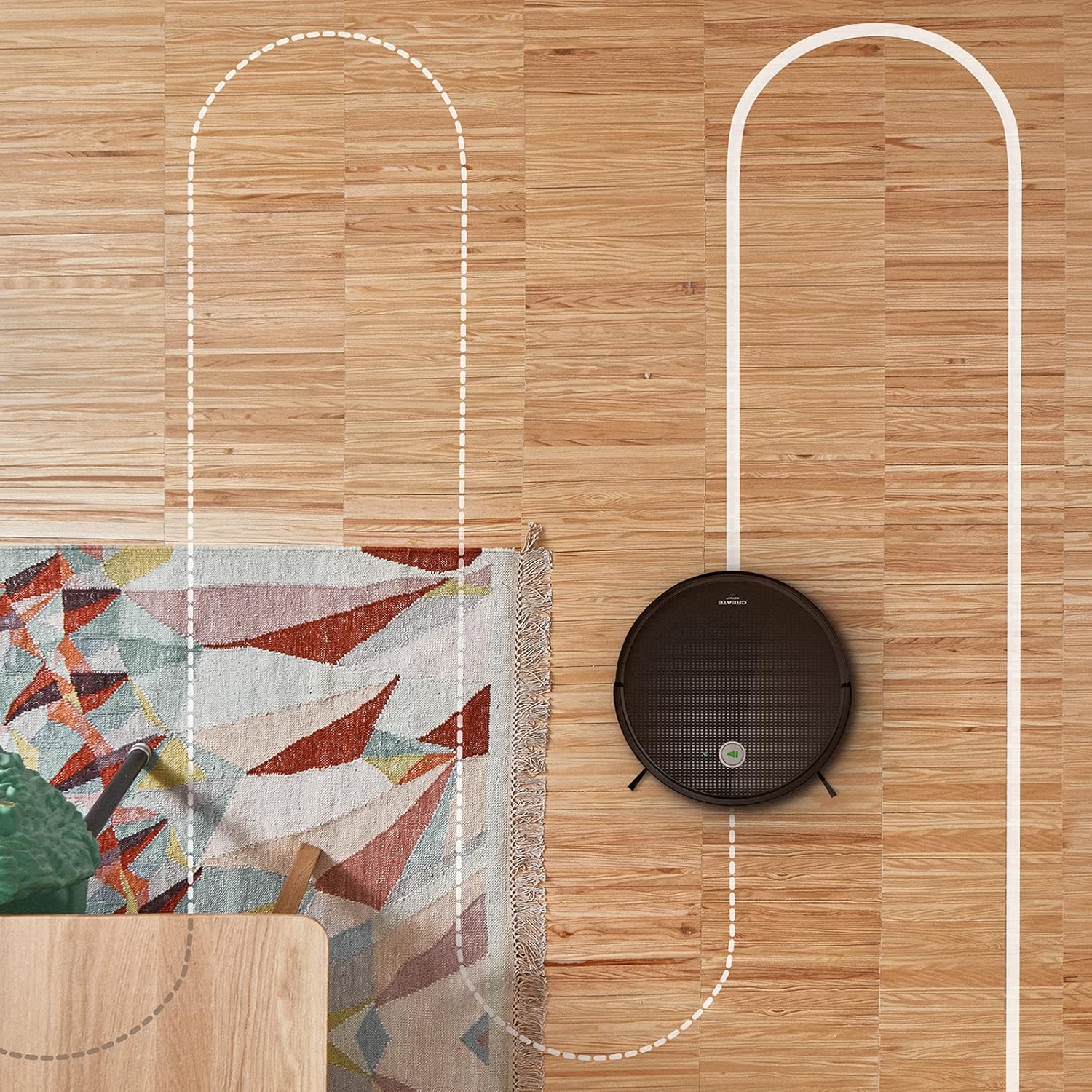
מטוס view shows the CREATE NETBOT S15 Robot Vacuum Cleaner moving across a wooden floor, with a dotted line indicating its systematic cleaning path, highlighting its gyroscopic navigation.
5.2 שימוש בשלט רחוק
The included remote control allows for direct operation of the robot vacuum. Refer to the remote control diagram in your quick start guide for button functions. Common functions include:
- התחל / השהה ניקוי
- חזור לבסיס טעינה
- Directional Control (manual steering)
- ניקוי נקודתי
- ניקוי קצה
- הגדרת לוח זמנים
5.3 Magnetic Strip Usage
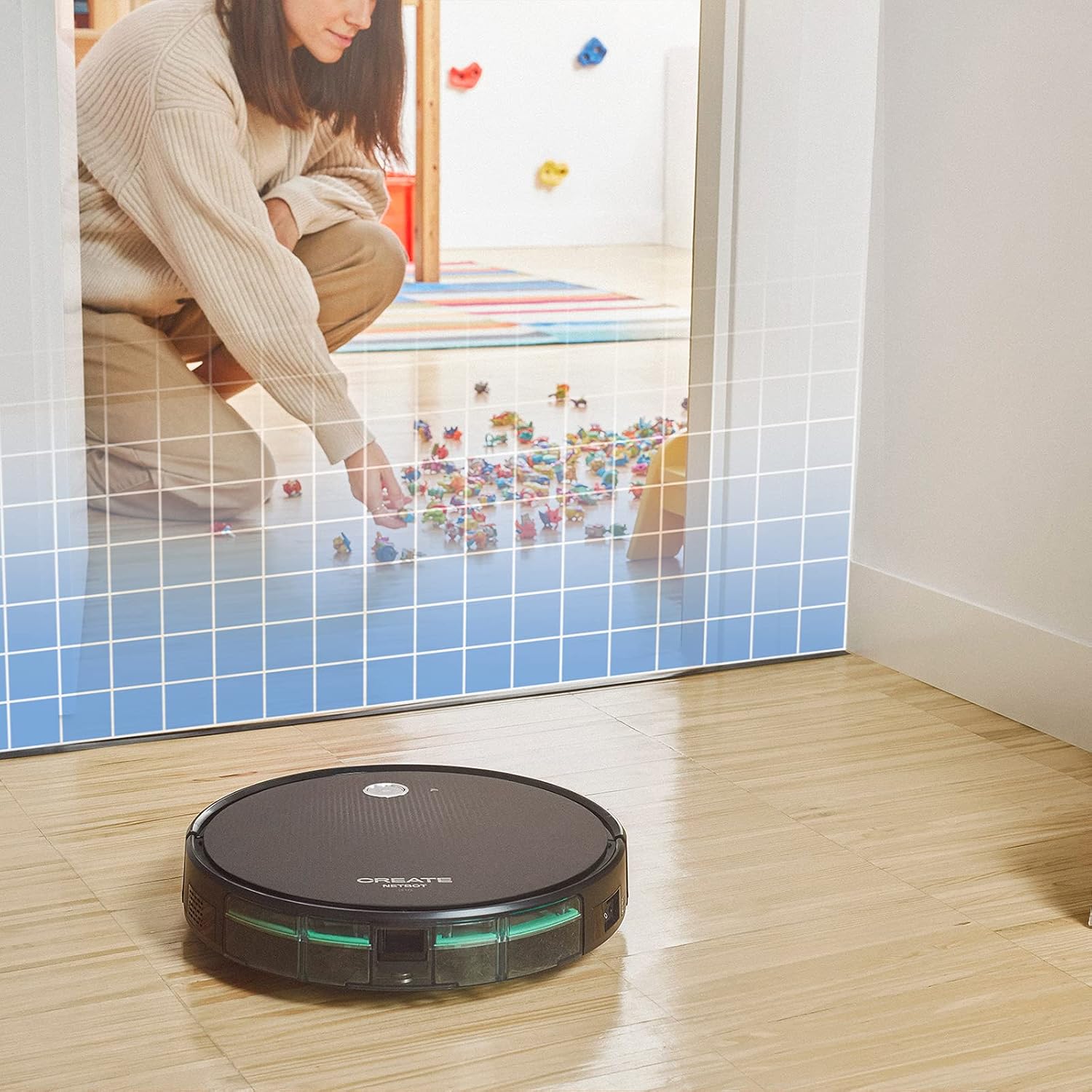
This illustration demonstrates the CREATE NETBOT S15 Robot Vacuum Cleaner approaching a virtual boundary, represented by a grid, which prevents it from entering a specific area, such as where toys are located.
Use the provided magnetic strip to create virtual boundaries that the robot will not cross. Place the strip on the floor to delimit areas where the robot should not enter, such as pet feeding zones or areas with delicate items.
5.4 חיי סוללה
The NETBOT S15 is equipped with a long-lasting LG Lithium battery, providing up to 120 minutes of cleaning autonomy on a single charge, depending on the selected power mode.
6. תחזוקה
תחזוקה שוטפת מבטיחה ביצועים אופטימליים ומאריכה את תוחלת החיים של שואב האבק הרובוטי שלך.
6.1 ניקוי פח האשפה ומיכל המים
Empty the dustbin after each use. The 600 ml dustbin is easily removable. If using the mopping function, empty and rinse the 400 ml water tank after each use to prevent mold or odors.
6.2 ניקוי מברשות

תקריב view of the CREATE NETBOT S15 Robot Vacuum Cleaner's side brush, showing its design for sweeping debris into the main suction path.
- מברשות צד: Regularly check for hair or debris entanglement. Remove and clean as needed. Replace worn brushes with the provided spares.
- מברשת ראשית: הסירו את מכסה המברשת הראשית והרימו את המברשת החוצה. השתמשו בכלי הניקוי כדי להסיר שיער סבוך ופסולת.
6.3 ניקוי/החלפת פילטר
The robot uses a double filter system: a sponge filter and a HEPA filter. Tap the filters to remove loose dirt. Do not wash HEPA filters with water. Replace filters every 3-6 months, or more frequently with heavy use, to maintain suction performance.
6.4 ניקוי חיישן
Wipe the cliff sensors (located on the bottom of the robot) and the bumper sensors (on the front) with a clean, dry cloth to ensure proper navigation and obstacle detection.
7. פתרון תקלות
If you encounter issues with your NETBOT S15, refer to the following common problems and solutions:
| בְּעָיָה | סיבה אפשרית | פִּתָרוֹן |
|---|---|---|
| הרובוט לא מתחיל ולא מגיב. | סוללה חלשה; מתג ההפעלה כבוי; רובוט תקוע. | טען את הרובוט; ודא שמתג ההפעלה פועל; נקה כל מכשול. |
| ביצועי ניקוי גרועים. | פח אשפה מלא; מברשות/פילטרים סתומים; מברשות שחוקות. | Empty dustbin; Clean brushes and filters; Replace brushes/filters. |
| הרובוט לא מוצא את עמדת הטעינה. | Charging base obstructed; Robot too far from base; Base not powered. | Ensure clear space around base; Manually place robot closer; Check power connection to base. |
| רובוט נתקע לעתים קרובות. | Cables/small objects on floor; Uneven surfaces; Dark colored carpets. | Clear floor of obstacles; Use magnetic strips for problem areas; Robot may struggle on very dark surfaces. |
| בעיות חיבור Wi-Fi. | סיסמת Wi-Fi שגויה; נתב רחוק מדי; רשת 5GHz. | Verify password; Move robot closer to router; Ensure connection to a 2.4GHz Wi-Fi network. |
8. מפרטים
Key technical specifications for the CREATE NETBOT S15 Robot Vacuum Cleaner:
- מותג: לִיצוֹר
- מספר דגם: Netbot S15
- צֶבַע: Black - Turquoise
- מידות (L x W x H): 33 x 33 x 7.5 ס"מ
- מִשׁקָל: 3 קילוגרם
- כּוֹחַ: 25 וואט
- כוח יניקה: עד 1500 Pa
- רמת רעש: 62 dB
- סוג סוללה: ליתיום-יון
- חיי סוללה: עד 120 דקות
- קיבולת פח אשפה: 600 מ"ל
- קיבולת מיכל מים: 400 מ"ל
- מערכת סינון: Double sponge Clean + HEPA filter
- קישוריות: Wi-Fi, App Control
- תאימות קול עוזר: Google Home, Alexa
- מאפיינים מיוחדים: Gyroscopic navigation, Magnetic strip boundary, 4 cleaning modes (sweep, vacuum, mop, wash)
9. אחריות ותמיכה
For warranty information, technical support, or service inquiries, please refer to the warranty card included with your product or visit the official CREATE webאתר. שמור את קבלת הרכישה כהוכחת קנייה.