
ELEPHAS BL128
ELEPHAS Mini Projector User Manual
דגם: BL128
1. הקדמה
Thank you for choosing the ELEPHAS Mini Projector. This manual provides essential information for setting up, operating, and maintaining your projector. Please read it thoroughly before use to ensure optimal performance and longevity of the device.
The ELEPHAS Mini Projector is a compact and portable device designed for versatile entertainment and presentation needs. It supports 1080P HD resolution and offers a large projection screen size, making it suitable for both indoor and outdoor use.
2. תכולת החבילה
אנא ודא שכל הפריטים נמצאים בחבילה:
- 1 x ELEPHAS Mini Projector
- 1 x חצובה מיני
- 1 x שלט רחוק
- מדריך למשתמש אחד (מסמך זה)
- 1 x כבל HDMI
3. המוצר נגמרview
Familiarize yourself with the components of your ELEPHAS Mini Projector.

The ELEPHAS Mini Projector is designed to be highly portable, easily fitting in the palm of your hand.
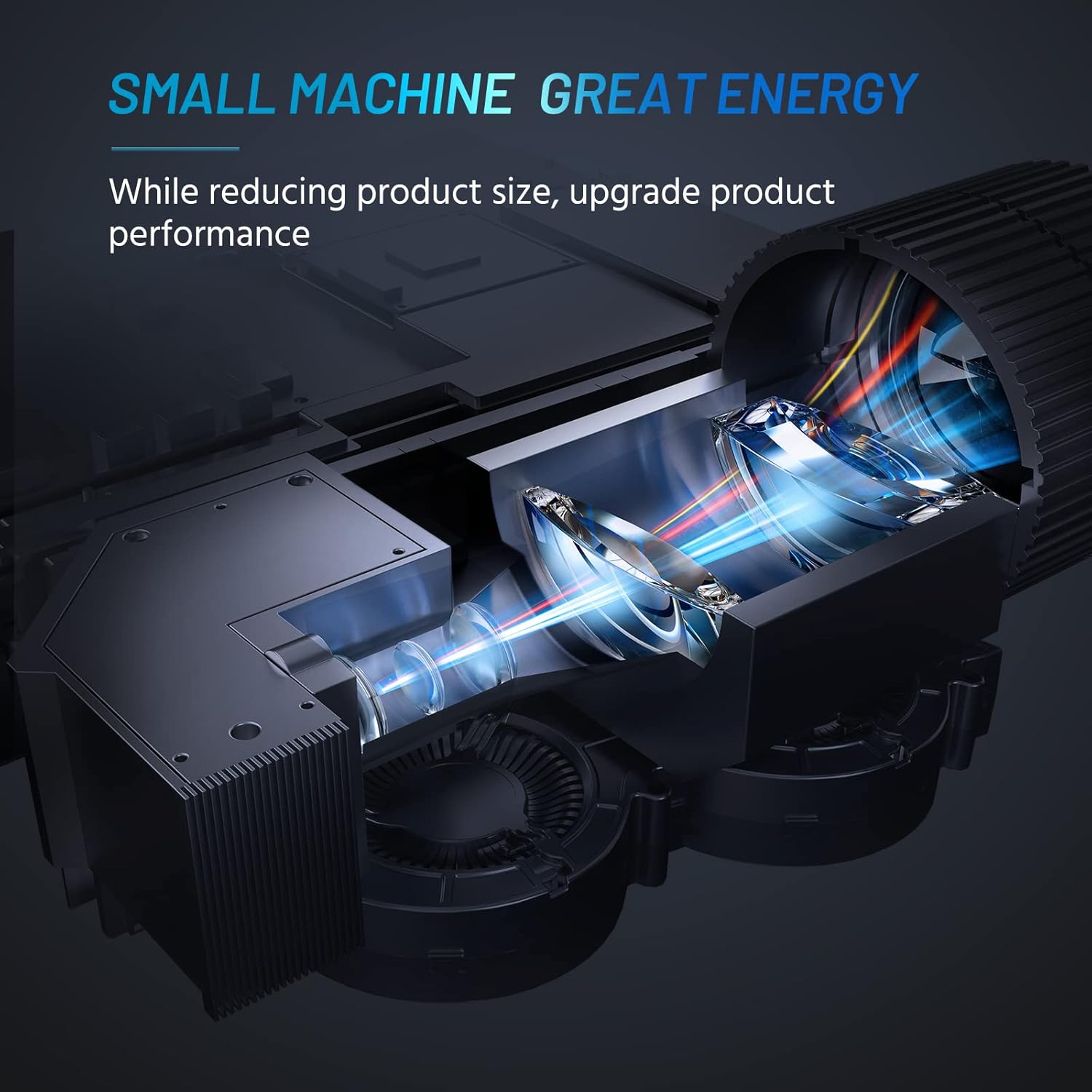
Internal design of the projector, highlighting its compact yet powerful light engine.

מְפוֹרָט view of the German LED light source and emerald glass lens, designed for enhanced picture quality.
4. התקנה
4.1 Basic Placement
מקם את המקרן על משטח יציב ושטוח. לקבלת תצוגה אופטימלית viewing, ensure the projection surface (wall or screen) is clean and smooth. The included mini tripod can be used for minor height and angle adjustments.

Various setup options for the projector, including table placement, mini tripod installation, and ceiling mount, showing potential screen sizes.
4.2 חיבור מתח
- חבר את מתאם החשמל לשקע החשמל של המקרן.
- חבר את מתאם החשמל לשקע חשמל מתאים.
4.3 חיבור התקנים
The projector supports multiple input sources. Ensure your device is powered on before connecting.
- HDMI: Connect your laptop, PC, TV Box, TV Stick, or gaming console using the provided HDMI cable.
- USB: הכנס כונן הבזק מסוג USB להפעלת מדיה ישירה.
- AV: Use an AV cable (not included) to connect older devices.
- יציאת קול: חברו רמקולים חיצוניים או אוזניות דרך שקע שמע 3.5 מ"מ לקבלת צליל משופר.
- קישוריות לסמארטפון: For iOS/Android/Windows smartphones, a compatible HDMI adapter (e.g., Lightning to HDMI, Micro USB/Type-C to HDMI) is required and not included.
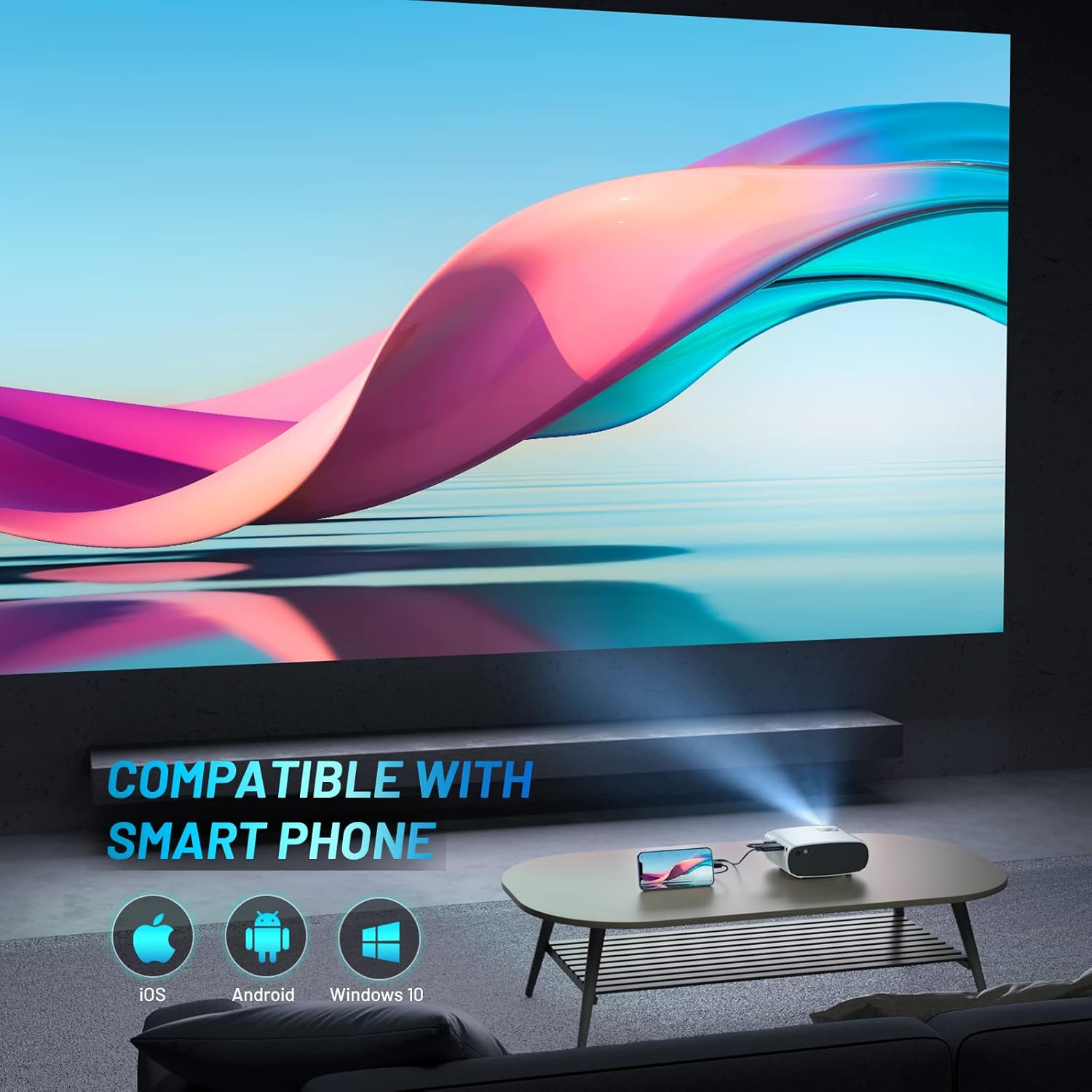
The projector is compatible with various smartphone operating systems, requiring an appropriate adapter for connection.

Connecting smartphones to the projector for outdoor movie nights. Adapters are sold separately.
Official video demonstrating the features and portability of the ELEPHAS Mini Projector, including setup and usage scenarios.
5. הוראות הפעלה
5.1 הפעלה/כיבוי
- הפעלה: לחץ על לחצן ההפעלה במקרן או בשלט רחוק. נורית החיווי תידלק.
- כיבוי: לחץ שוב על לחצן ההפעלה. המקרן יכבה.
5.2 כוונון מיקוד ועקיבה
- מוֹקֵד: Rotate the focus ring on the projector lens until the projected image is clear and sharp.
- תיקון אבן מפתח: Use the keystone adjustment dial (if available) or the remote control to correct trapezoidal distortion if the projector is not perfectly perpendicular to the screen.

The projector offers an adjustable angle for flexible projection setup.
5.3 בחירת מקור קלט
Press the 'Source' button on the remote control or projector to cycle through available input sources (HDMI, USB, AV).
5.4 פלט שמע
The projector has a built-in HIFI speaker. For a more immersive audio experience, connect external speakers or headphones to the 3.5mm audio output port.
The projector features a dual-band sound system designed for reduced noise and clear audio.
6. תחזוקה
6.1 ניקוי
- עֲדָשָׁה: השתמשו במטלית רכה ונטולת סיבים המיועדת במיוחד לעדשות אופטיות. אין להשתמש בחומרי ניקוי שוחקים או ממסים.
- Casing: נגבו את החלק החיצוני של המקרן בעזרת מטלית רכה ויבשה. הימנעו משימוש בחומרי ניקוי נוזליים ישירות על המכשיר.
- אוורור: Ensure the ventilation vents are clear of dust and obstructions to prevent overheating.
6.2 אחסון
כאשר המקרן אינו בשימוש, יש לאחסן אותו במקום קריר ויבש, הרחק מאור שמש ישיר וטמפרטורות קיצוניות. יש להשתמש במכסה העדשה כדי להגן על העדשה מפני אבק ושריטות.
7. פתרון תקלות
| בְּעָיָה | סיבה אפשרית | פִּתָרוֹן |
|---|---|---|
| אין תמונה מוקרנת | חשמל לא מחובר; מקור קלט שגוי; חיבור כבל רופף | Check power cable; Select correct input source; Reconnect HDMI/USB cable securely |
| תמונה מטושטשת | לא בפוקוס; מרחק הקרנה שגוי | Adjust focus ring; Adjust projector distance from screen |
| אין קול | Volume too low; Muted; External speakers not connected properly | Increase volume; Unmute; Check external speaker connection |
| השלט רחוק לא עובד | סוללות ריקות; חסימה בין השלט למקרן | החלף סוללות; הסר מכשולים; כוון את השלט ישירות למקלט ה-IR של המקרן |
| Cannot play Netflix/Amazon Prime/Hulu | HDCP copyright restrictions | Use an Amazon Fire Stick or Roku Stick for these services. |
8. מפרטים
- מספר דגם: BL128
- רזולוציית תצוגה: 1920 x 1080 (1080P HD Support)
- בְּהִירוּת: 8000L (Lumens)
- יחס ניגודיות: 6000:1
- טכנולוגיית קישוריות: HDMI, USB, AV, Audio Out
- מידות המוצר: 6 x 4.4 x 2.4 אינץ'
- משקל פריט: 1 פאונד
- יַצרָן: אלפאס
- ארץ מוצא: סִין
- מאפיינים מיוחדים: Portable, HDMI Connectivity, Built-in HIFI Speaker, Efficient Heat Dissipation System, Emerald Glass Lens, 24-bit True Color Support
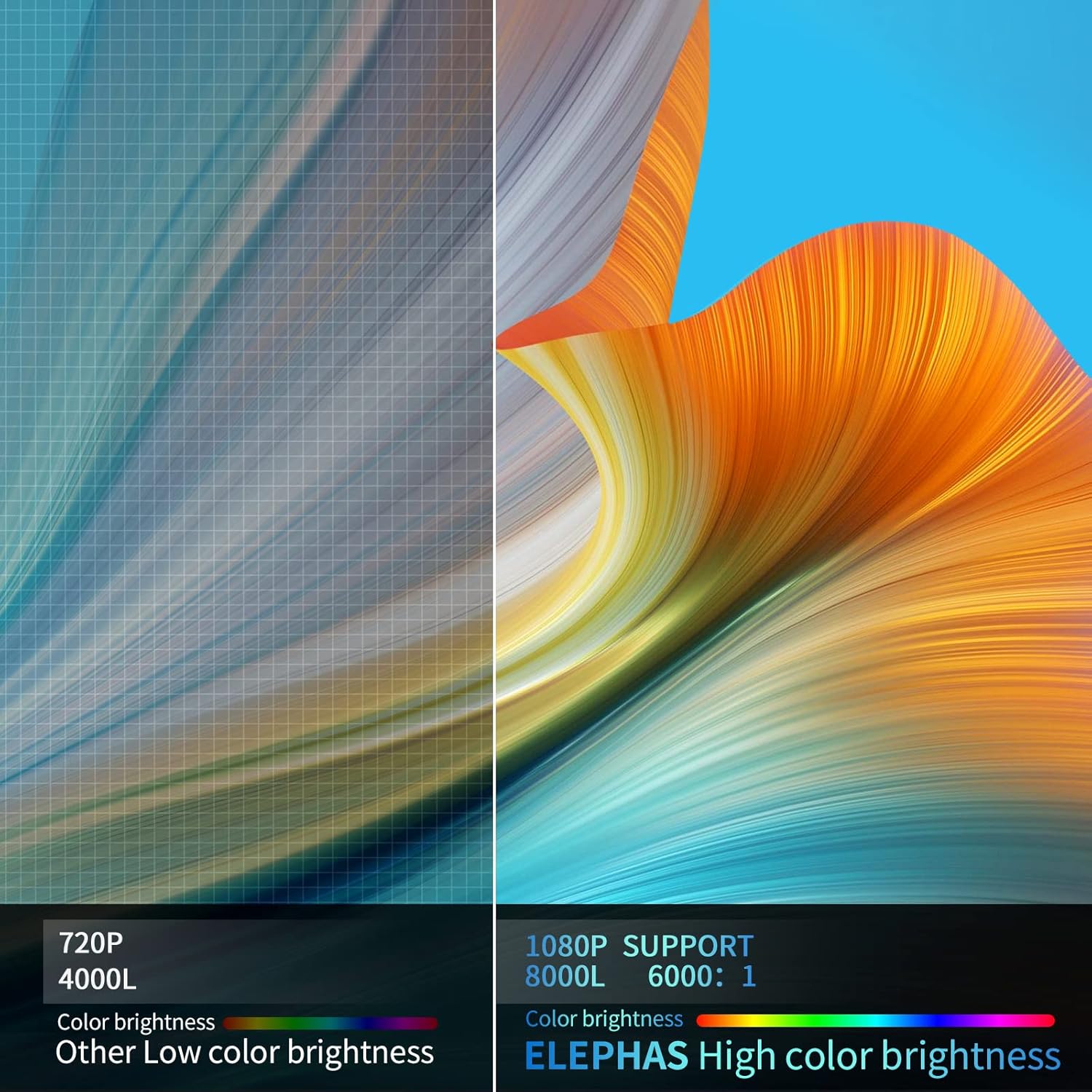
Visual comparison demonstrating the enhanced brightness and color quality of the ELEPHAS projector.

Illustrates the progression of brightness and clarity from lower resolution projectors to the 8000L 1080P ELEPHAS model.
9. אחריות ותמיכה
ELEPHAS projectors come with a 3-year factory support warranty. For any issues or inquiries, please contact ELEPHAS customer service. Refer to the contact information provided on the product packaging or the official ELEPHAS webאֲתַר.
The product holds CE, FCC, RoHS, and PSE certificates, ensuring compliance with relevant safety and quality standards.