1. המוצר נגמרview
The AOPUTTRIVER AP-846A is a professional digital anemometer designed for high-accuracy measurement of wind speed, wind temperature, and air flow (CFM/CMM). This multi-functional device is suitable for various applications including HVAC system analysis, air blower testing, environmental monitoring, and outdoor activities.
Key features include a large backlit LCD display, data hold function, MAX/MIN/AVG measurement modes, unit switching, and automatic power-off for battery conservation. The remote vane sensor with an extendable coiled cable allows for flexible and precise measurements in various environments.

Figure 1: AOPUTTRIVER AP-846A HVAC Anemometer
2. תכולת החבילה
עם פתיחת החבילה, אנא ודא שכל הפריטים המפורטים להלן נמצאים ובמצב תקין:
- 1 x AOPUTTRIVER AP-846A Digital Anemometer Main Unit
- 1 x Remote Vane Sensor with Coiled Cable
- סוללה אחת של 9V (6F22)
- 1 x תיק נשיאה קשיח
- 1 x מדריך למשתמש
איור 2: תכולת החבילה
3. זיהוי רכיבים
Familiarize yourself with the main components and controls of the AP-846A anemometer:

Figure 3: Labeled Components
- תצוגת LCD: מציג קריאות מדידה, יחידות ומחוונים.
- MAX/MIN Value Switch: עובר בין קריאות מקסימליות, מינימום וקריאות נוכחיות.
- מקש הפעלה: מפעיל/כיבוי את המכשיר.
- Wind Velocity/Flow Transform Key: Switches between wind velocity and air flow (CFM/CMM) modes.
- Data Holding Key: מקפיא את הקריאה הנוכחית על הצג.
- Unit Transform Key: Changes measurement units (e.g., m/s, mph, °C, °F).
- Data Record Key: Initiates data recording.
- Measuring Key for Average Value of Wind Flow: Calculates and displays the average air flow.
- Read Recorded Data Key: Recalls stored data.
- Wind Flow AVG 2/3 MAX and Figure Input: Used for advanced air flow calculations and area input.
- Reset Key in "READ" Mode/Clear Recorded: Resets recorded data.
- Backlight On/Off Key: Press to activate/deactivate the display backlight.
- מתג יחידת טמפרטורה: Toggles between Celsius (°C) and Fahrenheit (°F).
- Duct Area Input and Sampling Time Setting Key: Used for setting duct area for CFM/CMM calculations.
- חוט חיבור: Connects the main unit to the vane sensor.
- Wind Velocity Sensors: Rotating vane for wind speed measurement.
4. התקנה
4.1 התקנת סוללה
The AP-846A requires one 9V (6F22) battery. To install or replace the battery:
- אתר את תא הסוללות בגב היחידה הראשית.
- Unscrew the two screws securing the battery cover.
- הכנס את סוללת ה-9V, תוך הקפדה על קוטביות נכונה.
- החזר את מכסה הסוללה למקומו ואבטח אותו בעזרת הברגים.
Note: For optimal performance and to prevent leakage, use alkaline batteries and remove batteries if the device will not be used for an extended period.
4.2 Connecting the Vane Sensor
Connect the remote vane sensor to the main unit by plugging the USB-style connector of the coiled cable into the corresponding port on the top of the main unit.
Video 1: Demonstrates battery installation and connecting the vane sensor to the main unit.
5. הוראות הפעלה
5.1 הפעלה/כיבוי
- כדי להפעיל, לחץ על מפתח חשמל (3 באיור 3).
- כדי לכבות, לחץ והחזק את המקש מפתח חשמל for a few seconds. The device also features an auto power-off function after 5 minutes of inactivity to save battery.
בקרת תאורה אחורית 5.2
הקש על Backlight On/Off Key (12 in Figure 3) to turn the display backlight on or off. This improves visibility in low-light conditions.
5.3 בחירת יחידות
The AP-846A supports multiple units for wind speed and temperature:
- Wind Speed Units: הקש על Unit Transform Key (6 in Figure 3) to cycle through m/s, km/h, ft/min, knots, and mph.
- יחידות טמפרטורה: הקש על מתג יחידת טמפרטורה (13 in Figure 3) to switch between Celsius (°C) and Fahrenheit (°F).
5.4 Wind Speed and Temperature Measurement
To measure wind speed and temperature:
- Ensure the vane sensor is connected to the main unit.
- הפעל את המכשיר.
- Hold the vane sensor in the airflow, ensuring the air flows through the vane in the direction indicated by the arrow on the sensor.
- The wind speed and temperature readings will be displayed on the LCD.

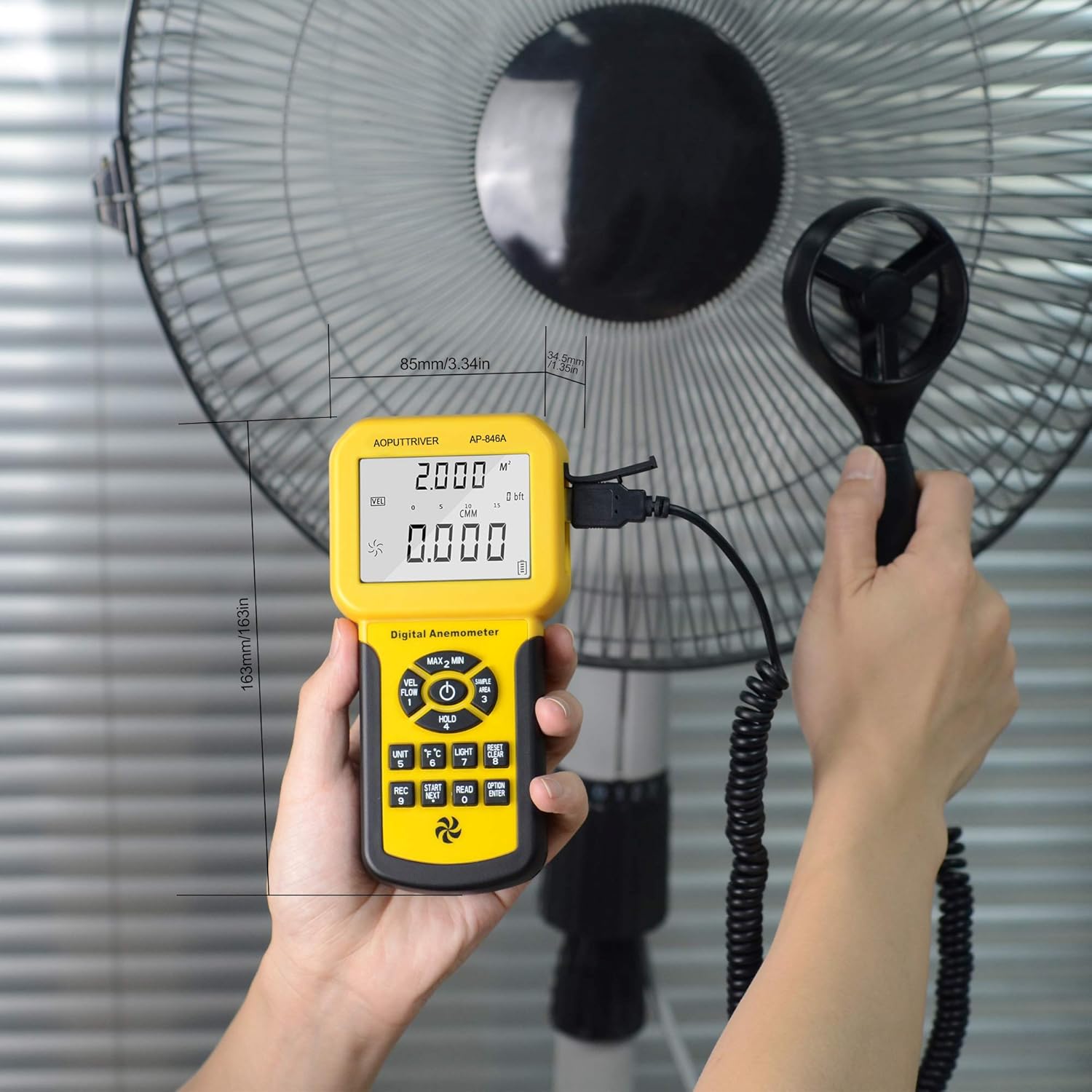
Figure 4: Measuring airflow from an HVAC unit.

Figure 5: Measuring airflow from a fan.
5.5 CFM (Cubic Feet per Minute) Measurement
To measure CFM, you need to input the area of the duct or vent:
- הקש על "יְחִידָה" מפתח (6 in Figure 3) to select CFM or CMM mode.
- הקש על "AREA" מפתח (14 in Figure 3), then use the number keys to enter the duct area (e.g., 1 or 2 for predefined areas, or custom input).
- הקש על "לְהַכנִיס" key to confirm the area.
- Position the vane sensor in the airflow. The CFM/CMM reading will be displayed.
Formula: Flow = Velocity * (Free Area)
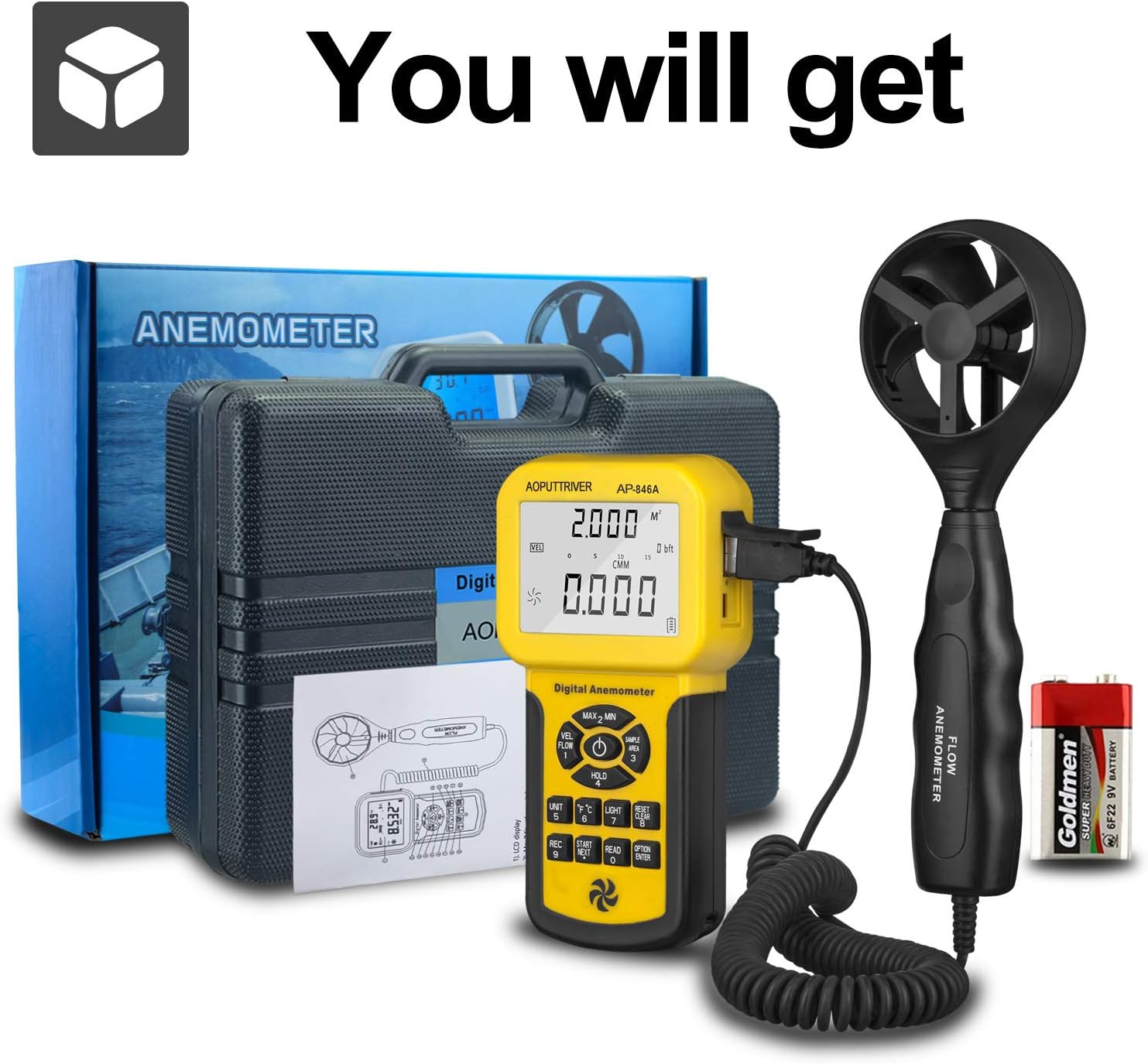
Figure 6: CFM Measurement Guide
5.6 מדידת מקסימום/מינימום/ממוצע
הקש על MAX/MIN Value Switch (2 in Figure 3) to cycle through maximum, minimum, and current readings. For average air flow, use the Measuring Key for Average Value of Wind Flow (8 באיור 3).
5.7 החזקת נתונים
הקש על Data Holding Key (5 in Figure 3) to freeze the current reading on the display. Press it again to release the hold.
6. תחזוקה
- שמרו על המכשיר נקי ויבש. נגבו בעזרת מטלית רכהamp בַּד. אין להשתמש בחומרי ניקוי שוחקים או ממסים.
- Store the anemometer in its protective carrying case when not in use to prevent damage to the vane sensor.
- Replace the 9V battery when the low power indicator appears on the display.
- Avoid exposing the device to extreme temperatures or high humidity.
7. פתרון תקלות
- אין תצוגה/המכשיר לא נדלק: בדוק את התקנת הסוללה וודא שהסוללה טעונה מספיק. החלף במידת הצורך.
- קריאות לא מדויקות: Ensure the vane sensor is clean and rotates freely. Verify that the sensor is positioned correctly in the airflow, facing the direction of the flow. Check for any obstructions.
- Display Not Changing: Check if the Data Hold function is activated. Deactivate it by pressing the Data Holding Key.
- CFM/CMM Readings Incorrect: Double-check the entered duct area value. Ensure the correct units (CFM/CMM) are selected.
8. מפרטים
| תכונה | מִפרָט |
|---|---|
| טווח מהירות רוח | 0.001-100 מייל לשעה (0.001-45 מ"ש) |
| דיוק מהירות הרוח | ±3% + 0.2 rdg (mph), ±3% + 0.1 rdg (m/s) |
| טווח טמפרטורה | 32-113°F (0-45°C) |
| Wind Flow Range (CFM) | 0-999900 רגל³/דקה |
| Wind Flow Range (CMM) | 0-999900 מ"ק לדקה |
| Wind Flow Area | 0.001-9999 רגל רבוע |
| הַחְלָטָה | 0.001 mph (wind speed), 0.001-100 (wind flow) |
| לְהַצִיג | 1.69 x 2.3 inch Large LCD with Backlight |
| ספק כוח | 1 x 9V (6F22) Battery (included) |
| כיבוי אוטומטי | לאחר 5 דקות של חוסר פעילות |
| מידות (יחידה ראשית) | 3.4 x 1.5 x 6.5 אינץ' |
| משקל פריט | 11.3 אונקיות (320 גרם) |
| חוֹמֶר | אקרילוניטריל בוטאדיאן סטירן (ABS) |

Figure 7: Wind Velocity Range and Accuracy
9. אחריות ותמיכה
AOPUTTRIVER provides 2-Years Technical Support for this product. If you encounter any problems or have questions regarding your AP-846A anemometer, please contact AOPUTTRIVER customer support for assistance. They will provide troubleshooting guidance or arrange for a replacement if necessary.