
1. הקדמה
The Dual DAB 3A Digital Radio Adapter is designed to upgrade your existing audio system with modern digital radio reception and Bluetooth streaming capabilities. This adapter allows you to enjoy DAB+ and FM radio broadcasts with clear digital quality and stream audio wirelessly from compatible devices. Its user-friendly interface and remote control ensure convenient operation.
2. מידע בטיחות
- ספק כוח: Use only the provided AC power adapter. Ensure the voltage תואם לדרישות שצוינו על גבי המתאם.
- מים ולחות: Do not expose the device to rain, moisture, or dripping/splashing liquids. Keep it away from water sources.
- אוורור: Ensure adequate ventilation around the unit. Do not block ventilation openings. Avoid placing the device on soft surfaces that may obstruct airflow.
- מקורות חום: הרחק את המכשיר ממקורות חום כגון רדיאטורים, אוגרי חום, תנורים או מכשירים אחרים המייצרים חום.
- ניקוי: נתק את החשמל לפני הניקוי. השתמש במטלית רכה ויבשה. אין להשתמש בחומרי ניקוי נוזליים או תרסיסים.
- שֵׁרוּת: אל תנסה לתת שירות למוצר זה בעצמך. הפנה את כל השירות לאנשי שירות מוסמכים.
3. תכולת החבילה
אנא ודאו שכל הפריטים המפורטים להלן כלולים בחבילה שלכם:
- Dual DAB 3A Digital Radio Adapter
- מתאם מתח AC
- שְׁלַט רָחוֹק
- מדריך לבעלים
- External Wire Antenna
4. המוצר נגמרview
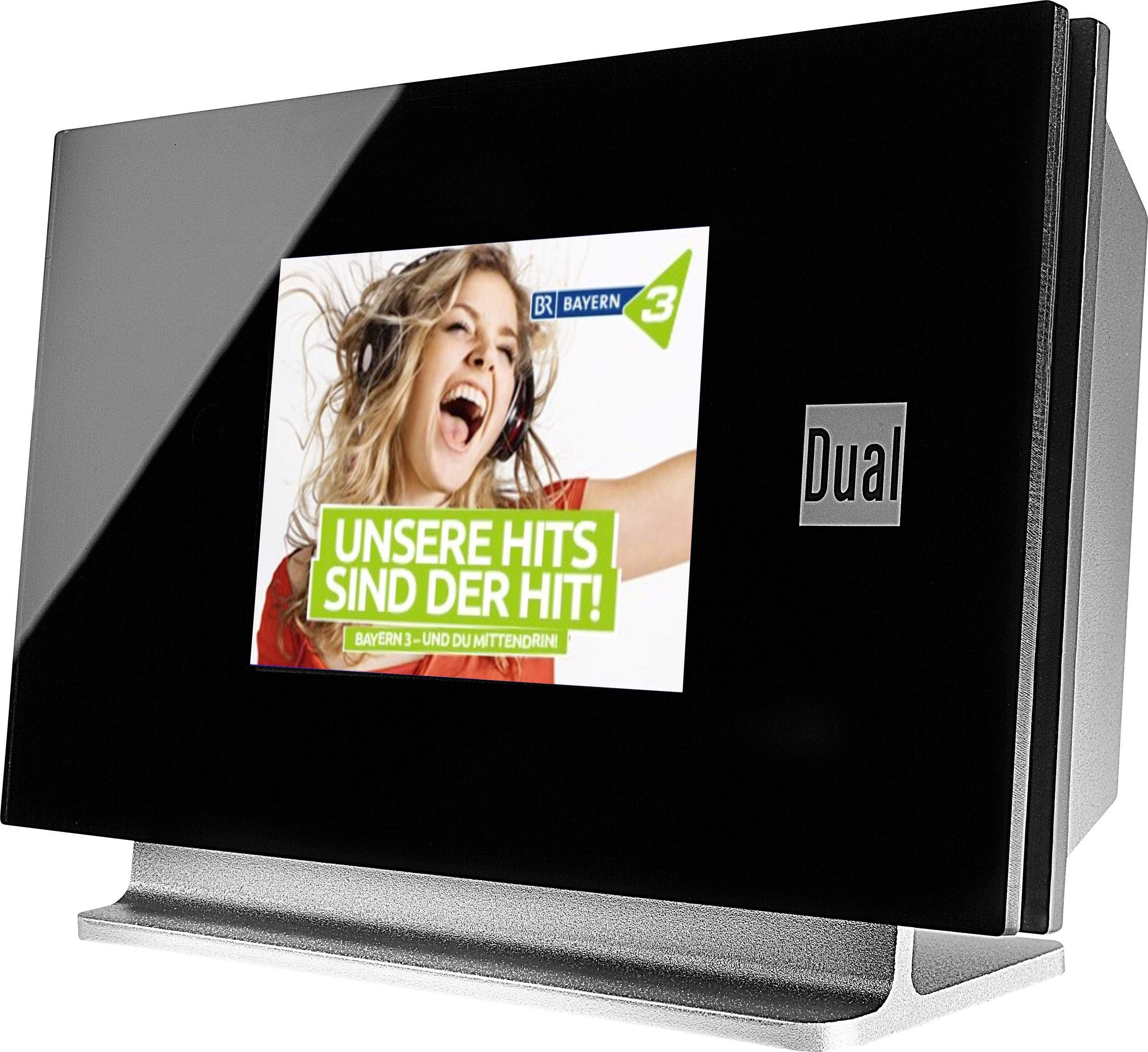
This image displays the Dual DAB 3A Digital Radio Adapter from a front-side angle. The front features a large, black TFT color display showing a radio station's album art and text. The side view indicates the product dimensions: 15 cm (width), 6 cm (depth), and 10.49 cm (height).
פאנל קדמי
- צג TFT צבעוני: Shows station information, track details, album art, and menu options.
חיבורי לוח אחורי
- קלט אנטנה: For connecting the external wire antenna or a commercially available antenna.
- AUX-OUT: Audio output for connecting to an external ampלמכשיר או מערכת שמע.
- קלט כוח: לחיבור מתאם מתח AC.
שְׁלַט רָחוֹק
The included remote control provides full functionality for navigating menus, changing stations, adjusting volume, and selecting input modes.
5. התקנה
- חיבור אנטנה: Connect the supplied external wire antenna to the antenna input on the rear panel of the DAB 3A adapter. For optimal reception, extend the antenna fully.
- חיבור למערכת שמע: Use an appropriate audio cable (not included) to connect the AUX-OUT port on the rear of the DAB 3A to an available audio input (e.g., AUX-IN, Line-IN) on your existing ampלמכשיר או מערכת סטריאו.
- חבר חשמל: Plug the AC power adapter into the power input on the rear of the DAB 3A, then plug the adapter into a wall outlet.
- הפעלה: Press the Power button on the unit or the remote control to turn on the adapter. The display will illuminate.
- Initial Scan (DAB+): Upon first power-on, the unit may automatically perform a scan for available DAB+ stations. Allow this process to complete.
6. הפעלה
הפעלה/כיבוי
- הקש על כּוֹחַ לחצו על הלחצן שעל היחידה או על השלט הרחוק כדי להפעיל או לכבות את המכשיר.
מצב רדיו DAB+
- הקש על מצב button on the remote control until DAB+ mode is selected.
- If no stations are found or you wish to rescan, navigate to the 'Full Scan' option in the menu and confirm. The adapter will search for available DAB+ stations.
- השתמש ב- למעלה/למטה navigation buttons on the remote to browse through the list of available stations.
- לִלְחוֹץ OK/Enter כדי לבחור תחנה.
- The TFT display will show station name, program information, and potentially album art or weather data.
מצב רדיו FM
- הקש על מצב button on the remote control until FM mode is selected.
- כדי לסרוק תחנות באופן אוטומטי, לחצו והחזיקו את הלחצן לִסְרוֹק button (or equivalent on remote). The adapter will tune to the next strong station.
- כדי לכוונן ידנית, השתמש ב- למעלה/למטה navigation buttons to adjust the frequency.
מצב Bluetooth
- הקש על מצב button on the remote control until Bluetooth mode is selected. The display will show 'Bluetooth Pairing' or similar.
- בטלפון החכם או הטאבלט, הפעל את Bluetooth וחפש מכשירים זמינים.
- Select 'Dual DAB 3A' from the list of devices to pair.
- Once paired, you can stream audio from your device to the DAB 3A adapter.
מצב AUX-IN
- Connect an external audio source (e.g., MP3 player, CD player) to the AUX-IN port on the rear of the DAB 3A using a 3.5mm audio cable (not included).
- הקש על מצב button on the remote control until AUX-IN mode is selected.
- Audio from the connected external device will now play through your audio system.
7. תחזוקה
- ניקוי היחידה: Disconnect the power adapter before cleaning. Use a soft, dry, lint-free cloth to wipe the surface of the unit. Do not use abrasive cleaners, waxes, or solvents.
- ניקוי התצוגה: Gently wipe the TFT display with a soft, dry microfiber cloth. Avoid pressing hard on the screen.
- אִחסוּן: אם מאחסנים את המכשיר לתקופה ממושכת, יש לנתק אותו מאספקת החשמל ולאחסן אותו במקום קריר ויבש, הרחק מאור שמש ישיר וטמפרטורות קיצוניות.
8. פתרון תקלות
| בְּעָיָה | סיבה אפשרית | פִּתָרוֹן |
|---|---|---|
| אין כוח | מתאם החשמל לא מחובר או ששקע פגום. | ודא שמתאם החשמל מחובר היטב ליחידה ולשקע חשמל תקין. |
| קליטת DAB+/FM גרועה | Antenna not properly connected or poor signal strength. | Ensure the antenna is fully extended and properly connected. Try repositioning the antenna or the unit. Consider using a stronger external antenna if available. |
| צימוד Bluetooth נכשל | Bluetooth not enabled on source device or adapter is not in pairing mode. | Ensure Bluetooth is enabled on your smartphone/tablet and the DAB 3A is in Bluetooth mode. Try restarting both devices. |
| אין קול | עוצמת קול נמוכה מדי, נבחרה קלט שגויה amplifier, or audio cable issue. | Increase the volume on both the DAB 3A and your ampמשחרר. ודא ש amplifier is set to the correct input (e.g., AUX-IN). Check the audio cable connections. |
9. מפרטים
- דֶגֶם: 75862
- טכנולוגיית טיונר: DAB פלוס, FM
- קישוריות: בלוטות'
- להקות רדיו נתמכות: FM, DAB+
- סוג תצוגה: תצוגה צבעונית
- מקור כוח: מתאם AC
- ממשק חומרה: בלוטות'
- מכשירים תואמים: סמארטפון, מחשב נייד
- מאפיינים מיוחדים: Bluetooth, Remote Control
- מידות המוצר: 15 x 6 x 10.5 ס"מ
- משקל פריט: 540 גרם
10. אחריות ותמיכה
This product comes with a standard manufacturer's warranty. For detailed warranty information, please refer to the warranty card included in your package or visit the official Dual website. For technical support, troubleshooting assistance, or service inquiries, please contact Dual customer support through their official channels.