
SHHHMOUSE SHHH2659Black
SHHHMOUSE Silent Wireless Mouse User Manual
Model: SHHH2659Black | Brand: SHHHMOUSE
1. הקדמה
Thank you for choosing the SHHHMOUSE Silent Wireless Mouse. This manual provides essential information for setting up, operating, and maintaining your new mouse. Designed for quiet operation and ergonomic comfort, this mouse enhances your productivity without disturbing those around you.
תכונות עיקריות:
- Quiet Mouse Wireless: Enjoy silent clicks with a noiseless clicking mechanism for a peaceful working environment.
- נוחות ארגונומית: Experience a comfortable grip that reduces strain during extended work sessions.
- Precision Elevated: Advanced optical sensor for high-precision cursor control.
- Plug & Play: Seamless connection via USB receiver, no extra software or drivers required.
- זמן שימוש מורחב: Up to 18 months of battery life for prolonged use.
2. מה בקופסה
ודא שכל הפריטים נמצאים בחבילה:
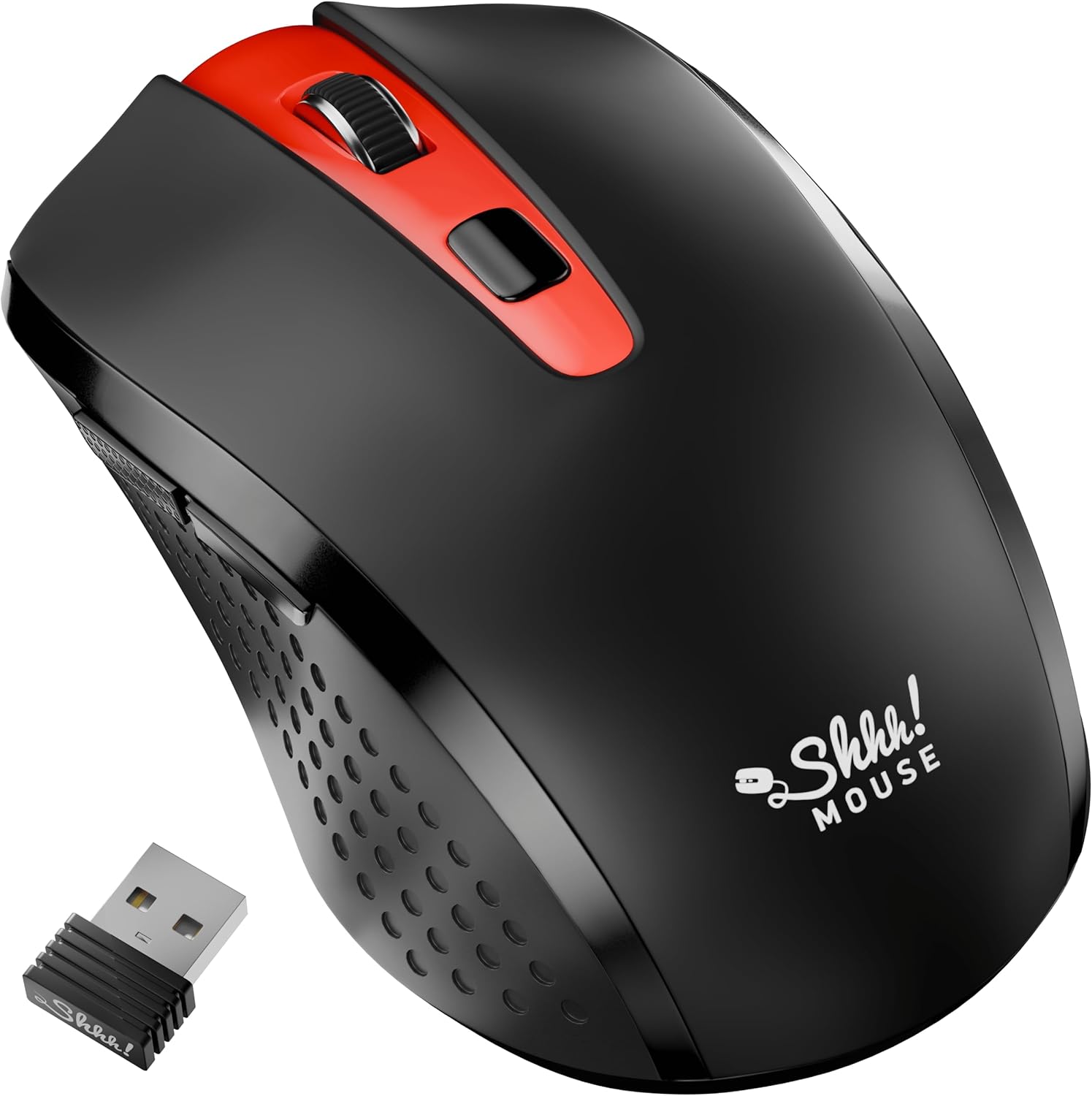
- 1 x SHHHMOUSE Silent Wireless Mouse
- 1 x מקלט USB
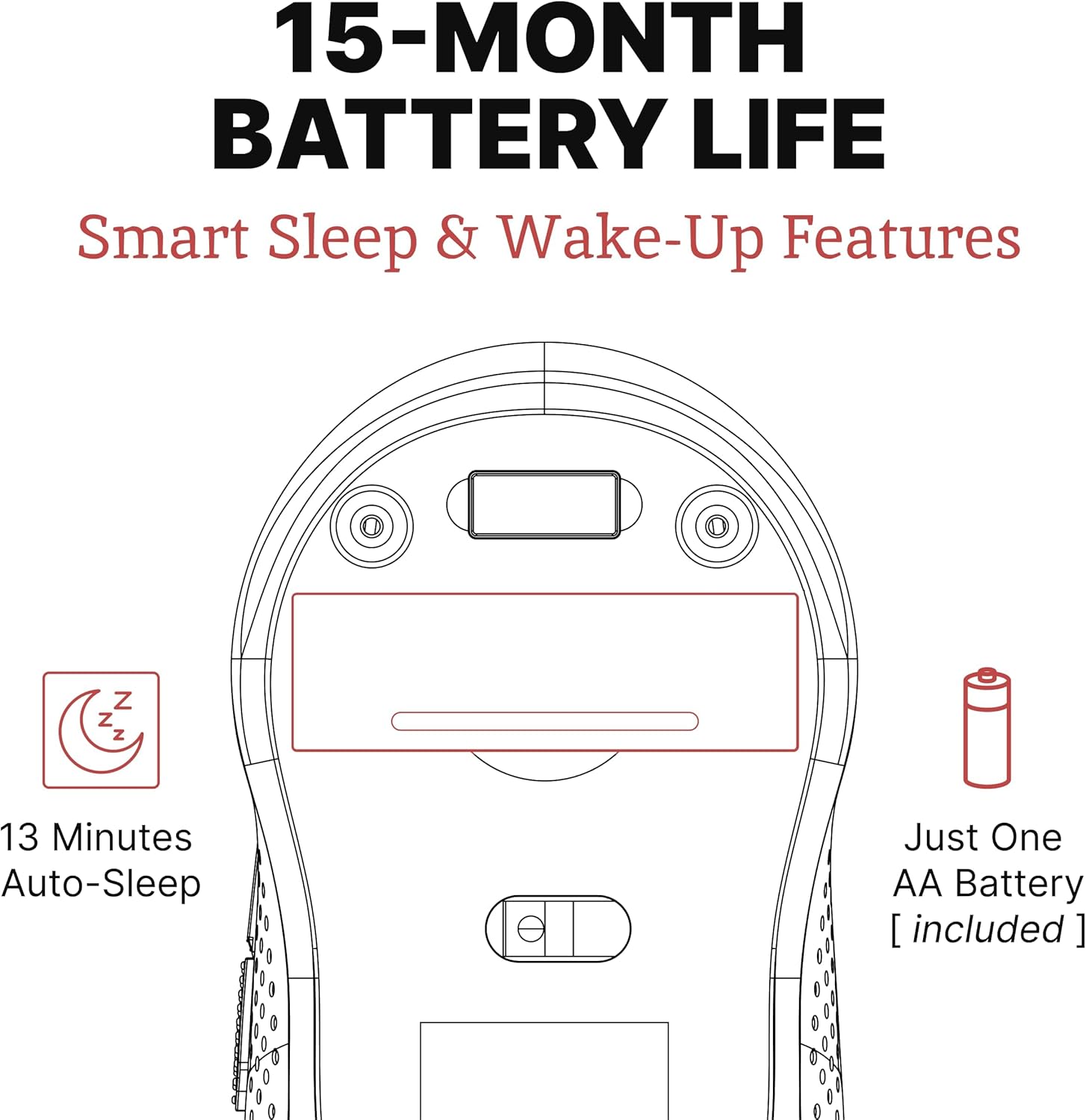
- 1 x סוללת AA
3. מדריך התקנה
Follow these steps to set up your SHHHMOUSE Silent Wireless Mouse:
- הכנס סוללה: Open the battery compartment on the underside of the mouse. Insert the provided AA battery, ensuring correct polarity.
- אתר את מקלט ה-USB: The tiny USB receiver is typically stored inside the battery compartment for safe keeping during transport. Remove it.
- חיבור מקלט: Plug the USB receiver into an available USB port on your laptop, desktop, or Chromebook.
- הפעלה: הפעל את העכבר באמצעות מתג ההפעלה הממוקם בחלק התחתון.
- חיבור אוטומטי: העכבר אמור להתחבר אוטומטית למכשיר שלך. בדרך כלל אין צורך במנהלי התקנים נוספים.


וידאו התקנה:
Video 1: "New Silent Portable Wireless Shhhmouse i440" - This video demonstrates the unboxing and initial setup of the mouse, including battery insertion and USB receiver connection.
4. הפעלת העכבר
פונקציות כפתור:
- לחיצה שמאלה/ימינה: Standard mouse functions for selection and context menus. These are ultra-silent buttons.
- גלגל גלילה: Used for vertical scrolling. Also functions as a middle click button. Features an anti-slip design.
- מתג DPI: כפתור זה, הממוקם ליד גלגלת הגלילה, מאפשר לך להתאים את רגישות העכבר (DPI).
- כפתורי צד: Typically configured for 'Page Up' and 'Page Down' functions, useful for web גלישה וניווט במסמכים.

Adjusting DPI (Sensitivity):
Press the DPI switch button to cycle through different sensitivity levels (e.g., 800, 1200, 1600 DPI). Choose the setting that best suits your task and preference for cursor speed.

Smart Sleep & Wake-Up Features:
To conserve battery life, the mouse will enter a smart sleep mode after 13 minutes of inactivity. To wake it up, simply click any button or move the mouse.
5. תחזוקה
החלפת סוללה:
When the mouse's performance degrades or the low power indicator (if present) illuminates, it's time to replace the battery. Open the battery compartment on the underside, remove the old AA battery, and insert a new one, observing polarity.
ניקוי:
To maintain optimal performance, regularly clean your mouse. Use a soft, dry cloth to wipe the exterior. For the optical sensor, use a cotton swab lightly dampened with rubbing alcohol, ensuring no liquid enters the mouse's interior.
6. פתרון תקלות
| בְּעָיָה | סיבה אפשרית | פִּתָרוֹן |
|---|---|---|
| העכבר לא מגיב | Low battery; USB receiver disconnected; Mouse power off. | Replace battery; Re-insert USB receiver; Turn on mouse power switch. |
| תנועת סמן לא יציבה | חיישן אופטי מלוכלך; משטח לא מתאים; הפרעה. | Clean optical sensor; Use on a smooth, opaque surface; Move mouse closer to receiver or away from other wireless devices. |
| חיי סוללה קצרים | Frequent use; Battery type. | Ensure mouse enters sleep mode when idle; Use high-quality alkaline batteries. |
7. מפרטים
| תכונה | פְּרָט |
|---|---|
| מותג | SHHHMOUSE |
| מספר דגם | SHHH2659Black |
| טכנולוגיית קישוריות | USB Wireless (2.4G) |
| טכנולוגיית זיהוי תנועה | אוֹפּטִי |
| תכונה מיוחדת | Soundless Clicks |
| רמות DPI | Adjustable (e.g., 800, 1200, 1600) |
| סוג סוללה | 1 x סוללה AA (כלולה) |
| חיי סוללה ממוצעים | עד 15 חודשים |
| משקל פריט | 2.29 אונקיות |
| מידות המוצר (LxWxH) | 4.22 x 2.5 x 0.04 אינץ' |
| תאימות פלטפורמת חומרה | Windows XP/Vista/Win7, Mac 10.x, Chromebook, PC, Laptop |
| צֶבַע | שחור ואדום |
8. אחריות ותמיכה
SHHHMOUSE products are designed for durability and reliability. For specific warranty information, please refer to the warranty card included with your product or visit the official SHHHMOUSE webאֲתַר.
For further assistance or technical support, please contact SHHHMOUSE customer service through the contact information provided on the product packaging or the brand's official webאֲתַר.
מדריך למשתמש מפורט (PDF) זמין גם להורדה: הורד מדריך למשתמש