
1. הקדמה
תודה על הרכישהasing the ADJ Focus Beam LED. This powerful moving head fixture is designed for professional lighting applications, offering a precise 2.5-degree beam, advanced optical system, and versatile control options. This manual provides essential information for the safe and efficient operation of your device. Please read it thoroughly before installation and use.
2. מידע בטיחות
- Always disconnect from power before servicing or cleaning.
- ודא הארקה נכונה כדי למנוע התחשמלות.
- אין להפעיל אם כבל החשמל פגום.
- הימנע מחשיפה ישירה של העיניים למקור האור.
- Maintain adequate ventilation around the fixture to prevent overheating.
- This product is for indoor use only. Do not expose to rain or moisture.
- התקן את המתקן בצורה מאובטחת באמצעות חומרה מתאימה.
3. המוצר נגמרview
The ADJ Focus Beam LED is equipped with an 80W cool white LED engine, delivering a sharp 7400K beam. Key features include motorized focus, two prism effects (8-facet circular and 6-facet linear), and a built-in frost filter for wash effects. The fixture also boasts a 13-color dichroic wheel and a GOBO wheel with 15 fixed GOBOs.
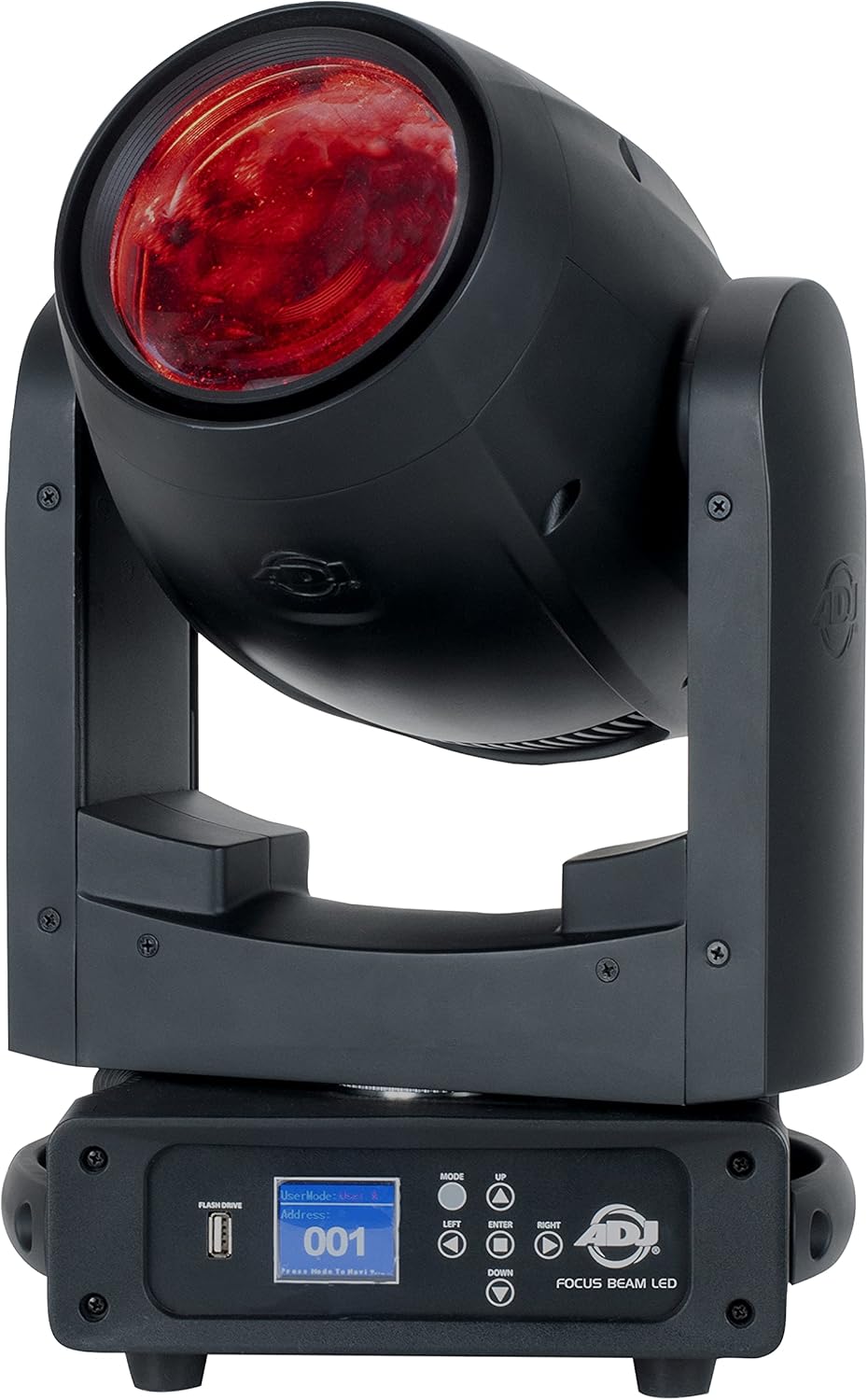
איור 3.1: חזית view of the ADJ Focus Beam LED with a red beam.

איור 3.2: אחורי view displaying the power and DMX input/output ports.

Figure 3.3: Standard accessories included with the Focus Beam LED.
לוּחַ בַּקָרָה
The fixture features an on-board function display with 5 touch buttons for easy navigation and setting adjustments. A USB port is also available for firmware updates.

Figure 3.4: Close-up of the control panel and display.
4. התקנה
4.1 פירוק
Carefully remove the fixture from its packaging. Inspect for any damage that may have occurred during shipping. If any damage is found, contact your dealer immediately.
4.2 הרכבה
The Focus Beam LED can be mounted in various orientations (floor, truss, wall) using the included mounting brackets. Ensure the mounting surface or truss can support the weight of the fixture. Always use a safety cable when mounting overhead.

Figure 4.1: Underside of the fixture with mounting points.
4.3 חיבור מתח
Connect the included Seetronic locking power cable to the 'POWER IN' port on the rear of the fixture. The unit supports multi-voltage operation (AC 100-240V, 50-60Hz). Multiple units can be daisy-chained using the 'POWER OUT' port (max 15 units @ 120V; 30 units @ 230V).
4.4 חיבור DMX
Use 5-pin DMX cables to connect the fixture to a DMX controller or other DMX-compatible devices. Connect the DMX output of your controller to the 'DMX IN' port of the first fixture. Daisy-chain subsequent fixtures by connecting the 'DMX OUT' of one fixture to the 'DMX IN' of the next.
5. הפעלה
5.1 ניווט בלוח הבקרה
Use the touch buttons on the display to navigate through menus and adjust settings. The display provides feedback on current modes, DMX address, and other parameters.
5.2 בקרת DMX
The Focus Beam LED supports 16 and 18 DMX channel modes. Refer to the DMX channel chart in the appendix (not included in this manual) for detailed control parameters. Ensure the DMX address is set correctly on each fixture.
5.3 Features Adjustment
- עמעום: Adjust brightness from 0-100% with various dimming modes (Standard, Stage, טלוויזיה, אדריכלות, תיאטרון ו-Stage 2) and dim speed control.
- פוקוס ממונע: Adjust the sharpness of the beam.
- מסנן כפור: Engage the linear frost filter for a wash effect (0-100%).
- גלגל צבע: Select from 13 dichroic colors plus white.
- גלגל GOBO: Choose from 15 fixed GOBOs or use the GOBO shake effect.
- אפקטי פריזמה: Activate the rotatable 8-facet circular prism or the rotatable 6-facet linear prism. Both are indexable and offer an overlay feature.

איור 5.1: דוגמהample of multiple beams and colors.

Figure 5.2: Red beam demonstrating the 8-facet circular prism effect.

Figure 5.3: Red beam demonstrating the 6-facet linear prism effect.
6. תחזוקה
6.1 ניקוי
Regular cleaning of the fixture's exterior and optical components is recommended to maintain optimal performance. Use a soft, lint-free cloth and a mild glass cleaner. Do not use abrasive materials.
6.2 עדכוני קושחה
The fixture features a USB port for convenient firmware updates. Check the manufacturer's webאתר לגרסאות הקושחה וההוראות העדכניות ביותר.
7. פתרון תקלות
- אין כוח: Check power cable connection, power outlet, and fixture fuse.
- אין בקרת DMX: Verify DMX cable connections, DMX address settings, and DMX controller functionality. Ensure DMX termination is used if necessary.
- Fixture Not Responding: Try resetting the fixture by cycling power. If issues persist, check for error messages on the display.
- פעולה לסירוגין: בדוק אם יש חיבורים רופפים או תנודות חשמל.
8. מפרטים
| תכונה | מִפרָט |
|---|---|
| מקור אור | 1x 80W Cool White LED Engine |
| זווית קרן | 2.5 מעלות |
| טמפרטורת צבע | 7400K |
| חיי LED | 50,000 Hour Average |
| פרוטוקול בקרה | DMX & RDM |
| מצבי DMX | 16 & 18 Channels |
| מצבי עמום | 6 הגדרות קבועות מראש |
| עמעום | 0 - 100% |
| פריזמות | Rotatable 8-facet Circular & 6-facet Linear |
| גלגל צבע | 13 Dichroic Colors + White |
| GOBO Wheel | 15 Fixed GOBOs + Open |
| קלט כוח | AC 100-240V, 50-60Hz |
| צריכת חשמל מקסימלית | 136W @ 120V |
| חיבורי DMX | 5-pin Locking XLR In & Out |
| חיבורי חשמל | Seetronic Locking Power In & Out |
| משקל פריט | 2 פאונד |
| מידות | 23.1 x 16.5 x 13.1 ס"מ (חבילה) |
9. אחריות ותמיכה
For warranty information and technical support, please refer to the warranty card included with your product or visit the official ADJ website. Do not attempt to service this unit yourself; doing so will void your warranty.