
1. הקדמה
תודה על הרכישהasing the ELEPHAS RD-606 Mini Projector. This compact and portable projector is designed to provide a versatile home theater experience with features like Wi-Fi connectivity, 3D support, and a built-in battery. This manual provides essential information for setting up, operating, and maintaining your projector to ensure optimal performance and longevity.
The RD-606 utilizes advanced DLP technology to deliver clear images with a 1000:1 contrast ratio and up to 1080P resolution. Its lightweight design and integrated battery allow for flexible use in various environments.

Image: High-Definition Display Comparison. The ELEPHAS projector delivers superior image clarity and color reproduction.
2. מידע בטיחות
אנא קרא בעיון את כל הוראות הבטיחות לפני השימוש במקרן. שמור מדריך זה לעיון עתידי.
- אל תסתכל ישירות לתוך עדשת המקרן כאשר ה-lamp דולק, מכיוון שהאור הבהיר עלול לגרום נזק לעיניים.
- ודאו אוורור נאות סביב המקרן. אין לחסום פתחי אוורור.
- השתמשו רק במתאם החשמל המצורף למקרן.
- אין לחשוף את המקרן לגשם, לחות או טמפרטורות קיצוניות.
- הימנע מהצבת המקרן על משטחים לא יציבים.
- אל תנסה לפרק או לשנות את המקרן. יש לפנות לכל תיקון ותיקון לטכנאים מוסמכים.
3. תכולת החבילה
ודא שכל הפריטים נמצאים בחבילה שלך:
- ELEPHAS Mini Projector (RD-606) x1
- מתאם חשמל x1
- שלט רחוק x1
- Micro USB Wire x1
- Free Tripod x1
- תיק נשיאה x1
- מדריך למשתמש x1
4. התקנה
4.1 הפעלה/כיבוי
- Connect the power adapter to the projector's charging port (DC 5V) and then to a power outlet.
- Slide the Power Switch to the 'ON' position. The projector will power on.
- To power off, slide the Power Switch to the 'OFF' position.
4.2 התאמת פוקוס
Rotate the focus ring on the side of the projector until the projected image appears clear and sharp.
4.3 תיקון אבן מפתח אוטומטי
The RD-606 features an automatic keystone correction function. The projected image will adjust automatically to optimize the angle, correcting distortion up to ±40 degrees. No manual adjustment is typically required for this feature.
4.4 קישוריות
המקרן תומך במקורות קלט שונים:
- HDMI: Connect devices like laptops, gaming consoles (PS4), or streaming sticks (Fire TV, Roku Stick, Apple TV) using an HDMI cable.
- USB: הכנס כונן הבזק מסוג USB כדי להפעיל מדיה files ישירות.
- מיקרו USB: For charging or connecting compatible devices.
- 3.5 מ"מ אודיו: חבר רמקולים חיצוניים או אוזניות.
- Wi-Fi: Connect to your wireless network for online content and screen mirroring.

Image: Projector Ports and Compatible Devices. This image illustrates the various input ports and devices that can be connected to the RD-606 projector.
5. הוראות הפעלה
5.1 ניווט בסיסי
Use the included remote control to navigate the projector's on-screen menu. The directional buttons allow you to move through options, and the 'OK' or 'Enter' button confirms selections. 'Back' or 'Return' buttons typically exit menus.
5.2 חיבור Wi-Fi
- Access the projector's settings menu.
- בחר 'רשת' או 'הגדרות Wi-Fi'.
- בחר את רשת ה-Wi-Fi הרצויה מהרשימה.
- הזן את סיסמת ה-Wi-Fi באמצעות המקלדת שעל המסך.
- Once connected, you can access built-in apps like YouTube and Koala (if available) for online content.
5.3 Wireless Screen Mirroring (Airplay/Miracast)
The projector supports wireless mirroring from compatible smartphones and tablets via Airplay (for iOS devices) or Miracast (for Android devices).
- Ensure your projector and smart device are connected to the same Wi-Fi network.
- On the projector, select the 'Screen Mirroring' or 'Wireless Display' option from the main menu.
- On your smart device, activate its screen mirroring feature (e.g., 'Screen Mirroring', 'Smart View', 'Airplay', 'Cast').
- Select the projector's name from the list of available devices on your smart device.
- The device's screen content will now be projected.

Image: Screen Mirroring with Phone/Tablet. This image demonstrates how to wirelessly share content from mobile devices to the projector.
5.4 3D Mode Operation
The RD-606 Series supports multiple 3D modes. To experience 3D content:
- You will need a pair of active DLP Link 3D glasses (sold separately).
- Play 3D content from a compatible source.
- Turn on your DLP Link 3D glasses. They should automatically synchronize with the projected image.
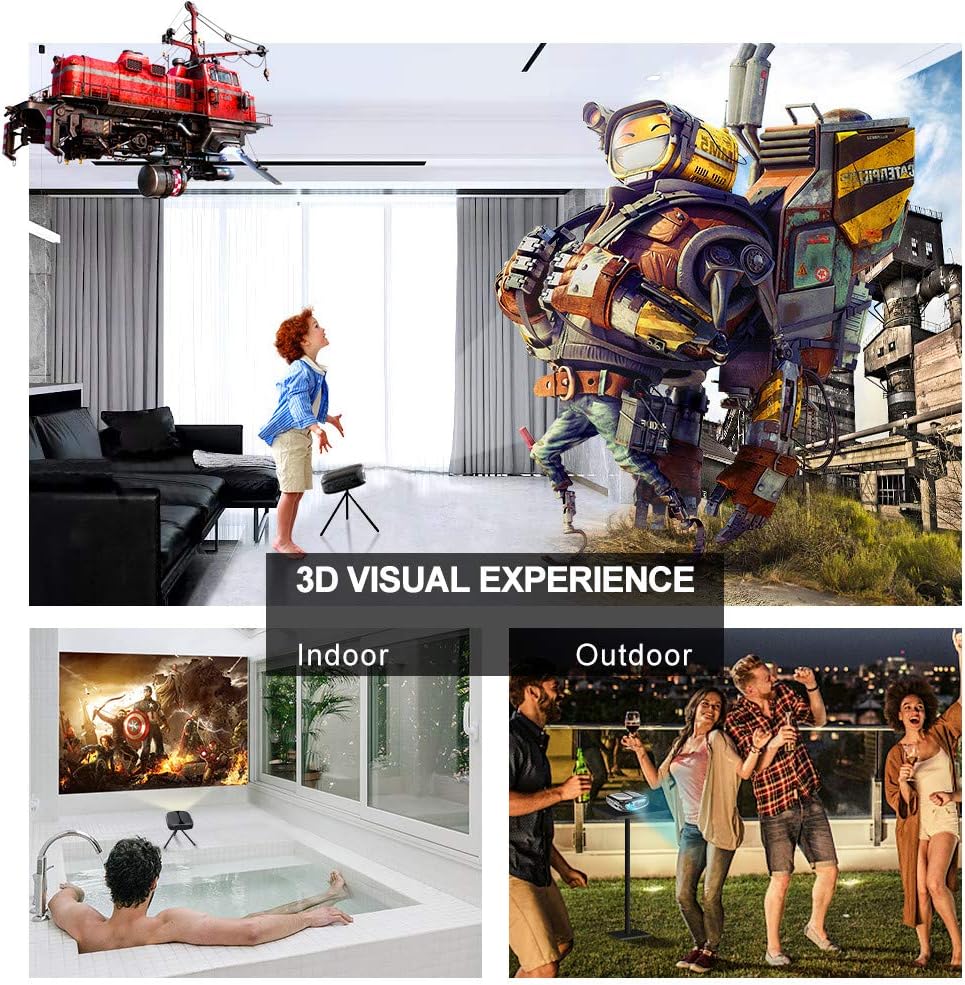
Image: 3D Visual Experience. The projector offers immersive 3D viewing for both indoor and outdoor settings.
5.5 Battery Operation and Portability
The built-in battery provides approximately two hours of continuous video playback, offering flexibility for use without a constant power source. For extended use, the projector can also be charged via a power bank.

Image: Embedded Battery for Portable Use. The projector's battery allows for convenient outdoor entertainment.

Image: Pocket Size and Lightweight Design. The projector's compact form factor makes it highly portable.
6. תחזוקה
6.1 ניקוי העדשה
Gently wipe the projector lens with a soft, lint-free cloth specifically designed for optical surfaces. Do not use abrasive cleaners or harsh chemicals.
6.2 ניקיון כללי
השתמש במטלית רכה ויבשה כדי לנקות את מקרן המקרן.asinז. עבור לכלוך עיקש, יש לשטוף מעטamp cloth can be used, followed by a dry cloth. Ensure no liquid enters the device.
6.3 אחסון
When not in use for extended periods, store the projector in a cool, dry place, away from direct sunlight and extreme temperatures. Use the provided carrying bag for protection against dust and physical damage.
7. פתרון תקלות
- אין כוח:
- ודא שמתאם החשמל מחובר היטב הן למקרן והן לשקע חשמל תקין.
- בדוק אם מתג ההפעלה נמצא במצב 'ON'.
- ודא ששקע החשמל תקין.
- אין תמונה:
- Check the input source selection on the projector to ensure it matches your connected device (e.g., HDMI, USB).
- Verify that the connected device is powered on and outputting a signal.
- ודא שכל הכבלים מחוברים היטב.
- תמונה מטושטשת:
- כוונן את טבעת המיקוד במקרן עד שהתמונה חדה.
- ודא שמשטח ההקרנה שטוח ושהמקרן נמצא במרחק מתאים.
- אין צליל:
- בדוק את הגדרות עוצמת הקול הן במקרן והן במכשיר המקור המחובר.
- אם משתמשים ברמקולים חיצוניים, ודאו שהם מחוברים כראוי ומופעלים.
- ודא שהגדרות פלט השמע במכשיר המקור שלך נכונות.
- Wi-Fi/Screen Mirroring Issues:
- Ensure both the projector and your smart device are connected to the same Wi-Fi network.
- Check for strong Wi-Fi signal strength.
- Restart both the projector and your smart device.
- Ensure your smart device's operating system is up to date.
8. מפרטים
| תכונה | מִפרָט |
|---|---|
| דֶגֶם | RD-606 |
| טכנולוגיית תצוגה | DLP |
| בהירות תמונה | 2600 לומן |
| יחס ניגודיות תמונה | 1000:1 |
| רזולוציה מקורית | 1920 x 1080 (תומך ב-1080P) |
| תכונות מיוחדות | Auto Keystone, HDMI Connectivity, Portable, Built-in Wi-Fi, 3D Ready |
| טכנולוגיית קישוריות | HDMI, USB, Wi-Fi |
| מכשירים תואמים | Laptops, Smartphones, Media Players |
| סוג סוללה | ליתיום-יון (1 כלול) |
| חיי סוללה | Approx. 2 hours video playback |
| מידות המוצר | 9.91 x 10.67 x 4.06 ס"מ |
| משקל פריט | 793.79 גרם (0.66 פאונד) |
| סוג הרכבה | מתקן לשולחן |
9. אחריות ותמיכה
ELEPHAS provides lifetime professional customer service and technical support for the RD-606 Mini Projector. If you encounter any issues or have questions regarding your product, please do not hesitate to contact our support team.
מידע ליצירת קשר:
- אֶלֶקטרוֹנִי: support@elephas.com.hk
Please have your product model number (RD-606) and purchase details ready when contacting support to facilitate a quicker resolution.