
1. הקדמה
The TP-Link Archer T2U Plus is an AC600 High Gain Wireless Dual Band USB Adapter designed to provide high-speed Wi-Fi connectivity for desktop PCs and laptops. It supports both 2.4 GHz and 5 GHz bands, offering flexible connectivity options and enhanced range with its 5dBi high-gain antenna. This manual provides instructions for setting up, operating, and maintaining your adapter.

Image: The TP-Link Archer T2U Plus AC600 High Gain Wireless Dual Band USB Adapter.
2. תכולת החבילה
ודא שהחבילה שלך מכילה את הפריטים הבאים:
- AC600 High Gain Wireless Dual Band USB Adapter (Archer T2U Plus)
- מדריך התקנה מהירה
- תקליטור משאבים (עבור מנהלי התקנים ותוכניות שירות)

Image: The retail packaging for the Archer T2U Plus, showing the adapter and its key features.
3. דרישות מערכת
לפני ההתקנה, ודא שהמערכת שלך עומדת בדרישות הבאות:
- An available USB port (USB 2.0 or higher recommended).
- Operating System: Windows 11/10/8.1/8/7/XP or Mac OS 10.15 and earlier.
- CD-ROM drive (for driver installation from Resource CD) or internet access (for driver download).

Image: Icons representing compatible operating systems: Windows 10, Windows 8.1, Windows 8, Windows 7, Windows XP, and Mac OS.
4. התקנה והתקנת מנהל התקן
4.1 התקנת חומרה
- הכנס את המתאם: Plug the Archer T2U Plus USB adapter into an available USB port on your computer. Ensure it is securely seated.
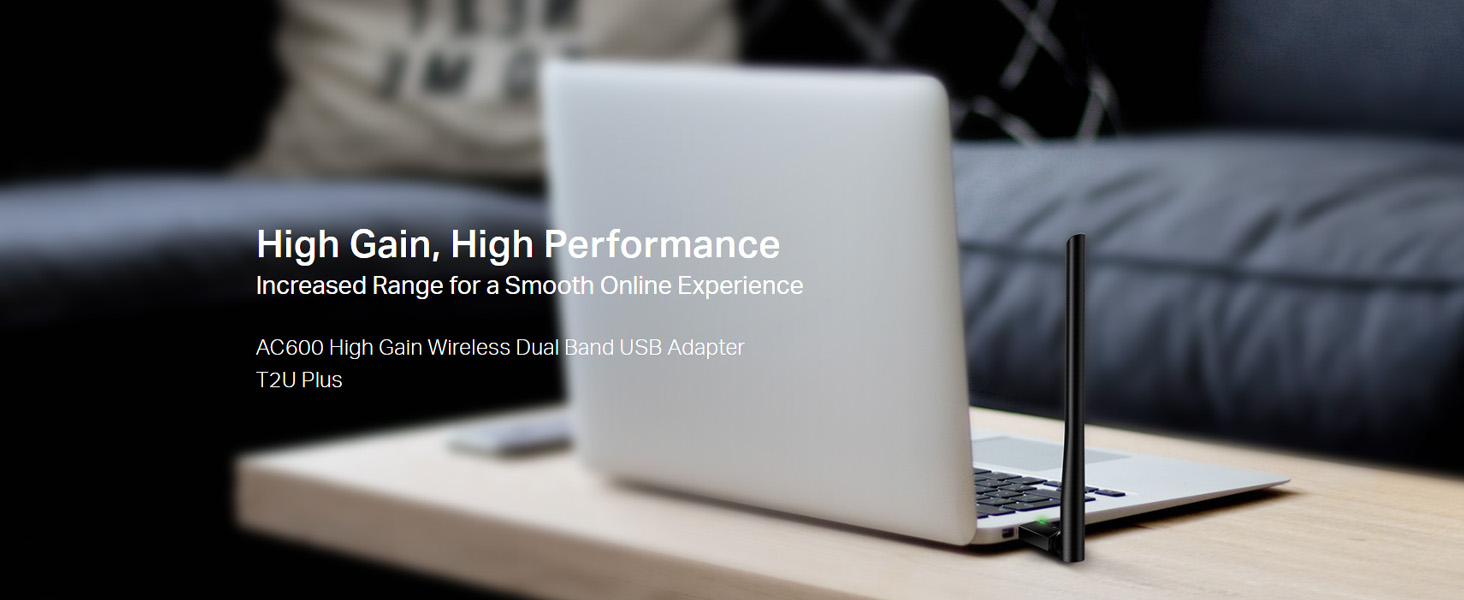
Image: The Archer T2U Plus adapter connected to a laptop's USB port, demonstrating its compact form factor.
4.2 התקנת דרייבר
The adapter requires a driver to function correctly. You can install it using the provided Resource CD or by downloading it from the TP-Link webאֲתַר.
Option A: Using the Resource CD
- הכנס את תקליטור המשאבים לכונן התקליטורים של המחשב שלך.
- Follow the on-screen instructions to run the setup wizard.
- Select the Archer T2U Plus model and proceed with the driver installation.
- הפעל מחדש את המחשב אם תתבקש.
Option B: Downloading Drivers Online
- בקרו באתר התמיכה הרשמי של TP-Link webאתר (www.tp-link.com/support/download/).
- חפש "Archer T2U Plus" and download the latest driver compatible with your operating system.
- חלץ את ההורדה file (if compressed) and run the setup executable.
- Follow the installation wizard and restart your computer if required.
5. הוראות הפעלה
5.1 התחברות לרשת Wi-Fi
- After successful driver installation, the adapter will be detected by your operating system.
- Click the Wi-Fi icon in your system tray (Windows) or menu bar (Mac OS).
- Select your desired Wi-Fi network (SSID) from the list of available networks.
- Enter the network password (security key) if prompted and click לְחַבֵּר.
- The adapter will establish a connection to the Wi-Fi network.
5.2 Dual Band Functionality
The Archer T2U Plus supports both 2.4 GHz and 5 GHz Wi-Fi bands. The 5 GHz band offers faster speeds and less interference, ideal for streaming and gaming, while the 2.4 GHz band provides wider coverage.
- רצועת 2.4 GHz: Up to 200 Mbps data rate, suitable for general web גלישה ואימייל.
- רצועת 5 GHz: Up to 433 Mbps data rate, ideal for HD video streaming and online gaming.
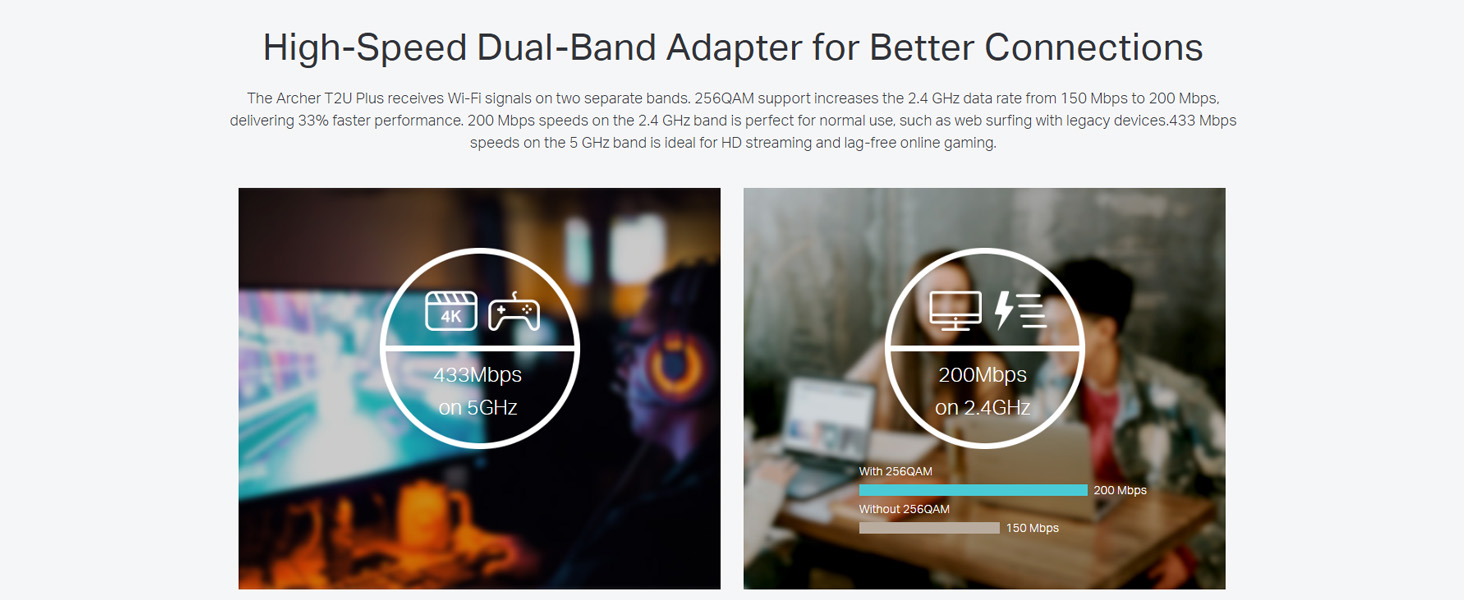
Image: A visual representation comparing the data rates and typical uses for the 2.4 GHz (200 Mbps) and 5 GHz (433 Mbps) bands.
5.3 כוונון אנטנה
The adapter features an adjustable, multi-directional 5dBi high-gain antenna to optimize signal reception and transmission.
- Rotate and adjust the antenna in various directions to find the optimal position for signal strength and performance in your environment.
- Experiment with different angles to achieve the best possible Wi-Fi range and stability.

Image: The Archer T2U Plus adapter illustrating its adjustable antenna, capable of rotating up to 180 degrees and tilting 90 degrees for optimal signal.
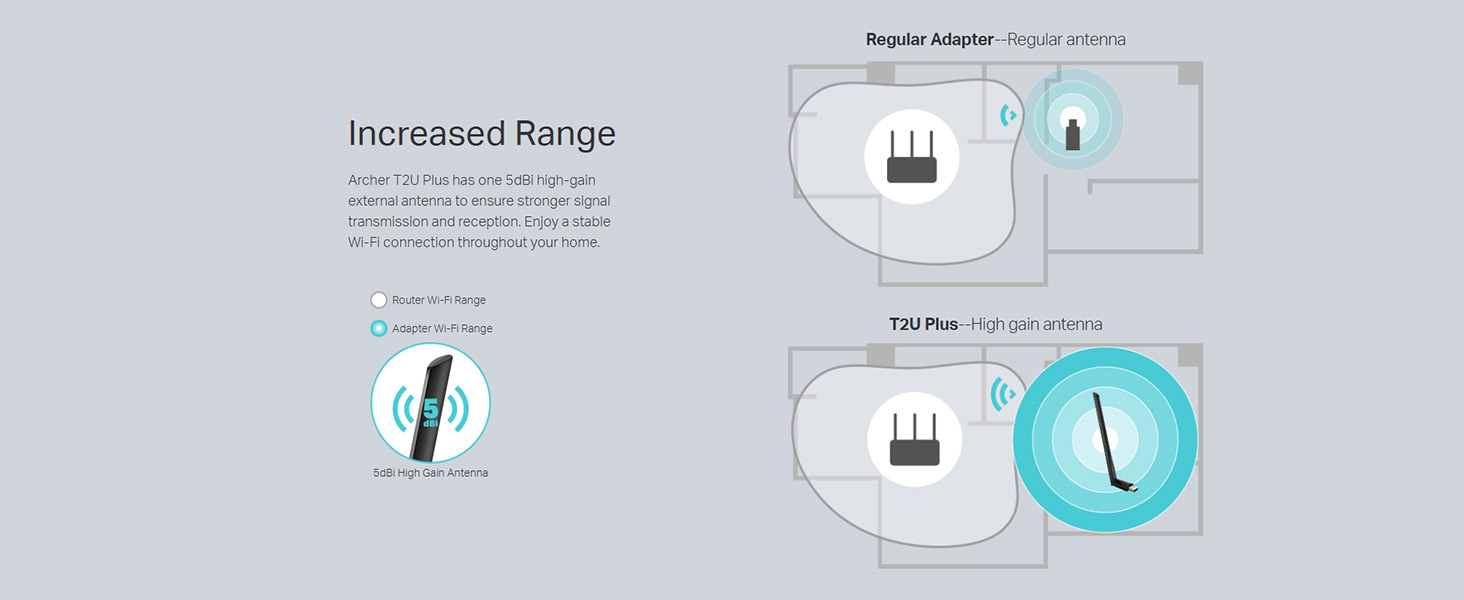
Image: A diagram comparing the Wi-Fi coverage area of a regular adapter with a standard antenna versus the extended range provided by the Archer T2U Plus's high-gain antenna.
6. תחזוקה
6.1 עדכוני מנהלי התקנים
בדקו באופן קבוע את התמיכה של TP-Link website for updated drivers. Keeping your drivers current ensures optimal performance, compatibility, and security.
6.2 ניקוי
To maintain the adapter's performance, keep it clean and free from dust. Use a soft, dry cloth to wipe the device. Avoid using liquid cleaners or solvents.
7. פתרון תקלות
If you encounter issues with your Archer T2U Plus adapter, refer to the following common troubleshooting steps:
- אין חיבור Wi-Fi:
- ודא שהמתאם מחובר היטב ליציאת USB.
- ודא שמנהלי ההתקנים מותקנים כהלכה. התקן מחדש במידת הצורך.
- בדוק אם הנתב שלך דולק ומשדר אות Wi-Fi.
- נסה לחבר ליציאת USB אחרת.
- מהירות Wi-Fi איטית:
- Ensure you are connected to the 5 GHz band if your router supports it, for faster speeds.
- כוונן את מיקום האנטנה לקבלת קליטת אות טובה יותר.
- Reduce interference by moving the adapter away from other electronic devices.
- עדכן את מנהלי ההתקנים של המתאם שלך לגרסה העדכנית ביותר.
- מתאם לא זוהה:
- Try plugging the adapter into another USB port.
- הפעל מחדש את המחשב.
- Manually install the drivers from the Resource CD or TP-Link webאֲתַר.
8. מפרטים
| מותג | TP-Link |
| דֶגֶם | Archer T2U Plus |
| ממשק חומרה | USB, USB 2.0 |
| קצב העברת נתונים | 600 Megabits Per Second (200 Mbps on 2.4 GHz, 433 Mbps on 5 GHz) |
| סוג אנטנה | 5dBi High-Gain External Antenna |
| מערכות הפעלה תואמות | Windows 11/10/8.1/8/7/XP, Mac OS 10.15 and earlier |
| מידות המוצר (L x W x H) | 5.8L x 1.8W x 17.3H סנטימטרים |
| משקל פריט | 12 גרם |
| צֶבַע | שָׁחוֹר |
9. אחריות ותמיכה
9.1 מידע אחריות
מוצר זה מגיע עם א אחריות לשנה מתאריך הרכישה. אנא שמור את הוכחת הרכישה שלך לצורך תביעות אחריות. האחריות מכסה פגמי ייצור ותקלות בתנאי שימוש רגילים.
9.2 תמיכה טכנית
For technical assistance, driver downloads, or further inquiries, please contact TP-Link support:
- תמיכה חינם: 1800-209-4168
- תמיכה בדוא"ל: support.in@tp-link.com
- Webאֲתַר: www.tp-link.com/in/support/