
1. הקדמה
This manual provides detailed instructions for the setup, operation, and maintenance of your One For All URC4811 Universal Replacement Learning Remote Control. This remote is designed to be compatible with all LG Televisions, including LCD, LED, OLED, and Plasma models, offering a seamless replacement for your original LG remote.
2. המוצר נגמרview
The One For All URC4811 remote control is engineered for ease of use and broad compatibility with LG televisions. Key features include:
- תאימות ישירה: Functions like your original LG television remote. For most LG TVs, no setup is required; simply insert batteries and it is ready to use.
- תכונת למידה: Allows customization of the remote to your specific needs by copying functions from your original remote.
- מקשי קיצור לאפליקציה: Provides direct access to your favorite streaming services.
- מספר מפתחות: 50.
- טכנולוגיית שלט רחוק: Infrared (IR).
תמונות מוצר


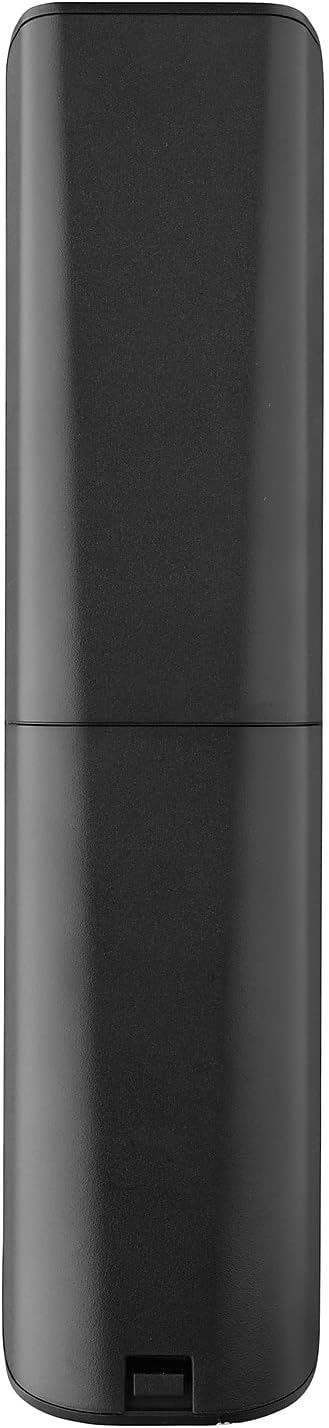


3. התקנה
3.1. התקנת סוללה
The remote requires 2 AAA batteries (not included). To install the batteries:
- Remove the battery compartment cover located on the back of the remote.
- הכניסו 2 סוללות AAA, תוך הקפדה על קוטביות נכונה (הדקים + ו-).
- החזר את מכסה תא הסוללה למקומו עד שייכנס בנקישה היטב.
3.2. Initial Pairing / Codeless Setup
For most LG Televisions, the One For All URC4811 remote control is ready to use immediately after battery installation, requiring no additional setup. Simply point the remote at your LG TV and begin using it. If your TV does not respond, refer to the 'Learning Feature' section for advanced setup options.
4. הוראות הפעלה
4.1. פונקציות בסיסיות
The remote provides all standard functions of an LG TV remote, including:
- הפעלה/כיבוי: Use the dedicated power button to turn your TV on or off.
- בקרת עוצמת הקול: Adjust volume up or down using the +/- buttons.
- ניווט בערוץ: Change channels using the CH +/- buttons or direct number input.
- קיצורי דרך לאפליקציה: Dedicated buttons provide quick access to popular streaming services.
4.2. תכונת למידה
The learning feature allows you to copy specific functions from your original LG remote control to your One For All URC4811 remote. This is useful if a particular function is not pre-programmed or if you prefer a custom button layout. Refer to the Quick Setup Guide included with your remote for detailed steps on using the learning feature.
4.3. סרטון מוצר רשמי
5. תחזוקה
כדי להבטיח את אורך החיים והביצועים האופטימליים של השלט רחוק שלך:
- ניקוי: נגבו את השלט בעזרת מטלית רכה ויבשה. הימנעו משימוש בחומרי ניקוי נוזליים או בחומרים שוחקים.
- טיפול בסוללה: יש להחליף סוללות כאשר ביצועי השלט יורדים. יש להסיר סוללות אם השלט לא ישמש למשך תקופה ממושכת כדי למנוע דליפות.
- אִחסוּן: יש לאחסן את השלט במקום קריר ויבש, הרחק מאור שמש ישיר וטמפרטורות קיצוניות.
6. פתרון תקלות
אם נתקלת בבעיות עם השלט הרחוק, נסה את השלבים הבאים:
- שלט לא מגיב: בדוק אם הסוללות הוכנסו כהלכה ושהן טעונות מספיק. החלף אותן במידת הצורך.
- קו הראיה: ודא שאין מכשולים בין השלט רחוק למקלט ה-IR של הטלוויזיה.
- פונקציות ספציפיות שלא פועלות: Use the learning feature to re-program the affected buttons from your original LG remote.
- TV Not Responding After Battery Change: For some LG models, the remote may require re-pairing or a quick setup process after battery replacement. Refer to the Quick Setup Guide.
7. מפרטים
| תכונה | מִפרָט |
|---|---|
| מידות המוצר | 8.03 x 2.01 x 0.94 אינץ' |
| משקל פריט | 2.72 אונקיות |
| מספר דגם של פריט | URC4811 |
| סוללות נדרשות | 2 סוללות AAA (לא כלולות) |
| מותג | אחד בשביל כולם |
| תכונה מיוחדת | פונקציית למידה אוניברסלית |
| צֶבַע | שָׁחוֹר |
| מספר מרבי של מכשירים נתמכים | 1 (specifically for LG TVs) |
| מכשירים תואמים | טלוויזיות LG (LCD, LED, OLED, פלזמה) |
8. אחריות ותמיכה
For warranty information and technical support, please refer to the documentation included with your product or visit the official One For All webאתר. שמור את קבלת הרכישה כהוכחת קנייה עבור כל תביעת אחריות.