
1. הקדמה
Welcome to the user manual for your Genius Manticore Gaming Keyboard. This guide provides essential information for setting up, operating, maintaining, and troubleshooting your new gaming keyboard. Please read these instructions carefully to ensure optimal performance and longevity of your device.
2. המוצר נגמרview
The Genius Manticore Gaming Keyboard is designed for an enhanced gaming experience, featuring a durable build and responsive keys. It connects via USB and is compatible with a wide range of devices. The keyboard includes 104 keys with a standard QWERTY layout, complemented by additional gaming-specific features.
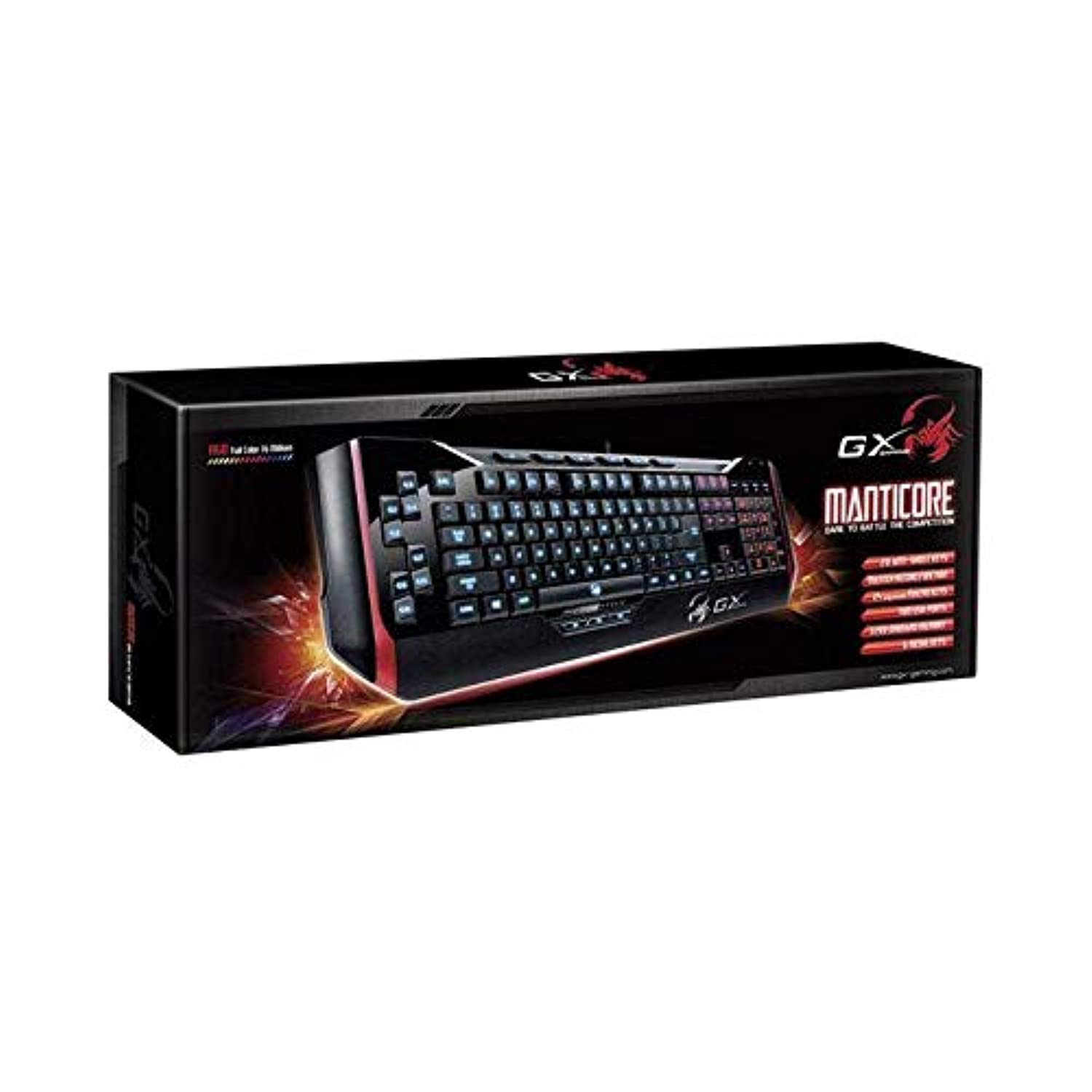
איור 1: Genius Manticore Gaming Keyboard. This image displays the Genius Manticore Gaming Keyboard, featuring a black body with red accents on the sides. The keys are illuminated, indicating its gaming functionality. The keyboard has a standard QWERTY layout with additional keys on the left side, likely for macros, and a numeric keypad on the right.
3. התקנה
- פרק את המקלדת: Carefully remove the Genius Manticore Gaming Keyboard from its packaging. Ensure all components are present.
- התחבר למכשיר שלך: Locate an available USB port on your computer or compatible device. Insert the USB connector of the keyboard firmly into the USB port.
- התקנת דרייבר (במידת הצורך): For most modern operating systems, the keyboard will be recognized automatically, and standard drivers will be installed. If prompted, follow the on-screen instructions to complete any driver installation.
- פונקציונליות בדיקה: Open a text editor or a web browser and test the keys to ensure they are responding correctly.
4. הוראות הפעלה
The Genius Manticore Gaming Keyboard offers a standard QWERTY layout for general typing and dedicated features for gaming.
- Standard Key Functions: All standard alphanumeric, symbol, and function keys operate as expected on a typical QWERTY keyboard.
- תכונות משחק: The keyboard is designed for gaming. Specific gaming features, such as customizable backlighting or programmable macro keys (if available on your model), can typically be configured through dedicated software provided by Genius or through specific key combinations. Refer to the Genius website for any available software downloads or advanced feature guides.
- מקור כוח: The keyboard is powered directly via the USB connection to your device. No external power supply or batteries are required.
5. תחזוקה
תחזוקה נכונה מבטיחה את אורך החיים והביצועים של המקלדת שלכם.
- ניקוי: השתמשו במטלית רכה ויבשה כדי לנגב את משטח המקלדת. כדי לנקות אבק ולכלוך בין המקשים, השתמשו באוויר דחוס. הימנעו משימוש בכימיקלים חזקים או בחומרים שוחקים.
- חשיפה לנוזלים: This keyboard is לא עמיד במים. Avoid spilling liquids on the keyboard, as this can cause permanent damage. If liquid exposure occurs, immediately disconnect the keyboard from your device and allow it to dry completely before attempting to use it again.
- אִחסוּן: When not in use, store the keyboard in a clean, dry environment away from extreme temperatures and direct sunlight.
6. פתרון תקלות
אם נתקלת בבעיות עם המקלדת, נסה את הפתרונות הבאים:
- המקלדת לא מגיבה:
- ודא שכבל ה-USB מחובר היטב הן למקלדת והן למחשב.
- נסה לחבר את המקלדת ליציאת USB אחרת במחשב שלך.
- בדוק את המקלדת במחשב אחר כדי לקבוע אם הבעיה היא במקלדת או במחשב המקורי.
- הפעל מחדש את המחשב.
- מקשים ספציפיים שלא עובדים:
- Check for any physical obstructions under the non-functional keys.
- נקו את המקלדת כמתואר בסעיף התחזוקה.
- Ensure no software conflicts are present (e.g., macro software interfering with standard key functions).
- בעיות תאורה אחורית:
- If your model features adjustable backlighting, ensure it is not turned off or set to the lowest brightness level. Consult the Genius website for specific key combinations to control backlighting.
If these steps do not resolve the issue, please contact Genius customer support for further assistance.
7. מפרטים
| תכונה | פְּרָט |
|---|---|
| שם מותג | גָאוֹן |
| מספר דגם | GE31310058108 |
| מכשירים תואמים | כֹּל |
| טכנולוגיית קישוריות | USB |
| תיאור מקלדת | משחקים |
| תכונות מיוחדות | משחקים |
| צֶבַע | Multi-color (Black and Red) |
| סִגְנוֹן | מוֹדֶרנִי |
| חוֹמֶר | Multiple Materials |
| נוֹשֵׂא | משחקים |
| מקור כוח | כוח USB |
| מספר מפתחות | 104 |
| פריסת מקלדת | מקלדת QWERTY |
| כיוון יד | אמבידקסטרואי |
| כמות הכפתורים | 104 |
| רמת עמידות במים | לא עמיד במים |
| יַצרָן | גָאוֹן |
| ASIN | B07MQMXJS9 |
8. אחריות ותמיכה
Your Genius Manticore Gaming Keyboard is covered by a standard manufacturer's warranty. For detailed information regarding warranty terms, registration, or to access technical support, please visit the official Genius webאתר או צרו קשר עם מחלקת שירות הלקוחות שלהם. שמרו את קבלת הרכישה כהוכחת קנייה.
לסיוע נוסף, ניתן לבקר ב Genius Official Webאֲתַר.