
1. הקדמה
The Fitbit Inspire HR is a friendly heart rate and fitness tracker designed to help you build healthy habits. This manual provides essential information for setting up, operating, and maintaining your device to ensure optimal performance and a comprehensive understanding of its features.
The Inspire HR tracks all-day activity, including steps, distance, hourly activity, active minutes, and calories burned. It also utilizes 24/7 heart rate monitoring to provide more accurate data on calorie burn, resting heart rate, and heart rate zones during workouts. Advanced sleep tracking offers insights into light, deep, and REM sleep stages.

Image 1.1: Fitbit Inspire HR device showing time and heart rate on its display.
2. מה בקופסה
Your Fitbit Inspire HR package includes:
- Fitbit Inspire HR tracker
- Small (S) band
- Large (L) band
- כבל טעינה
3. התקנה
3.1. טעינת המכשיר שלך
Before initial use, fully charge your Inspire HR. Connect the charging cable to a USB port on your computer or a UL-certified USB wall charger. Align the other end of the cable with the port on the back of your tracker until it snaps into place. A battery icon will appear on the screen to indicate charging progress.
3.2. Installing the Fitbit App and Pairing
- הורידו את אפליקציית Fitbit מחנות האפליקציות של אפל (למכשירי iOS) או מחנות גוגל פליי (למכשירי אנדרואיד).
- פתחו את האפליקציה ופעל לפי ההוראות שעל המסך כדי ליצור חשבון Fitbit או להתחבר לחשבון קיים.
- Select 'Set up a Device' and choose Inspire HR from the list.
- Follow the pairing instructions in the app to connect your tracker to your smartphone or tablet. Ensure Bluetooth is enabled on your device.
3.3. Attaching the Bands
The Inspire HR comes with both small and large bands. Choose the band size that provides a comfortable and secure fit. To attach a band, slide the pin into the small hole on the tracker, then push the pin inward and slide the other end into place. Release the pin to secure the band.
4. הפעלת ההתקן
4.1. ניווט בסיסי
The Inspire HR features a touchscreen display and a single button on the left side. Swipe up or down on the screen to navigate through different stats and apps. Press the button to return to the clock face or to access quick settings.
4.2. Heart Rate Tracking
The device continuously monitors your heart rate throughout the day and night. This data is used to calculate calorie burn, track heart rate zones during exercise, and provide insights into your resting heart rate. For accurate readings, ensure the tracker is snug but comfortable on your wrist.

Image 4.1: The Inspire HR actively tracking heart rate.
4.3. מעקב פעילות
The Inspire HR automatically tracks various daily activities:
- שלבים: סופר את מספר הצעדים שבוצעו.
- מֶרְחָק: Estimates the distance traveled based on your steps and stride length.
- דקות פעילות: Records periods of moderate to intense activity.
- קלוריות שנשרפו: Calculates calorie expenditure based on your activity and metabolic rate.
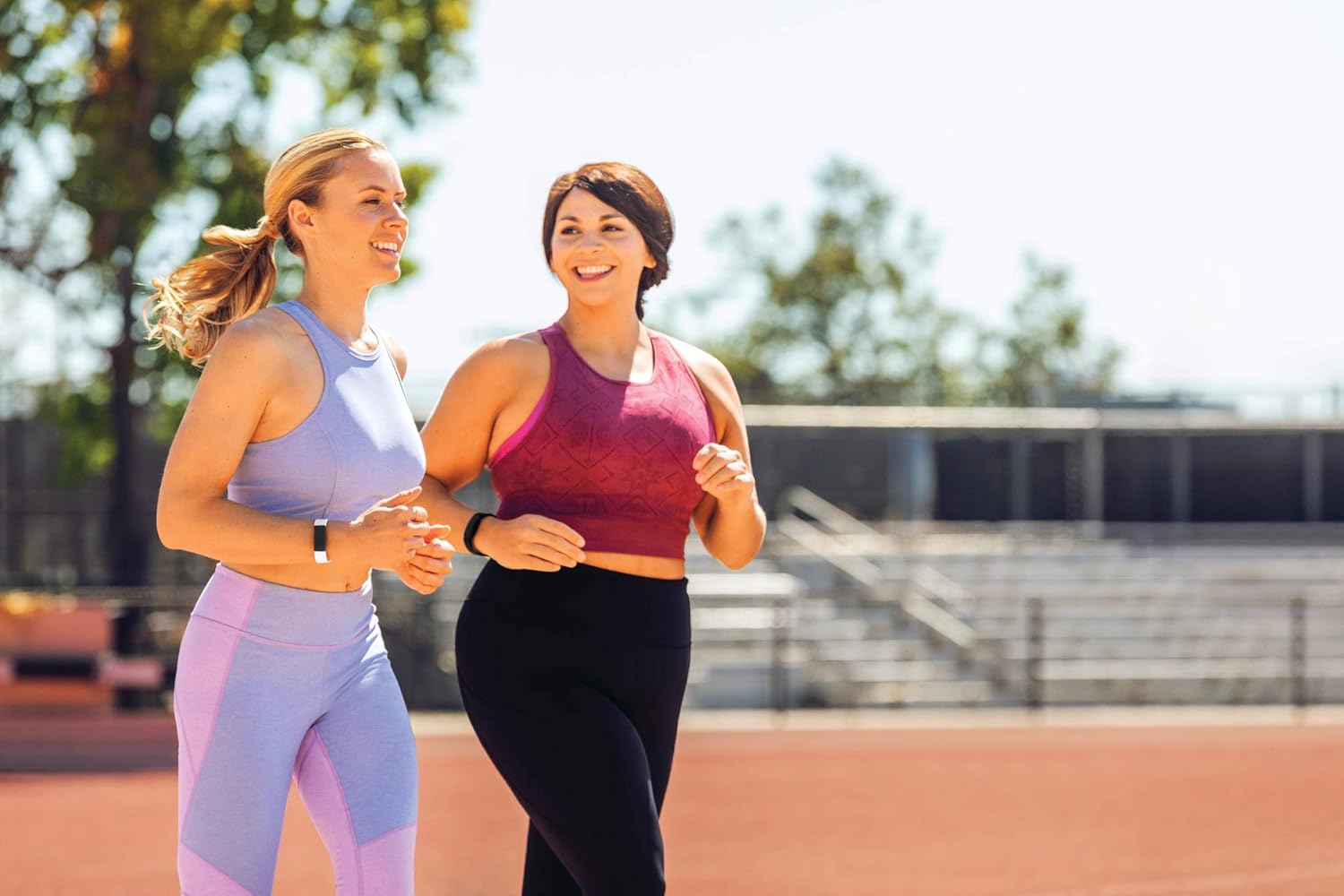
Image 4.2: Individuals engaging in physical activity while wearing their trackers.
4.4. מעקב שינה
Wear your Inspire HR to bed to automatically track your sleep. The device records your sleep stages (light, deep, and REM) and provides a sleep score in the Fitbit app, offering insights into your sleep quality.

Image 4.3: The Inspire HR highlighting its activity and sleep tracking capabilities.
4.5. SmartTrack (Automatic Exercise Recognition)
The Inspire HR automatically recognizes and records select workouts, such as walks, runs, swims, and bike rides, through its SmartTrack feature. This allows for convenient tracking without manual input.
4.6. הודעות
When paired with your smartphone, the Inspire HR can display call, text, and calendar notifications directly on your wrist. Manage notification settings within the Fitbit app.
4.7. עמידות במים
The Inspire HR is swimproof, allowing you to wear it in the shower, pool, or ocean. After swimming, it is recommended to dry the band and device to prevent skin irritation.

Image 4.4: The Inspire HR showcasing its swimproof design.
5. תחזוקה
5.1. ניקוי המכשיר
Regularly clean your Inspire HR and band to prevent skin irritation and maintain device functionality. Use a mild, soap-free cleanser and water. Ensure the device is completely dry before wearing it again.
5.2. Battery Life Tips
The Inspire HR offers up to 5 days of battery life. To maximize battery duration:
- Reduce notification frequency.
- Turn off 'All-Day Sync' in the Fitbit app when not needed.
- הימנע מטמפרטורות קיצוניות.
6. פתרון תקלות
If you encounter issues with your Fitbit Inspire HR, try the following steps:
- המכשיר לא מגיב: Connect the tracker to its charging cable and plug it into a power source. This often resolves minor software glitches.
- בעיות סנכרון: Ensure Bluetooth is enabled on your smartphone and the Fitbit app is open. Try restarting both your phone and the Inspire HR.
- Inaccurate Heart Rate: Ensure the tracker is worn snugly on your wrist, about a finger's width above your wrist bone. Clean the back of the device to ensure sensors are clear.
- הסוללה מתרוקנת במהירות: Review battery life tips in Section 5.2. If the issue persists, contact Fitbit support.

תמונה 6.1: אחורי view of the Inspire HR, highlighting its sensor array.
7. מפרטים
| תכונה | פְּרָט |
|---|---|
| מספר דגם | FB413BKWT |
| מידות המוצר | 1.18 x 3.94 x 8.94 אינץ' |
| מִשׁקָל | 0.71 אונקיות |
| סוללות | סוללת ליתיום פולימר אחת (כלול) |
| מַעֲרֶכֶת הַפעָלָה | מערכת ההפעלה Fitbit |
| טכנולוגיית קישוריות | בלוטות' |
| GPS | דרך הטלפון החכם |
| גודל מסך | 0.96 אינץ' |
| טמפרטורת הפעלה | 14° עד 113° F |
| גובה הפעלה מרבי | 28,000 רגל |
8. אחריות ותמיכה
למידע על אחריות ותמיכת לקוחות, אנא עיינו בדף הרשמי של Fitbit website or contact Fitbit customer service directly. Details regarding your specific warranty coverage can typically be found on the product packaging or within the Fitbit app's help section.