
1. הקדמה
This manual provides comprehensive instructions for the proper use and maintenance of your Zerone Replacement TV Remote Control, model BN59-01199G. This remote is designed as a direct replacement for compatible Samsung Smart TVs, ensuring seamless operation without complex setup.

Image 1.1: The Zerone Replacement TV Remote Control, showcasinפריסת הכפתורים והעיצוב הארגונומי שלו.
2. תכולת החבילה
- 1 x Zerone Replacement TV Remote Control (Model: BN59-01199G)
3. מפרטים
| תכונה | פְּרָט |
|---|---|
| חומר מעטפת | ABS |
| מרחק שלט רחוק | Greater than 8 meters (actual distance may vary based on TV model and environment) |
| דגם סוללה | 2 x סוללות AA (לא כלול) |
| מידות המוצר | כ-175 x 45 x 20 מ"מ (6.9 x 1.8 x 0.8 אינץ') |
| משקל פריט | משוער. 67 גרם (2.46 אונקיות) |
| מכשירים תואמים | Samsung Smart TVs requiring BN59-01199G remote |

Image 3.1: Dimensions of the remote control: 175mm (6.9in) length, 45mm (1.8in) width, and 20mm (0.8in) thickness.
4. התקנה
4.1 התקנת סוללה
- אתר את תא הסוללות בגב השלט הרחוק.
- החלק את מכסה הסוללה כלפי מטה כדי לפתוח אותו.
- הכניסו שתי (2) סוללות AA, וודאו שהקוטבים החיוביים (+) והשליליים (-) מיושרים כהלכה עם הסימונים בתוך התא.
- החלק את מכסה הסוללה בחזרה למקומו עד שיינעל היטב.
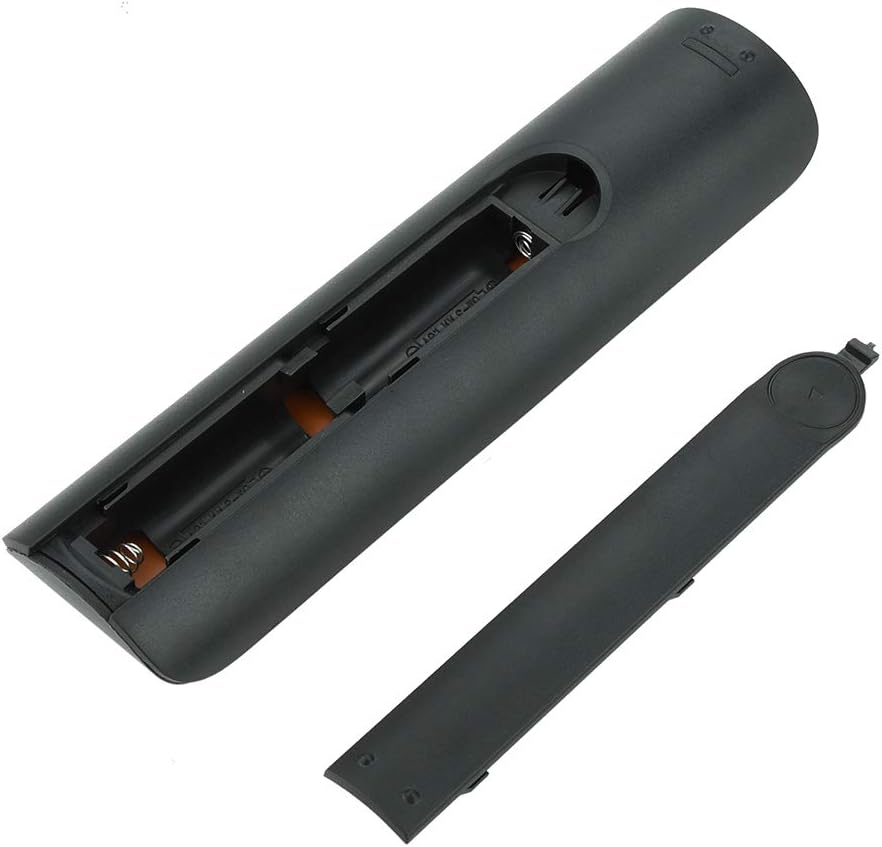
תמונה 4.1: View של השלט רחוק כאשר מכסה הסוללה מוסר, תוך הצגת שני חריצי סוללות AA.
4.2 שימוש ראשוני
This remote control is designed to work directly with compatible Samsung Smart TVs that originally used the BN59-01199G model. No programming or pairing is typically required. Simply install the batteries and point the remote towards your television.

Image 4.2: The remote control positioned near a television, illustrating its intended use with compatible Samsung models.
5. הוראות הפעלה
The remote control features standard buttons for TV operation. Refer to the image below for a visual guide to the button layout.

תמונה 5.1: תיאור מפורט view of the remote control's buttons, including power, number pad, volume, channel, and smart functions.
- כפתור הפעלה (אדום): מפעיל או מכבה את הטלוויזיה.
- לוח מספרים (0-9): עבור קלט ישיר של ערוץ.
- עוצמת הקול מעלה/הנמכת (+/-): מכוונן את עוצמת הקול של הטלוויזיה.
- למעלה/למטה של ערוץ (CH +/-): משנה ערוצי טלוויזיה.
- לְהַשְׁתִיק: משתיק את שמע הטלוויזיה.
- רכזת חכמה: Accesses the Smart Hub interface for apps and streaming services.
- תַפרִיט: פותח את התפריט הראשי של הטלוויזיה.
- כְּלֵי עֲבוֹדָה: Provides quick access to common TV functions.
- מידע: מציג מידע על התוכנית או הקלט הנוכחיים.
- לוח ניווט (למעלה, למטה, שמאלה, ימינה, אנטר): משמש לניווט בתפריטים ובחירת אפשרויות.
- לַחֲזוֹר: חוזר למסך או לתפריט הקודם.
- יְצִיאָה: סוגר את התפריט או היישום הנוכחיים.
- כפתורים צבעוניים (A, B, C, D): הפונקציונליות משתנה בהתאם לדגם הטלוויזיה ולאפליקציה.
- בקרות השמעה: Play, Pause, Stop, Fast Forward, Rewind for media playback.
6. תחזוקה
6.1 ניקוי
לניקוי השלט רחוק, נגבו אותו בעדינות בעזרת מטלית רכה ויבשה. במקרה של לכלוך עיקש, נגבו אותו קלותampשטפו את המטלית במים או בחומר ניקוי עדין ולא שוחק. הימנעו משימוש בכימיקלים חזקים או בלחות מוגזמת, מכיוון שאלה עלולים לפגוע באלקטרוניקה של השלט.
6.2 החלפת סוללה
Replace batteries when the remote control's response becomes sluggish or stops working. Always replace both AA batteries at the same time with new ones. Do not mix old and new batteries, or different types of batteries.
7. פתרון תקלות
- השלט לא מגיב:
- בדוק אם הסוללות מוכנסות כהלכה עם הקוטביות הנכונה.
- החלף את הסוללות בטריות.
- ודא שאין מכשולים בין השלט רחוק למקלט האינפרא אדום של הטלוויזיה.
- ודא שהשלט רחוק מכוון ישירות אל הטלוויזיה.
- Short remote control distance:
- This can indicate low battery power; replace the batteries.
- Environmental factors or strong light sources can interfere with the infrared signal. Try using the remote in different lighting conditions.
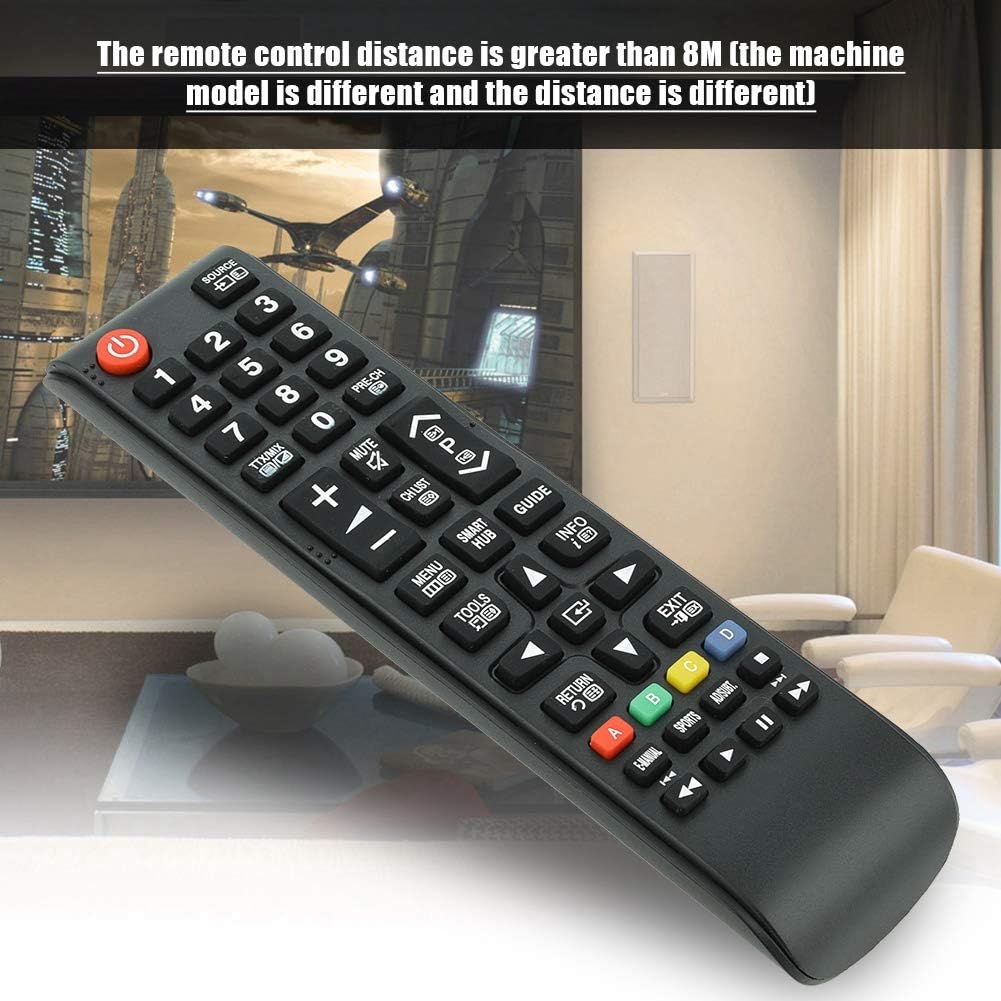
Image 7.1: The remote control in a typical home environment, demonstrating its effective range for TV operation.
8. אחריות ותמיכה
Zerone products are manufactured with quality in mind. If you encounter any issues or are not satisfied with your product, please contact the seller or manufacturer for support. Refer to your purchase documentation for specific warranty terms and contact information.