
1. הקדמה
Thank you for choosing the ShinePick Mini Hand-Controlled UFO Drone. This drone is designed for interactive play, featuring hand-controlled flight and obstacle avoidance. Please read this manual carefully before operation to ensure safe and correct use.
תכולת החבילה:
- 1 x ShinePick Mini Hand-Controlled UFO Drone
- 1 x כבל טעינה USB
- 1 x מדריך למשתמש
- 1 x Lithium Ion Battery (pre-installed)

Image: The ShinePick Mini Hand-Controlled UFO Drone, blue in color, hovering above two hands, illustrating its hand-controlled flight capability.
2. מידע בטיחות
- המלצת גיל: Suitable for children aged 5 years and above. Adult supervision is recommended.
- שימוש פנימי: This drone is primarily designed for indoor use. Avoid using it in strong winds or outdoors where it may be lost or damaged.
- מפגע מים: Do not use the drone in or near water bodies such as lakes or swimming pools. Avoid placing items on the flying drone.
- פינוי מכשולים: Ensure sufficient clear space for flight to prevent collisions. The drone features automatic obstacle avoidance, but clear surroundings enhance safety and performance.
- בטיחות סוללה: Use only the provided USB charging cable. Do not attempt to modify or replace the battery with non-approved alternatives.
- בטיחות מדחף: Keep fingers, hair, and loose clothing away from the propellers during operation. The drone's protective cage helps prevent direct contact.
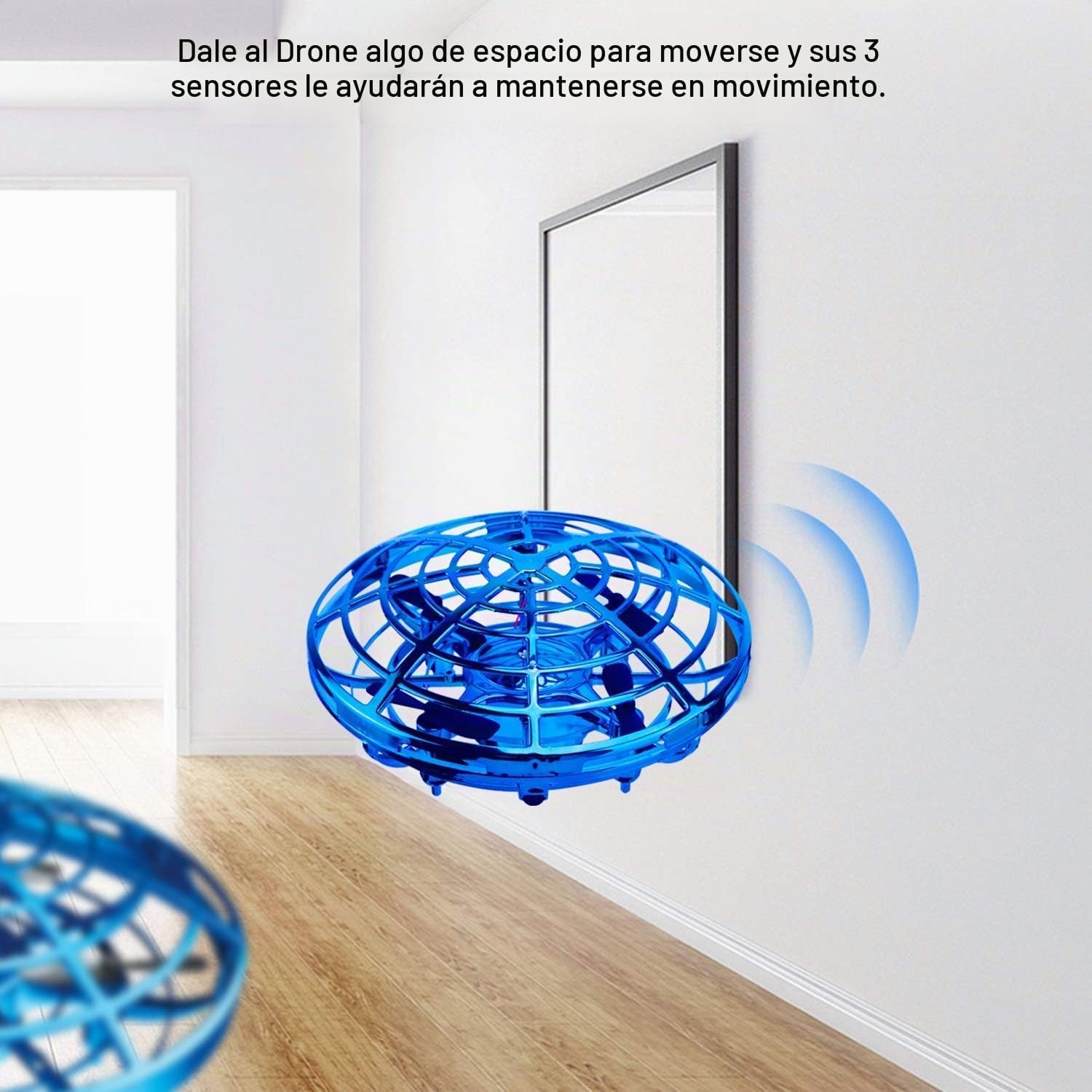
Image: The blue ShinePick Mini Hand-Controlled UFO Drone flying near a wall, demonstrating its ability to detect and avoid obstacles using its sensors.
3. תחילת העבודה (הגדרה)
3.1 Charging the Drone
- Locate the charging port on the bottom of the drone.
- Connect the provided USB charging cable to the drone's charging port.
- חבר את הקצה השני של כבל ה-USB לספק כוח USB סטנדרטי (לא כלול) או ליציאת ה-USB של מחשב.
- The indicator light on the drone will show charging status (specific light behavior may vary, refer to product for details).
- Ensure the drone is fully charged before its first use. A flashing red indicator light signifies a low battery during operation.
3.2 הפעלה/כיבוי
- כדי להפעיל: Locate the ON/OFF button on the bottom of the drone and press it. The LED lights will illuminate.
- כדי לכבות: Press the ON/OFF button again. The LED lights will turn off. Alternatively, gently grasp the drone and flip it over to stop flight and power down.

תמונה: מפורט view of the drone's bottom, highlighting the charging port, infrared sensors, and the ON/OFF power switch for easy identification.
4. הוראות הפעלה
4.1 Launching the Drone
After powering on, gently toss the drone upwards into the air. It will automatically detect the launch and begin to fly and hover.
4.2 Controlling Flight
- שליטה ידנית: The drone uses infrared sensors to detect nearby objects, including your hands. Move your hand close to the drone to influence its direction and movement.
- הימנעות ממכשולים: The drone is equipped with an obstacle avoidance design, allowing it to automatically detect and steer clear of walls and other objects.
- מצבי מהירות: The drone has two speed settings:
- Green LED Light: Indicates low speed.
- Blue LED Light: Indicates high speed.
4.3 Stopping Flight
To stop the drone, gently grasp it with your hand and flip it over. This action will disengage the propellers and power down the drone. Alternatively, press the ON/OFF button.

Image: A composite image demonstrating various operational aspects: launching the drone by tossing it up, controlling its direction with hand gestures, and stopping it by flipping it over or pressing the power button.
5. תחזוקה
- ניקוי: Use a soft, dry cloth to clean the drone. Do not use water or cleaning solutions, as this can damage electronic components.
- טיפול במדחף: Periodically check the propellers for any hair, dust, or debris that may accumulate. Carefully remove any obstructions to ensure optimal flight performance.
- אחסון סוללה: If storing the drone for an extended period, ensure the battery is partially charged (around 50%) to prolong its lifespan. Avoid storing in extreme temperatures.
- נזקי פגיעה: While durable, repeated hard impacts can cause damage. Inspect the drone after any significant crash for cracks or loose parts.
6. פתרון תקלות
| בְּעָיָה | סיבה אפשרית | פִּתָרוֹן |
|---|---|---|
| Drone does not fly or flies weakly. | Low battery. Obstructions in propellers. | Charge the drone fully. Check and clear any debris from propellers. |
| Drone flies erratically or crashes frequently. | Insufficient clear space. Sensors obstructed. | לְהַבטִיחַ ample clear space for flight. Clean sensors if dirty. |
| Drone does not respond to hand gestures. | Hand too far from sensors. Sensors obstructed. | Move hand closer to the drone. Ensure sensors are clean and unobstructed. |
| Red indicator light is flashing. | סוללה חלשה. | Recharge the drone. |
7. מפרטים
| תכונה | פְּרָט |
|---|---|
| מותג | ShinePick |
| שם הדגם | 003 |
| מידות המוצר | 14 x 13 x 12 ס"מ |
| משקל המוצר | 70 גרם |
| חוֹמֶר | Plastic (Non-toxic PP) |
| צֶבַע | כְּחוֹל |
| סוג סוללה | ליתיום יון |
| קיבולת סוללה | 500 מיליאמפר/שעה |
| סוללות נטענות | כן (כלול) |
| זמן טיסה | כ. 5-8 דקות |
| טכנולוגיית קישוריות | RF (תדר רדיו) |
| סוג בקרה | בקרת יד |
| טווח גילאים | 5 שנים ומעלה |
8. אחריות ותמיכה
For warranty information or technical support, please contact ShinePick customer service directly. Refer to the product packaging or the official ShinePick webהאתר לפרטי יצירת קשר.
אנא שמור את הוכחת הרכישה שלך לכל תביעת אחריות.