
מָבוֹא
The HyperX Alloy Core RGB Gaming Keyboard is designed to provide a responsive and durable typing experience with dynamic RGB lighting. This manual provides detailed instructions for setting up, operating, and maintaining your keyboard, ensuring optimal performance.

Image: The HyperX Alloy Core RGB Gaming Keyboard, showcasinהפריסה והעיצוב המלאים שלו.
תכונות
- תאורת RGB דינמית: Features a distinctive light bar and dynamic RGB lighting effects with multiple customizable patterns.
- בנייה עמידה: Built with a reinforced plastic frame for enhanced durability and stability.
- מקשים שקטים ותגובתיים: Equipped with soft-touch membrane keys that offer a quiet typing experience and anti-ghosting functionality for accurate input.
- עיצוב עמיד בפני שפכים: Tested to withstand up to 120ml of liquid spills, providing protection against accidental damage.
- בקרות מדיה ייעודיות: Convenient buttons for audio playback, volume adjustment, and mute functions.
- כפתורי גישה מהירה: Dedicated buttons for adjusting brightness, changing lighting modes, and activating game mode.
- מצב נעילת מקלדת: Prevents accidental key presses during intense gaming sessions.
- תְאִימוּת: Supports Windows 7, 8, 8.1, and 10.
- מידות: Approximately 443.20mm (width) x 175.31mm (depth) x 35.68mm (height).
הגדרה
- פרק את המקלדת: הוציאו בזהירות את המקלדת מהאריזה שלה.
- התחבר למחשב: Plug the USB-A connector of the keyboard cable into an available USB port on your computer. The keyboard is a plug-and-play device and typically does not require additional drivers for basic functionality.
- כוונון רגליות המקלדת: For ergonomic comfort, you can extend the adjustable feet located on the underside of the keyboard to tilt it to your preferred angle.
Video: This video demonstrates the physical handling of the keyboard, including adjusting the feet for optimal typing angle, and showcases the initial RGB lighting effects upon connection.

Image: A hand connecting the USB-A cable of the keyboard to a computer's USB port.
הוראות הפעלה
בקרת תאורה RGB
The HyperX Alloy Core RGB keyboard features dynamic RGB lighting. Use the dedicated quick access buttons located above the function keys to customize your lighting experience.
- התאמת בהירות: Press the sun icon button to cycle through different brightness levels.
- בחירת מצב תאורה: Press the color palette icon button to switch between various lighting effects (e.g., Color Cycle, Spectrum Wave, Breathing, Solid, 5 Zones, Aurora).
- מהירות אפקט: Use the FN key + Up/Down arrow keys to increase or decrease the speed of lighting effects.
- Solid Color Selection: Use the FN key + Left/Right arrow keys to switch between solid colors.
- 5-Zone Customization: For 5-zone lighting, press the FN key + F1-F5 keys multiple times to customize the color of each zone.
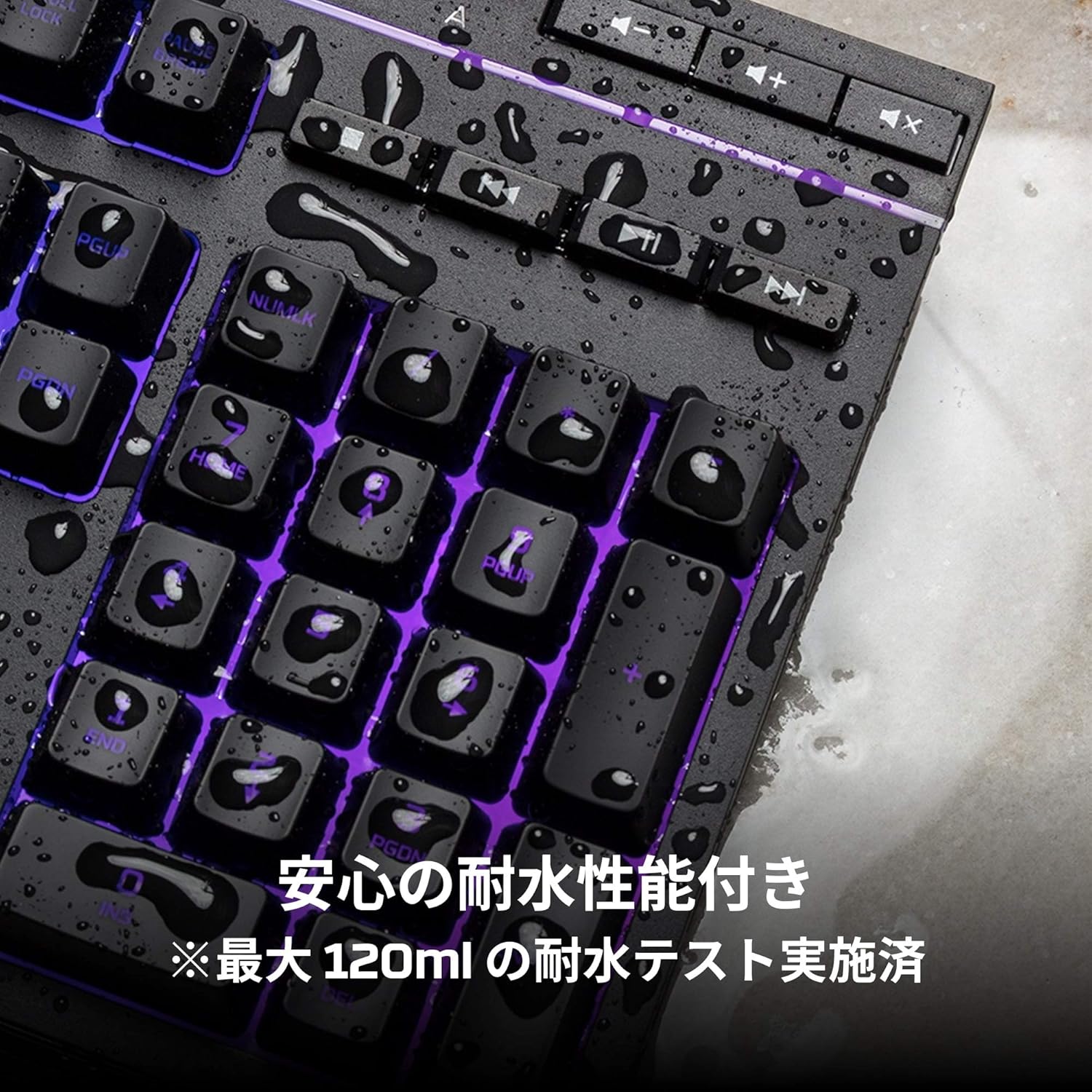
Image: Visual representation of various RGB lighting patterns and key combinations for controlling them.
בקרות מדיה
Dedicated media control buttons are located on the top right of the keyboard for easy access to audio functions.
- עוצמת הקול מעלה/הנמכת: כוונן את עוצמת הקול של המערכת.
- לְהַשְׁתִיק: השתקה או ביטול השתקת אודיו.
- הפעל/השהה: שליטה בהפעלת מדיה.
- הרצועה הקודמת/הבאה: Skip to the previous or next media track.

Image: Close-up of the dedicated media control buttons on the top right of the keyboard.
Game Mode and Keyboard Lock
- מצב משחק: Press the game controller icon button to activate Game Mode, which disables the Windows key to prevent accidental interruptions during gameplay.
- נעילת מקלדת: Press FN + F12 to enable keyboard lock mode, which temporarily disables all key inputs.
תַחזוּקָה
כדי להבטיח את אורך החיים והביצועים האופטימליים של מקלדת HyperX Alloy Core RGB שלך, פעל לפי הנחיות התחזוקה הבאות:
- ניקוי: Regularly clean the keyboard with a soft, dry cloth. For stubborn dirt, a slightly damp ניתן להשתמש בבד, תוך הקפדה על כך שלא ייכנס נוזל למתגי המפתח.
- עמידות בפני דליפות: While the keyboard is spill-resistant (up to 120ml), it is not waterproof. In case of a spill, immediately disconnect the keyboard from your computer, wipe off any liquid, and allow it to air dry completely before reconnecting.
- הימנע מתנאים קיצוניים: אין לחשוף את המקלדת לטמפרטורות קיצוניות, לחות או אור שמש ישיר.

Image: The keyboard with water droplets on its surface, illustrating its spill-resistant feature.
פתרון בעיות
If you encounter issues with your HyperX Alloy Core RGB keyboard, refer to the following common solutions:
- המקלדת לא מגיבה:
- ודא שכבל ה-USB מחובר היטב הן למקלדת והן למחשב.
- נסה לחבר את המקלדת ליציאת USB אחרת במחשב שלך.
- הפעל מחדש את המחשב.
- Check if Keyboard Lock Mode (FN + F12) is active.
- תאורת RGB לא עובדת:
- Ensure the brightness is not set to the lowest level using the brightness adjustment button.
- Cycle through different lighting modes using the lighting mode selection button.
- ודא שהמקלדת מחוברת כראוי ומקבלת חשמל.
- מפתחות לא נרשמים כראוי:
- נקו את סביבת המקשים הפגועים כדי להסיר כל פסולת.
- Ensure your operating system is compatible (Windows 7/8/8.1/10).
- בעיות במצב משחק:
- Ensure Game Mode is properly activated by pressing the game controller icon button. The indicator light should be on.
If the issue persists after trying these steps, please contact HyperX customer support for further assistance.
מפרטים
| תכונה | פְּרָט |
|---|---|
| מותג | HyperX |
| מספר דגם | HX-KB5ME2-JP |
| קישוריות | USB-A |
| סוג מקלדת | מקלדת משחקי ממברנה |
| צבע תאורה אחורית | RGB |
| תכונות מיוחדות | Backlit, Spill-Resistant |
| מידות (L x W x H) | 44.32 x 17.53 x 3.57 ס"מ |
| מִשׁקָל | 1.1 ק"ג |
| מערכת הפעלה תואמת | Windows 7/8/8.1/10 |
אחריות ותמיכה
The HyperX Alloy Core RGB Gaming Keyboard comes with a אחריות לשנה מתאריך הרכישה. אנא שמור את הוכחת הרכישה שלך לצורך תביעות אחריות.
For technical support, warranty inquiries, or additional information, please visit the official HyperX support webלאתר או לפנות למחלקת שירות הלקוחות שלהם.
רשמי של HyperX Webאֲתַר: www.hyperx.com