
מָבוֹא
This manual provides detailed instructions for the installation, operation, and maintenance of your NEC SL2100 IP7WW-12TXH-B1 12-Button Display Speaker Telephone. Please read this manual thoroughly before using the telephone to ensure proper functionality and to prevent damage.
מידע בטיחות
יש להקפיד תמיד על אמצעי זהירות בסיסיים בעת השימוש במוצר זה כדי להפחית את הסיכון לשריפה, התחשמלות ופציעות אדם.
- אל תשתמש במוצר זה ליד מים, למשלample, ליד אמבטיה, קערת כביסה, כיור מטבח או אמבט כביסה, במרתף רטוב, או ליד בריכת שחייה.
- Avoid using the telephone during an electrical storm. There may be a remote risk of electric shock from lightning.
- אין להשתמש בטלפון כדי לדווח על דליפת גז בקרבת הדליפה.
- Use only the power source specified in this manual or marked on the product. This telephone is powered by the phone system.
- נתק את המוצר מהשקע בקיר לפני הניקוי. אין להשתמש בחומרי ניקוי נוזליים או בחומרי ניקוי אירוסול. השתמש במודעהamp מטלית לניקוי.
תוכן החבילה
ודא שכל הפריטים נמצאים בחבילה:
- NEC SL2100 IP7WW-12TXH-B1 12-Button Display Speaker Telephone (Black)
- שְׁפוֹפֶרֶת טֵלֵפוֹן
- כבל שפופרת
- Base Stand (for desk or wall mounting)
- Ethernet Cable (if applicable for IP connection)
המוצר נגמרview
The NEC SL2100 IP7WW-12TXH-B1 is a corded 12-button display speaker telephone designed for use with NEC SL2100 systems. It features a clear display for call information and menu navigation, a built-in speakerphone for hands-free communication, and 12 programmable function keys.
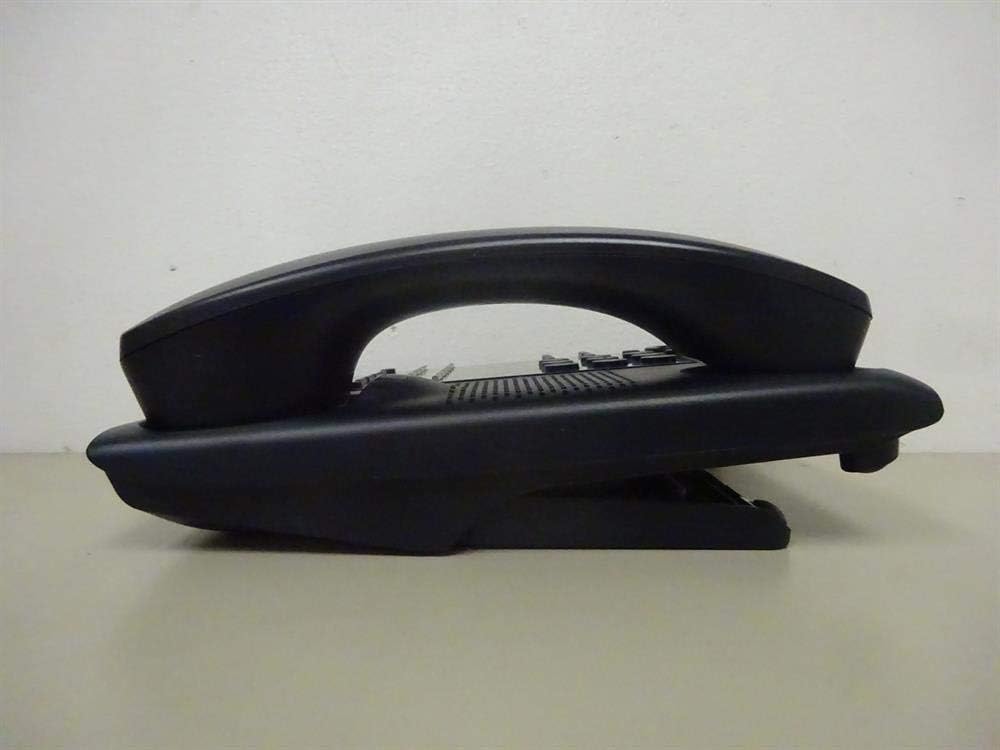
איור 1: צַד view of the NEC SL2100 IP7WW-12TXH-B1 telephone, showing the ergonomic design of the handset and base unit.

איור 2: אֲחוֹרִי view of the telephone, illustrating the various connection ports for the handset and network, as well as the integrated wall-mounting slots.
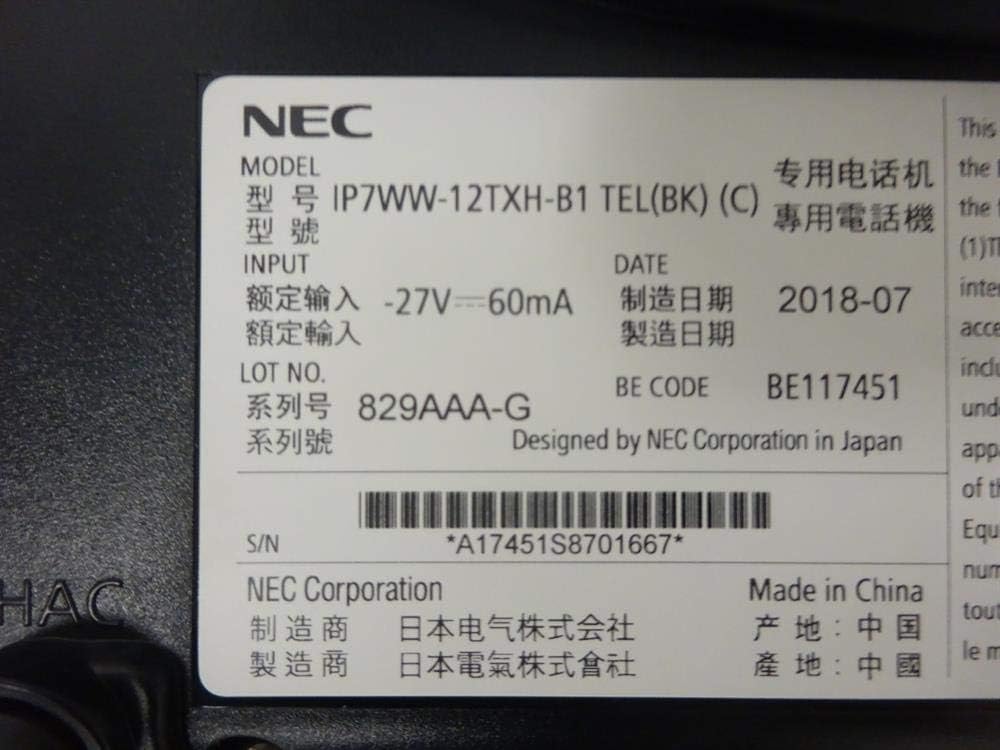
איור 3: Close-up of the product label, displaying model number IP7WW-12TXH-B1, input specifications, and manufacturer details.
הגדרה
1. Assembling the Telephone
- חבר את מעמד הבסיס: Align the base stand with the slots on the bottom of the telephone. Slide it into place until it clicks securely. The stand can be adjusted for different viewing angles or reversed for wall mounting.
- חבר את השפופרת: חבר קצה אחד של כבל השפופרת המסולסל לשפופרת ואת הקצה השני לשקע הייעודי בצד בסיס הטלפון.
2. התחברות למערכת
This telephone is designed to connect to an NEC SL2100 system. Ensure your SL2100 system is properly installed and configured.
- חבר את כבל הרשת: Plug one end of an Ethernet cable into the LAN port on the back of the telephone. Plug the other end into an available port on your NEC SL2100 system or a network switch connected to the system.
- הפעלה: The telephone receives power directly from the NEC SL2100 system (Power over Ethernet - PoE) or via a separate power adapter (not included, if PoE is not available). Once connected, the telephone should power on automatically.
- תצורה ראשונית: The telephone will typically register with the SL2100 system automatically. If prompted, follow the on-screen instructions or consult your system administrator for specific extension number assignment or network settings.
הוראות הפעלה
ביצוע שיחות
- הרמת שפופרת: הרם את השפופרת והקשב לצליל חיוג.
- מספר חיוג: חייג את מספר הטלפון הרצוי באמצעות לוח המקשים.
- רמקול: הקש על רַמקוֹל button to activate the speakerphone, then dial the number.
קבלת שיחות
- הרמת שפופרת: When the telephone rings, lift the handset to answer.
- רמקול: הקש על רַמקוֹל button to answer the call hands-free.
שימוש בתצוגה
The display shows call information, menu options, and system status. Use the navigation buttons (usually arrow keys) to scroll through menus and the לְהַכנִיס or לִבחוֹר לחצן כדי לאשר את הבחירות.
Programmable Function Keys (12 Buttons)
The 12 buttons on the telephone can be programmed for various functions such as speed dial, line access, feature activation, or direct station selection. Consult your system administrator for the specific programming of these keys.
שיחות ועידה
The telephone supports 3-way conference calls. To initiate a conference call:
- צור שיחה עם הצד הראשון.
- הקש על CONF (Conference) button or the designated programmable key. The first party will be put on hold.
- חייג את מספר הצד השני.
- לאחר החיבור לצד השני, לחצו על הלחצן CONF לחץ שוב כדי להצטרף לכל שלושת הצדדים.
זיהוי מתקשר
When an incoming call is received, the caller's information (name and number, if available) will be displayed on the screen.
פעולה מרובת שורות
This telephone supports multi-line operation, allowing you to manage multiple calls simultaneously. Use the designated line keys or programmable keys to switch between active lines or place calls on hold.
תַחזוּקָה
ניקוי
To clean the telephone, unplug it from the network connection. Use a soft, slightly damp cloth. Do not use harsh chemicals, abrasive cleaners, or excessive moisture. Avoid spraying cleaners directly onto the telephone.
אִחסוּן
If storing the telephone for an extended period, ensure it is clean and dry. Store it in a cool, dry place away from direct sunlight and extreme temperatures.
פתרון בעיות
- ללא צליל חיוג:
- Check all cable connections, especially the network cable to the SL2100 system.
- Ensure the SL2100 system is powered on and functioning correctly.
- If using a separate power adapter (not PoE), ensure it is properly connected and receiving power.
- התצוגה לא עובדת:
- Verify the telephone is receiving power.
- Try disconnecting and reconnecting the network cable.
- לא ניתן לבצע/לקבל שיחות:
- בדוק אם יש צליל חיוג.
- Ensure the telephone is properly registered with the SL2100 system.
- Contact your system administrator to verify line assignments and system status.
- איכות שמע ירודה:
- Check handset and network cable connections.
- ודא שאין הפרעות ממכשירים אלקטרוניים אחרים.
- Test with another telephone if possible to isolate the issue.
מפרטים
| תכונה | מִפרָט |
|---|---|
| מותג | NEC |
| מספר דגם | IP7WW-12TXH-B1 (Mfr Part Number: BE117451) |
| צֶבַע | שָׁחוֹר |
| סוג טלפון | פָּתוּל |
| חוֹמֶר | פּלָסטִי |
| מקור כוח | Phone System (PoE compatible) |
| סוג חייגן | לוח מקשים בודד |
| מידות פריט (L x W x H) | 15 x 12 x 6 אינץ' |
| סוג מערכת מענה | Digital (System Dependent) |
| מכשירים תואמים | NEC SL2100 Systems, NEC SL2100 IP7WW-082U-B1 8 Port Digital Station Card |
| יכולת שיחת ועידה | דו כיווני |
| פעולה מרובת שורות | כֵּן |
| זיהוי מתקשר | כֵּן |
אחריות ותמיכה
For warranty information, please refer to the documentation provided with your NEC SL2100 system or contact your NEC authorized dealer. For technical support, please contact your system administrator or NEC customer service.
תאגיד NEC
For further assistance, please visit the official NEC website or contact your local support representative.