
1. הקדמה
Thank you for choosing the AWEI Y330 Wireless Bluetooth Speaker. This manual provides essential information for the proper setup, operation, and maintenance of your device. Please read it carefully before use to ensure optimal performance and longevity.
The AWEI Y330 is a portable wireless speaker featuring Bluetooth connectivity, dual speaker units, FM radio, and TF card support. It is designed for outdoor use, offering stereo sound with a subwoofer effect.
2. המוצר נגמרview
Familiarize yourself with the components and controls of your AWEI Y330 speaker.

תמונה: למעלה view of the AWEI Y330 speaker, highlighting the control buttons and their functions. From left to right, buttons include: Volume Down / Last Song, Mode Switch, Play/Pause / Answer Call, Volume Up / Next Song, and Power On/Off.
תכולת החבילה:
- AWEI Y330 Wireless Bluetooth Speaker
- כבל טעינה USB
- כבל שמע 3.5 מ"מ (AUX)
- מדריך למשתמש
3. התקנה
3.1 טעינת הרמקול
Before first use, fully charge the speaker. The built-in battery has a capacity of 1200mAh (3.7V).
- חבר את כבל הטעינה USB המצורף לשקע הטעינה של הרמקול.
- Connect the other end of the USB cable to a compatible USB power adapter (e.g., 5V/500mA) or a computer's USB port.
- נורית חיווי הטעינה תידלק.
- Charging typically takes 3-4 hours. The indicator light will change or turn off once charging is complete.
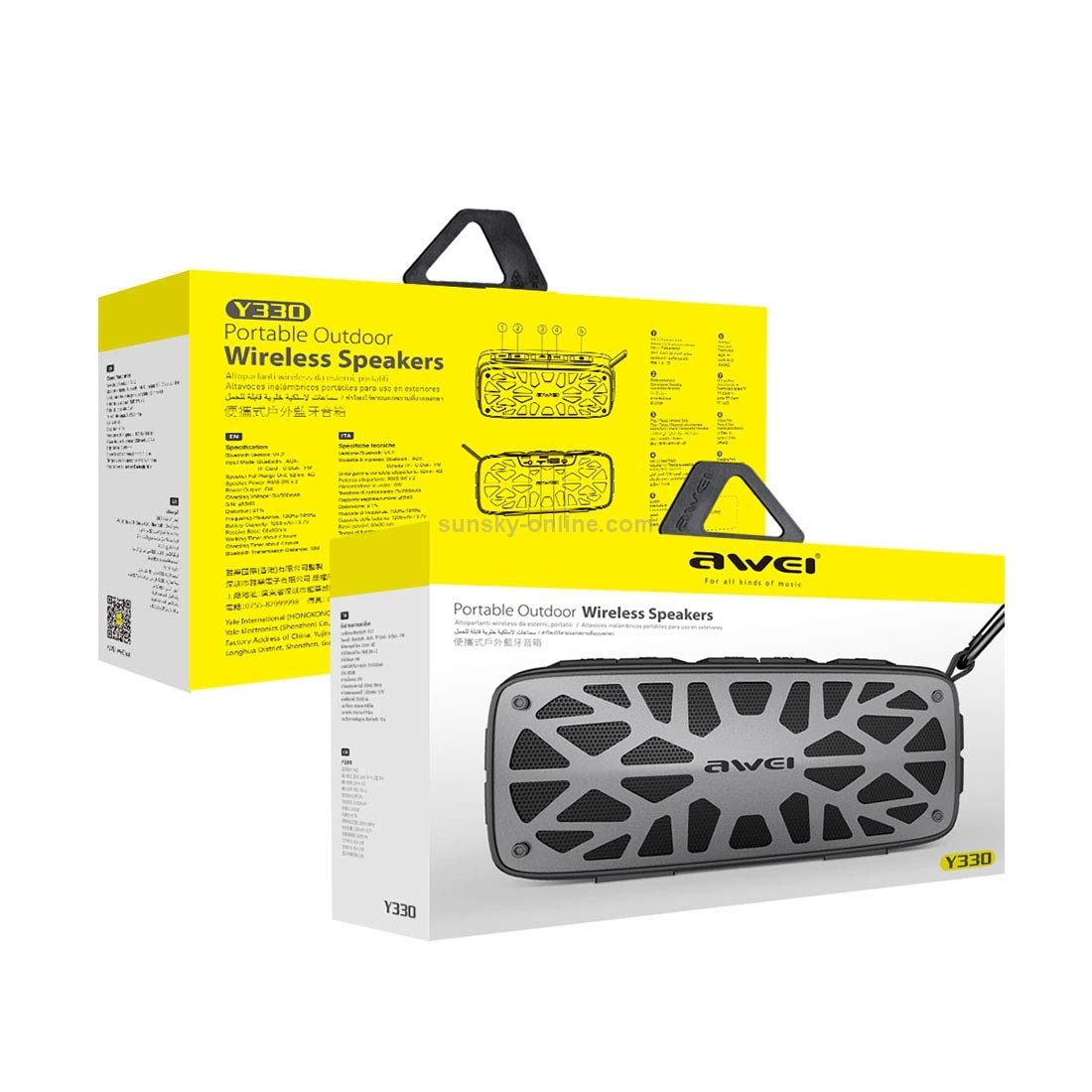
Image: The AWEI Y330 speaker shown with text indicating 'LARGE POWER LONG TIME', '1200mAh /3.7V' battery capacity, '3-4 H charge', and '4h playing time'.
3.2 הפעלה/כיבוי
- להפעלה: לחצו והחזיקו את כּוֹחַ button until you hear an audible prompt.
- לכיבוי: לחצו והחזיקו את כּוֹחַ button until the speaker turns off.
4. הוראות הפעלה
4.1 מצב Bluetooth
This mode allows wireless audio streaming from Bluetooth-enabled devices.
- Ensure the speaker is powered on and in Bluetooth mode (indicated by an audible prompt or LED). If not, press the מצב לחצן כדי לעבור למצב Bluetooth.
- הפעל את Bluetooth בטלפון החכם, בטאבלט או במכשיר אחר שלך.
- חפש available Bluetooth devices. You should see "AWEI Y330" in the list.
- Select "AWEI Y330" to pair. Once paired, you will hear a confirmation sound.
- כעת ניתן להשמיע אודיו מהמכשיר דרך הרמקול.
4.2 מצב AUX
חברו התקני שמע חיצוניים באמצעות כבל שמע 3.5 מ"מ.
- Connect one end of the 3.5mm audio cable to the AUX port on the speaker.
- חבר את הקצה השני לשקע האוזניות או ליציאת השמע של המכשיר החיצוני שלך.
- הקש על מצב button on the speaker until it enters AUX mode.
- הפעלת אודיו מהמכשיר החיצוני שלך.
4.3 מצב כרטיס TF / דיסק U
הפעל אודיו files directly from a TF card or USB flash drive.
- Insert a TF card into the designated slot or a USB flash drive into the USB port.
- הקש על מצב button to switch to TF card or U Disk mode. The speaker will automatically detect and play audio files.
מצב רדיו 4.4 FM
Listen to FM radio stations.
- הקש על מצב לחצן כדי לעבור למצב רדיו FM.
- To auto-scan for stations: Press and hold the הפעל/השהה כפתור. הרמקול יסרוק וישמור תחנות זמינות.
- To switch stations: Use the השיר הבא or שיר אחרון כפתורים.
4.5 פונקציות שיחה
The speaker features a built-in HD microphone for hands-free calls when connected via Bluetooth.
- כדי לענות לשיחה נכנסת: לחצו על הפעל/השהה/ענה לשיחה כפתור פעם אחת.
- כדי לסיים שיחה: לחצו על הפעל/השהה/ענה לשיחה כפתור פעם אחת במהלך שיחה.
- כדי לדחות שיחה נכנסת: לחץ והחזק את המקש הפעל/השהה/ענה לשיחה לַחְצָן.
4.6 בקרת עוצמת קול ומסלול
- Volume Up: Short press the הגברת עוצמת הקול לַחְצָן.
- Volume Down: Short press the הורדת עוצמת הקול לַחְצָן.
- Next Track: Long press the הגברת עוצמת הקול לַחְצָן.
- Previous Track: Long press the הורדת עוצמת הקול לַחְצָן.
5. תחזוקה
5.1 ניקוי
- נגבו את הרמקול בעזרת מטלית רכה ויבשה.
- אין להשתמש בחומרי ניקוי שוחקים, אלכוהול או ממיסים כימיים, מכיוון שאלה עלולים לפגוע במשטח.
5.2 אחסון
- יש לאחסן את הרמקול במקום קריר ויבש, הרחק מאור שמש ישיר וטמפרטורות קיצוניות.
- אם מאחסנים את הסוללה לתקופה ממושכת, יש לטעון אותה כל 3 חודשים כדי לשמור על אורך חייה.
5.3 עמידות במים
The AWEI Y330 speaker is designed to be waterproof. However, avoid submerging it in water for prolonged periods or exposing it to high-pressure water jets. Ensure the charging port cover is securely closed to maintain water resistance.
6. פתרון תקלות
- הרמקול לא נדלק:
ודא שהסוללה טעונה. חבר את הרמקול למקור חשמל ונסה שוב. - לא ניתן להתחבר באמצעות Bluetooth:
Ensure the speaker is in Bluetooth pairing mode. Turn off and on Bluetooth on your device. Move the speaker closer to your device (within 10 meters). Clear previous Bluetooth connections on your device and try pairing again. - אין קול:
Check the volume levels on both the speaker and your connected device. Ensure the correct mode (Bluetooth, AUX, TF Card, FM) is selected. - קליטת רדיו FM גרועה:
Move the speaker to an open area. The audio cable can sometimes act as an antenna; try connecting it even if not using AUX mode. - הרמקול נכבה אוטומטית:
The battery might be low. Recharge the speaker.
7. מפרטים

Image: The AWEI Y330 speaker with text indicating 'Heavy Bass', 'Dual units', '6W Rated power', '2x52mm Full frequency magnetic boron unit', and '50x90mm Bass passive radiator unit'.
| תכונה | מִפרָט |
|---|---|
| דֶגֶם | Y330 |
| סוג רמקול | סאב וופר |
| קישוריות | Bluetooth V4.2, 3.5mm AUX, TF Card, U Disk |
| מרחק שידור | 10 מטר |
| כוח פלט | 3W * 2 (סה"כ 6W) |
| SNR (יחס אות לרעש) | 85dB |
| עַכָּבָּה | 32 Ω |
| תגובת תדר | 100 הרץ - 1 קילוהרץ |
| קיבולת סוללה | 1200mAh, 3.7V |
| זמן טעינה | 3-4 שעות |
| זמן עבודה | עד 4 שעות |
| מִיקרוֹפוֹן | Yes, built-in HD microphone |
| אֲטִימוּת | כֵּן |
| מידות המוצר | 5D x 19W x 8H סנטימטרים |
| משקל פריט | 0.7 קילוגרם |
8. אחריות ותמיכה
8.1 מידע אחריות
The AWEI Y330 Wireless Bluetooth Speaker comes with a 6-month warranty from the date of purchase. This warranty covers manufacturing defects under normal use. It does not cover damage caused by misuse, accidents, unauthorized modifications, or normal wear and tear.
8.2 תמיכת לקוחות
For technical assistance, warranty claims, or any questions regarding your AWEI Y330 speaker, please contact your retailer or the manufacturer's customer service department. Refer to the product packaging or the official AWEI webהאתר לפרטי יצירת קשר.