
1. הקדמה
Thank you for choosing the Macally USB Type C Wired Mouse. This manual provides detailed instructions for setting up, operating, and maintaining your new mouse. Designed for simplicity and reliability, this plug-and-play mouse offers comfortable use with adjustable DPI settings for various computing needs.
2. תכולת החבילה
- Macally USB Type C Wired Mouse
- מדריך הוראות
3. התקנה
The Macally USB Type C Wired Mouse is designed for easy plug-and-play functionality, requiring no additional drivers for most operating systems.
- חבר את העכבר: Locate an available USB-C port on your computer (MacBook Pro, iMac, PC, Laptop, Tablet, etc.). Insert the USB-C connector of the mouse cable firmly into the USB-C port.
- זיהוי אוטומטי: Your operating system should automatically detect and configure the mouse. No software installation is typically required.
- התחלת שימוש: לאחר זיהוי העכבר, הוא מוכן לשימוש מיידי.

Image: The Macally USB-C mouse connected to a laptop via its USB-C cable, demonstrating the plug-and-play setup.
Video: A demonstration of connecting the wired USB-C mouse to a laptop, highlighting its plug-and-play functionality for Type-C computers.
4. הוראות הפעלה
4.1 שימוש בסיסי
The mouse features a standard 3-button layout for intuitive control:
- כפתור לחיצה שמאלי: משמש לבחירת פריטים, פתיחה files, וביצוע פקודות.
- כפתור לחיצה ימנית: Used for accessing contextual menus and additional options.
- גלגל גלילה: משמש לגלילה בין מסמכים ו web pages. The scroll wheel can also be pressed as a middle click button for specific functions in some applications.

תמונה: מלמעלה למטה view of the Macally USB-C mouse, clearly showing the left-click, right-click, and scroll wheel buttons.
התאמת 4.2 DPI
The mouse features a dedicated DPI (Dots Per Inch) switch to adjust cursor sensitivity. This allows you to change the speed and responsiveness of the cursor to suit your preference or task.
- הקש על כפתור DPI (located below the scroll wheel) to cycle through the available sensitivity settings: 800, 1200, 1600, and 2400 DPI.
- Select the DPI setting that provides the most comfortable and efficient cursor movement for your current activity.
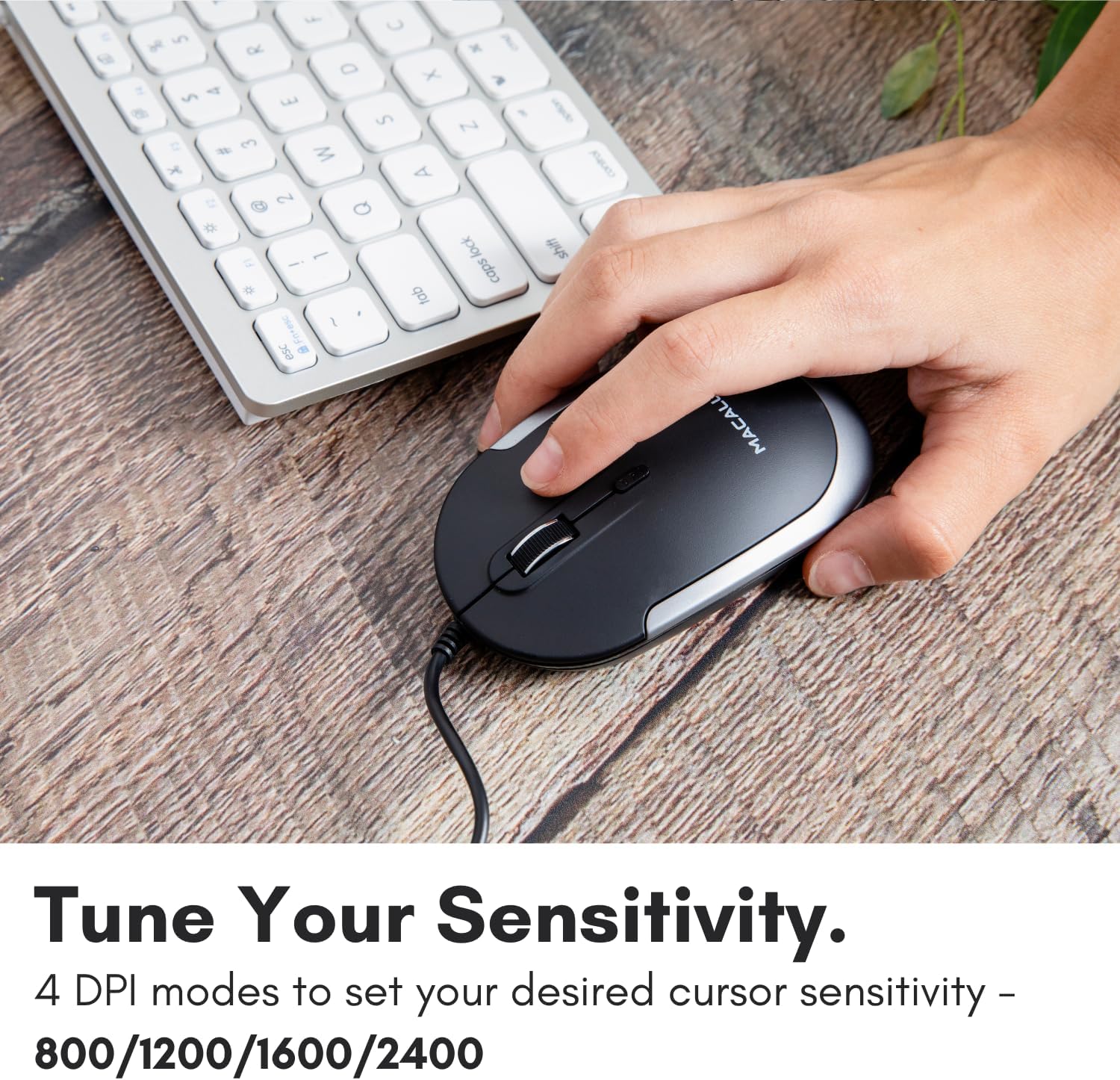
Image: A hand demonstrating how to press the DPI button on the Macally USB-C mouse to adjust sensitivity.
4.3 תאימות
The Macally USB Type C Wired Mouse is universally compatible with a wide range of devices and operating systems:
- Mac (macOS)
- מחשב (Windows)
- iPadOS
- Android devices with USB-C ports

Image: The Macally USB-C mouse displayed with compatibility logos for Mac, PC, iPadOS, and Android operating systems.
5. תכונות עיקריות
- קישוריות USB-C: Specifically designed for modern laptops and computers with USB-C ports, ensuring a reliable wired connection.
- עיצוב דק וקומפקטי: With a height of only 1 inch, the mouse is slim, comfortable, and portable, fitting snugly in your hand.
- כפתורי לחיצה שקטים: Reduces clicking noise by 90% compared to traditional mice, providing a quieter work environment.
- DPI מתכוונן: Easily switch between 800, 1200, 1600, and 2400 DPI settings for precise cursor control.
- 5-Foot Cable: מספק ample length for flexible setup and comfortable use, even with desktop computers.
- עיצוב דו-דמי: מתאים למשתמשים ימניים ושמאליים כאחד.

Image: The Macally USB-C mouse highlighting its elegant and slim design with dimensions.
Video: A detailed look at the Macally USB-C Optical Mouse, emphasizing its quiet click buttons and compatibility with Mac and PC.
6. תחזוקה
To ensure the longevity and optimal performance of your Macally USB Type C Wired Mouse, follow these simple maintenance guidelines:
- ניקוי: השתמשו במטלית רכה, יבשה וללא סיבים כדי לנגב את פני השטח של העכבר. במקרה של לכלוך עיקש, נקו קלותampשטפו את המטלית במים או בתמיסת ניקוי עדינה. הימנעו משימוש בכימיקלים חזקים או בחומרים שוחקים.
- חיישן אופטי: שמרו על ניקיון החיישן האופטי בחלקו התחתון של העכבר, ללא אבק או פסולת. השתמשו בצמר גפן או באוויר דחוס במידת הצורך.
- טיפול בכבלים: Avoid sharp bends or excessive pulling on the USB-C cable to prevent damage. Store the cable neatly when not in use.
- אִחסוּן: כאשר אינו בשימוש, יש לאחסן את העכבר בסביבה נקייה ויבשה הרחק מטמפרטורות קיצוניות.
7. פתרון תקלות
If you encounter any issues with your Macally USB Type C Wired Mouse, please refer to the following common solutions:
| בְּעָיָה | פִּתָרוֹן |
|---|---|
| העכבר לא מגיב. |
|
| תנועת הסמן אינה יציבה או קופצנית. |
|
| Buttons or scroll wheel are not working. |
|
8. מפרטים
| מותג | מקאלי |
| מספר דגם | UCDYNAMOUSESG |
| טכנולוגיית קישוריות | USB-C קווי |
| טכנולוגיית זיהוי תנועה | אוֹפּטִי |
| הגדרות DPI | 800, 1200, 1600, 2400 |
| אורך כבל | 5 רגל (כ-1.5 מטרים) |
| כפתורים | 3 (Left, Right, Scroll Wheel/Middle Click) + DPI Switch |
| משקל פריט | 2.56 אונקיות (כ-72.5 גרם) |
| מידות המוצר (LxWxH) | 2.8 x 4.21 x 1 אינץ' (כ-7.1 x 10.7 x 2.5 ס"מ) |
| תְאִימוּת | Mac (macOS), PC (Windows), iPadOS, Android (with USB-C) |
9. אחריות ותמיכה
Macally provides a אחריות לשנה for this product. For technical support, troubleshooting assistance, or warranty claims, please contact Macally customer service. You can find contact information and additional resources on the official Macally webאֲתַר:
Webאֲתַר: www.macally.com
Macally also offers easy returns and lifetime support with your purchase.