
SUNITEC BC920
מדריך למשתמש של רמקול Bluetooth לרכב SUNITEC BC920
Hands-Free Bluetooth Car Speaker for Cell Phone
1. המוצר נגמרview
The SUNITEC BC920 is a versatile Bluetooth car speaker designed to provide clear, hands-free communication and audio streaming in your vehicle. It features advanced DSP noise-cancellation technology for crystal-clear calls and supports voice assistants like Siri and Google Assistant for safe driving.

תמונה: חזית view of the SUNITEC BC920 Bluetooth Car Speaker, showing its compact design and control buttons.
2. תכולת החבילה
אנא סמן את התיבה עבור הפריטים הבאים:
- SUNITEC BC920SA Bluetooth Car Kit
- מטען לרכב
- כבל טעינה USB
- Quick user guide / User Manual

Image: Back of the SUNITEC BC920 product box, detailing key features and package contents.
3. פריסת מכשיר
Familiarize yourself with the buttons and ports on your SUNITEC BC920 speakerphone.
- כפתור חיוג: Answer/End calls, Redial.
- הגברת עוצמת הקול (+): הגדל את הווליום.
- להנמיך קול (-): הורד נפח.
- כפתור השתק: השתקה/ביטול השתקה של המיקרופון.
- מתג הפעלה: הפעלה/כיבוי.
- יציאת מיקרו USB: לטעינה.
- קליפ למראה: For attaching to car visor.

תמונה: תקריב view of the SUNITEC BC920, highlighting the call button, volume controls, and mute button.
4. הגדרה וטעינה
4.1 טעינה ראשונית
Before first use, fully charge the SUNITEC BC920. Connect the provided USB charging cable to the Micro USB port on the device and the other end to the car charger or a standard USB power adapter (not included). The LED indicator will show charging status.
The device features a long-lasting battery, providing up to 22 hours of talk time and 1000 hours of standby time on a full charge.

Image: Illustration showing the SUNITEC BC920 and its impressive battery life, with icons for 22 hours talk time and 1000 hours standby time.
4.2 הפעלה/כיבוי
- כדי להפעיל: Slide the power switch to the "ON" position. You will hear a voice prompt "Power On".
- כדי לכבות: Slide the power switch to the "OFF" position. You will hear a voice prompt "Power Off".
The device also features an auto power on/off function. A built-in vibration sensor automatically turns on the car kit when it detects car door opening, allowing it to reconnect with your phone. When the device is not in use for a period, it will turn off automatically to save battery.

Image: Visual representation of the SUNITEC BC920's auto power-on feature, showing the device activating when a car door is opened.
4.3 זיווג בלוטות '
To connect the SUNITEC BC920 to your mobile phone:
- ודא שהרמקול דולק.
- On your phone, go to Bluetooth settings and enable Bluetooth.
- חפש available devices. The speakerphone will appear as "BC920".
- Select "BC920" to pair. You will hear a voice prompt "Pairing" and then "Connected" upon successful connection.
The SUNITEC BC920 supports connecting two Bluetooth cell phones simultaneously, allowing for easy switching between music and calls from different devices.

Image: Diagram illustrating the dual connection capability of the SUNITEC BC920, showing two smartphones connected simultaneously.
5. הוראות הפעלה
5.1 ביצוע וקבלת שיחות
- מענה לשיחה: הקש על כפתור חיוג פַּעַם.
- סיום שיחה: הקש על כפתור חיוג פעם אחת במהלך שיחה.
- דוחה שיחה: לחץ והחזק את כפתור חיוג למשך 2 שניות.
- חיוג חוזר למספר האחרון: לחץ פעמיים על כפתור חיוג.
- כוונון עוצמת הקול: השתמש ב- הגברת עוצמת הקול (+) ו להנמיך קול (-) כפתורים.
- השתקת מיקרופון: הקש על כפתור השתקה during a call. Press again to unmute.
The built-in 2W powerful speaker and DSP noise-cancellation technology ensure clear calls and high-quality audio even in noisy environments.

Image: Graphic highlighting the clear speech and high-quality audio features of the SUNITEC BC920, with sound waves emanating from the speaker.
5.2 עוזר קולי (סירי/עוזר גוגל)
The SUNITEC BC920 supports voice assistants, allowing you to make calls, send texts, or get driving directions hands-free, enhancing driving safety.
- הפעלת עוזר קולי: לחץ והחזק את כפתור חיוג for 2 seconds to activate Siri (iOS) or Google Assistant (Android).
- לאחר ההפעלה, ניתן להוציא פקודות כגון:
- "התקשרו ל[שם איש קשר]"
- "Text [Contact Name] [Message]"
- "Show me directions to [Destination]"
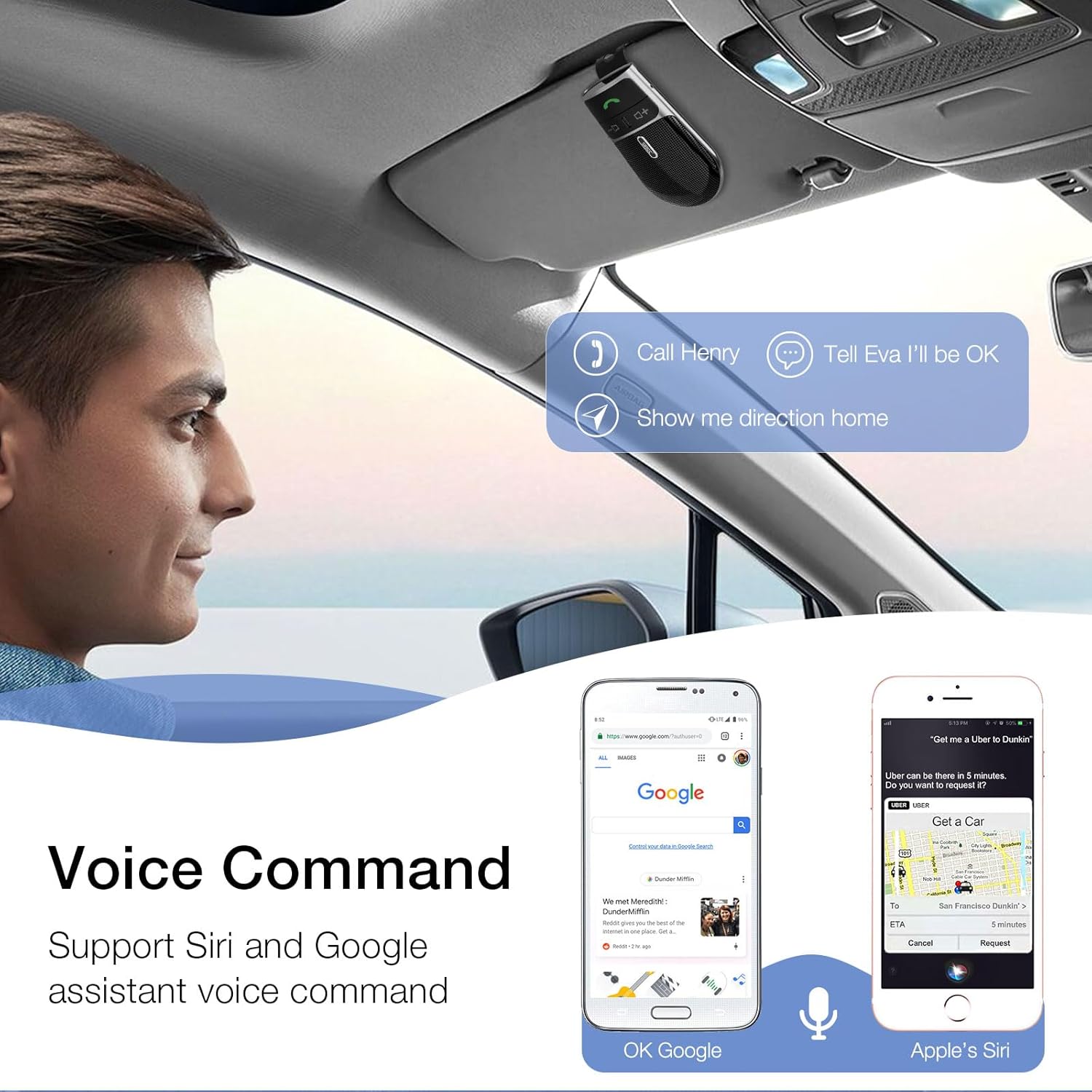
Image: A user in a car interacting with the SUNITEC BC920 to use voice commands for calling, texting, and navigation via Siri or Google Assistant.
5.3 הדרכה קולית
The device provides clear voice prompts for various operational statuses, making it easy to use without visual confirmation.
- "Power On"
- "Power Off"
- "Pairing"
- "Connected"
- "Disconnected"
- "Battery Low"
Image: Depiction of the SUNITEC BC920 providing voice guidance, with a list of common voice prompts.
6. תחזוקה
- נקו את המכשיר בעזרת מטלית רכה ויבשה. אין להשתמש בחומרי ניקוי שוחקים או ממסים.
- הרחק את המכשיר מטמפרטורות קיצוניות, לחות ואור שמש ישיר.
- Do not disassemble the device. This will void the warranty and may cause damage.
- אחסן במקום קריר ויבש כאשר אינו בשימוש לתקופות ממושכות.
7. פתרון תקלות
| בְּעָיָה | סיבה אפשרית | פִּתָרוֹן |
|---|---|---|
| המכשיר לא נדלק. | הסוללה התרוקנה. | טען את המכשיר במלואו. |
| לא ניתן להתאים לטלפון. | בלוטות' כבוי בטלפון; המכשיר אינו במצב צימוד; יותר מדי מכשירים מותאמים. | Ensure phone Bluetooth is on. Restart both devices. Clear previous Bluetooth connections on your phone. |
| איכות שמע ירודה במהלך שיחות. | Low battery; interference; device too far from phone. | Charge the device. Move closer to your phone. Avoid sources of strong electromagnetic interference. |
| עוזר קולי לא מגיב. | Not activated correctly; phone settings. | Ensure you press and hold the Call Button for 2 seconds. Check voice assistant settings on your phone. |
8. מפרטים
| תכונה | פְּרָט |
|---|---|
| מספר דגם | BC920 |
| מידות המוצר | 4.5 x 2.6 x 1 אינץ' |
| משקל פריט | 2.2 אונקיות |
| סוללות | סוללת ליתיום פולימר אחת (כלול) |
| טכנולוגיית קישוריות | בלוטות' |
| מקור כוח | מופעל על סוללה |
| חוֹמֶר | פּלָסטִי |
| תכונה מיוחדת | DSP Noise Cancellation, Microphone |
| זמן דיבור | עד 22 שעות |
| זמן המתנה | עד 1000 שעות |
9. מידע בטיחות
Proper usage while driving and battery handling precautions are essential. Always refer to the full user manual for comprehensive safety warnings.
- אל תפעילו את המכשיר באופן שמסיח את דעתכם מהנהיגה. תנו תמיד עדיפות לבטיחות בדרכים.
- אין לחשוף את המכשיר למים או ללחות מוגזמת.
- הימנע מטמפרטורות קיצוניות.
- יש להשליך סוללות בהתאם לתקנות המקומיות. אין לשרוף.
10. אחריות ותמיכה
SUNITEC offers a customer-friendly policy for its products:
- אַחֲרָיוּת: 365 Days free return for any problems.
- שֵׁירוּת לָקוֹחוֹת: Expect a quick response within 24 hours for inquiries.
For further assistance, please contact SUNITEC support:
- טֵלֵפוֹן: 0755-36863386 / 26863387 / 36863389
- אֶלֶקטרוֹנִי: support@sunitec.net
- Webאֲתַר: www.sunitec.net/en/

Image: Information regarding SUNITEC's customer service, including contact details and warranty period.
Ask a question about this manual
Ask about setup, troubleshooting, compatibility, parts, safety, or missing instructions. Manuals+ will review the question and use this page’s manual context to help answer it.