
1. מבוא ומעלהview
The Alphacool Eiszyklon Aurora LUX fan is designed to provide efficient cooling and vibrant digital RGB illumination for your PC system. These fans are particularly effective on radiators due to their high static pressure, ensuring optimal performance even at lower rotational speeds. The unique light-diffusing areas distribute the aRGB light evenly, creating stunning visual effects.
Each fan features a naturally decoupled frame to minimize vibrations and noise. A single 6-pin cable simplifies connectivity, handling both fan power and aRGB control. When used with the Alphacool Aurora LUX Digital RGB controller, this single cable allows for comprehensive control over fan speed and lighting effects.

Image: Three Alphacool Eiszyklon Aurora LUX Digital RGB fans, showcasing their illuminated blue rings and central logos. These fans are designed for efficient cooling and vibrant lighting within a PC system.
2. תכולת החבילה
אנא ודא שכל הרכיבים המפורטים להלן נמצאים בחבילה שלך לפני שתמשיך בהתקנה.
- 3x Alphacool Eiszyklon Aurora LUX Digital RGB Fans (120x120x25mm)
- 1x Alphacool Aurora LUX Digital RGB Controller
- 1x Remote Controller for RGB and fan speed adjustment
- Mounting Screws for fans
- Necessary connection cables (6-pin fan connectors, controller power cable)

Image: The Alphacool Aurora LUX Digital RGB controller, its accompanying remote control, a set of mounting screws, and various connection cables. These components are essential for the setup and operation of the Eiszyklon Aurora LUX fans.
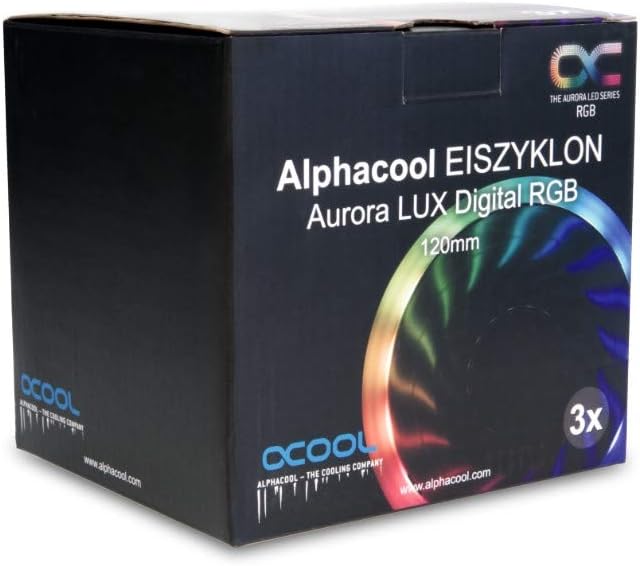
Image: The retail packaging for the Alphacool Eiszyklon Aurora LUX Digital RGB fans, indicating a 3-pack of 120mm fans. The box features product branding and an image of an illuminated fan.
3. התקנה והתקנה
Follow these steps to properly install your Alphacool Eiszyklon Aurora LUX fans and controller.
- הרכבת המאווררים: Securely attach the 120mm fans to your PC case, radiator, or desired mounting points using the provided mounting screws. Ensure proper airflow direction for optimal cooling.
- Connecting Fans to Controller: Each Eiszyklon Aurora LUX fan has a single 6-pin connector. Connect these 6-pin cables from the fans to the corresponding 6-pin fan connectors on the Alphacool Aurora LUX Digital RGB Controller. The controller has 10 such fan connectors.
- Controller Power Connection: Connect the power cable from the Alphacool Aurora LUX Digital RGB Controller to a suitable power source in your PC (e.g., SATA power connector from your power supply).
- הרכבת הבקר: The controller can be mounted inside your PC case using the adhesive tape provided on its back. Choose a location that allows for easy cable management and remote signal reception.
- Optional LED Strip Connection: If you have additional digital RGB LED strips (JTS 4-Pin), you can connect them to the two dedicated JTS 4-Pin connectors on the controller.
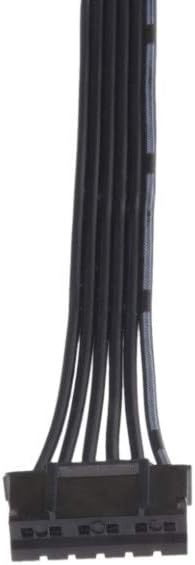
תמונה: תקריב view of the 6-pin connector cable, which combines both power and RGB signal lines for the Alphacool Eiszyklon Aurora LUX fans.
4. הוראות הפעלה
The Alphacool Aurora LUX Digital RGB Controller and its remote allow for easy customization of your fan's performance and aesthetics.
- הפעלה/כיבוי: Use the "On" and "Off" buttons on the remote controller to power the fans and lighting on or off.
- בקרת מהירות מאוורר: The remote allows you to adjust the fan speed. Refer to the remote's specific buttons (e.g., S+, S-) for increasing או decreasing fan RPM.
- Lighting Effects and Colors: Utilize the color buttons and mode buttons on the remote to cycle through various digital RGB lighting effects and select your preferred colors. The "AUTO" button may cycle through pre-programmed effects.

תמונה: אקסיתample of the blue illumination provided by three Alphacool Eiszyklon Aurora LUX Digital RGB fans, demonstrating the even light distribution.
5. תחזוקה
Regular maintenance helps ensure the longevity and optimal performance of your fans.
- הסרת אבק: Periodically clean the fan blades and frame to remove accumulated dust. Use compressed air or a soft brush. Ensure the system is powered off before cleaning.
- בדיקת כבלים: בדקו מדי פעם את כל הכבלים המחוברים לחיבורים בטוחים וכל סימני בלאי או נזק.
6. פתרון תקלות
If you encounter issues with your Alphacool Eiszyklon Aurora LUX fans, refer to the following common troubleshooting steps:
- מאווררים שלא מסתובבים:
- Ensure the controller is properly powered (SATA power connected).
- Verify that the 6-pin fan cables are securely connected to the controller.
- Check if the remote control is functioning and sending signals (e.g., try pressing "On").
- נורות RGB לא עובדות:
- Confirm the 6-pin fan cables are fully seated in the controller, as they carry both power and RGB signals.
- Try cycling through different lighting modes or colors using the remote.
- Ensure the controller itself is receiving power.
- שלט רחוק לא מגיב:
- Check if the remote's battery needs replacement.
- ודא שאין מכשולים בין השלט רחוק למקלט ה-IR של הבקר.
If problems persist, please contact Alphacool customer support for further assistance.
7. מפרטים
Detailed technical specifications for the Alphacool Eiszyklon Aurora LUX Digital RGB fans and controller:
| תכונה | מִפרָט |
|---|---|
| גודל מאוורר | 120 x 120 x 25 מ"מ |
| מהירות סיבוב מקסימלית | 1100 סל"ד |
| לחץ סטטי | 2.23 מ"מ H2O |
| קצב זרימת אוויר | 87.32 מ"ק לשעה |
| מיסבים | הידראולי |
| Fan/aRGB Connector | 6-Pin (proprietary) |
| תְאוּרָה | Digital addressable 5V RGB LEDs |
| מידות הבקר (אורך x רוחב x גובה) | 93 x 47 x 17 מ"מ |
| Controller Fan Connectors | 10 x 6-Pin |
| Controller Digital RGB LED Strip Connectors | 2x JTS 4-Pin |
| כרך מאווררtage | 12V |
| Digital RGB LED Voltage | 5V |
| Max. Power Output (Controller) | 50W |
| שליטה דרך | שלט רחוק |
| הרכבת בקר | סרט דבק |
| רמת רעש | 29 dB |
| Item Weight (per fan) | 5.3 אונקיות |
| מספר דגם | 24804 |
| ASIN | B07H2FN9VJ |

Image: A single Alphacool Eiszyklon Lux RGB fan, showing its design and the technical specifications printed on the central hub, including speed, voltagה, ו-וואטtage.

תמונה: מקצוען צדדיfile view of an Alphacool Eiszyklon fan, highlighting its 25mm thickness and the design of its frame, which contributes to its decoupled operation.
8. אחריות ותמיכה
For warranty information, technical support, or any inquiries regarding your Alphacool Eiszyklon Aurora LUX Digital RGB fans, please contact Alphacool directly through their official webאתר או מפיצים מורשים.
You can visit the official Alphacool store on Amazon for more information: Alphacool Store